




UGREEN CM800 6-in-1 Steam Deck Dock with 4K@120Hz HDMI & 100W PD
5,390.00৳
UGREEN CM800 6-in-1 Steam Deck Dock with 4K@120Hz HDMI & 100W PD
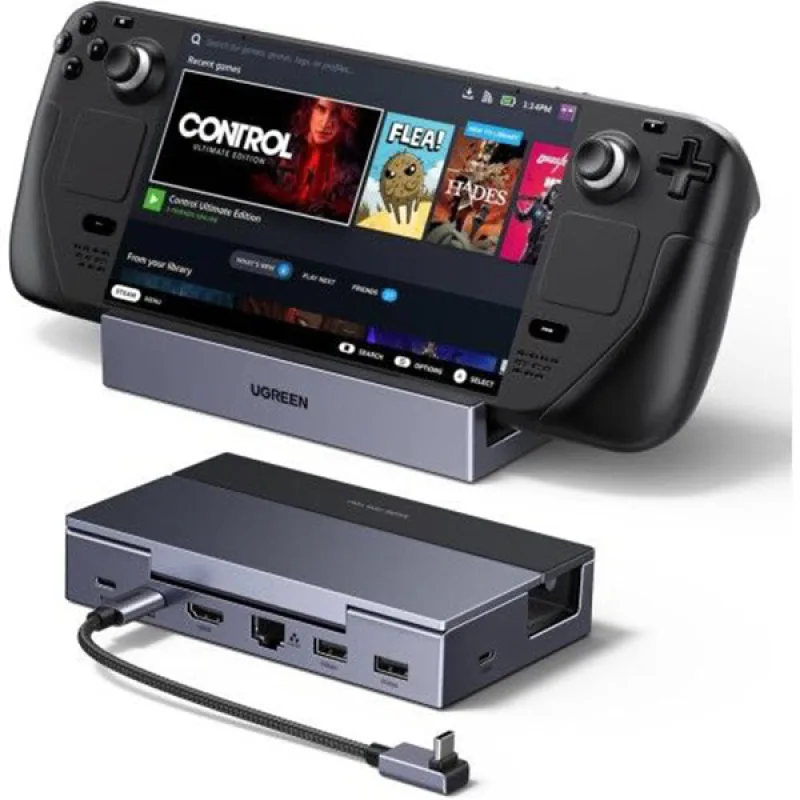
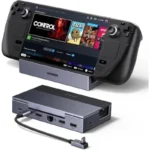
The UGREEN CM800 6-in-1 Steam Deck Dock (75126) is a versatile USB-C docking station designed to expand the connectivity of handheld gaming consoles such as the Steam Deck, Steam Deck OLED, ROG Ally, ROG Ally X and Lenovo Legion Go. It combines high-resolution HDMI output, fast USB connectivity, Gigabit Ethernet and USB-C Power Delivery in a compact foldable design.
Its HDMI 2.1 output supports up to 4K@120Hz, along with VRR, FreeSync and G-Sync compatibility when the connected host, display, cable and software support those technologies. The dock also provides 100W PD input and up to 85W power delivery to a compatible host, making it suitable for high-performance handheld gaming setups.
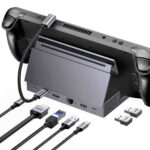
The dock includes two USB-A 3.0 ports and one USB-C 3.0 data port, all supporting up to 5Gbps, plus a Gigabit Ethernet port for stable wired networking. Its foldable aluminum-alloy stand and detachable USB-C host cable make it convenient for both desktop gaming and travel.
Common Problems with Handheld Gaming Devices
Handheld gaming consoles are convenient and portable, but their built-in ports may limit desktop-style gaming setups.
Common limitations include:
- Limited USB ports
- No full-size HDMI connection
- Lack of wired Ethernet
- Limited charging connectivity while using accessories
- Difficulty connecting multiple peripherals
- No convenient stand for desktop gaming
- Limited display connectivity
- Cable clutter around the gaming setup
A dedicated docking station can turn a handheld console into a more complete desktop or living-room gaming system.
Smart Solution for Handheld Gaming
The UGREEN CM800 6-in-1 Steam Deck Dock combines essential connectivity into one compact docking station.
Connect your handheld through the detachable USB-C host cable, connect a monitor or TV through HDMI, plug in your keyboard, mouse or storage devices through USB, connect Ethernet for wired networking and use the USB-C PD port to power the setup.
This allows compatible handheld gaming devices to function more like a desktop gaming system while remaining easy to disconnect and take on the go.
Key Features
1. 4K@120Hz HDMI 2.1 Output
The CM800 features an HDMI 2.1 output supporting up to 4K@120Hz with a compatible host device, HDMI cable and display.
This provides high-resolution and high-refresh-rate video output for gaming and entertainment.
The HDMI output also supports backward-compatible modes such as 1440p@144Hz and 1080p@360Hz according to UGREEN’s exact-SKU documentation.
Important: 4K@120Hz is the maximum supported HDMI output capability. Actual gaming performance depends on the handheld’s hardware, game, display, cable and graphics settings.
2. VRR, FreeSync & G-Sync Support
The CM800 supports Variable Refresh Rate (VRR), AMD FreeSync and NVIDIA G-Sync compatibility on supported setups.
These technologies can help synchronize the display refresh rate with the source’s frame rate, reducing tearing and improving gaming smoothness.
Actual functionality depends on the handheld, monitor, cable and software.
3. 100W USB-C Power Delivery
The dock accepts up to 100W USB-C PD input and can provide up to 85W to a compatible host device.
This provides additional power for demanding handheld gaming sessions while simultaneously powering the dock and connected accessories.
Important Charging Note
The 100W figure refers to the dock’s PD input, while host-device power delivery can reach up to 85W when supported by the connected device and charger.
For example, different handhelds may negotiate different charging levels depending on their power requirements.
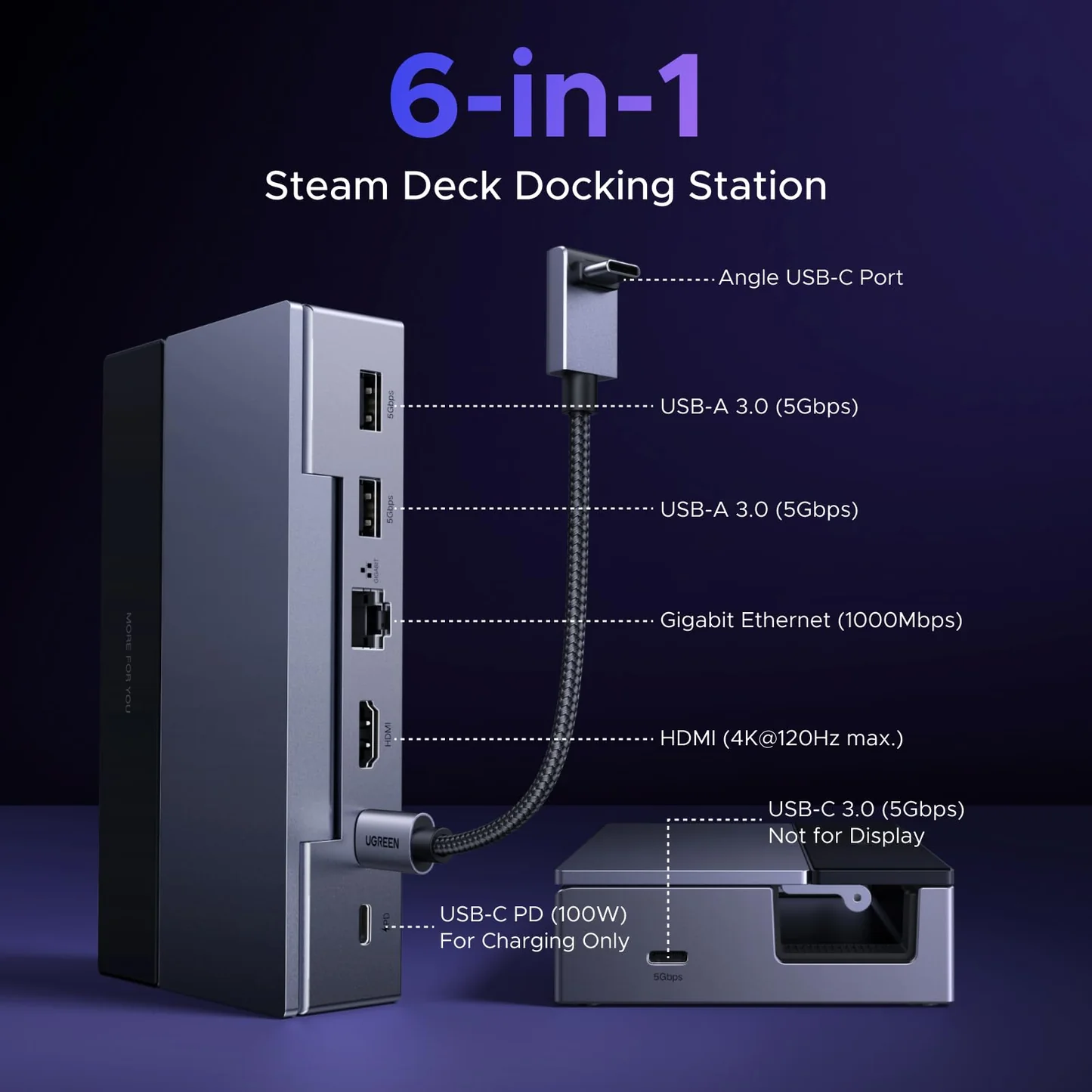
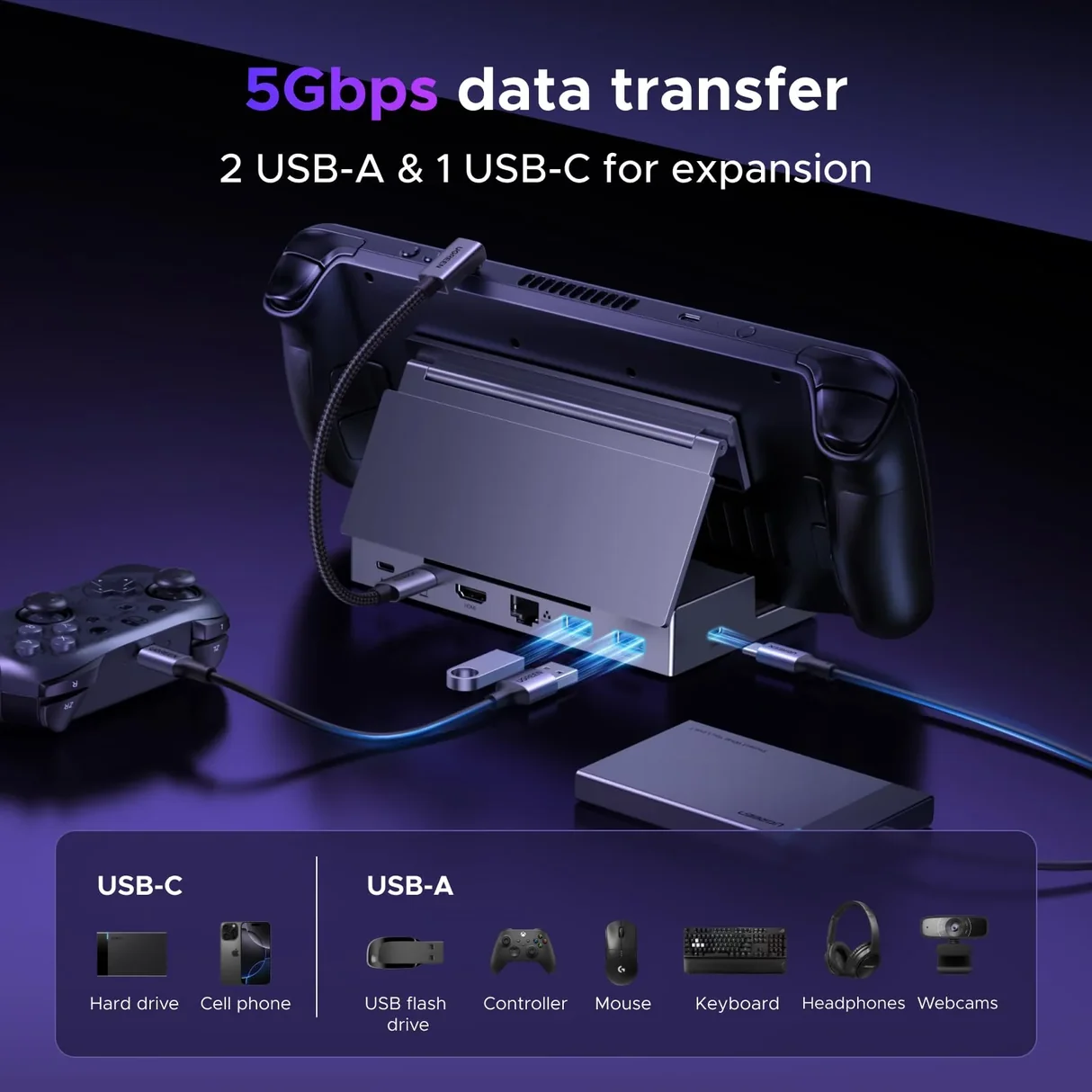
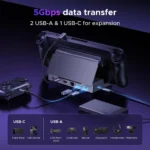
4. Three 5Gbps USB Data Ports
The CM800 provides three high-speed USB data ports:
- 2 × USB-A 3.0
- 1 × USB-C 3.0
Each is rated for up to 5Gbps data transfer, making the dock suitable for connecting keyboards, mice, controllers, USB drives, SSDs and other peripherals.
The USB-C port is a data port, not a second display output or the PD charging input.
5. Gigabit Ethernet
The built-in Gigabit Ethernet port supports wired networking up to 1000Mbps, providing a more stable network connection than Wi-Fi in many gaming environments.
It is useful for:
- Online gaming
- Game downloads
- Cloud gaming
- Software updates
- File transfers
- Streaming
Actual network performance depends on your router, Ethernet cable, internet service and network conditions.
6. Foldable Adjustable Gaming Stand
The CM800 combines a docking station with a foldable stand for handheld gaming devices.
The stand supports multiple viewing positions and can adjust up to approximately 90°, helping position the handheld comfortably while it is connected to external accessories.
The foldable structure also makes the dock easier to carry when traveling.
7. Detachable 25cm USB-C Host Cable
The CM800 uses a detachable USB-C host cable measuring approximately 25cm.
A detachable cable can make the dock easier to store and provides more flexibility when positioning a handheld on the stand.
8. Compact Aluminum-Alloy Construction
The docking station uses an aluminum-alloy and PC+ABS construction, providing a durable base while keeping the overall design compact.
The foldable construction is designed for both desktop use and portability.
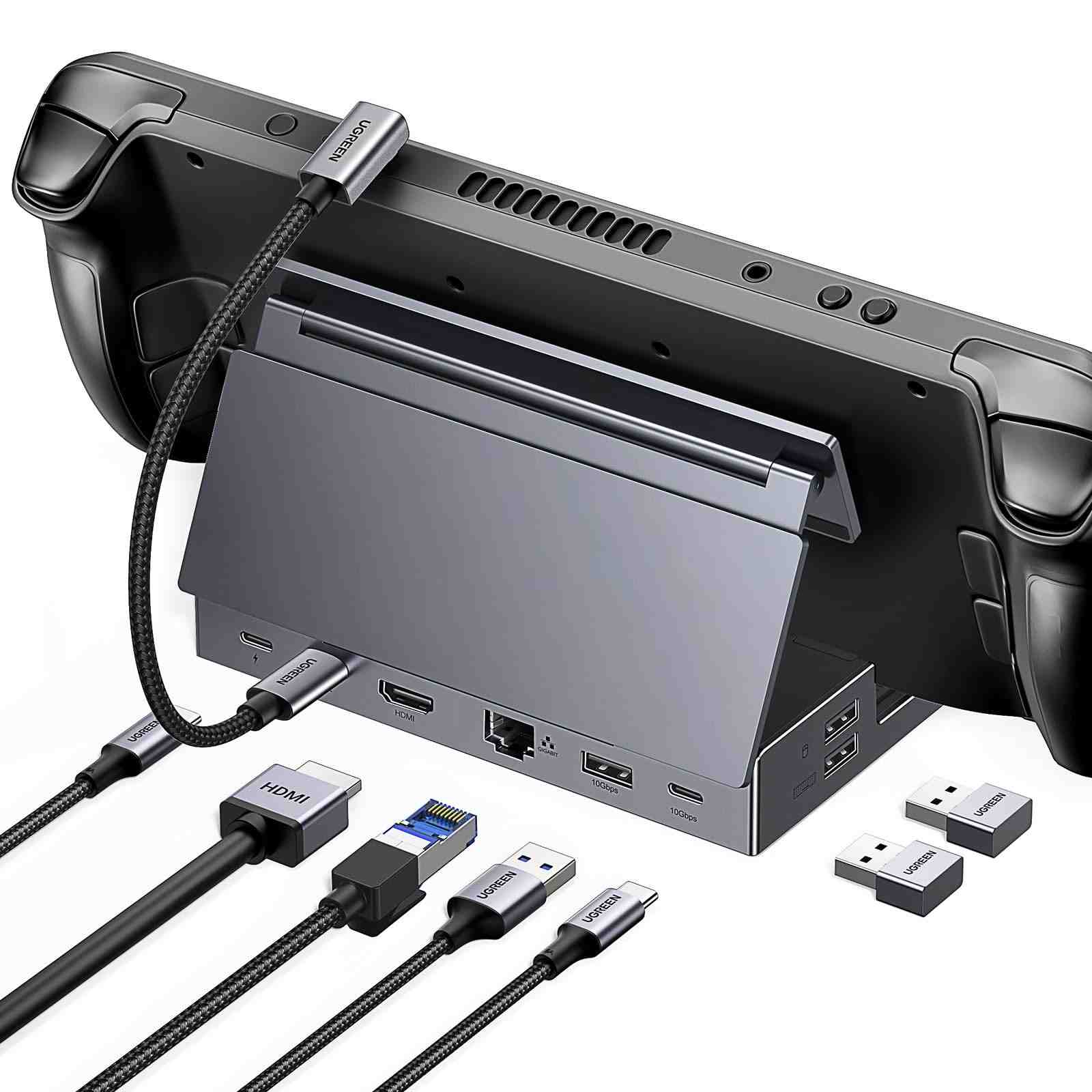
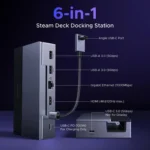
9. 6-in-1 Connectivity
The CM800 provides six primary connection functions:
- HDMI 2.1 output
- USB-A 3.0
- USB-A 3.0
- USB-C 3.0 data
- Gigabit Ethernet
- USB-C PD input
This allows multiple accessories and connectivity options to be used through one USB-C docking connection.
Benefits
- 4K@120Hz HDMI 2.1 output
- VRR support
- FreeSync and G-Sync compatibility
- 100W USB-C PD input
- Up to 85W host power delivery
- 3 × USB 5Gbps data ports
- 2 × USB-A 3.0
- 1 × USB-C 3.0 data port
- Gigabit Ethernet
- Foldable adjustable stand
- Detachable 25cm USB-C cable
- Aluminum-alloy construction
- Compact and portable design
- Suitable for handheld gaming
- Useful for desktop gaming setups
- Supports multiple compatible handheld devices
Perfect For
The UGREEN CM800 6-in-1 Steam Deck Dock is ideal for:
- Steam Deck users
- Steam Deck OLED users
- ROG Ally users
- ROG Ally X users
- Lenovo Legion Go users
- Handheld PC gamers
- Competitive gamers
- Living-room gaming
- Desktop gaming
- Gaming monitors
- 4K TV gaming
- Online gaming
- Portable workstation setups
- Users who need additional USB ports
- Users who need wired Ethernet
Why Choose UGREEN CM800?
A handheld gaming PC can provide excellent portable performance, but connecting it to a monitor, Ethernet network, keyboard, mouse, storage and power source can require several separate adapters.
The UGREEN CM800 brings these connections together in one compact docking station.
Its combination of 4K@120Hz HDMI 2.1, 100W PD input, up to 85W host power, 5Gbps USB connectivity, Gigabit Ethernet and a foldable stand makes it suitable for transforming a compatible handheld into a more complete desktop gaming setup.
UGREEN CM800 vs Basic USB-C Hub
| Feature | Basic USB-C Hub | UGREEN CM800 |
|---|---|---|
| HDMI Output | Varies | HDMI 2.1 |
| Maximum HDMI Output | Varies | Up to 4K@120Hz |
| VRR | Often No | Yes |
| FreeSync | Varies | Supported |
| G-Sync | Varies | Supported |
| USB-A Ports | Varies | 2 × 5Gbps |
| USB-C Data | Varies | 1 × 5Gbps |
| Gigabit Ethernet | Varies | Yes |
| PD Input | Varies | Up to 100W |
| Host Power | Varies | Up to 85W |
| Foldable Stand | Usually No | Yes |
| Detachable Host Cable | Varies | Yes |
| Handheld Gaming Design | Limited | Yes |
The basic USB-C hub column represents typical market configurations and varies by model.
How to Use UGREEN CM800
Step 1: Place Your Handheld
Place your Steam Deck, Steam Deck OLED or other compatible handheld securely on the foldable stand.
Step 2: Connect the USB-C Host Cable
Connect the detachable USB-C cable from the dock to the USB-C port of your handheld.
Make sure the host device supports the required USB-C connectivity and video-output functionality.
Step 3: Connect Your Display
Connect a compatible HDMI cable between the CM800’s HDMI 2.1 output and your monitor or TV.
For 4K@120Hz, the entire connection chain must support the required resolution and refresh rate.
Step 4: Connect the Power Supply
Connect a compatible USB-C PD charger to the dock’s 100W PD input.
The charger is not necessarily included with the dock, so check the package contents before purchase.
Step 5: Connect Accessories
Connect your gaming peripherals to the USB ports.
You can connect:
- Gaming mouse
- Keyboard
- Controller
- USB flash drive
- External SSD
- Other USB accessories
Step 6: Connect Ethernet
For wired internet, connect an Ethernet cable to the Gigabit Ethernet port.
Step 7: Start Gaming
Turn on your handheld and select the appropriate external display settings.
You can now use the handheld with an external monitor or TV while accessing USB peripherals, Ethernet and charging through the dock.
Use Cases
Steam Deck Gaming
Connect your Steam Deck to a 4K monitor or TV, wired Ethernet, keyboard, mouse and power through one docking station.
Steam Deck OLED
The CM800 can be used with compatible Steam Deck OLED setups for high-resolution external display gaming and desktop-style connectivity.
ROG Ally & ROG Ally X
Connect compatible ROG Ally devices to an external monitor while using USB peripherals, Ethernet and USB-C PD charging.
UGREEN specifically lists ROG Ally and ROG Ally X among compatible devices.
Lenovo Legion Go
The dock is also designed for compatible Lenovo Legion Go handheld PCs, providing external display, USB, Ethernet and charging connectivity.
Living-Room Gaming
Connect the dock to a large TV and use a handheld gaming PC as a console-style gaming system.
Desktop Workstation
When not gaming, the dock can provide external display, Ethernet, keyboard, mouse and USB storage connectivity for compatible USB-C devices.
Cleaning & Maintenance
- Disconnect the dock before cleaning.
- Keep the docking station dry.
- Do not expose the ports to water or excessive moisture.
- Clean the aluminum surface with a soft, dry cloth.
- Keep the USB and HDMI ports free from dust.
- Avoid using abrasive chemicals.
- Do not place heavy objects on the foldable stand.
- Store the detachable USB-C cable safely when traveling.
- Ensure adequate ventilation around the dock and connected devices.
Important Usage Tips
- Use a suitable 100W PD charger when your handheld requires high-power charging.
- For 4K@120Hz, use a compatible HDMI 2.1 cable and display.
- Actual gaming frame rates depend on the handheld’s hardware and the game.
- The USB-C data port is not a video output.
- The dock provides one HDMI display output.
- USB devices share available upstream bandwidth.
- Maximum port speeds are theoretical/port-level specifications and may not be achieved simultaneously in every setup.
- Check that your handheld supports USB-C video output.
- Do not assume every USB-C device supports the same display or charging functions.
- Check the exact regional compatibility information before purchasing.
Important: The dock’s 100W PD rating is the input capacity, while the maximum host-device power delivery is up to 85W. The connected handheld determines the charging power it actually accepts.
Product Specifications
| Specification | Details |
|---|---|
| Brand | UGREEN |
| Model | CM800 |
| SKU / Product Number | 75126 |
| Product Type | 6-in-1 Handheld Gaming Dock |
| HDMI | HDMI 2.1 |
| Maximum HDMI Output | Up to 4K@120Hz |
| Additional Display Modes | Up to 1440p@144Hz / 1080p@360Hz depending on setup |
| VRR | Yes |
| FreeSync | Supported |
| G-Sync | Supported |
| USB-A | 2 × USB 3.0, up to 5Gbps |
| USB-C Data | 1 × USB 3.0, up to 5Gbps |
| Ethernet | Gigabit Ethernet, up to 1000Mbps |
| PD Input | Up to 100W |
| Host Power Delivery | Up to 85W |
| Host Connection | USB-C |
| Host Cable | Detachable, approx. 25cm |
| Stand | Foldable / adjustable |
| Stand Adjustment | Up to approx. 90° |
| Construction | Aluminum Alloy + PC+ABS |
| HDMI Ports | 1 |
| Total Ports | 6 |
| Color | Grey |
| Approx. Dimensions | 11.2 × 3.7 × 17cm |
| Compatible Devices | Steam Deck, Steam Deck OLED, ROG Ally, ROG Ally X, Legion Go and other compatible USB-C handhelds |
Specifications are based primarily on UGREEN’s official exact-SKU information. Actual display resolution, charging power and performance depend on the connected host device, charger, cable, monitor and peripherals.
What’s in the Box?
Typical package contents include:
- 1 × UGREEN CM800 6-in-1 Docking Station
- 1 × Detachable USB-C Host Cable, approx. 25cm
- 1 × User Documentation
Note: The wall charger is not included in the standard package according to UGREEN’s exact-SKU documentation. Retail bundles may vary, so verify the seller’s package contents before ordering.
Who Should Buy This Product?
Choose the UGREEN CM800 6-in-1 Steam Deck Dock if you want:
- 4K@120Hz HDMI output
- HDMI 2.1 connectivity
- VRR, FreeSync and G-Sync support
- High-speed USB connectivity
- Gigabit Ethernet
- 100W PD input
- Up to 85W host charging
- A foldable handheld gaming stand
- A detachable USB-C cable
- A compact desktop or travel dock
- One docking solution for multiple compatible handheld devices
If you only need basic USB expansion and do not require HDMI 2.1, high-refresh-rate output or Ethernet, a simpler USB-C hub may be sufficient.
Why Buy from AIYOZON?
When purchasing the UGREEN CM800 6-in-1 Steam Deck Dock from AIYOZON, you can enjoy convenient access to a versatile docking solution for Steam Deck and other compatible handheld gaming devices.
Before placing your order, verify the CM800 / 75126 model, included accessories, charger requirements and compatibility with your specific handheld.
Frequently Asked Questions
What is the model number of the UGREEN CM800?
The exact product is UGREEN CM800, SKU 75126.
Does the UGREEN CM800 support 4K@120Hz?
Yes. Its HDMI 2.1 output supports up to 4K@120Hz when the connected host, display and cable support the required specifications.
Does it support VRR?
Yes. The CM800 supports VRR, along with FreeSync and G-Sync compatibility on supported systems.
How much power can the dock provide?
The dock accepts up to 100W PD input and can deliver up to 85W to a compatible host device.
Does the CM800 include a charger?
The standard exact-SKU package does not include a wall charger. A compatible PD charger should be purchased separately unless your seller offers a bundle.
How many USB ports does it have?
It has three USB data ports: two USB-A ports and one USB-C data port, with up to 5Gbps data transfer capability.
Does the USB-C port support video output?
No. The USB-C port on the CM800 is a 5Gbps data port. The display output is provided through the dedicated HDMI port.
Does it have Ethernet?
Yes. It includes a Gigabit Ethernet port supporting up to 1000Mbps.
Is the USB-C cable detachable?
Yes. The dock uses a detachable approximately 25cm USB-C host cable.
Can I use it with Steam Deck OLED?
Yes. UGREEN lists Steam Deck and Steam Deck OLED among the compatible handheld devices.
Can I use it with ROG Ally and Legion Go?
Yes. UGREEN lists compatible ROG Ally, ROG Ally X and Lenovo Legion Go devices among the supported handhelds.
Can I get 4K@120Hz in every game?
No. 4K@120Hz is the dock’s maximum HDMI output capability, not a guarantee that every handheld or game can render at 4K and 120 frames per second. Actual gaming performance depends on the host hardware, game, display and settings.
Is the dock portable?
Yes. Its foldable stand and detachable USB-C cable are designed to make the dock easier to carry and store.
Final Verdict
The UGREEN CM800 6-in-1 Steam Deck Dock (75126) is a versatile docking solution for handheld gaming PCs and compatible USB-C devices. Its combination of 4K@120Hz HDMI 2.1 output, VRR, FreeSync, G-Sync, 100W PD input, up to 85W host power, three 5Gbps USB data ports, Gigabit Ethernet and a foldable adjustable stand makes it suitable for both gaming and desktop-style connectivity.
Ready to Upgrade Your Handheld Gaming Setup?
- ✔ 6-in-1 Gaming Dock
- ✔ HDMI 2.1
- ✔ Up to 4K@120Hz
- ✔ VRR / FreeSync / G-Sync
- ✔ 100W USB-C PD Input
- ✔ Up to 85W Host Power
- ✔ 3 × 5Gbps USB Data Ports
- ✔ Gigabit Ethernet
- ✔ Foldable Adjustable Stand
- ✔ Detachable 25cm USB-C Cable
- ✔ Aluminum-Alloy Construction
- ✔ Steam Deck & Steam Deck OLED Compatible
- ✔ ROG Ally / Ally X Compatible
- ✔ Legion Go Compatible













Reviews
There are no reviews yet.