


UGREEN NW136 RJ45 RJ11 Network Cable Crimping Tool – 8P/6P Crimper, Cutter & Stripper
Original price was: 1,200.00৳ .1,050.00৳ Current price is: 1,050.00৳ .
UGREEN NW136 RJ45 RJ11 Network Cable Crimping Tool – 8P/6P Crimper, Cutter & Stripper
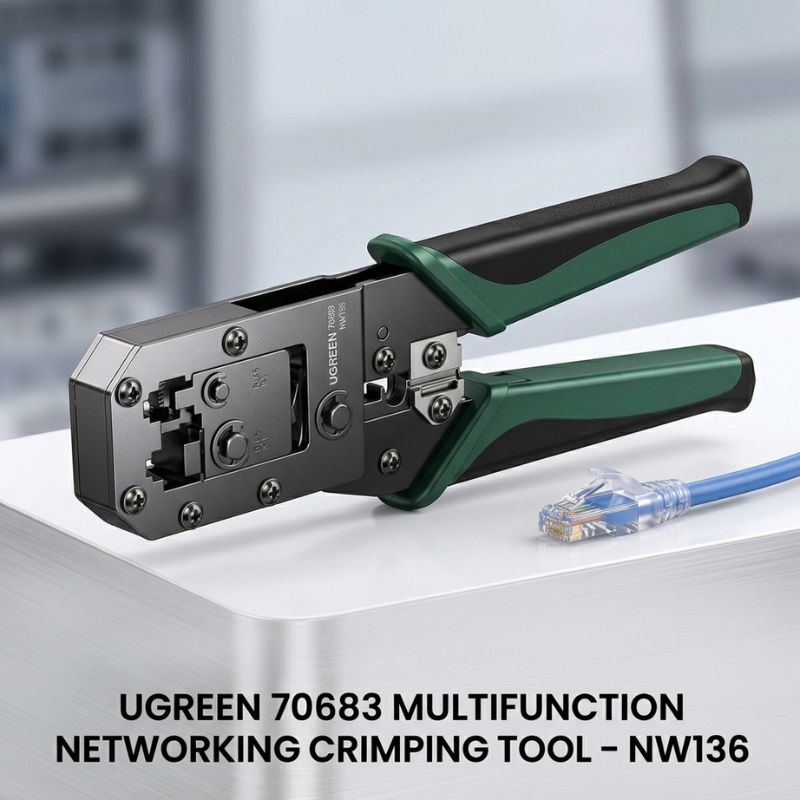
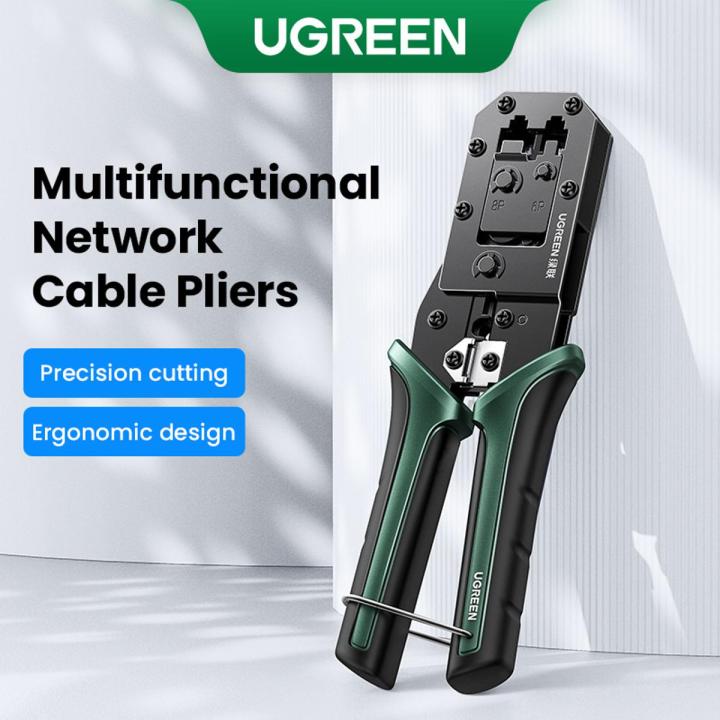
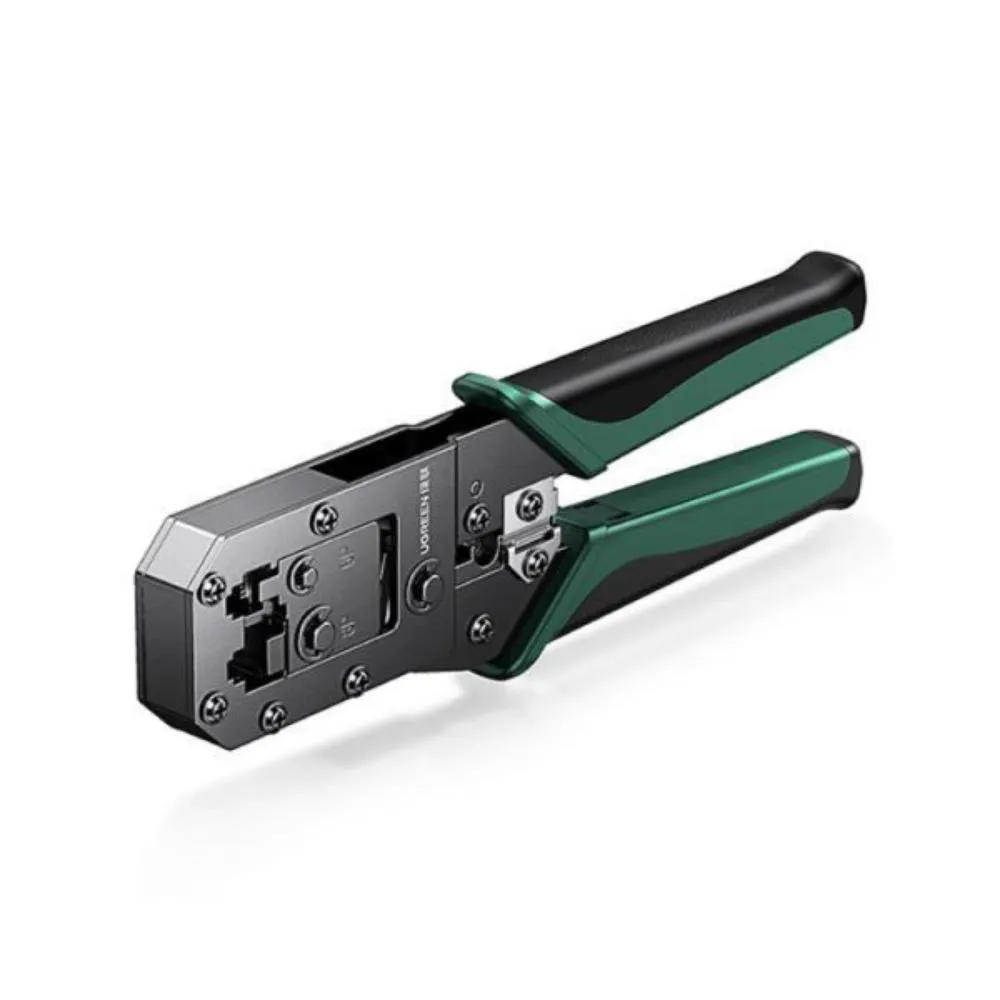
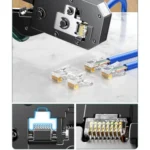
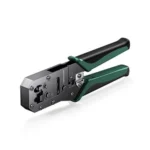
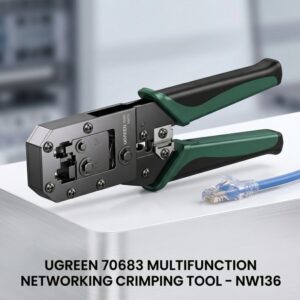
The UGREEN NW136 RJ45 RJ11 Network Cable Crimping Tool is a multifunctional hand tool designed for preparing and terminating compatible network and telephone cables. It combines crimping, cable cutting and cable stripping in one compact tool, making it useful for home networking, office installations, repairs and professional cabling work.
The NW136, also identified as UGREEN 70683, supports 8P and 6P modular connectors, including common RJ45, RJ11 and RJ12 applications. Its integrated stripping and cutting sections allow users to prepare cable and terminate compatible modular plugs without carrying multiple separate tools.
The crimping head uses Q235 carbon structural steel, while the cutting/stripping blade is specified as SK5 material. The tool also features a non-slip soft handle and blade guard for more controlled everyday use.
Common Problems When Making Network Cables
Creating or repairing Ethernet and telephone cables can be difficult without the correct hand tools.
Common problems include:
- Cutting cables unevenly
- Removing the outer jacket incorrectly
- Damaging internal conductors during stripping
- Needing separate cutters and strippers
- Poorly seated modular connectors
- Loose or unreliable cable termination
- Carrying multiple tools for simple cable jobs
- Hand fatigue during repeated cable preparation
The UGREEN NW136 combines several cable-preparation functions into one tool to make compatible network and telephone cable termination more convenient.
Smart Solution: 3-in-1 Cable Preparation Tool
The UGREEN NW136 combines three primary functions:
Cut → Strip → Crimp
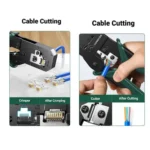
Use the integrated cutter to prepare the cable length, the stripping section to remove the outer jacket and the appropriate crimping position to terminate a compatible modular connector.
This makes the tool particularly useful for technicians, IT professionals, network installers and DIY users who frequently make or repair Ethernet and telephone cables.
Key Features
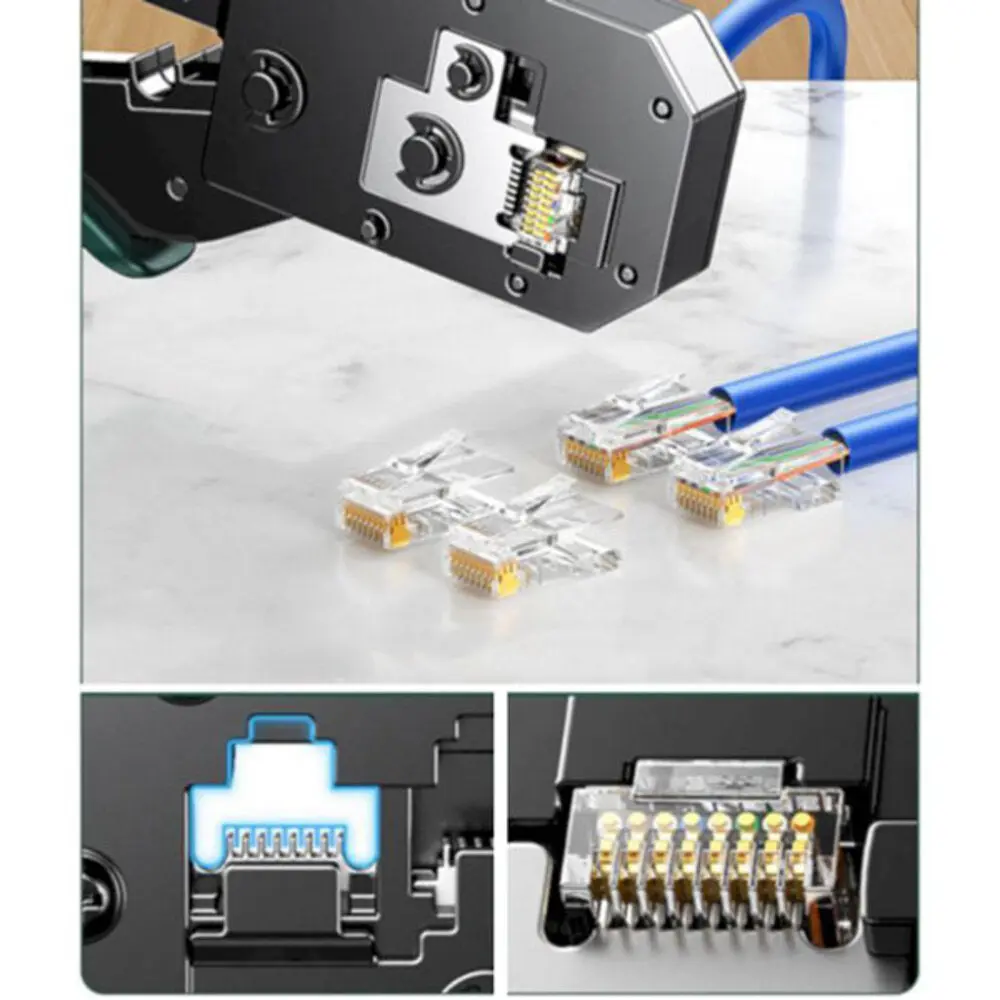
1. 8P/6P Modular Crimping
The NW136 provides 8P and 6P crimping positions for compatible modular plugs.
It can be used for common connector configurations including:
- RJ45 / 8P8C
- RJ12 / 6P6C
- RJ11 / 6P4C
- Other compatible 8P/6P modular plug configurations
Exact compatibility depends on the physical plug and the tool’s die configuration, so specialized or proprietary connectors should be checked before use.
2. RJ45 Ethernet Cable Crimper
The 8P crimping section is designed for compatible RJ45 Ethernet/network cable connectors.
This makes the NW136 useful for creating custom-length LAN cables, repairing damaged connectors and preparing network cables for routers, switches, computers, printers and other Ethernet equipment.
The tool itself does not test cable continuity or network performance, so completed cables should be tested separately.
3. RJ11 & RJ12 Telephone Cable Crimper
The 6P section supports compatible telephone-style modular connectors, including RJ11 and RJ12 applications.
This makes the tool more versatile than a crimper designed only for RJ45 network cables.
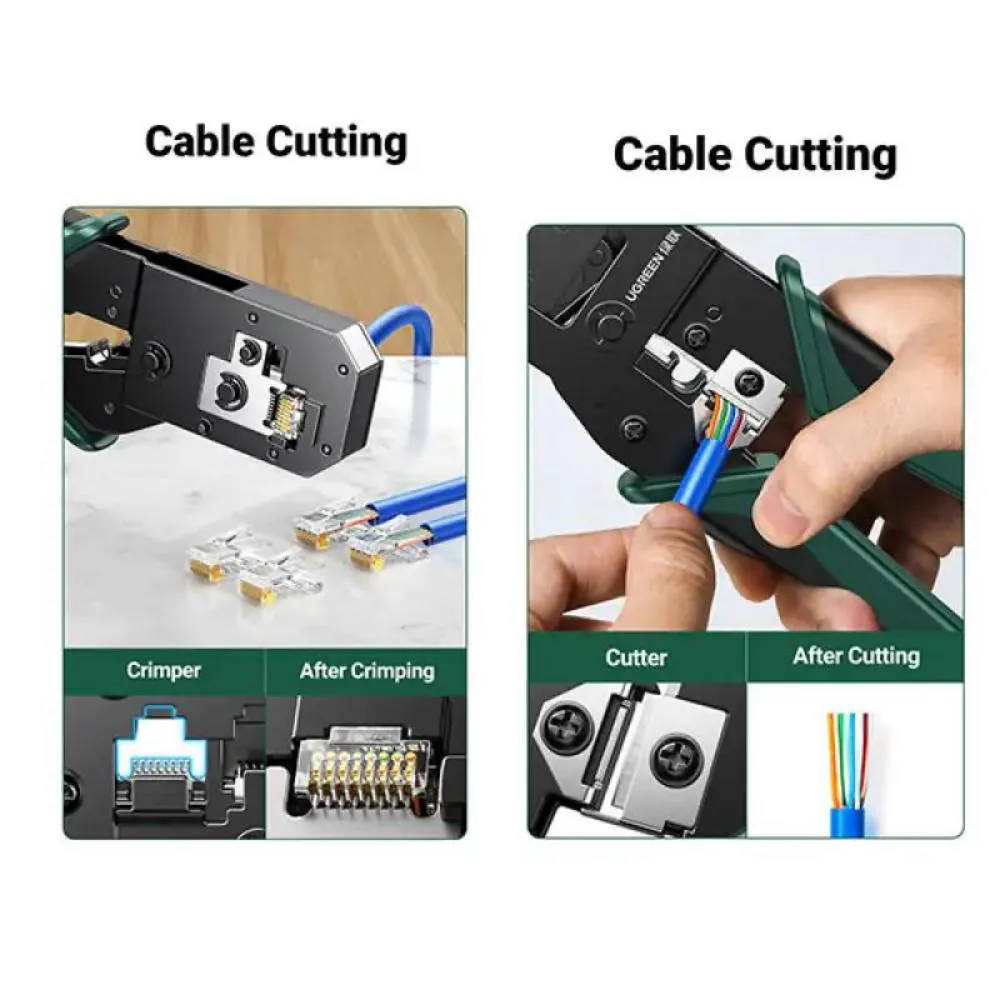
4. Integrated Cable Cutter
The NW136 includes a built-in cutting section for preparing cable to the desired length.
A clean, square cable cut makes subsequent stripping and connector installation easier.
5. Flat & Round Cable Stripping
The tool provides stripping functions for compatible cable types.
The documented specifications describe flat and round cable stripping, allowing the user to remove the outer jacket before inserting the conductors into a modular connector.
6. Durable Q235 Carbon-Steel Crimping Head
The crimping head is made from Q235 carbon structural steel, providing a sturdy construction for repeated cable-preparation tasks.
7. SK5 Cutting Blade
The NW136 uses SK5 high-hardness blade material for its cutting and stripping functions.
This material is specified for the exact model documentation and is intended to provide durable cutting performance.
8. Non-Slip Soft Handle
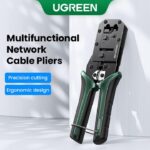
The handle features a soft, non-slip grip designed to provide better control while reducing discomfort during repeated cable work.
This is particularly useful for technicians who frequently prepare multiple network cables.
9. Blade Guard
The integrated blade guard helps reduce accidental contact with the cutting area when the tool is being handled.
Always keep fingers away from cutting and moving sections during operation.
10. Compact & Portable Design
The NW136 has a compact hand-tool design that can be kept in a networking toolkit, workshop drawer, office equipment cabinet or technician’s tool bag.
The most consistent regional specification lists the tool at approximately 194.5 × 42.4 × 15.1mm and 282g.
Benefits
- 3-in-1 crimping, cutting and stripping
- Supports compatible 8P/6P modular plugs
- RJ45 Ethernet cable termination
- RJ11 telephone cable termination
- RJ12 compatibility
- Integrated cable cutter
- Flat cable stripping
- Round cable stripping
- Q235 carbon-steel crimping head
- SK5 blade material
- Non-slip soft handle
- Blade guard
- Compact portable design
- Suitable for home and professional networking work
Perfect For
The UGREEN NW136 is suitable for:
- IT technicians
- Network installers
- Computer repair shops
- Electricians
- CCTV/network installers
- Home network users
- Office IT departments
- Ethernet cable installation
- Telephone cable installation
- DIY cable projects
- Network maintenance and repairs
Why Choose UGREEN NW136?
A basic cable cutter can only cut a cable, while a simple stripper only removes the outer jacket. The UGREEN NW136 combines cutting, stripping and modular-plug crimping in one compact tool.
Its 8P/6P design also makes it useful for both Ethernet and telephone-style cable termination, while the carbon-steel head and SK5 blade provide a durable construction for regular cable-preparation work.
UGREEN NW136 vs Basic Cable Tools
| Feature | UGREEN NW136 | Basic Cable Cutter | Basic Wire Stripper |
|---|---|---|---|
| RJ45 Crimping | Yes | No | No |
| RJ11 Crimping | Yes | No | No |
| RJ12 Crimping | Yes | No | No |
| Cable Cutting | Yes | Yes | Sometimes |
| Cable Stripping | Yes | No | Yes |
| 8P/6P Support | Yes | No | No |
| Blade Guard | Yes | Varies | Varies |
| Non-Slip Handle | Yes | Varies | Varies |
| 3-in-1 Function | Yes | No | No |
| Portable | Yes | Yes | Yes |
How to Use UGREEN NW136
Step 1: Prepare the Cable
Measure and cut the network or telephone cable to the required length using the integrated cutter.
Step 2: Strip the Outer Jacket
Place the cable into the appropriate stripping section.
Use controlled pressure to remove only the outer jacket without damaging the internal conductors.
Step 3: Arrange the Conductors
Separate and arrange the internal wires according to the wiring standard you are using.
For Ethernet cables, use the appropriate wiring scheme consistently at both ends.
Step 4: Insert the Modular Plug
Insert the conductors fully into the compatible RJ45, RJ11 or RJ12 connector.
Make sure the cable jacket is positioned correctly inside the connector where required.
Step 5: Position the Connector
Place the compatible modular plug into the correct 8P or 6P crimping position.
Step 6: Crimp the Connector
Squeeze the handles firmly and evenly until the connector has been properly crimped.
Step 7: Inspect the Finished Cable
Check that the contacts are properly pressed and that the conductors remain correctly positioned.
For network cables, use a separate cable tester to verify continuity and wiring.
Use Cases
Ethernet Cable Installation
Create or repair compatible RJ45 network cables for home, office and networking installations.
Home Networking
Useful when installing custom-length Ethernet cables between routers, switches, computers, smart TVs and other network devices.
Telephone Wiring
The 6P section can be used for compatible RJ11 and RJ12 telephone-style connectors.
CCTV & Network Installation
Network installers can use the tool while preparing Ethernet cables for compatible IP cameras and networking equipment.
Office Maintenance
IT departments can keep the NW136 available for quick cable repair and replacement tasks.
DIY Networking
Home users can use the tool when building custom Ethernet cables or repairing damaged modular connectors.
Cleaning & Maintenance
To maintain the tool:
- Keep the crimping dies clean.
- Remove cable debris from the stripping area.
- Wipe the tool after use.
- Keep the blades free from accumulated plastic or cable material.
- Store the tool in a dry location.
- Keep it closed or secured when not in use.
- Inspect the cutting and crimping areas periodically.
- Apply suitable light lubricant to moving joints if required by the manufacturer’s maintenance guidance.
Do not use a damaged tool, especially if the cutting or crimping mechanism is not operating correctly.
Important Usage Tips
- Use only compatible modular plugs.
- Select the correct 8P or 6P crimping position.
- Do not apply excessive pressure while stripping the cable.
- Keep fingers away from cutting blades.
- Wear suitable eye protection during cable cutting if appropriate.
- Do not use the tool as a cable tester.
- Test completed Ethernet cables separately.
- Do not assume every RJ45/RJ11/RJ12 connector is compatible with every crimping die.
- Special shielded, pass-through or oversized modular plugs should be checked for compatibility before bulk installation.
The NW136 performs the physical termination work but cannot detect incorrect wire order, continuity faults or network-performance problems.
Product Specifications
| Specification | Details |
|---|---|
| Brand | UGREEN |
| Model | NW136 |
| Part Number / MPN | 70683 |
| Product Type | Network Cable Crimping Tool |
| Main Functions | Crimping, Cutting & Stripping |
| Crimping Ports | 8P / 6P |
| Connector Applications | RJ45 / RJ11 / RJ12 |
| Crimping Head Material | Q235 Carbon Structural Steel |
| Blade Material | SK5 |
| Cable Stripping | Flat & Round Cable |
| Blade Guard | Yes |
| Handle | Non-Slip Soft Grip |
| Dimensions | Approx. 194.5 × 42.4 × 15.1mm |
| Net Weight | Approx. 282g |
| Color | Black |
| Origin | China |
| Warranty | Varies by seller |
The 194.5 × 42.4 × 15.1mm dimensions and 282g weight are consistently listed by multiple Bangladesh retailers and the exact-model documentation. Some third-party sources report different dimensions/weights, so the exact NW136/70683 specification should be used rather than mixing specifications from related crimping tools.
What’s in the Box?
The exact UGREEN 70683 / NW136 package is listed with:
- 1 × UGREEN NW136 Crimping Tool
- 2 × Replacement Cutting Blade Sets
- User documentation/manual
Cable, RJ45/RJ11/RJ12 connectors and a cable tester are not included unless specifically stated by the seller.
Who Should Buy This Product?
Choose the UGREEN NW136 if you need:
- An RJ45 Ethernet crimping tool
- An RJ11/RJ12 telephone cable crimper
- A combined cable cutter and stripper
- A compact networking tool
- A tool for home Ethernet installation
- A professional networking toolkit accessory
- A cable-preparation tool for repair and maintenance
If you only need to test network cables, this is not the appropriate tool—you should use a dedicated network cable tester.
Why Buy from AIYOZON?
When purchasing the UGREEN NW136 RJ45 RJ11 Network Cable Crimping Tool from AIYOZON, you can enjoy:
- Genuine UGREEN product-focused selection
- Clear model and compatibility information
- Detailed technical specifications
- Convenient online ordering
- Secure packaging
- Customer support
- Delivery support across Bangladesh
Frequently Asked Questions
What is the UGREEN NW136?
The UGREEN NW136 is a multifunctional 8P/6P network and telephone cable crimping tool that combines crimping, cutting and stripping functions.
What is the model number?
The model is NW136, with the product/MPN commonly listed as 70683.
Does the UGREEN NW136 support RJ45?
Yes. The 8P crimping section supports compatible RJ45/8P8C modular connectors.
Does it support RJ11?
Yes. The 6P section supports compatible RJ11/6P4C connectors.
Does it support RJ12?
Yes. Compatible RJ12/6P6C connectors are also listed among the supported applications.
Can it cut Ethernet cables?
Yes. The NW136 has an integrated cable cutter for preparing compatible network cables.
Can it strip network cable?
Yes. It provides flat and round cable stripping functions for compatible cable types.
What material is the crimping head?
The crimping head is specified as Q235 carbon structural steel.
What material are the blades?
The exact-model documentation specifies SK5 blade material.
How much does the UGREEN NW136 weigh?
The commonly listed net weight is approximately 282g.
What are its dimensions?
The commonly listed dimensions are approximately 194.5 × 42.4 × 15.1mm.
Does it test Ethernet cables?
No. The NW136 is a physical crimping, cutting and stripping tool. It does not replace a dedicated cable tester or continuity tester.
Does it include RJ45 connectors?
No. The standard package is the crimping tool and replacement blade sets/documentation; RJ45/RJ11/RJ12 connectors and network cables should be purchased separately unless the seller explicitly includes them.
Is it suitable for professional network installation?
Yes. Its multifunction design and 8P/6P compatibility make it useful for professional and DIY cable installation, repair and maintenance, provided the connectors and cables are compatible with the tool.
Final Verdict
The UGREEN NW136 RJ45 RJ11 Network Cable Crimping Tool is a practical 3-in-1 network cable preparation tool for crimping, cutting and stripping compatible Ethernet and telephone cables.
With 8P/6P crimping support, RJ45/RJ11/RJ12 compatibility, Q235 carbon-steel construction, SK5 blades, flat and round cable stripping and a non-slip handle, it is well suited to home networking, IT maintenance, professional installations and DIY cable projects.
Build & Repair Your Own Network Cables
- 🔌 RJ45 / RJ11 / RJ12 Support
- 🛠️ 3-in-1 Crimp, Cut & Strip
- ⚙️ 8P / 6P Crimping
- 🔪 SK5 Cutting & Stripping Blade
- 🧱 Q235 Carbon-Steel Crimping Head
- ✋ Non-Slip Soft Handle
- 🛡️ Blade Guard
- 🎒 Compact & Portable
- 💻 Ideal for Networking & IT Work








Reviews
There are no reviews yet.