

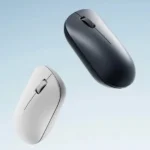


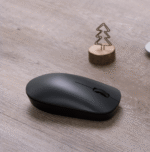
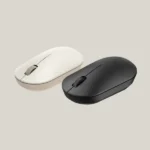

Xiaomi Wireless Mouse Lite 3 2.4GHz 1000 DPI Wireless Mouse – Lightweight & Ergonomic Design
1,390.00৳
Xiaomi Wireless Mouse Lite 3 2.4GHz 1000 DPI Wireless Mouse – Lightweight & Ergonomic Design
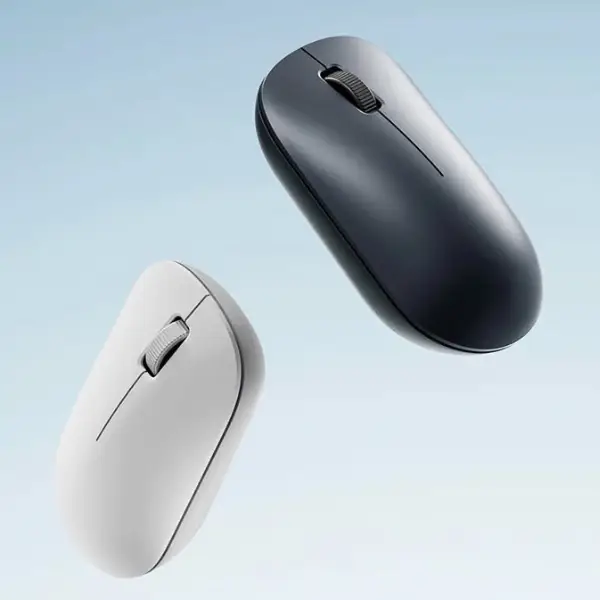
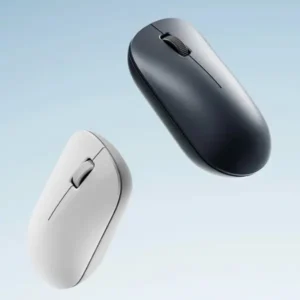
The Xiaomi Wireless Mouse Lite 3 is a lightweight, minimalist wireless mouse designed for everyday computing. With its 2.4GHz wireless connection, 1000 DPI optical sensor and streamlined ergonomic shape, it provides convenient cursor control for office work, online classes, browsing, document editing and general computer use.
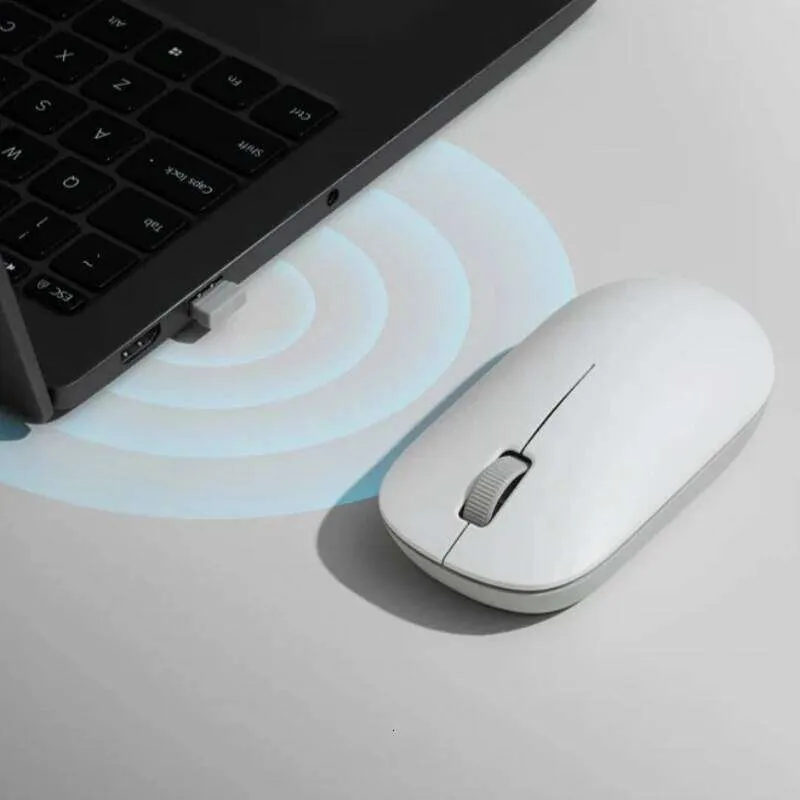
The mouse connects through a compact USB receiver, helping keep your desk free from unnecessary cables. Its lightweight construction and curved body are designed for comfortable handling, while the simple button layout makes it easy to use without complicated setup.
Whether you work from home, study at a desk or need a practical mouse for your laptop or desktop computer, the Xiaomi Wireless Mouse Lite 3 offers a straightforward wireless solution. citeturn456437search8turn456437search11
Common Problems with Traditional Computer Mice
A computer mouse that is uncomfortable or inconvenient can affect your everyday workflow.
Common problems include:
- Tangled or restricted cables
- Uncomfortable grip during extended use
- Inconsistent cursor movement
- Bulky designs that are difficult to carry
- Complicated setup or software requirements
- Limited desk mobility
- Difficulty keeping a workspace organized
The Xiaomi Wireless Mouse Lite 3 addresses these everyday concerns with a compact wireless connection, lightweight design and straightforward controls.
Smart Solution: Simple Wireless Productivity
The Xiaomi Wireless Mouse Lite 3 is designed to make everyday computer use more convenient.
Connect the included USB receiver to a compatible computer, insert the required battery and start navigating. Its 1000 DPI optical sensor is suited to regular productivity tasks, while its wireless design provides greater freedom of movement around your desk.
Key Features
1. Reliable 2.4GHz Wireless Connectivity
The mouse uses 2.4GHz wireless technology with a USB receiver to communicate with your computer. This eliminates the need for a permanently connected mouse cable and helps create a cleaner workspace. citeturn456437search8turn456437search11
2. 1000 DPI Optical Sensor
The built-in 1000 DPI optical sensor provides cursor tracking suited to everyday tasks such as browsing, writing documents, spreadsheets and general office work.
It is designed for standard productivity rather than high-performance competitive gaming. citeturn456437search8turn456437search11
3. Lightweight Construction
The Lite 3 is reported to weigh approximately 45g without the battery. Its lightweight construction makes it convenient to carry with a laptop and move around a desk. citeturn456437search8turn456437search11
4. Streamlined Ergonomic Shape
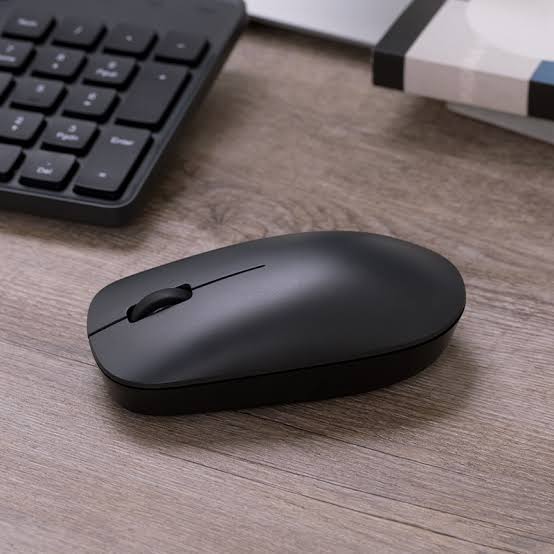
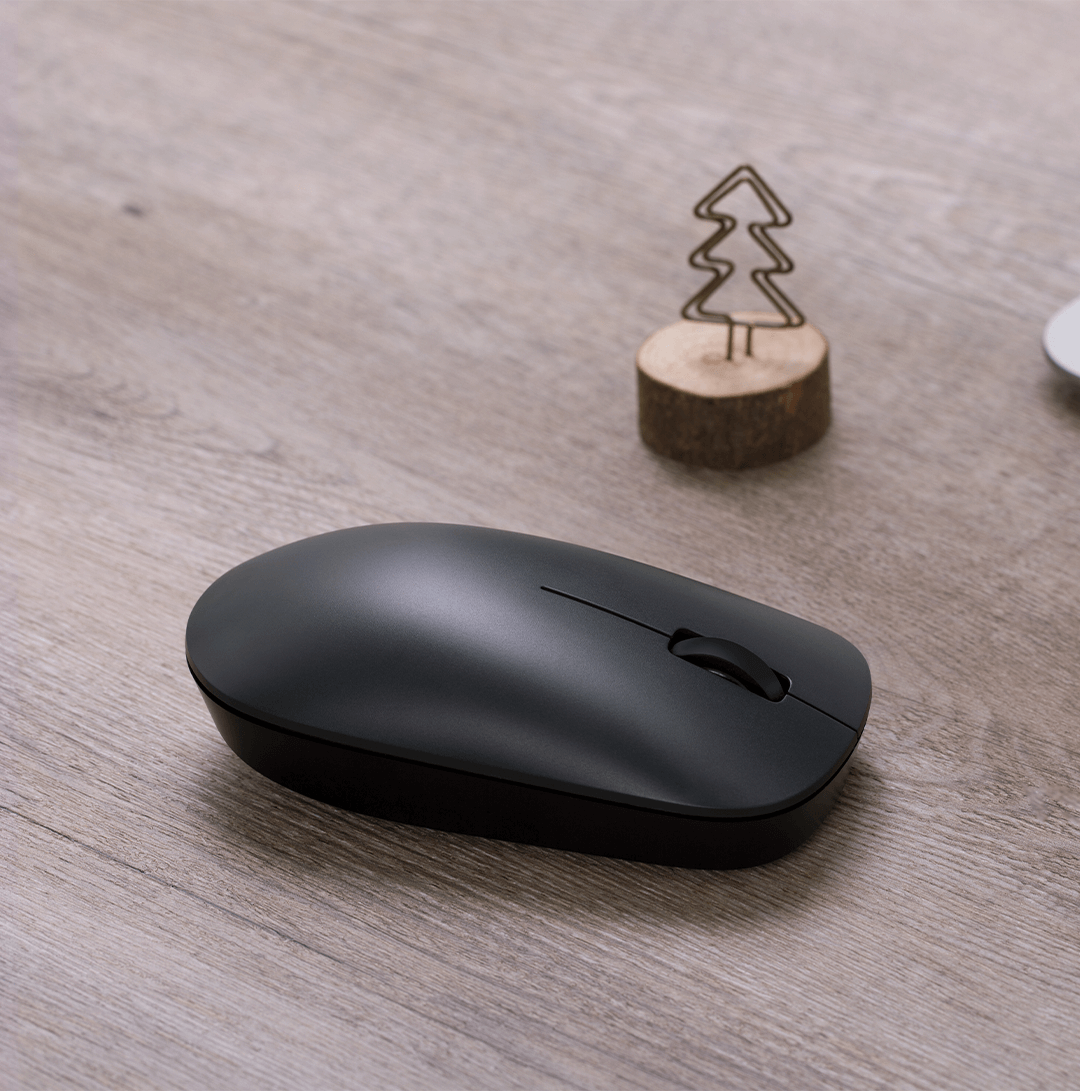
The curved body and smooth exterior are designed to provide a natural grip for everyday use. Its minimalist shape fits easily into home offices, study desks and professional workspaces. citeturn456437search8
5. Compact USB Receiver
The included USB receiver provides wireless connectivity without requiring a long setup process. Product listings describe a receiver storage compartment inside the mouse, helping reduce the chance of losing it during transport. citeturn456437search8turn456437search11
6. Simple Button Layout
The mouse features a basic layout with left and right buttons and a scroll wheel, providing the controls needed for everyday computer navigation. citeturn456437search8turn456437search11
7. Battery-Powered Operation
The Lite 3 uses a replaceable battery rather than a built-in rechargeable battery. Current listings identify a single AA battery for the Lite 3 version, but check the supplied unit and package details before publishing whether a battery is included. citeturn456437search8turn456437search11
8. Smooth-Gliding Mouse Feet
PTFE mouse feet are listed as part of the design, helping the mouse glide smoothly across a suitable desk surface or mouse pad. citeturn456437search8
Benefits
- Wireless freedom with 2.4GHz connectivity
- 1000 DPI optical tracking
- Lightweight design
- Comfortable curved body
- Compact USB receiver
- Simple controls for everyday tasks
- Smooth movement on suitable surfaces
- Convenient for home, office and study
- Easy to carry with a laptop
- Minimalist design for modern workspaces
Perfect For
The Xiaomi Wireless Mouse Lite 3 is suitable for:
- Office workers
- Students
- Remote workers
- Laptop users
- Desktop PC users
- Online classes and meetings
- Document editing and spreadsheets
- Everyday web browsing
- Home offices
- Users who prefer a simple wireless mouse
Why Choose Xiaomi Wireless Mouse Lite 3?
The Xiaomi Wireless Mouse Lite 3 focuses on the essentials: reliable wireless connectivity, straightforward cursor control and a lightweight design.
Rather than adding unnecessary complexity, it provides a simple mouse for everyday computing. Its 1000 DPI sensor, USB receiver and compact form make it a practical option for people who want a wireless alternative to a standard wired mouse. citeturn456437search8turn456437search11
Xiaomi Wireless Mouse Lite 3 vs Traditional Wired Mouse
| Feature | Xiaomi Wireless Mouse Lite 3 | Traditional Wired Mouse |
|---|---|---|
| Connection | 2.4GHz wireless | USB cable |
| Sensor Resolution | 1000 DPI | Varies by model |
| Cable Required | No | Yes |
| USB Receiver | Yes | Usually not required |
| Portability | Convenient | Depends on cable |
| Power Source | Replaceable battery | USB power |
| Everyday Office Use | Yes | Yes |
| Gaming Focus | Basic everyday use | Depends on model |
How to Use Xiaomi Wireless Mouse Lite 3
Step 1: Install the Battery
Open the battery compartment and insert the required compatible battery according to the polarity markings.
Step 2: Remove the USB Receiver
Take the wireless receiver from its storage compartment, if stored inside the mouse.
Step 3: Connect the Receiver
Insert the receiver into an available compatible USB port on your computer.
Step 4: Turn On the Mouse
Use the mouse’s power switch, if provided, and place it on a suitable surface.
Step 5: Start Using the Mouse
Move the mouse to control the cursor. Use the buttons and scroll wheel for clicking, selecting and navigating.
Recommended Use Cases
Office Work
Navigate documents, spreadsheets, email and productivity applications without a cable restricting movement.
Online Classes
Use the mouse for presentations, browsing, online learning platforms and assignments.
Home Computing
Keep your desk organized while browsing the web, watching videos or managing everyday tasks.
Laptop Travel Setup
Carry the lightweight mouse with your laptop for convenient use at a shared workspace or while travelling.
Everyday Browsing
Use the optical sensor and scroll wheel for navigating websites and documents.
Cleaning & Maintenance
To keep your mouse in good condition:
- Wipe the exterior with a soft, dry cloth.
- Keep dust away from the optical sensor.
- Avoid using liquids directly on the mouse.
- Store the USB receiver safely when not in use.
- Replace the battery when the mouse becomes unresponsive or performance declines.
- Keep the mouse away from excessive moisture and heat.
Important Usage Tips
- Confirm that your computer has a compatible USB port for the receiver.
- Do not assume the mouse supports Bluetooth; this model is listed with 2.4GHz USB-receiver connectivity.
- Use a suitable mouse pad or clean, flat surface for consistent tracking.
- Avoid exposing the mouse or receiver to water.
- Check whether a battery is included before ordering.
- Confirm the exact model number to avoid confusing the Lite 3 with the original Xiaomi Wireless Mouse Lite.
Model note: The original Xiaomi Wireless Mouse Lite is listed as XMWXSB01YM, while the Wireless Mouse Lite 3 is listed as XMWXSB05YM by current product sources. Keep their specifications separate when creating your product listing. citeturn456437search0turn456437search8turn456437search11
Product Specifications
| Specification | Details |
|---|---|
| Brand | Xiaomi |
| Product Name | Xiaomi Wireless Mouse Lite 3 |
| Model | XMWXSB05YM |
| Product Type | Wireless Optical Mouse |
| Wireless Connection | 2.4GHz |
| Receiver | USB receiver |
| Optical Resolution | 1000 DPI |
| Button Layout | Left button, right button and scroll wheel |
| Battery | 1 × AA, replaceable |
| Weight | Approx. 45g without battery |
| Materials | Plastic and metal components, depending on component |
| Mouse Feet | PTFE, as listed |
| Colour Options | Black / white-grey, depending on market |
| Recommended Use | Office, study and everyday computing |
Specification note: Weight, colours and package contents can vary by market. Verify the exact stock variant and packaging before publishing fixed details for AIYOZON.
What’s in the Box?
Typical package contents may include:
- 1 × Xiaomi Wireless Mouse Lite 3
- 1 × 2.4GHz USB receiver
- 1 × User manual
Battery inclusion may vary by seller, so confirm the supplied package before listing it as included. citeturn456437search8turn456437search11
Who Should Buy This Product?
Choose the Xiaomi Wireless Mouse Lite 3 if you want:
- A simple wireless mouse for daily work
- 1000 DPI optical tracking
- A lightweight mouse for laptop use
- Cable-free desk organization
- A compact USB receiver
- A practical mouse for study or office work
- Straightforward controls without gaming-focused extras
If you need Bluetooth connectivity, adjustable DPI, side buttons or advanced gaming features, check those specifications carefully before choosing this model.
Why Buy from AIYOZON?
When purchasing the Xiaomi Wireless Mouse Lite 3 from AIYOZON, you can enjoy a convenient online shopping experience for everyday computer accessories.
- Clear product information
- Convenient online ordering
- Product assistance before purchase
- Delivery support
- Access to useful tech accessories
Check the model number, colour, battery inclusion and warranty terms before placing your order.
Frequently Asked Questions
What is the DPI of the Xiaomi Wireless Mouse Lite 3?
The mouse is listed with a 1000 DPI optical sensor for everyday cursor control. citeturn456437search8turn456437search11
Does the Xiaomi Wireless Mouse Lite 3 support wireless connectivity?
Yes. It uses a 2.4GHz wireless connection through a USB receiver. citeturn456437search8turn456437search11
Does it support Bluetooth?
Current Lite 3 listings describe 2.4GHz USB-receiver connectivity. Do not purchase it expecting Bluetooth unless your specific version’s documentation confirms it. citeturn456437search8
Is the mouse rechargeable?
The Lite 3 is listed as battery-powered, using a replaceable AA battery rather than built-in USB charging. citeturn456437search8
How much does it weigh?
Some current sources list approximately 45g without the battery. citeturn456437search8turn456437search11
Can I use it with a laptop?
Yes, if your laptop supports the USB receiver. You may need a compatible adapter if your laptop has only USB-C ports.
Is it suitable for gaming?
It can handle basic casual use, but its 1000 DPI sensor and simple feature set are primarily suited to everyday productivity rather than competitive gaming.
Is the USB receiver included?
Current product listings specify a USB receiver. Confirm the exact package contents with the seller before purchase. citeturn456437search11
What is the difference between Xiaomi Wireless Mouse Lite and Lite 3?
They are different models. The original Wireless Mouse Lite is listed as XMWXSB01YM, while the Lite 3 is listed as XMWXSB05YM. Always match the product title and specifications to the model being sold. citeturn456437search0turn456437search8
Final Verdict
The Xiaomi Wireless Mouse Lite 3 2.4GHz 1000 DPI Wireless Mouse is a practical choice for people who want a lightweight, straightforward mouse for work, study and everyday computer use.
Its 2.4GHz wireless connection, 1000 DPI optical sensor, compact USB receiver and lightweight design provide the essential features needed for routine productivity without the clutter of a wired mouse. citeturn456437search8turn456437search11
Upgrade Your Everyday Computer Setup
- ✔ 2.4GHz wireless connectivity
- ✔ 1000 DPI optical tracking
- ✔ Lightweight design
- ✔ Compact USB receiver
- ✔ Simple everyday controls
- ✔ Suitable for laptops and desktop PCs
















Reviews
There are no reviews yet.