Extend Your HDMI Display and Control Your Computer from a Distance
Looking for a practical way to extend your HDMI display while maintaining USB control of your computer? The UGREEN AT301 HDMI KVM Extender is designed for setups where the display and computer need to be positioned apart. With a stated transmission distance of up to 150 metres, it offers a convenient solution for extending HDMI video and USB control in compatible installations.
You can find the UGREEN AT301 150M HDMI KVM Extender with USB Control at AIYOZON, your online destination for useful technology accessories in Bangladesh. Whether you are arranging an office workstation, setting up a monitoring room, or connecting a computer to a remotely positioned display, this type of KVM extender can help create a more flexible workspace without keeping the computer beside the screen.
Common Problems with HDMI KVM Extenders
Connecting a computer to a display in another room or across a large workspace can be challenging. Standard HDMI cables have practical distance limitations, and running separate cables for video, keyboard, and mouse can make installation complicated. These issues become more noticeable in classrooms, offices, security monitoring areas, and commercial display environments.
Without a suitable extension solution, users may experience cable clutter, inconvenient workstation layouts, and difficulty controlling a computer from a remote location.
-
🔌 Limited cable reach: Standard HDMI cables may not suit long-distance installations.
-
🖥️ Distant display connections: Placing a monitor or projector far from the computer can complicate setup.
-
⌨️ Separate USB cabling: Remote keyboard and mouse control may require additional cable runs.
-
🧹 Cable clutter: Multiple long cables can make an installation harder to organise.
-
🏢 Workspace limitations: Keeping the computer beside the display may not be practical in every environment.
-
🎛️ Difficult equipment management: Centralised computer systems can be less convenient to operate without suitable remote access.
Smart Solution: UGREEN AT301 HDMI KVM Extender
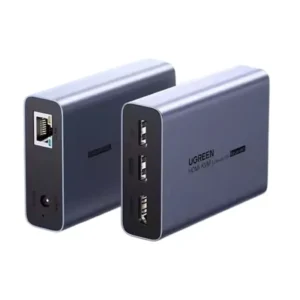
The UGREEN AT301 HDMI KVM Extender provides a practical way to extend HDMI video and USB keyboard and mouse control over a long distance. Using a compatible Cat5e or Cat6 network cable, this extender supports transmission distances of up to 150 metres under suitable installation conditions. It helps you position the computer and display where they are most useful instead of limiting your setup to a short HDMI cable.
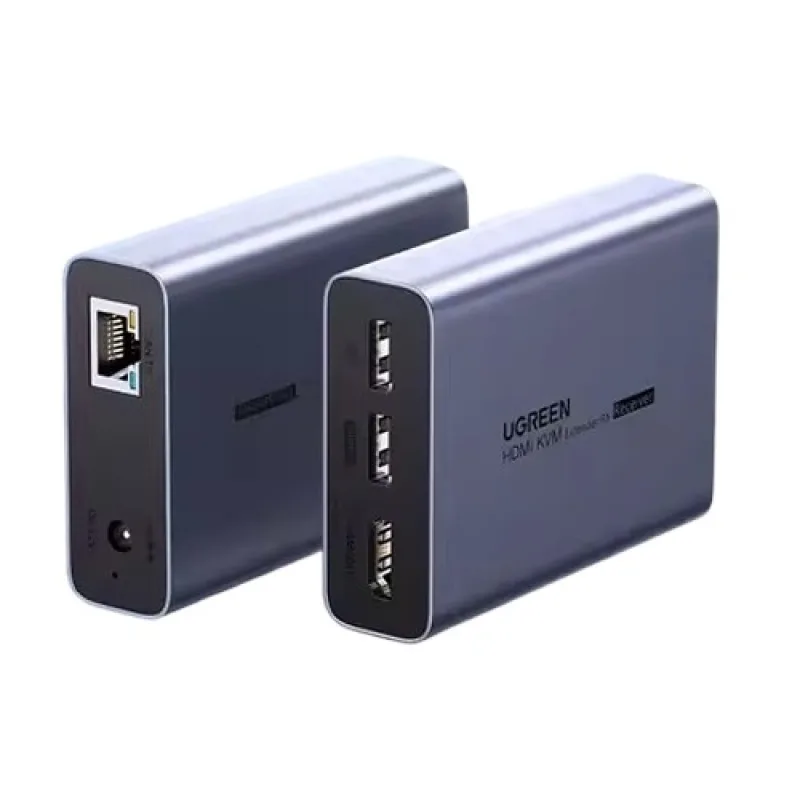
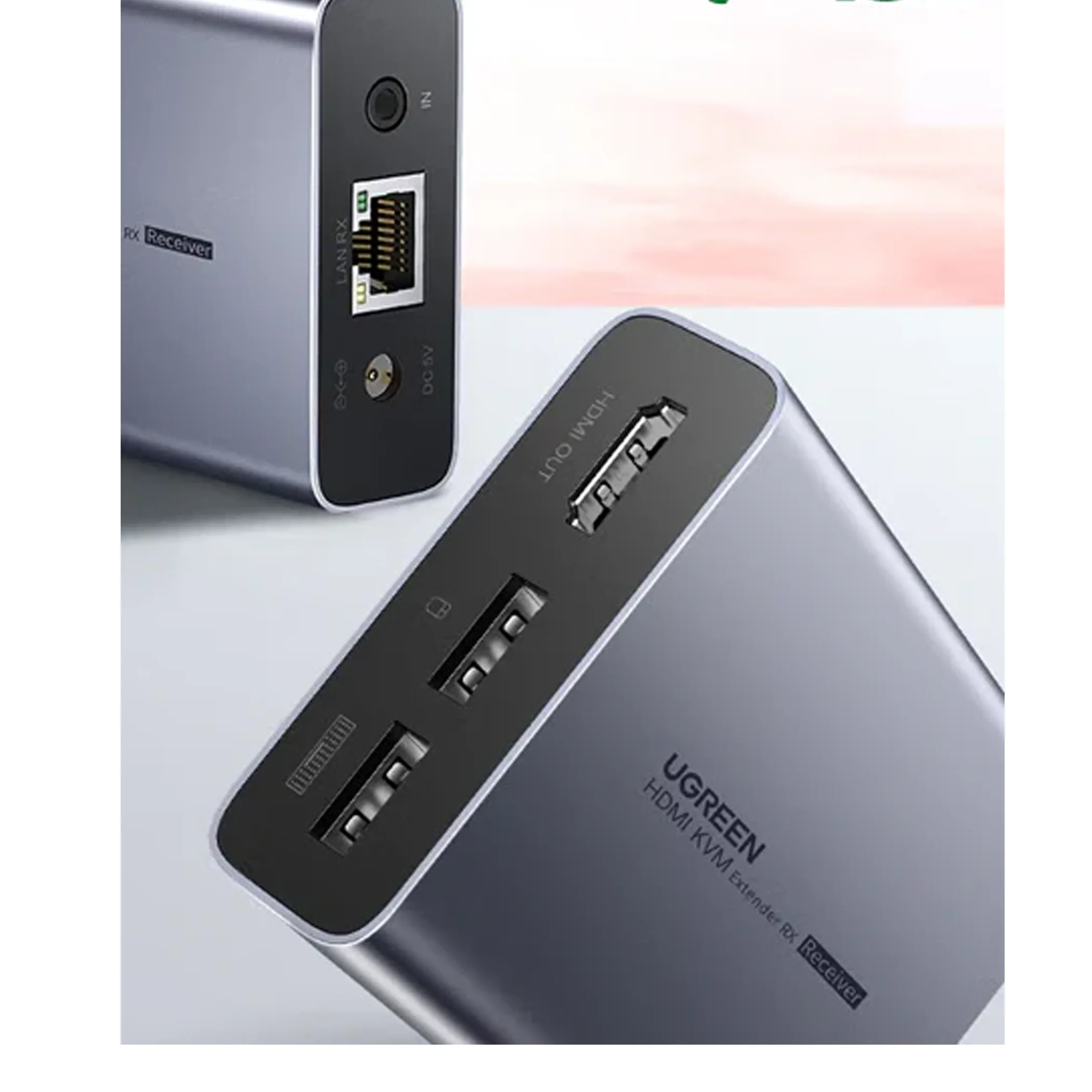
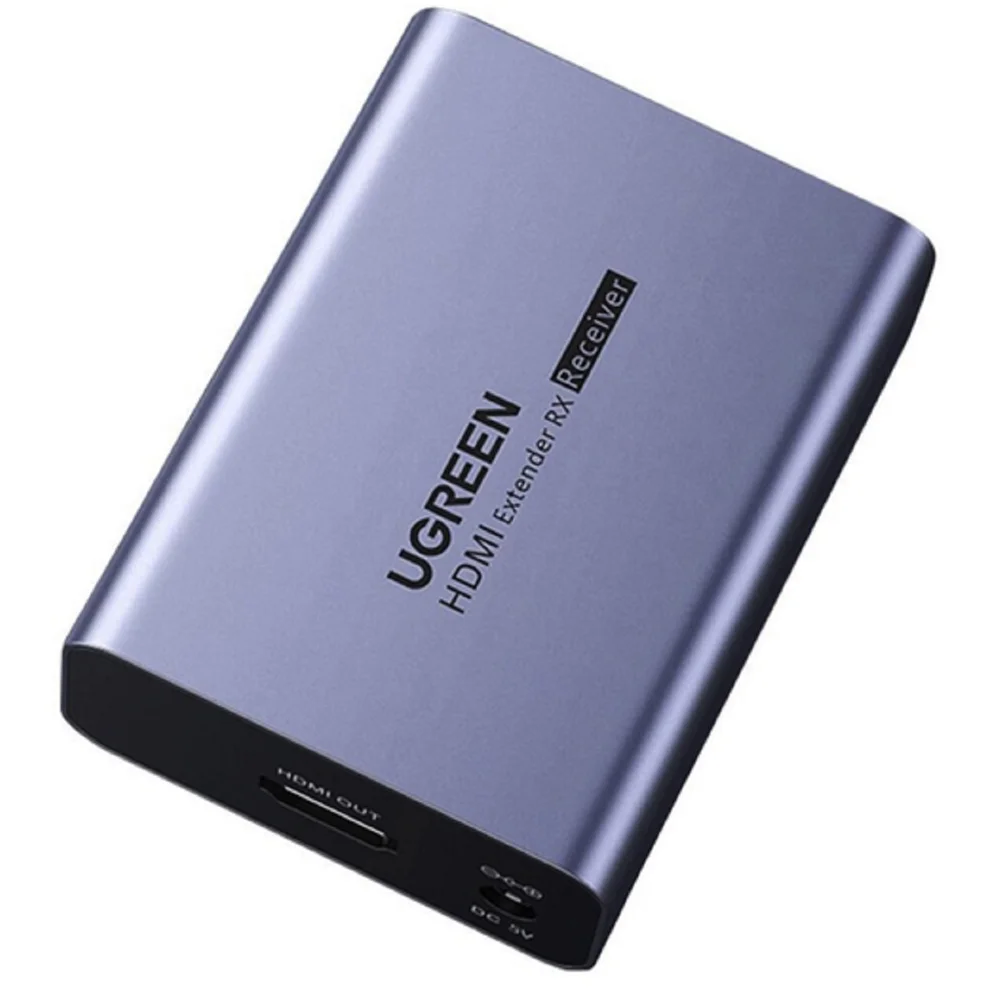
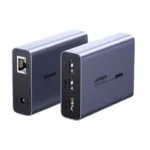
Think of it as a connection bridge between your computer and a remotely positioned screen. The transmitter connects to the source device, while the receiver connects to the display and compatible USB peripherals. This arrangement is particularly useful when the computer needs to stay in a separate room or equipment area while the user works from another location.
The built-in KVM functionality makes the setup more convenient by allowing a compatible USB keyboard and mouse to control the connected computer from the receiver side. Instead of planning separate long-distance connections for every peripheral, you can use the extender’s supported connections to organise your workspace more efficiently. It is a useful option for professional AV installations, monitoring stations, classrooms, and offices that need flexible equipment placement.
Key Features
📡 150-Metre Long-Distance Transmission
The UGREEN AT301 is designed to extend HDMI and USB signals over distances of up to 150 metres using a compatible network cable. This gives you more flexibility when connecting equipment across large rooms, office floors, or separate working areas. Actual performance depends on the cable quality, installation, and connected equipment.
🖥️ High-Resolution Display Support
This model is listed with support for resolutions up to 1920 × 1200 at 60Hz, along with 3D content support in compatible setups. This resolution capability makes it suitable for many computer displays, presentations, and monitoring applications. Confirm your source device and display support the intended resolution before installation.
⌨️ USB Keyboard and Mouse Control
The KVM functionality lets you operate a compatible computer using a USB keyboard and mouse connected at the remote end. This is helpful when the computer is kept in a separate room or equipment cabinet. You can interact with the computer without needing to sit beside the source device.
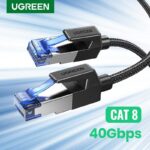
🔗 Cat5e/Cat6 Network Cable Connection
The extender uses a compatible Cat5e or Cat6 cable for long-distance signal transmission. Using a dedicated cable run can make it easier to plan installations where a long HDMI cable would be inconvenient. For best results, follow the product’s cable requirements and installation guidance.
🎮 Convenient Remote Computer Operation
By extending video and USB control together, the AT301 helps create a more flexible workstation. You can view the computer output on a remote display and use compatible input devices from that location. This can be useful for computer operation, presentations, and monitoring tasks.
🛡️ Durable Metal Housing
Product listings describe a metal housing designed for practical use in professional AV environments. A solid enclosure can help protect the unit during ordinary installation and handling. For long-term reliability, keep the equipment properly positioned and follow the manufacturer’s ventilation and maintenance guidance.
🎛️ IR Pass-Through Support
The AT301 is listed with infrared pass-through support, which can be useful in compatible installations that require remote-control signals to travel between locations. This feature is particularly relevant when the connected equipment supports the required IR arrangement. Check the included accessories and instructions to confirm the exact setup.
⚙️ Practical Installation
The product is listed as a plug-and-play solution, helping simplify installation without requiring specialised control software in a typical compatible setup. You still need to connect the transmitter, receiver, network cable, and source/display equipment correctly. Following the supplied instructions helps avoid unnecessary troubleshooting.
Benefits You’ll Enjoy
-
✔️ Powerful long-distance connectivity for installations where ordinary HDMI cable runs are impractical.
-
✔️ A more flexible workspace by allowing the computer and display to be positioned apart.
-
✔️ Convenient remote operation with supported USB keyboard and mouse control.
-
✔️ Cleaner cable management by using a compatible network cable for the extension link.
-
✔️ A practical professional AV solution for offices, classrooms, and monitoring environments.
-
✔️ Clear supported display output at resolutions up to 1920 × 1200 at 60Hz.
-
✔️ More organised equipment placement when the computer needs to stay away from the user area.
-
✔️ Simplified installation planning for suitable long-distance HDMI and USB connections.
-
✔️ Versatile application potential across compatible computer and display setups.
-
✔️ Better everyday convenience when managing a workstation from a remote display location.
Perfect For
-
🏢 Offices: Connect computers to displays positioned across a large workspace.
-
🎓 Classrooms: Link a computer to a compatible display or projector at a distance.
-
📹 Security monitoring rooms: Position a display away from a compatible HDMI-output monitoring system.
-
🏭 Industrial workspaces: Separate the computer from the operator’s display area where appropriate.
-
🖥️ Remote workstations: Operate a compatible computer from a different location.
-
📊 Conference rooms: Support presentations where the source computer is positioned away from the screen.
-
🛍️ Digital signage installations: Extend a compatible HDMI source to a remotely placed display.
-
🏫 Training centres: Arrange computers and presentation displays more flexibly.
-
🎛️ AV control areas: Organise source equipment separately from the user interface.
-
🏠 Large home setups: Connect compatible equipment across rooms when the required cable route is available.
Why Choose the UGREEN AT301 HDMI KVM Extender?
The UGREEN AT301 is worth considering when your main requirement is to extend both HDMI video and USB control over a substantial distance. A conventional HDMI cable can be inconvenient for installations that stretch across large rooms or between separate equipment areas. This extender offers an alternative using a compatible Cat5e or Cat6 cable, with a stated reach of up to 150 metres.
Another advantage is the combination of video extension and KVM functionality. For compatible setups, you can keep the computer in a designated equipment location while using a remote display, keyboard, and mouse. This arrangement can make the workspace more comfortable and help keep frequently used areas free from unnecessary equipment.
The model’s listed resolution support of up to 1920 × 1200 at 60Hz makes it suitable for a range of professional and everyday display applications. However, the actual output depends on the connected equipment and the installation. If you require 4K video, check the specifications carefully because the listed maximum resolution does not indicate 4K support.
Its metal housing and IR pass-through capability add practical value for suitable installations. These features may be useful in environments where equipment needs to be arranged neatly and operated from a different location. Before purchasing, make sure the package contains the transmitter and receiver components required for your setup, along with any necessary power accessories.
For customers in Bangladesh, the UGREEN AT301 150M HDMI KVM Extender with USB Control is a useful option to consider when planning a long-distance computer-to-display connection. You can explore this product at AIYOZON and check its current price, package contents, and compatibility before ordering.
UGREEN AT301 HDMI KVM Extender vs Ordinary HDMI Extender
|
Feature
|
UGREEN AT301
|
Ordinary HDMI Extender
|
|
Maximum transmission distance
|
Up to 150m
|
Depends on model
|
|
HDMI video extension
|
✅ Supported
|
✅ Usually supported
|
|
USB keyboard and mouse control
|
✅ Supported
|
⚠️ Depends on model
|
|
Network cable extension
|
✅ Cat5e/Cat6
|
⚠️ Depends on model
|
|
Resolution
|
Up to 1920 × 1200 at 60Hz, as listed
|
Varies by model
|
|
IR pass-through
|
✅ Listed support
|
⚠️ Depends on model
|
|
Remote computer operation
|
✅ With compatible USB devices
|
⚠️ Depends on model
|
|
Professional installation use
|
✅ Suitable
|
Varies by model
|
Note: This comparison describes general product-category differences. Actual capabilities depend on the specific extender model and installation.
How This Product Makes Daily Life Easier
The UGREEN AT301 HDMI KVM Extender is designed to help users overcome distance-related challenges when arranging computer equipment. In a classroom, for example, the source computer can be positioned away from the presentation display while a compatible remote keyboard and mouse provide convenient control.
In an office or monitoring room, separating the computer from the display area can help create a more organised working environment. Using a network cable for the extension link can also make cable routing easier to plan, particularly when equipment is installed across a large space.
The extender is most useful when both long-distance HDMI transmission and remote USB control are required. If you only need to connect a nearby monitor, a standard HDMI cable may be a simpler and more economical choice.
How to Use the UGREEN AT301 HDMI KVM Extender
Step 1: Identify Your Equipment
Check that your computer or other source device has a compatible HDMI output. Confirm that your display has an HDMI input and that your USB keyboard and mouse are compatible with the extender.
Step 2: Connect the Transmitter
Connect the source device’s HDMI output to the transmitter’s HDMI input. Connect the required USB link from the computer according to the product instructions so that remote keyboard and mouse control can work.
Step 3: Connect the Network Cable
Connect the transmitter and receiver using a compatible Cat5e or Cat6 cable. Follow the manufacturer’s cable and distance recommendations, especially for longer installations.
Step 4: Connect the Receiver
Connect the receiver’s HDMI output to your display. Attach the compatible USB keyboard and mouse to the receiver’s designated USB ports.
Step 5: Connect the Required Power
Connect the supplied or manufacturer-approved power accessories as instructed. Avoid assuming that the extender can operate without external power unless its documentation confirms this.
Step 6: Test the Connection
Switch on the source device and display, select the correct HDMI input, and check the picture. Test the keyboard and mouse at the remote location. If something does not work, check cable connections, power, input selection, and device compatibility.
Important Usage Tips
Use a good-quality Cat5e or Cat6 cable that meets the manufacturer’s requirements. For a long cable run, proper installation and suitable cable quality are particularly important. Keep the transmitter and receiver accessible, avoid damaging the connectors, and route cables so that they are not crushed, sharply bent, or accidentally disconnected.
Before connecting or disconnecting equipment, follow the instructions supplied with the product. Keep the devices in a suitable, ventilated location and protect them from moisture, excessive heat, and physical damage. Do not connect the extender to an Ethernet switch or router unless the product documentation specifically permits that arrangement.
Remember that the stated 150-metre transmission distance is a maximum capability under suitable conditions, not a guarantee for every cable or environment. Check resolution requirements, USB compatibility, included accessories, and the exact power specifications before purchasing.
Product Specifications
|
Feature
|
Details
|
|
Brand
|
UGREEN
|
|
Product Name
|
UGREEN AT301 150M HDMI KVM Extender with USB Control
|
|
Model
|
AT301
|
|
Model Code
|
35988, as listed by retailers
|
|
Product Type
|
HDMI KVM Extender
|
|
Maximum Transmission Distance
|
Up to 150 metres
|
|
Network Cable
|
Compatible Cat5e/Cat6
|
|
Maximum Listed Resolution
|
1920 × 1200 at 60Hz
|
|
3D Support
|
Listed by retailers
|
|
Video Connection
|
HDMI
|
|
USB Function
|
Keyboard and mouse extension
|
|
IR Function
|
IR pass-through support listed
|
|
Housing
|
Metal housing listed
|
|
Installation
|
Plug-and-play design listed
|
|
Colour
|
Check the product listing or packaging
|
|
Package Contents
|
Confirm with the seller
|
|
Power Requirements
|
Check the product packaging or official documentation
|
Why Buy from AIYOZON?
At AIYOZON, you can explore technology accessories designed to make your work, connectivity, and everyday digital setup more convenient. The UGREEN AT301 HDMI KVM Extender is a practical choice to consider if you need to connect a computer to a remote display while retaining USB keyboard and mouse control.
Before placing your order, review the product description and confirm the supported resolution, required network cable, package contents, and compatibility with your existing equipment. Choosing the right configuration helps you avoid unnecessary installation problems.
-
✅ Quality Products: Explore useful technology and connectivity accessories.
-
🚚 Fast Delivery Across Bangladesh: Delivery options depend on the destination and current service availability.
-
📦 Secure Packaging: Appropriate packaging helps protect products during transit.
-
💬 Responsive Customer Support: Contact AIYOZON for product and order-related assistance.
-
⭐ Convenient Online Shopping: Explore products and shop online.
-
💯 Great Value for Money: Choose products that match your requirements and budget.
Frequently Asked Questions
Q1. What is the UGREEN AT301 HDMI KVM Extender used for?
The UGREEN AT301 extends HDMI video and USB keyboard and mouse control over a long distance. It is useful when a computer and its display need to be positioned apart. Typical applications include offices, classrooms, monitoring rooms, and compatible digital signage installations.
Q2. How far can the UGREEN AT301 transmit HDMI signals?
The stated maximum transmission distance is up to 150 metres using a compatible Cat5e or Cat6 network cable. Actual performance depends on cable quality, installation conditions, and connected devices.
Q3. What resolution does the UGREEN AT301 support?
Available listings specify support for up to 1920 × 1200 at 60Hz, with 3D content support also listed. It should not be assumed to support 4K resolution. Check the exact specifications before buying if you have a particular display requirement.
Q4. Can I use a keyboard and mouse with this HDMI KVM extender?
Yes. The model is designed to extend USB keyboard and mouse control alongside HDMI video. You should connect the peripherals to the designated ports and follow the supplied instructions.
Q5. Which network cable is suitable for this extender?
Compatible Cat5e or Cat6 network cable is listed for the extension link. For installations approaching the maximum distance, choose a cable that meets the manufacturer’s requirements and ensure that the connections are properly installed.
Q6. Does the UGREEN AT301 require software installation?
Retailer listings describe the product as plug-and-play, meaning a typical compatible installation does not require dedicated control software. You must still connect the transmitter, receiver, cables, and power accessories correctly.
Q7. Is the UGREEN AT301 suitable for CCTV monitoring systems?
It may be suitable for compatible monitoring systems that provide the required HDMI video output and USB control connections. Check your DVR or NVR’s ports and compatibility before purchasing. The extender does not itself replace a CCTV recorder or create a surveillance system.
Q8. How long does delivery take in Bangladesh?
AIYOZON’s standard delivery estimates are:
-
Inside Dhaka: 24–48 hours
-
Outside Dhaka: 2–3 business days
Actual delivery times may vary depending on location, stock availability, courier service, and other order conditions.
Extend Your Display and Take Control with Confidence
The UGREEN AT301 HDMI KVM Extender offers a practical way to connect a computer and remote display over distances of up to 150 metres using a compatible network cable. Its HDMI extension and USB keyboard and mouse control make it worth considering for offices, classrooms, monitoring environments, and other professional setups.
With listed support for resolutions up to 1920 × 1200 at 60Hz, a metal housing, and IR pass-through functionality, this model provides useful features for compatible long-distance AV installations. Choosing the right cable and checking device compatibility will help you get the most from your setup.
If you need a flexible solution for extending HDMI video and controlling a computer from a distance, explore the UGREEN AT301 at AIYOZON and verify the latest product details before ordering.
Order the UGREEN AT301 150M HDMI KVM Extender from AIYOZON today and enjoy more flexible long-distance connectivity and convenient USB control!











Reviews
There are no reviews yet.