

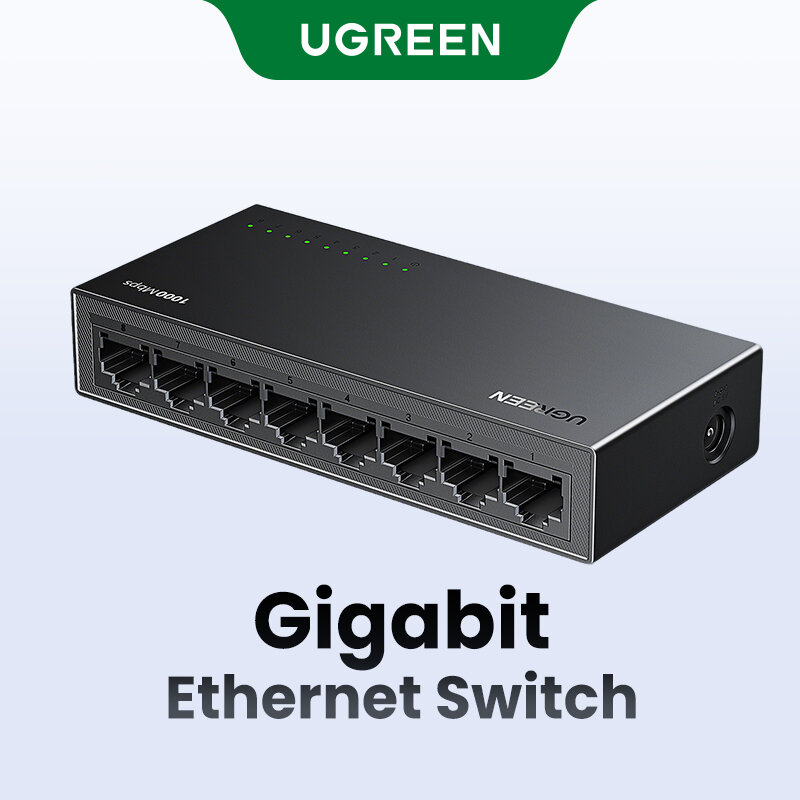
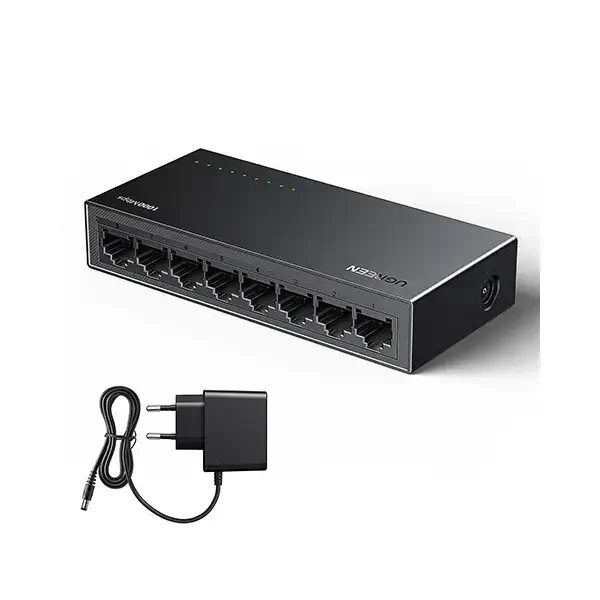





UGREEN CM834 8-Port Gigabit Unmanaged Ethernet Switch – Reliable High-Speed Network Expansion
Original price was: 2,500.00৳ .2,150.00৳ Current price is: 2,150.00৳ .
UGREEN CM834 8-Port Gigabit Ethernet Switch – Expand Your Wired Network Easily
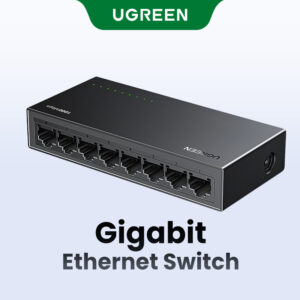
Need more Ethernet connections for your home, office, or workspace? The UGREEN CM834 8-Port Gigabit Ethernet Switch is a practical solution for expanding your wired network. It features eight RJ45 Gigabit Ethernet ports supporting 10/100/1000Mbps speeds, allowing you to connect multiple compatible devices through a single network switch. Its unmanaged design makes setup simple, with no complicated network configuration required.
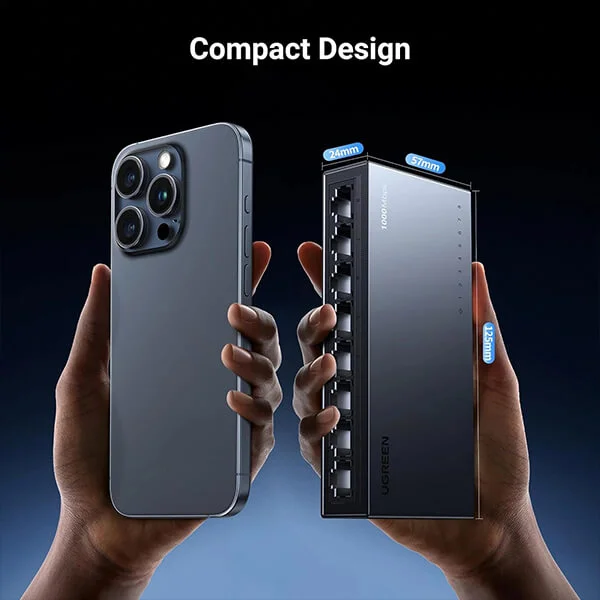
Available through AIYOZON, this UGREEN network switch is suitable for users who need wired connectivity for desktop computers, printers, smart TVs, network storage devices, and compatible security systems. The compact desktop design, fanless operation, LED indicators, and optional wall mounting make it a convenient choice for home and small-office networking.
Common Problems with Ordinary Network Setups
- 🔌 Not Enough Ethernet Ports: A router may not provide enough LAN ports for all your wired devices.
- 📶 Dependence on Wi-Fi: Wireless connections can experience interference, congestion, or inconsistent performance.
- 🖥️ Growing Device Requirements: Computers, printers, TVs, and other devices may need separate wired connections.
- 🐢 Limited Network Speed: Older network equipment may not support Gigabit Ethernet speeds.
- 🔊 Unwanted Operating Noise: Some networking equipment uses fans that produce noise in quiet environments.
Smart Solution: UGREEN CM834 8-Port Gigabit Ethernet Switch
The UGREEN CM834 8-Port Gigabit Ethernet Switch expands your available wired network connections with eight 10/100/1000Mbps RJ45 ports. It automatically negotiates the supported connection speed with compatible devices, making it suitable for networks that contain both Fast Ethernet and Gigabit Ethernet equipment.
As an unmanaged switch, the CM834 is designed for straightforward operation. Connect it to your router, power it using the appropriate adapter, and attach your Ethernet-enabled devices. The switch handles ordinary network traffic without requiring you to configure VLANs or manage individual ports.
Its fanless construction helps keep operation quiet, while LED indicators make it easier to check connection status and network activity. You can place it on a desk or use its wall-mounting provisions to help organize your networking area.
Key Features of UGREEN CM834 8-Port Gigabit Ethernet Switch
🚀 1. Eight Gigabit Ethernet Ports
The switch provides eight RJ45 Ethernet ports, giving you more wired connection options for computers, printers, smart TVs, and other compatible network devices.
⚡ 2. Up to 1000Mbps Network Speed
Each port supports 10Mbps, 100Mbps, and 1000Mbps Ethernet connections through automatic speed negotiation. Gigabit speeds require compatible network interfaces and suitable cabling.
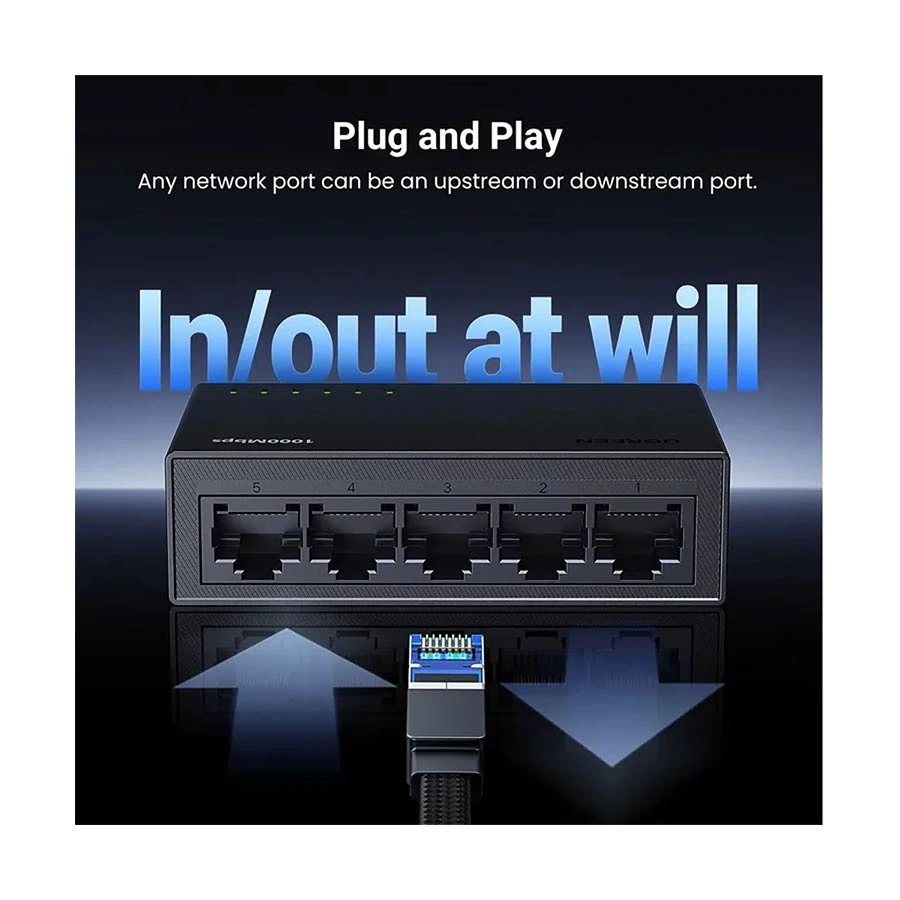
🔌 3. Simple Plug-and-Play Setup
The unmanaged design makes installation straightforward. No special configuration or dedicated network-management software is needed for typical use.
🔇 4. Fanless, Quiet Operation
The fanless design helps reduce operating noise, making the switch suitable for bedrooms, study areas, offices, and other quiet environments.
🔄 5. Auto MDI/MDIX Support
Auto MDI/MDIX automatically adjusts the Ethernet connection interface, reducing the need to select specific port types or use crossover cables.
💡 6. LED Connection Indicators
The port indicators help you identify active connections and network activity, making basic connection checks easier.
🏠 7. Desktop and Wall-Mount Installation
The compact switch can be placed on a desk or mounted on a suitable wall, helping you organize cables and save workspace.
🌱 8. Energy-Conscious Design
The CM834 is designed for efficient everyday networking. Its fanless construction also removes the need to power a cooling fan.
Benefits You’ll Enjoy
- ✅ Add up to eight wired Ethernet connections through one switch.
- ✅ Support Gigabit network links of up to 1000Mbps per port.
- ✅ Connect multiple computers and compatible network devices.
- ✅ Expand your existing router-based network conveniently.
- ✅ Enjoy a straightforward, unmanaged setup.
- ✅ Reduce reliance on Wi-Fi for devices that support Ethernet.
- ✅ Benefit from quiet, fanless operation.
- ✅ Check network activity using the LED indicators.
- ✅ Choose desktop placement or wall mounting.
- ✅ Build a more organized home or small-office network.
Perfect For
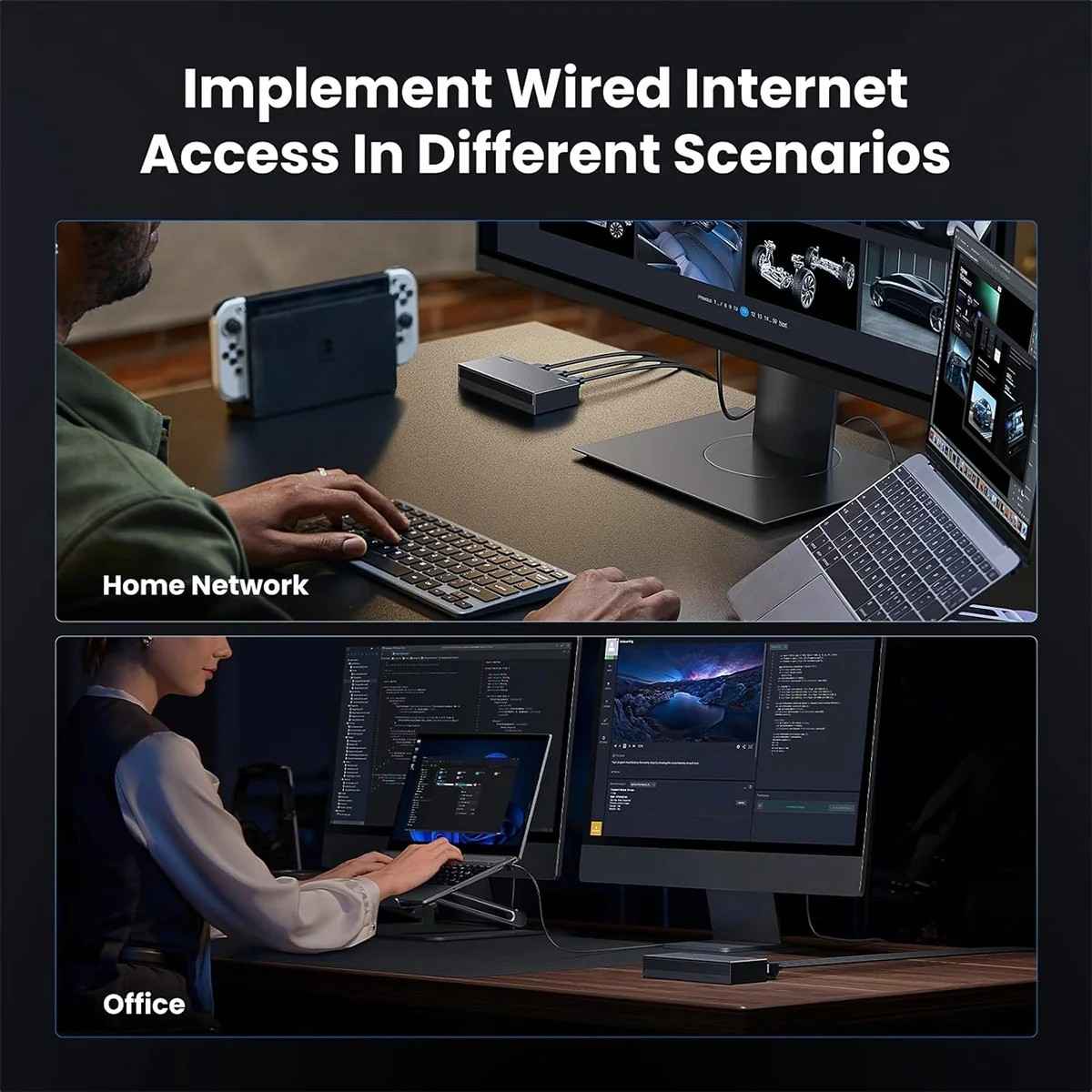
- 🏠 Home networking setups
- 🏢 Small offices and workspaces
- 🖥️ Desktop PCs and workstations
- 📺 Smart TVs and media devices
- 🖨️ Network printers
- 🎮 Gaming consoles with Ethernet ports
- 📁 Compatible network storage devices
- 📹 Ethernet-based security systems
- 🏫 Small classrooms and study environments
- 🌐 Expanding wired connections from a router
Why Choose the UGREEN CM834 8-Port Gigabit Ethernet Switch?
The UGREEN CM834 is a convenient choice when your router does not have enough Ethernet ports for your connected devices. Its eight Gigabit ports let you expand your wired network without replacing your existing router, provided the router has an available LAN port.
The unmanaged design makes the switch suitable for users who want straightforward connectivity rather than advanced network-management features. Automatic speed negotiation and Auto MDI/MDIX help simplify connections with compatible Ethernet devices.
Its fanless design supports quiet operation, while LED indicators make it easier to identify connection status. Desktop placement and wall-mounting options provide flexibility when organizing a home or office network.
For dependable everyday networking, choose the UGREEN CM834 from AIYOZON and connect your compatible devices through a practical, easy-to-use switch.
UGREEN CM834 vs an Ordinary Network Switch
| Feature | UGREEN CM834 | Basic Network Switch |
|---|---|---|
| Number of ports | 8 RJ45 ports | Depends on model |
| Maximum port speed | Up to 1000Mbps | Depends on model |
| Speed negotiation | 10/100/1000Mbps | Depends on model |
| Setup | Unmanaged, plug and play | Depends on model |
| Cooling design | Fanless | Depends on model |
| Status indicators | LED indicators | Depends on model |
| Placement | Desktop / wall mount | Depends on model |
| Best suited for | Home and small-office network expansion | Depends on port count and features |
Comparison is based on typical product categories; specifications vary by model.
Special Product Function: Expand Your Wired Network
The main function of the UGREEN CM834 is to let several Ethernet devices share a network through a single upstream connection to your router or existing network.
For example, you can connect the switch to your router and then connect a desktop PC, smart TV, printer, and other compatible devices to its remaining ports. The switch forwards network traffic automatically without requiring manual port configuration.
The model is an unmanaged switch, not a router. It does not replace your internet modem or router, and it does not create an internet connection by itself. Your upstream router or network must provide connectivity.
How to Use the UGREEN CM834 Ethernet Switch
- Choose a location: Place the switch on a stable surface or mount it securely using suitable hardware.
- Connect the power supply: Use the correct power adapter for your specific product version.
- Connect your router: Run an Ethernet cable from an available LAN port on your router to one of the switch’s RJ45 ports.
- Connect your devices: Use Ethernet cables to connect computers, printers, TVs, or other compatible devices to the remaining ports.
- Check the LED indicators: Confirm that the connected ports show an active link.
- Test the network: Check internet access or local network connectivity on each device.
Important Usage Tips
- Use Cat5e or Cat6 Ethernet cables in good condition for Gigabit connections.
- Make sure your router and connected devices support the speeds you want to use.
- Remember that the switch’s eight ports include the connection to your router when counting how many devices can be attached to the same network.
- Keep the switch in a ventilated area and avoid covering it.
- Use the correct power adapter specified for your model.
- This switch does not provide PoE power for compatible cameras or access points; use separate power sources or a suitable PoE switch where required.
- An unmanaged switch does not provide advanced managed-switch functions such as configurable VLANs or per-port traffic policies.
Product Specifications
| Specification | Details |
|---|---|
| Brand | UGREEN |
| Model | CM834 |
| Part Number | 35499EU |
| Product Type | Unmanaged Gigabit Ethernet Switch |
| Total Ports | 8 |
| Network Interface | 8 × RJ45 |
| Supported Port Speeds | 10 / 100 / 1000Mbps |
| Maximum Port Speed | Up to 1000Mbps |
| Network Standards | IEEE 802.3, 802.3u, 802.3x, 802.3ab |
| Switching Capacity | Up to 16Gbps, as listed by some retailers |
| Auto MDI/MDIX | Supported |
| Duplex Modes | Full duplex / half duplex |
| Cooling | Fanless |
| LED Indicators | Yes |
| Housing | Plastic / PC+ABS, depending on listing |
| Installation | Desktop / wall mount |
| PoE Support | No |
| Power | External power adapter; verify the supplied adapter for your version |
| Colour | Black |
Specifications are based on available listings for the CM834 / 35499EU model. Check the seller’s product details and included accessories before ordering.
Why Buy from AIYOZON?
- Quality Products: Explore useful computer and networking accessories.
- Fast Delivery Across Bangladesh: Convenient delivery options for customers nationwide.
- Secure Packaging: Products are packed carefully for dispatch.
- Responsive Customer Support: Get assistance with product-related questions.
- Convenient Online Shopping: Browse and order products online.
- Great Value for Money: Find practical accessories for your home or office network.
Frequently Asked Questions (FAQ)
1. What is the UGREEN CM834 Ethernet Switch used for?
It expands a wired network by providing eight RJ45 Ethernet ports for connecting multiple compatible devices through an existing router or network.
2. Does the UGREEN CM834 support Gigabit Ethernet?
Yes. Its eight ports support 10/100/1000Mbps Ethernet connections, with speeds depending on the connected equipment and cabling.
3. Is the UGREEN CM834 a managed or unmanaged switch?
It is an unmanaged switch designed for plug-and-play networking without the need for advanced configuration.
4. Can I connect this switch to my existing router?
Yes. Connect one of the switch’s ports to an available LAN port on your router. You can then connect compatible wired devices to the remaining ports.
5. Does the UGREEN CM834 support PoE?
No. This model does not provide Power over Ethernet, so connected devices that require power must use their own power supplies or a separate PoE solution.
6. Does it require driver installation?
No special computer driver is normally required for standard unmanaged Ethernet switching. The network interfaces of your connected devices still need to be properly supported and configured.
7. Can I mount the switch on a wall?
Yes. The CM834 is listed for desktop or wall-mount installation. Use suitable mounting hardware and follow the product’s installation guidance.
8. How long does delivery take from AIYOZON?
- Inside Dhaka: 24–48 Hours
- Outside Dhaka: 2–3 Business Days
Delivery times may vary depending on product availability and delivery location.
Expand Your Network with the UGREEN CM834
The UGREEN CM834 8-Port Gigabit Unmanaged Ethernet Switch is a practical solution for adding more wired connections at home or in a small office. With eight Gigabit RJ45 ports, plug-and-play operation, LED indicators, and a quiet fanless design, it helps you organize and expand your Ethernet network.












Reviews
There are no reviews yet.