




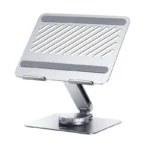


UGREEN 360° Rotating Adjustable Laptop Stand for Up to 17.3-Inch Laptops – Ergonomic Aluminum Desk Stand
6,600.00৳
UGREEN 360° Rotating Adjustable Laptop Stand for Up to 17.3-Inch Laptops – Ergonomic Aluminum Desk Stand
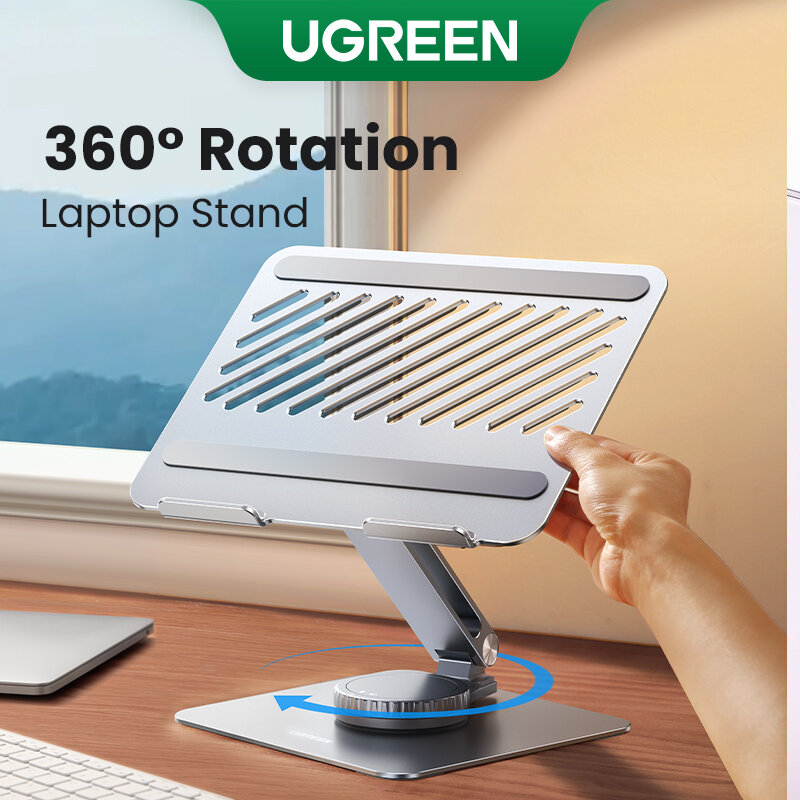
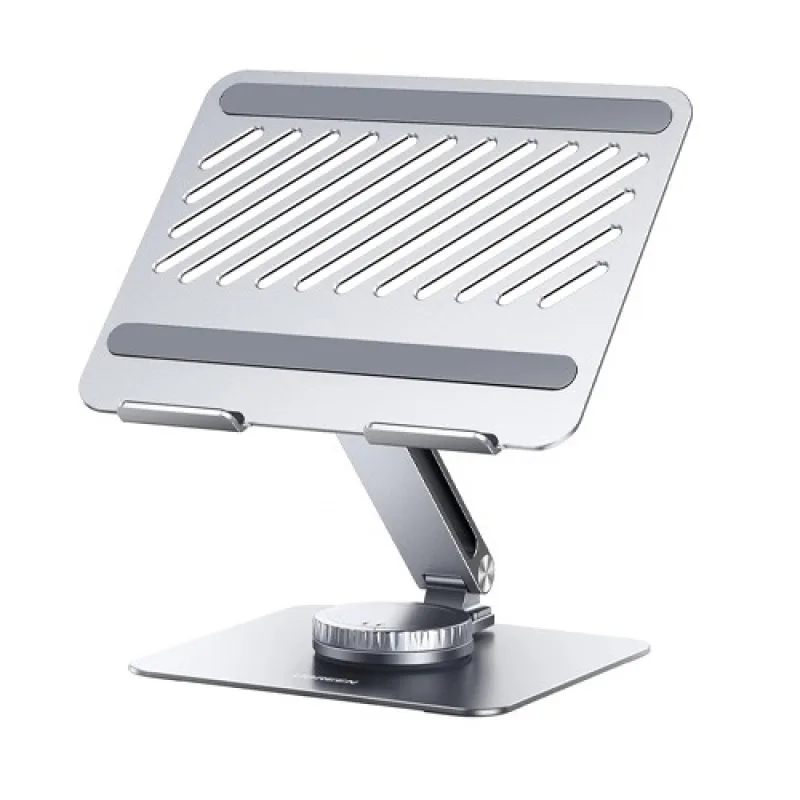
The UGREEN 360° Rotating Adjustable Laptop Stand (90841) is a premium desk accessory designed to improve your laptop setup with flexible positioning, adjustable height and a sturdy aluminum-alloy structure. Compatible with laptops up to 17.3 inches, it is suitable for professionals, students, remote workers and anyone who spends extended periods working at a computer.
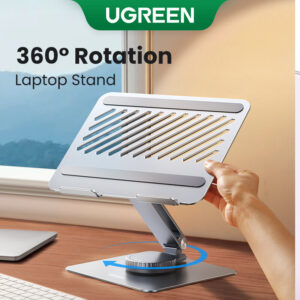
Its 360-degree rotating base allows you to turn your laptop toward a colleague, client or meeting participant without repeatedly lifting and repositioning the entire stand. The adjustable support helps you find a more comfortable viewing angle, while the open-frame design promotes airflow around the laptop.
With its silver finish, non-slip silicone pads and space-saving desk design, the UGREEN laptop stand is a practical addition to home offices, professional workstations and study desks.
Common Problems with Laptop Use
Using a laptop directly on a desk can create several everyday challenges:
- Looking downward at the screen for extended periods
- Neck and shoulder discomfort from an unsuitable viewing angle
- Limited flexibility when sharing the screen with others
- Reduced airflow underneath the laptop
- A cluttered or poorly organized workspace
- Difficulty finding a comfortable laptop position
- Repeatedly lifting and repositioning a laptop during meetings
A well-designed adjustable laptop stand can help address these ergonomic and workspace-management challenges.
Smart Solution: Adjustable Height with 360° Rotation
The UGREEN 90841 combines two useful adjustments in one stand: height positioning and full-circle base rotation.
Raise or lower the laptop to suit your workspace, then rotate the base when you need to share your screen or change its direction. Its aluminum construction and silicone contact pads help support the laptop securely during everyday use.
Key Features
1. 360° Rotating Base
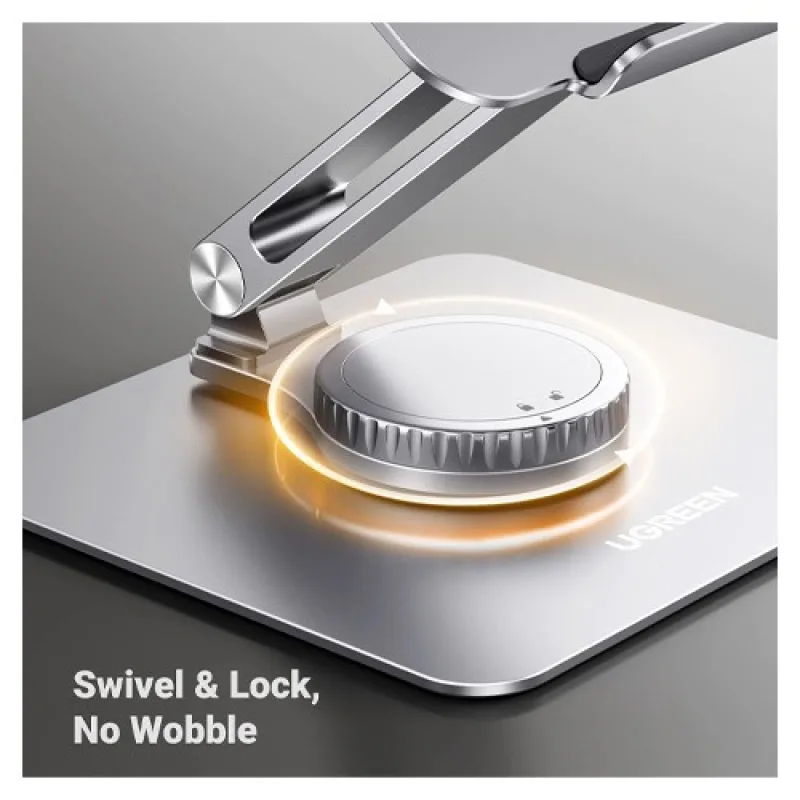
The rotating base lets you turn your laptop in different directions without having to pick up the stand. It is especially useful during meetings, collaborative projects, presentations and screen sharing.
2. Adjustable Height and Viewing Angle
Adjust the support to find a more suitable screen height and viewing angle for your desk setup. Raising the laptop screen closer to eye level can encourage a more comfortable working posture when combined with appropriate chair and desk positioning.
3. Supports Laptops up to 17.3 Inches
The stand is designed for laptops up to 17.3 inches, making it suitable for many MacBook, Windows laptop and Chromebook models. Always check your laptop’s dimensions and weight against the specifications of the exact stand before purchase.
4. Durable Aluminum-Alloy Construction
The aluminum-alloy frame provides a sturdy support structure for everyday laptop use. Its silver finish also complements modern desk setups and professional workspaces.
5. Non-Slip Silicone Pads
Silicone pads on the laptop-contact surfaces help reduce slipping and protect the laptop from direct contact with the metal frame. The base pads also help keep the stand stable on a suitable desk surface.
6. Open Design for Better Airflow
The stand’s open construction allows air to circulate around the laptop’s underside. This can help avoid obstructing ventilation areas that might otherwise be covered when the laptop rests flat on a desk. Actual cooling performance depends on your laptop’s design and airflow requirements.
7. Flexible Workspace Positioning
The combination of height adjustment and 360° rotation makes it easier to adapt your laptop position for typing, video calls, watching content or collaborating with other people.
8. Modern Silver Finish
The minimalist silver design works well with contemporary office equipment, including laptops, monitors, keyboards and other desk accessories.
Key Benefits
- 360° base rotation for flexible positioning
- Adjustable height and viewing angle
- Supports compatible laptops up to 17.3 inches
- Durable aluminum-alloy construction
- Silicone pads for grip and surface protection
- Open-frame design promotes airflow
- Helps create a more ergonomic workstation
- Convenient for meetings and screen sharing
- Suitable for home, office and study use
- Clean, professional silver appearance
Perfect For
The UGREEN 360° Rotating Adjustable Laptop Stand is ideal for:
- Office professionals: Improve laptop positioning at your workstation.
- Students: Create a more comfortable study setup.
- Remote workers: Organize a home-office desk.
- Digital marketers and designers: Position your laptop conveniently while working across multiple applications.
- Business meetings: Rotate the screen toward colleagues or clients.
- Content creators: Arrange a laptop alongside external displays and other equipment.
- Everyday laptop users: Enjoy greater flexibility when working, studying or watching content.
Why Choose the UGREEN 90841 Laptop Stand?
A fixed laptop riser may improve screen height, but it does not offer the same flexibility when you need to change the screen’s direction.
The UGREEN 90841 combines 360° rotation, adjustable positioning, aluminum-alloy construction and non-slip silicone protection in one desk accessory. It is designed to make laptop placement more adaptable without requiring you to repeatedly lift and reposition your device.
UGREEN 360° Laptop Stand vs. Basic Laptop Stand
| Feature | UGREEN 90841 | Basic Fixed Stand |
|---|---|---|
| Base Rotation | 360° | Usually fixed |
| Height Adjustment | Adjustable | Depends on model |
| Laptop Compatibility | Up to 17.3 inches | Varies |
| Frame Material | Aluminum alloy | Varies |
| Non-Slip Pads | Yes | Depends on model |
| Airflow Design | Open frame | Depends on model |
| Screen Sharing | Convenient rotation | May require moving the stand |
| Suitable for Office | Yes | Yes |
| Workspace Flexibility | High | Varies |
How to Use the UGREEN 360° Rotating Laptop Stand
Step 1: Choose a Stable Desk
Place the stand on a flat, level surface that can support the combined weight of the stand and laptop.
Step 2: Adjust the Support
Set the height and viewing angle to suit your sitting position and desk setup.
Step 3: Position Your Laptop
Carefully place your laptop on the support platform, ensuring that it rests securely on the silicone pads.
Step 4: Check Stability
Before typing, confirm that the laptop is stable and that the stand is not tipping or shifting.
Step 5: Rotate When Needed
Turn the base smoothly to direct your laptop toward another person or adjust its orientation.
Step 6: Maintain Airflow
Ensure the stand does not block the laptop’s ventilation openings. Follow the laptop manufacturer’s recommendations for cooling and ventilation.
Recommended Use Cases
Home Office
Raise your laptop for a more comfortable viewing position and keep your desk organized.
Business Meetings
Rotate the laptop to share presentations, documents or designs with colleagues.
Online Classes
Position the screen at a convenient angle for studying, attending classes and taking notes.
Content Creation
Use the stand as part of a workstation with an external monitor, keyboard and mouse.
Video Calls
Adjust the laptop position to suit your camera angle and meeting setup.
Everyday Computing
Enjoy flexible positioning for browsing, writing, research and entertainment.
Cleaning and Maintenance
To keep your laptop stand in good condition:
- Remove the laptop before cleaning the stand.
- Wipe the aluminum surfaces with a soft, dry or slightly damp cloth.
- Avoid abrasive cleaners that could scratch the finish.
- Keep the silicone pads free from dust and debris.
- Check that the rotating base and adjustable support move correctly.
- Avoid excessive force when adjusting the stand.
- Store it in a dry place when not in use.
Important Usage Tips
- Check laptop size and weight compatibility before use.
- Place the stand on a stable, level desk.
- Ensure the laptop is properly positioned on the support.
- Do not exceed the load limit specified for your exact model.
- Adjust the stand carefully to avoid trapping fingers.
- Keep laptop ventilation openings unobstructed.
- Avoid rotating the stand abruptly while typing.
- Use an external keyboard and mouse if the raised position makes typing uncomfortable.
Product Specifications
| Specification | Details |
|---|---|
| Brand | UGREEN |
| Product Name | 360° Rotating Adjustable Laptop Stand |
| Model | 90841 |
| Product Type | Adjustable Laptop Desk Stand |
| Compatible Laptop Size | Up to 17.3 inches |
| Base Rotation | 360° |
| Height Adjustment | Yes |
| Main Material | Aluminum alloy |
| Contact Protection | Non-slip silicone pads |
| Design | Open-frame / tower-style stand |
| Color | Silver |
| Recommended Use | Home, office, study and meetings |
Specification note: The model-specific Bangladesh listings confirm the 90841 model, 360° rotation, aluminum construction and support for laptops up to 17.3 inches. Dimensions and maximum load should be confirmed against the exact supplied model before publishing fixed values. Similar UGREEN models, including LP592 (90849), have separate product specifications.
What’s in the Box?
Typical package contents include:
- 1 × UGREEN 360° Rotating Adjustable Laptop Stand (90841)
Package contents may vary by seller or regional version. Confirm whether any additional accessories are included before ordering.
Who Should Buy This Product?
Choose the UGREEN 360° Rotating Adjustable Laptop Stand if you want:
- A stand compatible with laptops up to 17.3 inches
- Full 360° base rotation
- Adjustable screen positioning
- A sturdy aluminum-alloy frame
- Silicone pads for laptop protection
- Better airflow around the laptop
- A practical accessory for home or office use
- Convenient screen sharing during meetings
Why Buy from AIYOZON?
When purchasing the UGREEN 360° Rotating Adjustable Laptop Stand from AIYOZON, you can enjoy a convenient shopping experience for practical technology accessories.
- Detailed product information
- Convenient online ordering
- Product-focused customer support
- Delivery support across Bangladesh
- Access to useful laptop and workspace accessories
Frequently Asked Questions
What is the model number of this UGREEN laptop stand?
The product covered here is UGREEN model 90841. Do not confuse it with the similar LP592 model, which carries product number 90849.
Does the stand rotate 360 degrees?
Yes. The 90841 features a 360° rotating base for flexible laptop positioning and screen sharing.
What laptop sizes does it support?
It is designed for laptops up to 17.3 inches. Check the dimensions and weight of your laptop before purchase.
What material is used to make the stand?
The stand uses aluminum alloy and includes silicone pads to help protect the laptop and improve grip.
Can I adjust the height?
Yes. The adjustable support lets you change the laptop’s position to suit your workspace.
Does it help with laptop cooling?
Its open-frame design promotes airflow around the laptop’s underside. It does not replace a dedicated laptop cooling pad, and results depend on the laptop’s ventilation design.
Is it suitable for MacBook and Windows laptops?
It is designed for laptops up to 17.3 inches, and retailer listings mention compatibility with a range of MacBook, Windows laptop and Chromebook models. Confirm your device’s dimensions and weight before ordering.
Does the package include a laptop?
No. The product is a laptop stand; a laptop is not listed as part of the typical package.
Final Verdict
The UGREEN 360° Rotating Adjustable Laptop Stand (90841) is a versatile workspace accessory for users who want more flexibility in laptop positioning. Its 360° rotating base, adjustable support, aluminum-alloy frame, silicone pads and open design make it suitable for work, study, meetings and everyday computing.
Upgrade Your Laptop Workspace
- ✔ 360° rotating base
- ✔ Adjustable height and viewing angle
- ✔ Supports laptops up to 17.3 inches
- ✔ Durable aluminum-alloy construction
- ✔ Non-slip silicone pads
- ✔ Open design for airflow
- ✔ Ideal for home, office and study









Reviews
There are no reviews yet.