

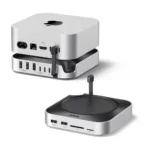

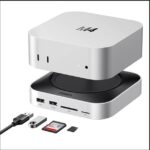
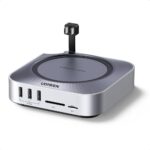

UGREEN Mac Mini M4 Dock Stand USB-C Hub with Audio Jack – Expandable Connectivity & Space-Saving Design
Original price was: 11,500.00৳ .9,470.00৳ Current price is: 9,470.00৳ .
UGREEN Mac Mini M4 Dock Stand USB-C Hub with Audio Jack – Expandable Connectivity & Space-Saving Design
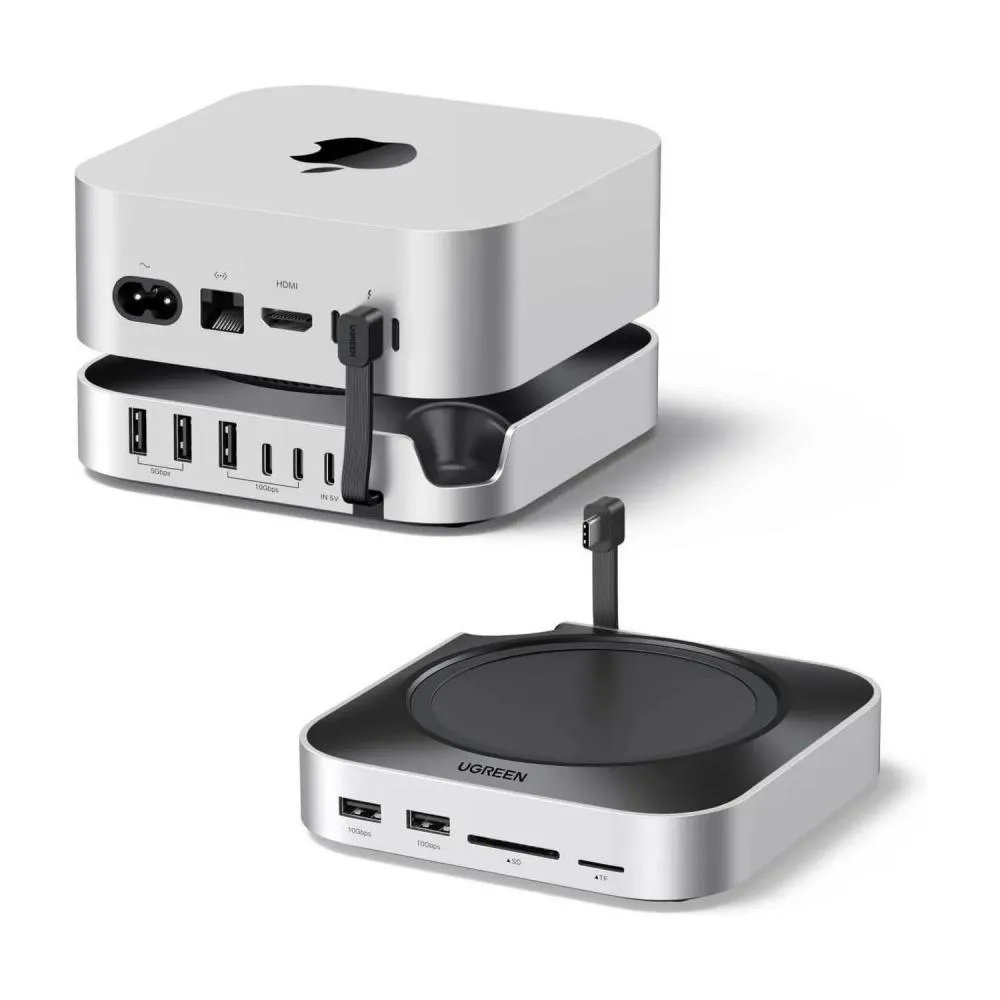
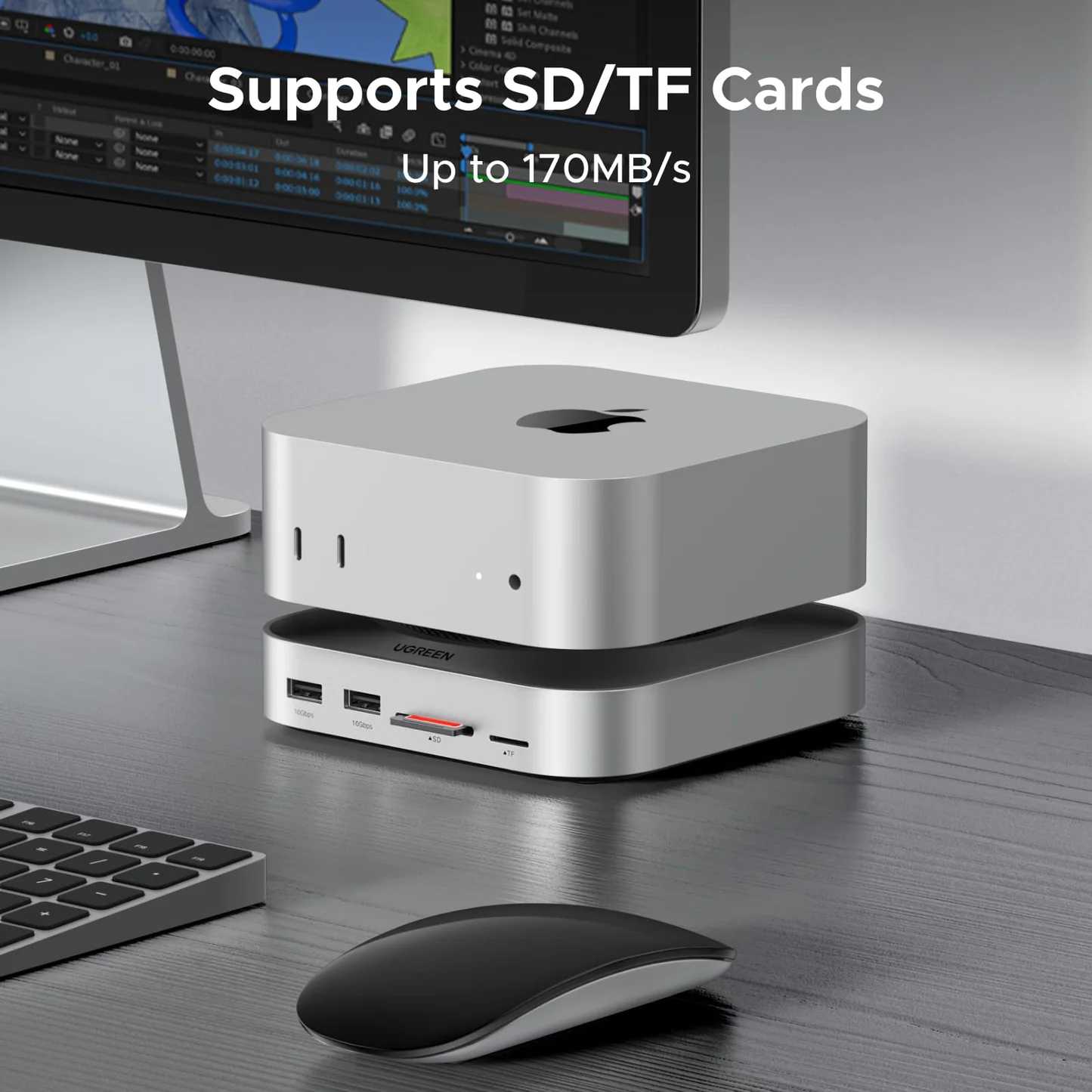
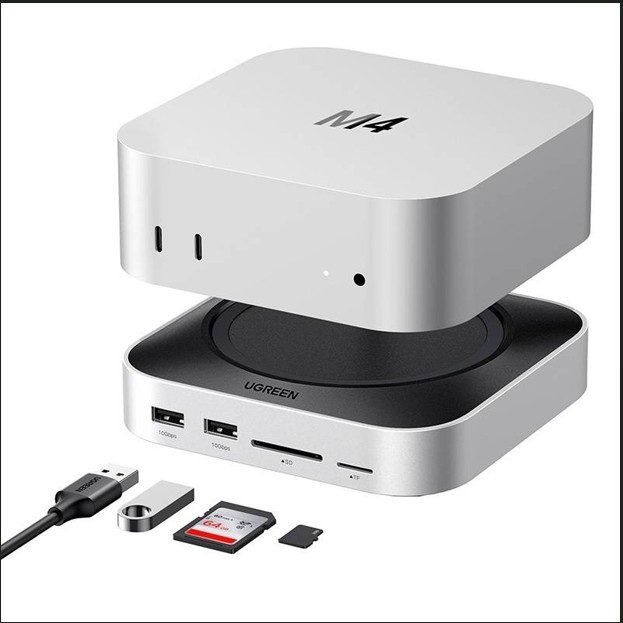
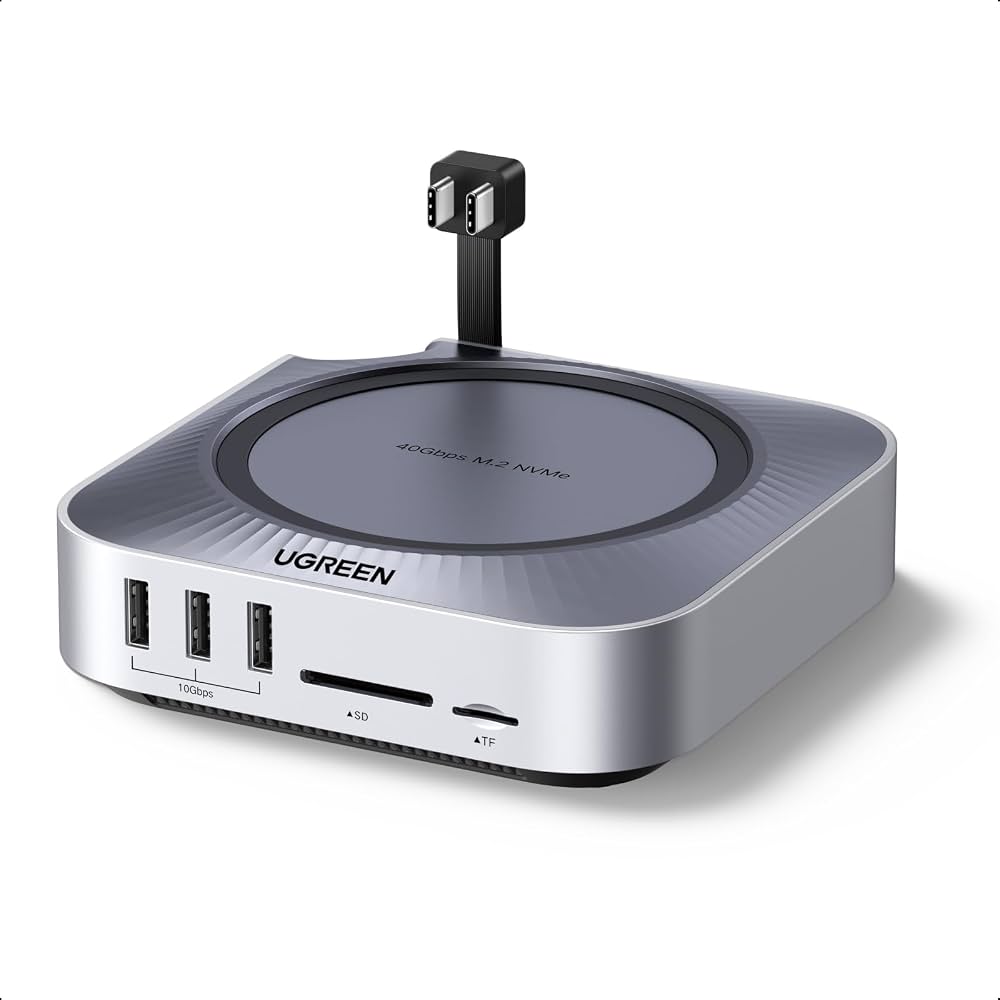
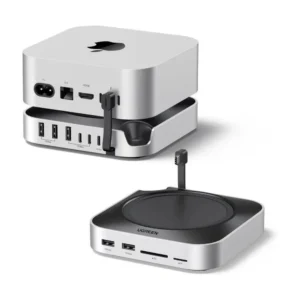
The UGREEN Mac Mini M4 Dock Stand USB-C Hub with Audio Jack is a practical desktop accessory designed to improve the connectivity and organization of your Mac Mini M4 workstation. Combining a docking hub with a space-saving stand design, it helps make commonly used connections more accessible while maintaining a clean desktop setup.
The dock features a 3.5mm audio jack, USB-C hub connectivity, anti-slip silicone pads and a recessed bottom-groove design that provides convenient access to the Mac Mini’s power button. Its plug-and-play design makes it easy to integrate into a compatible setup without complicated installation.
Whether you use your Mac Mini for office work, content creation, photo editing, programming or everyday computing, this UGREEN accessory can help create a more organized and convenient workspace.
Compatibility note: UGREEN sells several Mac Mini M4 docking stations with different port layouts and model numbers. Confirm the exact SKU and port configuration of the unit supplied by AIYOZON before publishing detailed port counts or display specifications.
Common Problems with a Mac Mini Desktop Setup
Although the Mac Mini M4 has a compact design, users may want easier access to additional connectivity and a more organized workstation.
Common challenges include:
- Limited convenient access to additional ports
- Difficulty connecting wired headphones or compatible audio equipment
- Cluttered desktop cable arrangements
- The need for a stable stand or docking accessory
- Inconvenient access to the Mac Mini’s power button
- Extra adapters required for certain peripherals
The UGREEN dock is designed to address several of these everyday setup challenges through its combined stand and hub design.
Smart Solution: A Dock and Stand in One
The UGREEN Mac Mini M4 Dock Stand combines desktop organization with convenient peripheral connectivity.
Its main advantages include:
- A dedicated 3.5mm audio connection
- USB-C hub functionality
- Anti-slip silicone pads for stable placement
- A recessed design for power-button access
- Plug-and-play operation
- A compact appearance suited to a Mac Mini workstation
Together, these features help keep your workspace tidy and make everyday connections more convenient.
Key Features
1. Designed for Mac Mini M4
The dock is designed to complement the compact form factor of the Mac Mini M4, helping create a more integrated desktop setup.
2. USB-C Hub Connectivity
The built-in hub provides additional connectivity for compatible peripherals. The exact number and speed of available USB ports depend on the specific UGREEN dock variant.
3. Built-In 3.5mm Audio Jack
Connect compatible wired headphones, speakers or audio equipment through the integrated 3.5mm audio interface. Confirm microphone and audio-input support against the exact model’s documentation.
4. Convenient Power-Button Access
The bottom-groove design makes it easier to reach the Mac Mini’s power button without removing the computer from the dock.
5. Anti-Slip Silicone Pads
The silicone pads help stabilize the dock on a desk and reduce unwanted movement during everyday use.
6. Wi-Fi Interference Shielding
The product listing describes conductive-paint shielding intended to help reduce wireless interference around the dock. Actual Wi-Fi performance depends on the surrounding environment and network equipment.
7. Plug-and-Play Operation
The dock is designed for straightforward connection to a compatible Mac Mini setup without a complicated software installation process.
8. Space-Saving Desktop Design
Combining stand and hub functionality helps reduce the need for separate accessories and supports a cleaner desktop arrangement.
Benefits
- Designed for the Mac Mini M4
- Combines a stand and USB-C hub
- Built-in 3.5mm audio jack
- Convenient power-button access
- Anti-slip silicone pads
- Conductive-paint Wi-Fi shielding
- Plug-and-play operation
- Convenient peripheral connectivity
- Helps organize desktop cables and accessories
- Suitable for home offices and professional workstations
Perfect For
The UGREEN Mac Mini M4 Dock Stand is suitable for:
- Mac Mini M4 owners
- Home office users
- Office workstations
- Content creators
- Video editors
- Graphic designers
- Programmers and developers
- Users of wired headphones and speakers
- People who want a cleaner desktop setup
Why Choose the UGREEN Mac Mini M4 Dock Stand?
A compact computer can still benefit from a well-organized accessory setup. The UGREEN dock combines a stand-like design with useful connectivity features, helping you access compatible peripherals and wired audio more conveniently.
Its anti-slip pads and recessed power-button area also make it a practical addition for users who frequently turn their Mac Mini on and off or connect accessories throughout the day.
UGREEN Dock Stand vs. a Basic USB Hub
| Feature | UGREEN Mac Mini M4 Dock Stand | Basic USB Hub |
|---|---|---|
| Designed around Mac Mini M4 | Yes | Not usually |
| Stand-style design | Yes | Usually no |
| 3.5mm audio jack | Yes | Depends on model |
| Convenient power-button access | Yes | No |
| Anti-slip silicone pads | Yes | Depends on model |
| USB expansion | Yes | Yes |
| Desktop organization | Stand-and-hub design | Primarily port expansion |
Comparison is general; available ports and functionality vary by product model.
How to Use the UGREEN Mac Mini M4 Dock Stand
Step 1: Check Compatibility
Confirm that the dock’s model and connection layout match your Mac Mini M4.
Step 2: Position the Dock
Place the dock on a stable, flat desktop surface and ensure the anti-slip pads are properly positioned.
Step 3: Connect the Dock
Connect its integrated host connection or supplied connection cable according to the product instructions.
Step 4: Connect Your Accessories
Attach compatible USB peripherals and connect wired audio equipment to the 3.5mm jack where supported.
Step 5: Organize Your Workspace
Arrange cables neatly and ensure that the computer’s ventilation openings remain unobstructed.
Recommended Use Cases
Home Office
Connect compatible accessories and create a tidier workspace for daily productivity.
Content Creation
Use the dock as part of a workstation for compatible peripherals and wired audio equipment.
Programming and Development
Keep commonly used accessories connected to a more organized Mac Mini setup.
Audio and Headphone Use
Access the 3.5mm audio connection for compatible wired headphones or speakers.
Minimalist Desktop Setup
Combine stand and hub functionality to reduce desktop clutter.
Cleaning & Maintenance
- Disconnect connected equipment before cleaning.
- Wipe the exterior with a soft, dry cloth.
- Keep the USB ports and audio jack free from dust.
- Avoid spraying liquid directly onto the dock.
- Do not force connectors into ports.
- Keep cables arranged to prevent strain on the connections.
- Follow the manufacturer’s instructions when installing or removing accessories.
Important Usage Tips
- Verify the exact model and port layout before purchase.
- Use compatible cables and peripherals.
- Do not assume that every UGREEN Mac Mini dock includes an SSD enclosure or DisplayPort.
- Check the supported audio functions before connecting specialized audio equipment.
- Keep the Mac Mini’s ventilation openings unobstructed.
- Avoid pulling the dock by its connected cables.
- Confirm any external power requirements in the manual for your specific model.
Product Specifications
| Specification | Details |
|---|---|
| Brand | UGREEN |
| Product Name | Mac Mini M4 Dock Stand USB-C Hub with Audio Jack |
| Product Type | Docking Hub / Stand |
| Primary Compatibility | Mac Mini M4 |
| Hub Interface | USB-C |
| Audio Interface | 3.5mm audio jack |
| Stand Design | Integrated dock-and-stand format |
| Stability | Anti-slip silicone pads |
| Power-Button Access | Recessed bottom-groove design |
| Wireless Feature | Conductive-paint Wi-Fi shielding, as listed |
| Installation | Plug and play |
| Exact Model / SKU | Confirm against the supplied unit |
| Detailed Port Count | Depends on the exact model |
| Color and Dimensions | Verify against the seller’s stock variant |
Specification note: UGREEN’s related Mac Mini docks include models with different port layouts and features. For example, the CM652/65488 variant is listed with DisplayPort, USB-A and USB-C ports, SD/TF card readers, a 3.5mm audio jack and an M.2 NVMe SSD enclosure. Do not apply all those specifications to this product unless the SKU matches.
What’s in the Box?
Typical contents may include:
- 1 × UGREEN Mac Mini M4 Dock Stand
- Integrated or supplied USB-C host connection, depending on the variant
- User documentation
- Additional installation accessories, if included with the exact SKU
Package contents should be verified against the supplied retail version.
Who Should Buy This Product?
Choose the UGREEN Mac Mini M4 Dock Stand if you want:
- A docking accessory designed for Mac Mini M4
- Convenient access to a 3.5mm audio jack
- USB hub functionality
- A more organized desktop
- Anti-slip placement
- Convenient access to the computer’s power button
- A simple, plug-and-play accessory
Why Buy from AIYOZON?
When purchasing the UGREEN Mac Mini M4 Dock Stand USB-C Hub from AIYOZON, you can enjoy a convenient shopping experience for practical computer accessories.
- Clear product information
- Convenient online ordering
- Product support
- Delivery assistance
- Access to useful computer and connectivity accessories
Check the exact model, available ports, warranty terms and package contents before placing your order.
Frequently Asked Questions
Is this dock compatible with Mac Mini M4?
Yes, the product listing describes it as designed for the Mac Mini M4. Confirm compatibility with the exact SKU before ordering.
Does it have a 3.5mm audio jack?
Yes. The listed product includes a built-in 3.5mm audio jack.
Does it expand USB connectivity?
Yes. It provides USB-C hub functionality, but the exact number and speed of ports depend on the specific model.
Does it provide access to the Mac Mini power button?
Yes. The listing describes a bottom-groove design for convenient access to the power button.
Does it need special software?
The listed dock is designed for plug-and-play use. Specific connected peripherals may still require their own software or configuration.
Does it include an M.2 SSD enclosure?
Not every Mac Mini dock variant has the same features. Check the exact model number and product packaging before assuming SSD expansion is included.
Is the Mac Mini included?
The product is a dock/stand accessory. The Mac Mini computer itself should not be assumed to be included unless the seller explicitly states otherwise.
How do I confirm the exact specifications?
Check the model number or SKU on the product label or packaging and compare it with the matching UGREEN product documentation.
Final Verdict
The UGREEN Mac Mini M4 Dock Stand USB-C Hub with Audio Jack is a practical accessory for users who want to improve desktop organization and add convenient connectivity to their Mac Mini M4 setup.
With its USB-C hub functionality, 3.5mm audio jack, anti-slip silicone pads, recessed power-button access and plug-and-play design, it helps create a cleaner and more convenient workstation.
Upgrade Your Mac Mini M4 Setup
- Mac Mini M4-compatible dock design
- USB-C hub functionality
- Built-in 3.5mm audio jack
- Anti-slip silicone pads
- Convenient power-button access
- Plug-and-play setup
- Space-saving desktop organization














Reviews
There are no reviews yet.