




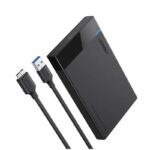

UGREEN NASync DH2300 2-Bay NAS Enclosure – Private Cloud Storage Up to 60TB
Original price was: 39,980.00৳ .37,890.00৳ Current price is: 37,890.00৳ .
UGREEN NASync DH2300 2-Bay NAS Enclosure – Private Cloud Storage Up to 60TB
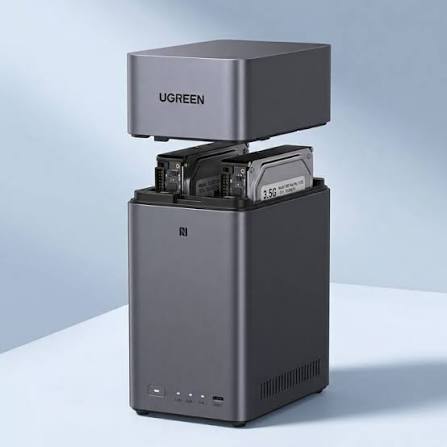
The UGREEN NASync DH2300 2-Bay NAS Enclosure is a compact network-attached storage solution designed to help you create your own private cloud for storing, organizing, backing up and accessing digital files.
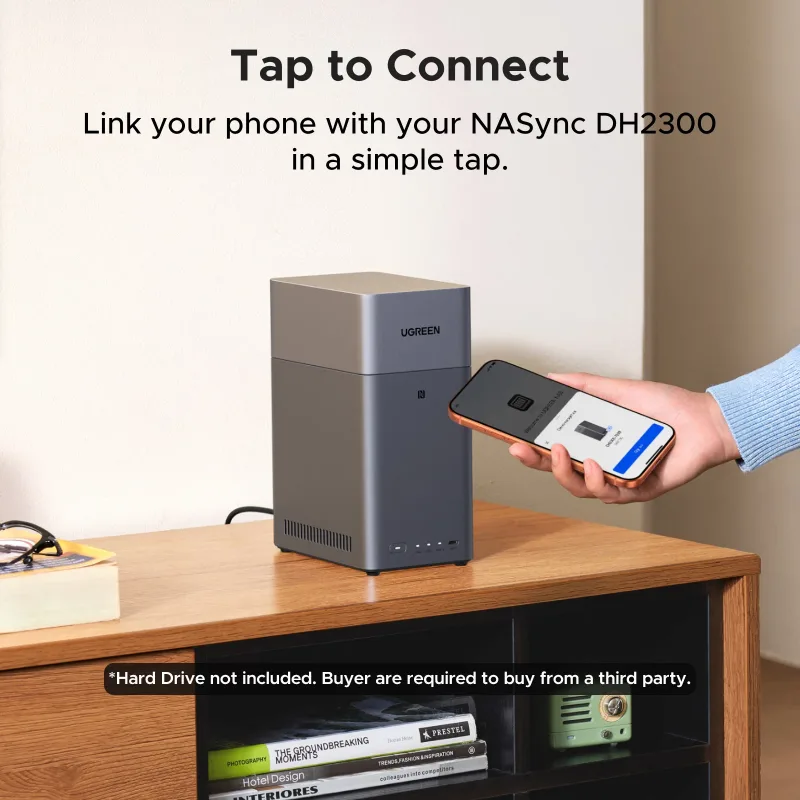
Instead of depending entirely on third-party cloud subscriptions or scattering files across multiple external drives, the DH2300 allows you to centralize photos, videos, documents, work projects and other important data in one network-connected storage system. You can access supported files through compatible computers, smartphones, tablets and other devices.
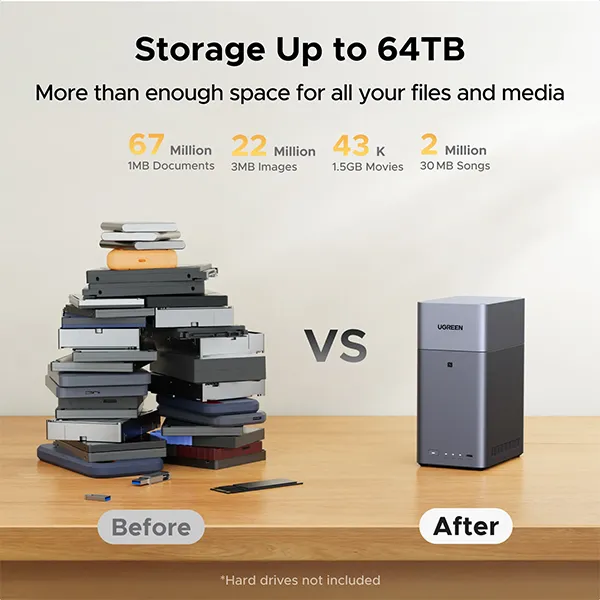
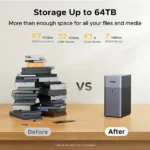
Powered by an 8-core Rockchip processor, 4GB LPDDR4X RAM and UGOS Pro, the DH2300 supports two SATA drive bays, RAID configurations, automatic backup workflows and multimedia connectivity. Its maximum advertised storage capacity varies by regional specification: some UGREEN pages list up to 60TB using two 30TB drives, while others list up to 64TB using two 32TB drives. Hard drives are not included in the standard diskless enclosure.
Common Problems with Traditional Storage
Managing digital files across several devices can become difficult over time.
Common challenges include:
- Running out of space on phones and computers
- Paying recurring fees for additional cloud storage
- Keeping duplicate copies of photos and videos
- Transferring large files between devices manually
- Sharing files with family members or colleagues
- Organizing growing collections of documents and media
- Maintaining separate backups across multiple external drives
- Accessing important files while away from home
The UGREEN NASync DH2300 offers a centralized storage solution that can help simplify these everyday tasks.
Smart Solution: Your Own Private Cloud
The DH2300 combines local storage hardware with UGREEN’s UGOS Pro operating system to create a personal storage hub for your home or office.
After installing compatible drives and completing the initial setup, you can configure storage volumes, organize folders, manage access and use supported backup or synchronization features.
Its network connectivity allows supported devices to access shared files without requiring you to connect an external drive to each device individually. Remote-access capabilities depend on the relevant software configuration and network setup.
Key Features
1. Two-Bay SATA Storage
The DH2300 includes two SATA drive bays for compatible storage drives. This gives you flexibility to configure the system for capacity, file organization or supported RAID arrangements.
2. Large Storage Capacity
Depending on the drive capacities supported by your specific regional version, UGREEN advertises up to 60TB or 64TB of raw storage across two drives. Actual usable space depends on the installed drives, storage configuration and filesystem overhead.
3. 8-Core Rockchip Processor
The DH2300 uses an 8-core Rockchip processor operating at up to approximately 2.2GHz, designed to handle everyday NAS tasks such as file management, backups, sharing and media access.
4. 4GB LPDDR4X RAM
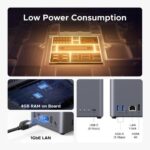
The built-in 4GB LPDDR4X memory supports the NAS operating system and everyday storage workflows, including managing files and running supported applications.
5. UGOS Pro Operating System
UGOS Pro provides the software environment for managing storage, users, folders, backups and other supported NAS functions through a user-friendly interface.
6. Personal Cloud Storage
Create a centralized location for your digital files instead of relying exclusively on removable drives or external cloud services.
Depending on the applications and configuration, supported functions may include file access, sharing, synchronization and remote access.
7. Automatic File Backup
The DH2300 supports backup-oriented workflows designed to help keep files from compatible devices organized and protected against accidental loss.
Configure your backup tasks carefully and periodically verify that your files can be restored.
8. RAID 0 and RAID 1 Support
The DH2300 supports JBOD, Basic, RAID 0 and RAID 1 configurations.
- JBOD: Combines drives according to the selected configuration.
- Basic: Manages drives as individual storage volumes.
- RAID 0: Combines drives for performance and capacity, but provides no drive-failure redundancy.
- RAID 1: Mirrors data across two drives, reducing the risk of data loss from a single drive failure.
Important: RAID is not a substitute for a separate backup. RAID 1 does not protect against accidental deletion, malware, theft, fire or other events affecting the entire NAS.
9. Gigabit Ethernet Connectivity
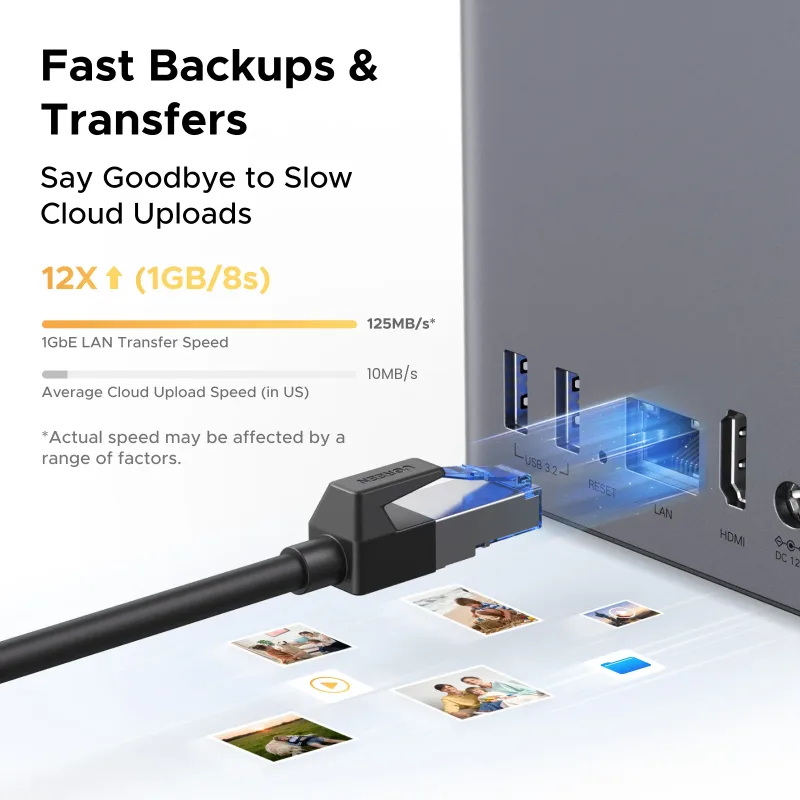
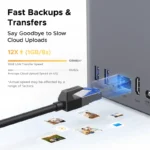
The DH2300 has one 1GbE Ethernet port for connecting the NAS to your router or network switch. Actual file-transfer speeds depend on the network, installed drives, client devices and workload.
10. USB-C and Dual USB-A Ports
The unit includes:
- 1 × USB-C port rated up to 5Gbps
- 2 × USB-A ports rated up to 5Gbps
These ports provide connectivity for supported USB storage and peripherals. Available functions depend on the device and UGOS Pro software support.
11. 4K HDMI Output
The DH2300 features HDMI output supporting up to 4K at 60Hz, allowing compatible display connections for supported local multimedia and interface functions.
12. Compact Desktop Design
With dimensions of approximately 151 × 98 × 213.7mm, the DH2300 is designed to fit on a desk, shelf or home-office storage area.
Key Benefits
- Create your own private cloud storage system
- Centralize photos, videos and documents
- Supports two SATA drives
- Advertised storage capacity up to 60TB or 64TB, depending on version
- 8-core Rockchip processor
- 4GB LPDDR4X RAM
- UGOS Pro operating system
- Supports RAID 0 and RAID 1
- Automatic backup and file-management workflows
- Gigabit Ethernet connectivity
- USB-C and two USB-A ports
- 4K 60Hz HDMI output
- Compact desktop footprint
- Suitable for home and small-office storage
Perfect For
The UGREEN NASync DH2300 is suitable for:
- Families with large photo and video collections
- Smartphone users who need additional storage
- Photographers managing personal photo libraries
- Content creators organizing project files
- Freelancers and remote workers
- Home-office users
- Small teams sharing documents
- Users replacing several external hard drives
- People who want greater control over their stored files
Why Choose UGREEN NASync DH2300?
A traditional external hard drive generally connects to one device at a time. The DH2300 is designed to make storage available over your local network, helping compatible devices access shared files from a central location.
Its combination of two drive bays, UGOS Pro, backup capabilities, RAID options and multimedia connectivity makes it a practical starting point for users who want to build a personal NAS system without choosing a larger multi-bay server.
It is especially worth considering if your priority is centralized file storage, photo backup and personal cloud access rather than advanced server virtualization.
UGREEN NASync DH2300 vs. External Hard Drive
| Feature | UGREEN NASync DH2300 | External Hard Drive |
|---|---|---|
| Network File Access | Yes, when configured | Usually requires direct connection or separate sharing setup |
| Drive Bays | 2 SATA bays | Usually one drive |
| Centralized Storage | Yes | Limited |
| Multiple-Device Access | Supported over the network | Depends on connection and sharing setup |
| RAID Support | RAID 0 and RAID 1 | Usually not built in |
| Automatic Backup | Supported workflows | Depends on software |
| HDMI Output | 4K at 60Hz | Usually unavailable |
| Initial Setup | Requires drive installation and configuration | Usually simpler |
| Best For | Shared storage and personal cloud | Portable individual storage |
How to Set Up UGREEN NASync DH2300
Step 1: Choose Compatible Drives
Purchase compatible SATA hard drives or SSDs separately. Check UGREEN’s current compatibility guidance before selecting a drive.
Step 2: Install the Drives
Turn off and disconnect the NAS before installing the drives. Follow the installation instructions supplied with the unit.
Step 3: Connect the Network
Connect the DH2300 to your router or network switch using Ethernet.
Step 4: Connect Power
Connect the supplied power adapter and turn on the NAS.
Step 5: Complete Initial Setup
Use the supported UGREEN setup process to initialize the device and configure UGOS Pro.
Step 6: Configure Storage
Select a suitable storage arrangement, such as Basic, JBOD, RAID 0 or RAID 1, according to your capacity and redundancy requirements.
Step 7: Create Users and Shared Folders
Organize files into appropriate folders and configure access permissions for yourself or other authorized users.
Step 8: Configure Backups
Set up supported backup or synchronization tasks for your computers and mobile devices. Test file restoration before relying on the system for important data.
Recommended Use Cases
Photo and Video Storage
Centralize family photographs, mobile videos and personal media in one storage location.
Computer Backups
Configure supported backup workflows to help protect important documents and work files.
Home Media Library
Organize movies, music and other media for access on compatible devices. Playback capability depends on the file format, client device and supported software.
Freelance and Business Files
Keep project documents, graphics, website assets and other work files organized in shared folders.
Family File Sharing
Create an organized storage space for authorized family members to access shared files.
Personal Cloud Access
Use supported remote-access features to reach your files when away from your home network.
Cleaning & Maintenance
To keep your NAS operating reliably:
- Keep ventilation openings clear.
- Place the unit on a stable surface.
- Keep it away from excessive heat and moisture.
- Clean external dust with a dry, soft cloth.
- Monitor drive health and storage status.
- Install system updates when appropriate.
- Check backup tasks regularly.
- Maintain a separate copy of important data outside the NAS.
Important Usage Tips
- Hard drives are not included unless the seller explicitly offers a drive bundle.
- Check the maximum supported drive capacity for your exact regional version.
- Use drives intended for NAS or other compatible workloads.
- RAID 0 offers no drive-failure redundancy.
- RAID 1 does not replace an independent backup.
- Keep the NAS connected to a stable network and suitable power source.
- Use strong passwords and keep software updated.
- Configure remote access securely.
- Confirm that the functions you need are supported by UGOS Pro before purchasing.
Software limitation: UGREEN’s current product information and retailer documentation indicate that the DH2300 does not officially support Docker or virtual machines. If you need containers, advanced virtualization or more extensive server workloads, check the specifications of a higher-tier NAS before buying.
Product Specifications
| Specification | Details |
|---|---|
| Brand | UGREEN |
| Product Series | NASync |
| Model | DH2300 |
| Product Type | 2-Bay Network Attached Storage |
| Drive Bays | 2 × SATA |
| Maximum Advertised Capacity | Up to 60TB or 64TB, depending on regional specification |
| Included Drives | No, standard diskless enclosure |
| Processor | 8-Core Rockchip, up to 2.2GHz |
| RAM | 4GB LPDDR4X |
| System Storage | 32GB eMMC |
| Operating System | UGOS Pro |
| RAID Modes | JBOD, Basic, RAID 0, RAID 1 |
| Ethernet | 1 × Gigabit Ethernet (1GbE) |
| USB-C | 1 × USB-C, up to 5Gbps |
| USB-A | 2 × USB-A, up to 5Gbps |
| HDMI | Up to 4K at 60Hz |
| M.2 SSD Slots | None |
| Dimensions | Approx. 151 × 98 × 213.7mm |
| Power Consumption | Approx. 13.72W during drive access; 3.304W in drive hibernation, according to UGREEN |
| Intended Use | Home and small-office storage |
Specifications are based on UGREEN’s published DH2300 information. Maximum capacity differs between regional pages, so confirm the supported drive size for the exact unit supplied.
What’s in the Box?
The standard package typically includes:
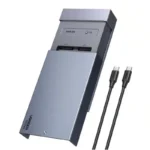
- 1 × UGREEN NASync DH2300 NAS enclosure
- 1 × Power adapter
- 1 × Ethernet cable
- Drive installation screws
- 1 × Screwdriver
- 1 × User manual or quick-start documentation
Package contents can vary by region or retailer. Hard drives are generally sold separately, so confirm the exact bundle before ordering.
Who Should Buy This Product?
Choose the UGREEN NASync DH2300 if you want:
- A two-bay home NAS
- Centralized photo and video storage
- A personal cloud for compatible devices
- Automated backup options
- RAID 1 mirroring support
- Local network file sharing
- HDMI output for compatible media workflows
- A compact NAS for home or small-office use
If you need Docker, virtual machines, multiple M.2 SSD slots or faster-than-Gigabit Ethernet, consider a more advanced NAS model.
Why Buy from AIYOZON?
When purchasing the UGREEN NASync DH2300 from AIYOZON, you can enjoy a convenient shopping experience for storage and technology products.
- Clear product specifications
- Product guidance before purchase
- Convenient online ordering
- Delivery support across Bangladesh
- Assistance with product-related questions
Before ordering, confirm whether the listing includes hard drives, which maximum drive capacity is supported by the supplied version, and the applicable warranty terms.
Frequently Asked Questions
What is the UGREEN NASync DH2300?
It is a two-bay network-attached storage device designed for centralized file storage, backups, sharing and supported personal-cloud functions.
Does the DH2300 include hard drives?
The standard configuration is sold without hard drives. You generally need to purchase compatible drives separately.
What is its maximum storage capacity?
UGREEN regional specifications differ: some advertise 60TB using two 30TB drives, while others advertise 64TB using two 32TB drives. Check the exact regional specification before purchasing.
Does it support RAID 1?
Yes. The DH2300 supports RAID 1, which mirrors data across two drives. This can help maintain availability after one drive fails, but it is not a complete backup strategy.
Can I access files from my phone?
The NAS supports compatible network and software-based access features. Available functions depend on the app, configuration and remote-access setup.
Does the DH2300 support 4K HDMI?
Yes. The specification lists HDMI output up to 4K at 60Hz. Actual playback depends on the media format, software and connected display.
Does it have a 2.5GbE port?
No. The DH2300 is listed with one 1GbE Ethernet port.
Does it support M.2 SSDs?
No. The published DH2300 specifications list two SATA drive bays and no M.2 SSD slots.
Can I use it as a Docker server?
UGREEN’s current information and retailer documentation indicate that Docker and virtual machines are not officially supported on this model. Choose a compatible higher-tier model if those features are essential.
Is it suitable for business use?
It can suit freelancers, home offices and small teams needing centralized file storage. More demanding business environments may require additional drive bays, faster networking or advanced server features.
Is a NAS the same as cloud storage?
Not exactly. A NAS stores data on drives installed in your own device. It can provide cloud-like access through supported software, but remote access requires suitable configuration and a secure network setup.
Final Verdict
The UGREEN NASync DH2300 2-Bay NAS Enclosure is a practical entry-level option for users who want centralized storage, automated backup workflows and a personal cloud without relying entirely on monthly cloud-storage subscriptions.
With its 8-core processor, 4GB RAM, two SATA bays, UGOS Pro, RAID support, Gigabit Ethernet, USB-C and 4K HDMI output, it offers useful features for home storage and small-office file management.
Remember that the standard enclosure is diskless, advertised capacity varies by region, and RAID alone does not replace a separate backup.
Build Your Own Private Cloud with UGREEN
- 2-bay SATA NAS
- Up to 60TB or 64TB advertised capacity, depending on version
- 8-core Rockchip processor
- 4GB LPDDR4X RAM
- UGOS Pro operating system
- RAID 0 and RAID 1 support
- Gigabit Ethernet
- 4K 60Hz HDMI output
- Centralized storage and backup workflows















Reviews
There are no reviews yet.