

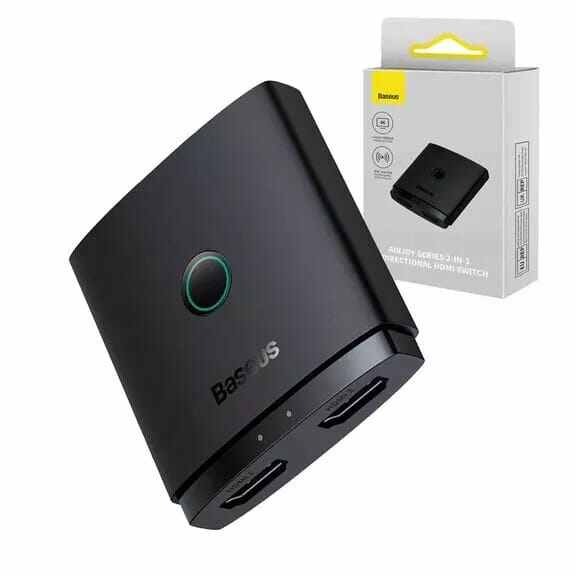






Baseus AirJoy Series 2-in-1 Bidirectional HDMI Switcher with 1m Cable Cluster Black (BS-OH114)
1,450.00৳
Baseus AirJoy Series 2-in-1 Bidirectional HDMI Switcher with 1m Cable Cluster Black (BS-OH114)
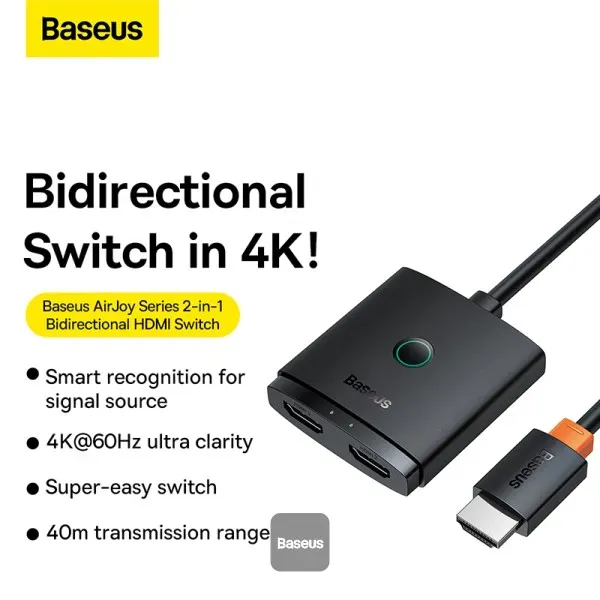
The Baseus AirJoy Series 2-in-1 Bidirectional HDMI Switcher BS-OH114 is a compact HDMI connectivity solution designed to make switching between multiple HDMI devices or displays easier.
With support for up to 4K resolution at 60Hz and HDMI 2.0, the switcher can be used in two different configurations: 2 HDMI inputs to 1 display output or 1 HDMI input to 2 display outputs.
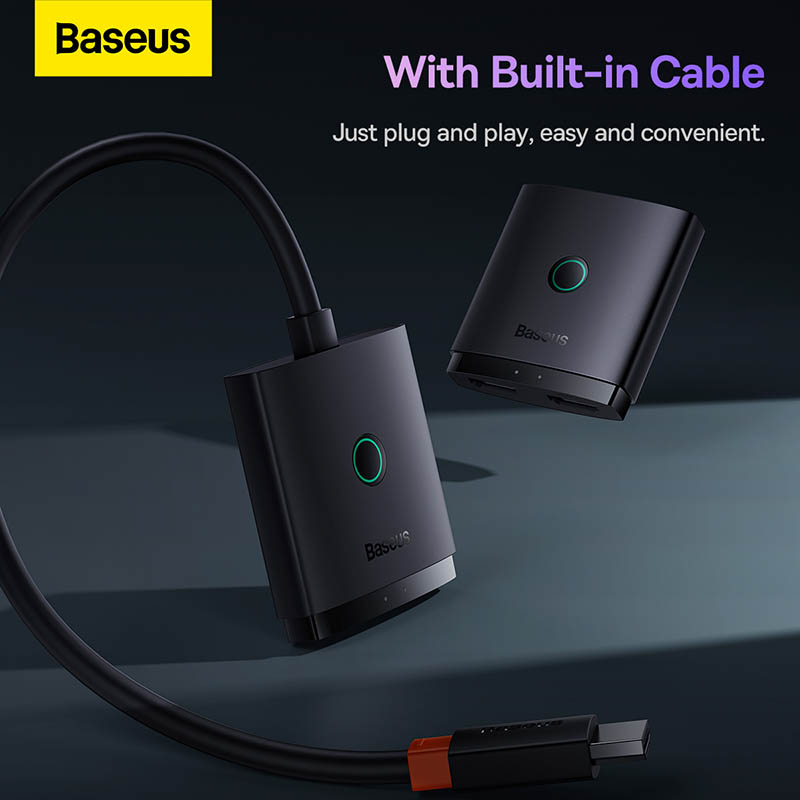
The Cluster Black version also includes an integrated 1-meter HDMI cable, reducing the need for an additional short cable between the switcher and connected equipment.
Its compact 56 × 52 × 15 mm body makes it suitable for desks, entertainment centers, gaming setups and office workstations.
Common Problems with HDMI Connections
Managing multiple HDMI devices can become inconvenient when a display has limited HDMI ports.
Common problems include:
- Frequently unplugging and reconnecting HDMI cables
- Limited HDMI ports on TVs and monitors
- Switching between a gaming console and PC
- Connecting one source to different displays
- Extra cables creating desk clutter
- Difficulty managing multiple HDMI devices
Smart Solution
The Baseus AirJoy BS-OH114 provides a convenient way to manage compatible HDMI connections from a single compact device.
You can use it as a 2-in-1-out switch to connect two HDMI sources to one display, or as a 1-in-2-out switch to connect one HDMI source to two displays. The output is switched rather than simultaneously duplicated.
Key Features
4K@60Hz Ultra HD Support
The BS-OH114 supports resolutions of up to 4K@60Hz, providing high-resolution video output for compatible devices, displays and HDMI cables.
This makes it suitable for:
- 4K TVs
- 4K monitors
- Gaming consoles
- Streaming devices
- PCs and laptops
- Projectors
HDMI 2.0
The switcher uses an HDMI 2.0 interface and supports high-resolution HDMI connectivity up to the specified 4K@60Hz maximum.
Bidirectional 2-in-1 Design
The biggest advantage of the AirJoy Series is its bidirectional functionality.
It supports:
2 IN → 1 OUT:
Connect two HDMI source devices to one monitor or TV.
1 IN → 2 OUT:
Connect one HDMI source to two displays and switch between them.
Smart Signal Source Recognition
The switcher features smart recognition for signal sources, helping simplify source selection when used in supported configurations. Baseus describes the system as smart pairing without requiring manual source selection in suitable situations.
Easy Device Switching
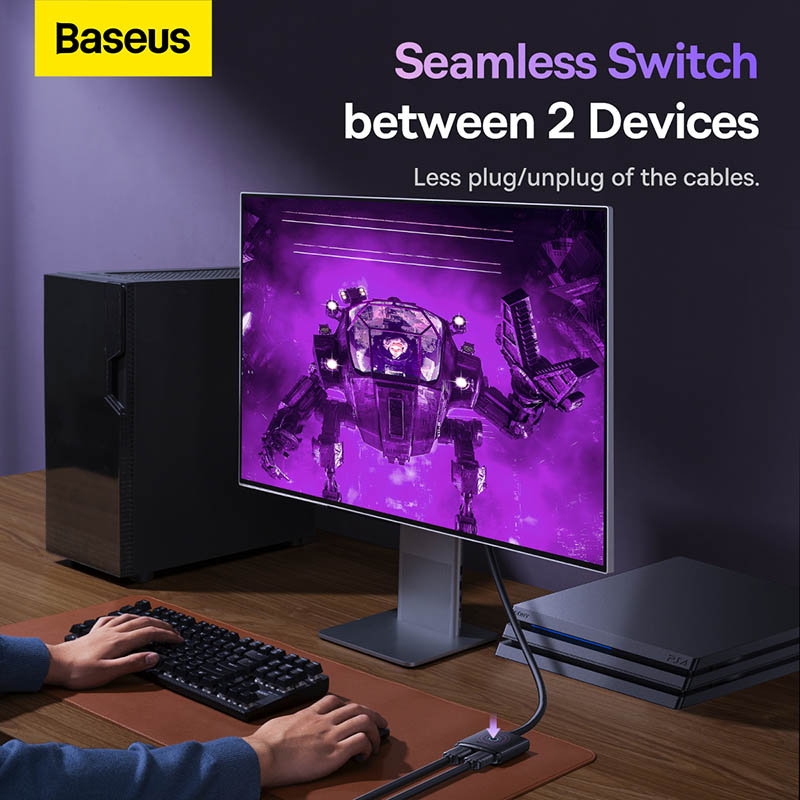
The AirJoy switcher reduces the need to repeatedly unplug HDMI cables when changing between connected devices.
For example, you can connect a gaming console and PC to one monitor and switch between the available sources.
Integrated 1m HDMI Cable
The BS-OH114 Cluster Black version comes with a built-in 1-meter HDMI-compatible cable, helping simplify installation and reducing cable clutter.
Up to 40m Transmission Distance
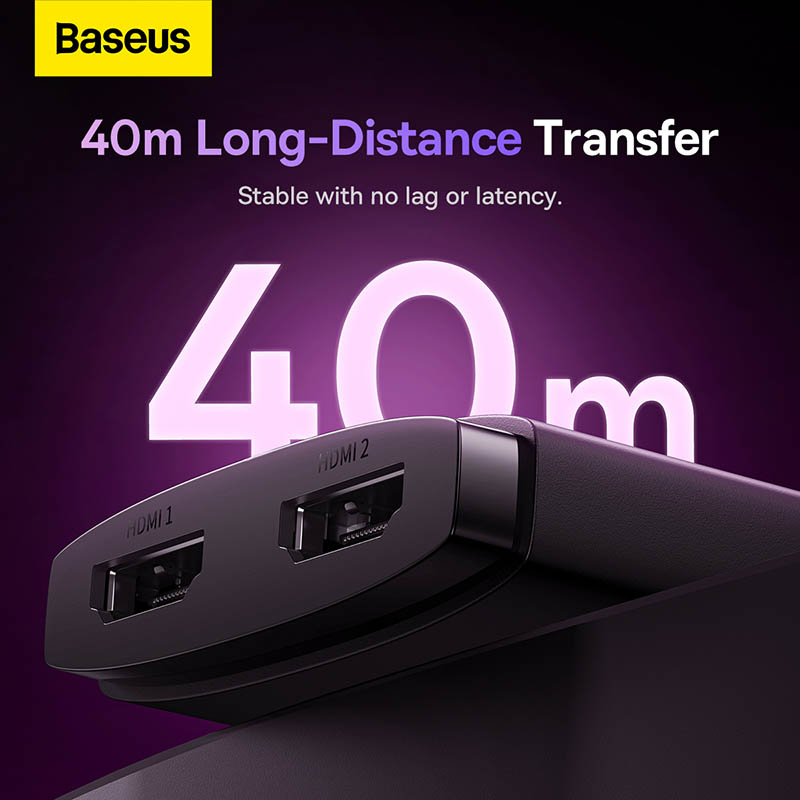
Baseus lists a maximum transmission distance of up to 40 meters, although the achievable distance depends on resolution and cable quality. At higher resolutions such as 4K@60Hz, the recommended cable distances are substantially shorter.
LED Status Indicator
An icy-blue LED indicator provides a visual indication of the device’s operating status.
Compact Design
Measuring approximately 56 × 52 × 15 mm, the switcher is small enough to fit easily behind a monitor, beside a TV or within a compact desktop setup.
No External Power Required
Available specifications indicate that the switcher does not require an external power source, allowing it to operate through the HDMI connection.
Benefits
- Supports up to 4K@60Hz
- HDMI 2.0 connectivity
- Bidirectional operation
- 2 HDMI inputs to 1 output
- 1 HDMI input to 2 outputs
- Integrated 1m HDMI cable
- Easy switching between devices
- Smart signal source recognition
- LED operation indicator
- Compact and portable design
- No external power adapter required
- Suitable for gaming, office and entertainment setups
Perfect For
The Baseus AirJoy BS-OH114 is ideal for:
- Gaming setups
- PS5 users
- Xbox users
- PC users
- Home entertainment systems
- 4K TV setups
- Office workstations
- Dual-display setups
- Projectors
- Streaming devices
- Small desks
- Multi-device HDMI setups
Why Choose Baseus AirJoy BS-OH114?
The Baseus AirJoy Series 2-in-1 Bidirectional HDMI Switcher is designed for users who need more flexibility from their existing HDMI connections.
Instead of constantly unplugging HDMI cables, you can connect multiple compatible devices and switch between them. Its bidirectional design also allows it to work in either 2-in-1-out or 1-in-2-out mode, providing greater flexibility than a basic one-way HDMI switch.
Baseus BS-OH114 vs Traditional HDMI Connection
| Feature | Baseus AirJoy BS-OH114 | Direct HDMI Connection |
|---|---|---|
| 4K Support | Up to 4K@60Hz | Depends on device/cable |
| HDMI Version | HDMI 2.0 | Depends on device |
| 2 Sources → 1 Display | Yes | No |
| 1 Source → 2 Displays | Yes, switchable | No |
| Bidirectional | Yes | No |
| Built-in Cable | 1m | Separate cable required |
| Source Switching | Yes | Manual cable swapping |
| LED Indicator | Yes | No |
| External Power | Not required | Not applicable |
| Compact Design | Yes | N/A |
How to Use Baseus AirJoy BS-OH114
Step 1: Identify Your Setup
Choose whether you want to use the device as:
- 2 IN → 1 OUT, or
- 1 IN → 2 OUT
Step 2: Connect the HDMI Devices
Connect your HDMI source devices or displays to the available HDMI ports according to your chosen configuration.
Step 3: Connect the Integrated HDMI Cable
Use the built-in 1-meter HDMI cable to connect the switcher to the main display or source device.
Step 4: Turn On Your Devices
Power on the connected HDMI source and display devices.
Step 5: Switch the Signal
Use the switcher’s control to change between connected HDMI sources or displays when required.
Step 6: Check the Display
Confirm that the selected source appears correctly on the connected display.
Use Cases
Gaming Setup
Connect a PS5, Xbox or another HDMI gaming device to a single monitor or TV and switch between sources when needed.
PC & Laptop Workspace
Use one display for multiple HDMI-equipped computers or other source devices.
Home Entertainment
Connect devices such as TV boxes, game consoles and other HDMI sources to one television.
Projector Setup
Use the switcher to manage multiple HDMI sources connected to a projector.
Dual-Display Switching
Connect one HDMI source to two displays and switch the active display when required.
Important: The 1 IN → 2 OUT configuration is for switching between displays, not for showing the same source simultaneously on both screens.
Cleaning & Maintenance
To maintain the HDMI switcher:
- Keep the device dry.
- Avoid exposing the switcher to liquids.
- Clean it with a soft, dry cloth.
- Avoid bending the integrated HDMI cable sharply.
- Keep HDMI ports free from dust and debris.
- Do not disassemble the device.
- Avoid placing heavy objects on the switcher or cable.
- Disconnect equipment carefully when changing the setup.
Important Usage Tips
- Check your device’s HDMI compatibility before purchase.
- For 4K@60Hz, use suitable HDMI cables and compatible source/display devices.
- Keep cable lengths reasonable, especially at higher resolutions.
- Do not assume the 40m transmission figure applies to every 4K setup.
- The 1 IN → 2 OUT mode does not display simultaneously on both screens.
- Make sure your source and display support the desired resolution and refresh rate.
- Avoid excessive cable bending around the integrated cable.
Product Specifications
| Specification | Details |
|---|---|
| Brand | Baseus |
| Series | AirJoy Series |
| Product Type | Bidirectional HDMI Switch |
| Model | BS-OH114 |
| SKU | B01331105111-01 |
| HDMI Version | HDMI 2.0 |
| Maximum Resolution | 4K@60Hz |
| Connection Mode | 2 IN → 1 OUT / 1 IN → 2 OUT |
| Cable | Integrated 1m HDMI Cable |
| Transmission Distance | Up to 40m* |
| Material | PC + ABS |
| Color | Cluster Black |
| Dimensions | Approx. 56 × 52 × 15 mm |
| LED Indicator | Icy Blue |
| External Power | Not Required |
| Certification | CE / RoHS |
*Transmission distance depends on resolution, cable quality and connected equipment. Baseus-related documentation gives shorter recommended cable distances at higher resolutions, while the maximum 40m figure applies under lower-resolution conditions.
What’s in the Box
Typical package contents include:
- 1 × Baseus AirJoy Series 2-in-1 Bidirectional HDMI Switcher
- 1 × Integrated 1m HDMI Cable
- User documentation
Package contents may vary slightly by seller or regional packaging. Baseus listings identify the product as the B01331105111-01 cable-cluster version.
Who Should Buy This Product?
The Baseus AirJoy Series 2-in-1 Bidirectional HDMI Switcher BS-OH114 is suitable for anyone who needs to manage multiple HDMI devices or displays without repeatedly reconnecting cables.
It is especially useful for:
- Gamers
- PC users
- Office professionals
- Home entertainment users
- Streamers
- Projector users
- Multi-device workstation users
- Users with limited HDMI ports
Why Buy from AIYOZON?
When purchasing the Baseus AirJoy Series 2-in-1 Bidirectional HDMI Switcher BS-OH114 from AIYOZON, you can add a compact and flexible HDMI switching solution to your gaming, office or home entertainment setup.
Before ordering, check the HDMI version, supported resolution, connection mode and required cable lengths to ensure compatibility with your devices.
Frequently Asked Questions
What is the model number of this Baseus HDMI switcher?
The product is identified as BS-OH114, with SKU B01331105111-01 for the Cluster Black version with the integrated cable.
Does the Baseus BS-OH114 support 4K?
Yes. It supports up to 4K@60Hz when used with compatible source devices, displays and cables.
What HDMI version does it use?
The AirJoy Series switcher uses HDMI 2.0.
Can I connect two devices to one monitor?
Yes. In 2 IN → 1 OUT mode, you can connect two HDMI sources to one monitor or TV and switch between them.
Can I connect one device to two monitors?
Yes. In 1 IN → 2 OUT mode, one HDMI source can be connected to two displays, but the switcher selects between the displays rather than showing the source on both simultaneously.
Does the BS-OH114 include a cable?
Yes. The B01331105111-01 version includes an integrated 1-meter HDMI cable.
Does it require an external power adapter?
Available specifications indicate that the AirJoy switcher does not require an external power source.
What is the maximum transmission distance?
Baseus lists a maximum transmission distance of up to 40 meters, but the practical distance depends heavily on resolution and cable quality. For 4K@60Hz, much shorter cable runs are recommended.
Is the Baseus AirJoy BS-OH114 suitable for PS5 and Xbox?
It can be used with compatible HDMI gaming devices, including consoles, provided the complete setup supports the required resolution and refresh rate. Current listings specifically mention PS5 and Xbox compatibility.
Does it duplicate one HDMI source to two screens simultaneously?
No. In 1 IN → 2 OUT mode, it switches between the two displays rather than displaying the source on both screens simultaneously.
Final Verdict
The Baseus AirJoy Series 2-in-1 Bidirectional HDMI Switcher with 1m Cable Cluster Black (BS-OH114) is a compact solution for users who need greater flexibility when connecting HDMI devices.
With 4K@60Hz support, HDMI 2.0, bidirectional 2-in-1 functionality, smart source recognition, an integrated 1m cable and compact design, it can simplify gaming, office and home entertainment setups.
🎮 Simplify Your HDMI Setup
- ✔ Up to 4K@60Hz
- ✔ HDMI 2.0
- ✔ 2 IN → 1 OUT
- ✔ 1 IN → 2 OUT
- ✔ Bidirectional Operation
- ✔ Integrated 1m HDMI Cable
- ✔ Smart Signal Recognition
- ✔ Icy-Blue Status Indicator
- ✔ Compact 56 × 52 × 15 mm Design
- ✔ No External Power Required

















Reviews
There are no reviews yet.