


Google Chromecast With Google TV 4K HDR Streaming Voice Assistant Remote
Original price was: 8,600.00৳ .7,800.00৳ Current price is: 7,800.00৳ .
Google Chromecast With Google TV 4K HDR Streaming Voice Assistant Remote
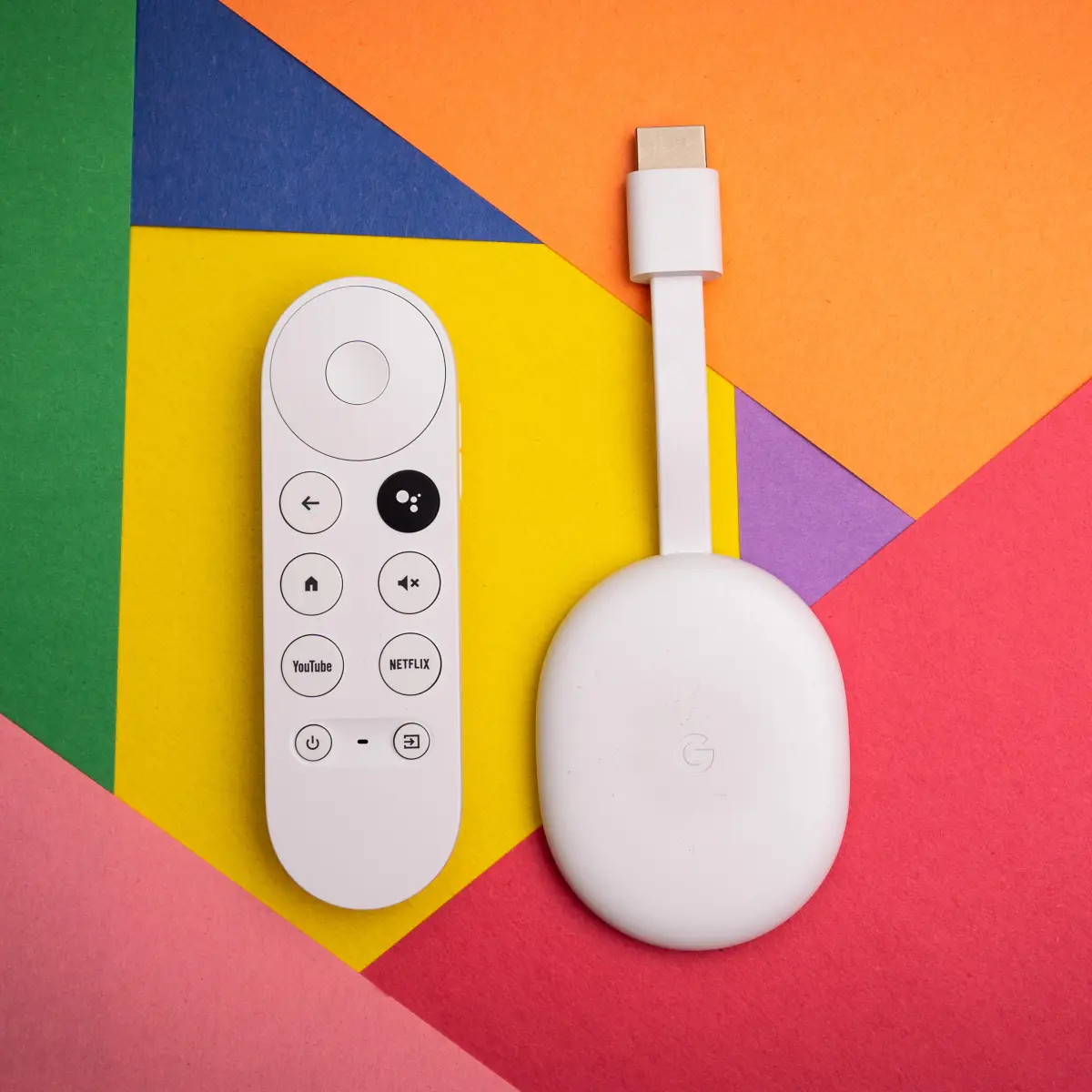
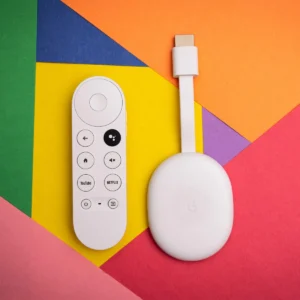
The Google Chromecast With Google TV 4K is a compact streaming device designed to turn a compatible TV into a convenient Google TV entertainment hub. It supports video resolutions up to 4K Ultra HD at 60 fps and supports HDR technologies including Dolby Vision, HDR10, HDR10+ and HLG.
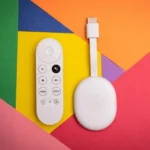
Unlike a traditional Chromecast that primarily relies on casting from another device, Chromecast with Google TV provides a full on-screen Google TV experience with personalized recommendations and a dedicated Chromecast Voice Remote. The remote includes a built-in microphone for Google Assistant voice search.
With 2GB RAM, 8GB storage, dual-band 802.11ac Wi-Fi and Bluetooth 4.2, the 4K Chromecast is designed for convenient streaming of movies, TV shows, music and other supported entertainment services.
Common Problems With Traditional TV Setup
A regular TV may not provide the streaming experience users expect from modern entertainment platforms.
- Older TVs may have limited smart features
- Switching between multiple streaming apps can be inconvenient
- Searching for movies with an on-screen keyboard takes time
- Some TVs lack modern HDR support
- External streaming services may require different devices
- Basic remotes can make content discovery slower
- Streaming from a phone alone may not provide a full TV interface
Smart Solution
The Google Chromecast With Google TV 4K brings a dedicated Google TV interface directly to your television.
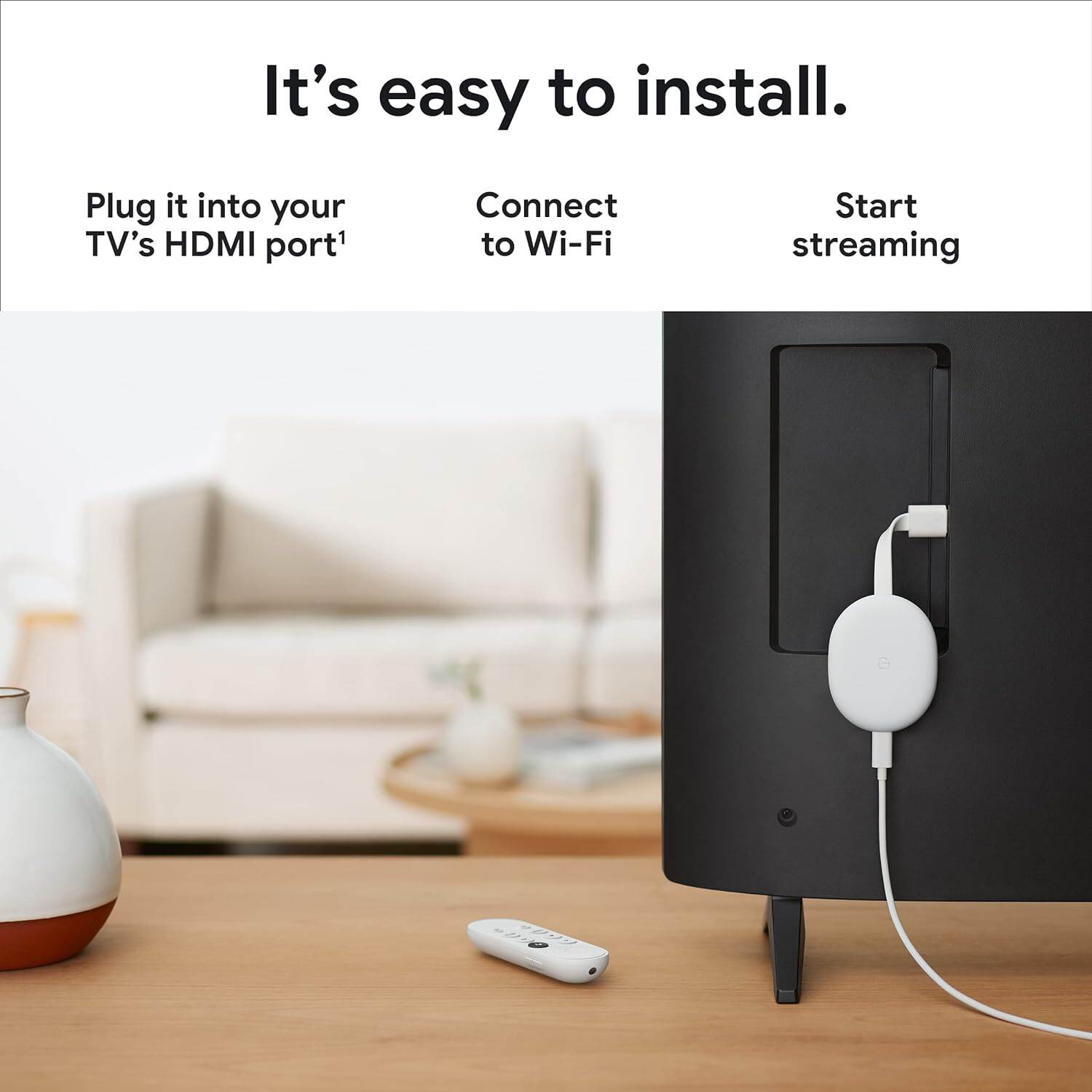
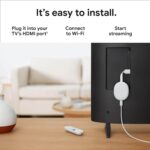
Connect the Chromecast to an HDMI port, connect it to Wi-Fi and complete the setup using the Google Home app. You can then browse supported entertainment services, receive personalized recommendations and use the voice-enabled remote to search for content.
Key Features
4K Ultra HD Streaming
The Chromecast with Google TV 4K supports resolutions up to 4K Ultra HD at 60 fps, providing higher-resolution playback when compatible 4K content, TV hardware and network conditions are available.
HDR Support
The device supports multiple HDR formats, including Dolby Vision, HDR10, HDR10+ and HLG, allowing compatible content and displays to provide enhanced contrast and color reproduction.
Google TV Interface
Google TV brings supported movies, shows and live entertainment into a personalized interface, with recommendations based on subscriptions, viewing history and content available to you.
Google Assistant Voice Remote
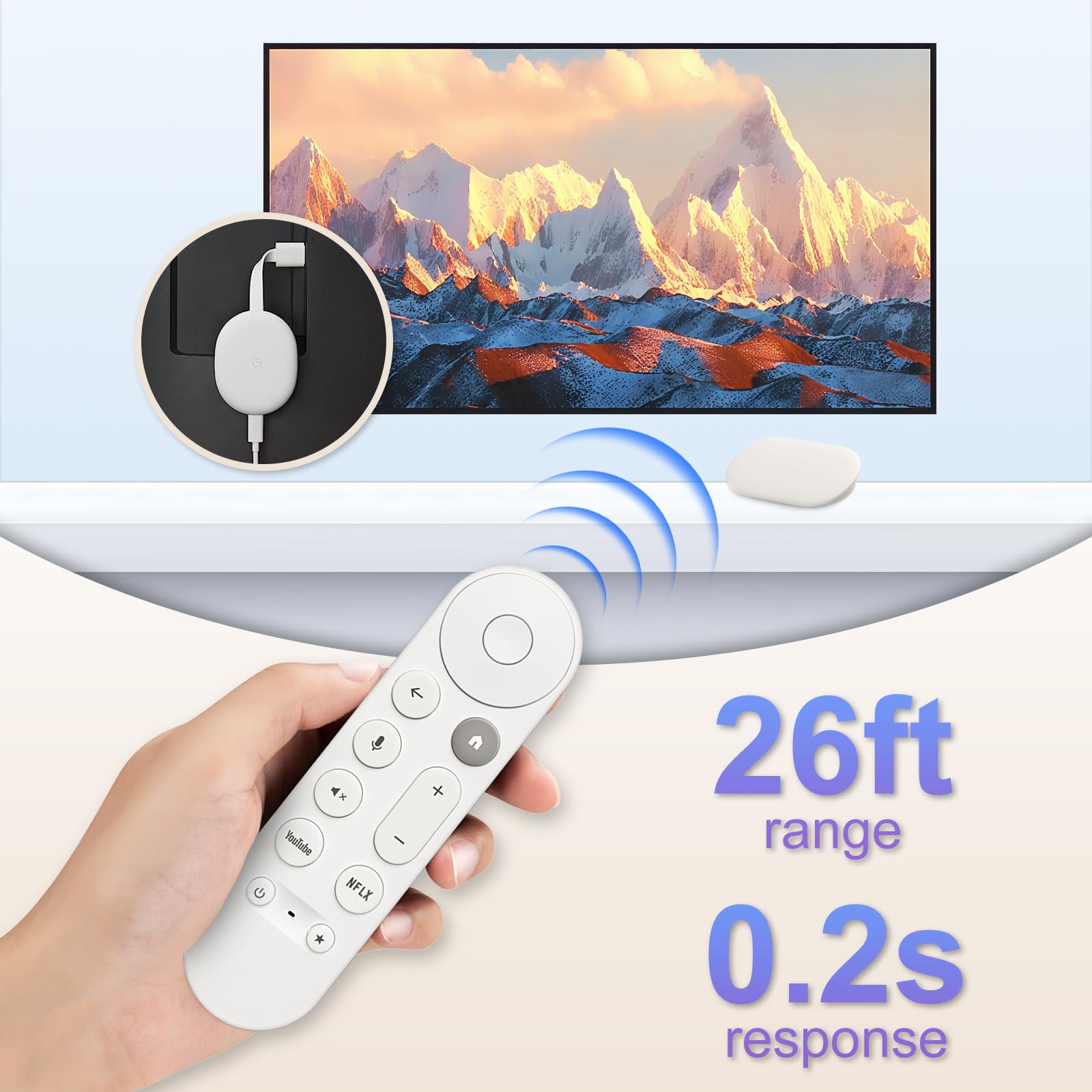
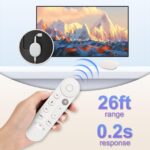
The included Chromecast Voice Remote features an integrated microphone that allows you to use Google Assistant for voice-based content searches and other supported commands.
Dual-Band Wi-Fi
The Chromecast supports 802.11ac Wi-Fi on both 2.4GHz and 5GHz bands, helping it connect to compatible wireless networks for streaming.
8GB Storage
The Chromecast with Google TV 4K has 8GB of storage, providing space for the device’s supported apps and content-related data.
2GB RAM
The 4K model includes 2GB of RAM, according to Google’s comparison information.
Dolby Audio Support
The device supports Dolby audio passthrough, while Google lists Dolby Digital, Dolby Digital Plus and Dolby Atmos via HDMI passthrough for Chromecast with Google TV.
HDMI 2.0 With ALLM
The Chromecast with Google TV 4K uses an HDMI 2.0 output with ALLM support, making it suitable for compatible entertainment and gaming setups.
Compact Design
The Chromecast is designed to connect directly to a TV through HDMI, keeping the streaming device compact and minimizing additional equipment around the television. The device measures approximately 162 × 61 × 12.5mm and weighs approximately 56.7g.
Bluetooth Connectivity
Built-in Bluetooth 4.2 provides wireless connectivity for compatible devices and accessories.
Benefits
- Stream compatible content in up to 4K Ultra HD
- Supports HDR10, HDR10+, HLG and Dolby Vision
- Enjoy the Google TV interface
- Search for content using your voice
- Includes Google Assistant Voice Remote
- 2GB RAM and 8GB storage
- Dual-band 2.4GHz/5GHz Wi-Fi
- Bluetooth 4.2 connectivity
- Dolby audio support
- Compact HDMI-connected design
- Supports compatible TV displays with HDMI input
- Useful for upgrading compatible TVs with modern streaming features
Perfect For
The Google Chromecast With Google TV 4K is ideal for:
- 4K TV owners
- Movie and TV show enthusiasts
- Streaming service users
- Home entertainment setups
- Users who prefer voice search
- Older TVs with HDMI input
- Google ecosystem users
- Compact media-center setups
- Families looking for an easy-to-use streaming interface
- Users who want a dedicated streaming remote
Why Choose Google Chromecast With Google TV 4K?
The Chromecast with Google TV 4K combines high-resolution streaming, HDR support and a dedicated Google TV interface in a compact device.
Its 4K/60fps capability, Dolby Vision support, dual-band Wi-Fi and Google Assistant Voice Remote make it suitable for users who want a more complete streaming experience than basic screen casting alone.
Google Chromecast With Google TV 4K vs Traditional TV Streaming
| Feature | Chromecast With Google TV 4K | Traditional TV |
|---|---|---|
| Maximum Resolution | Up to 4K Ultra HD | Depends on TV |
| HDR | Dolby Vision, HDR10, HDR10+, HLG | Depends on TV |
| Google TV Interface | Yes | Depends on TV |
| Voice Search | Google Assistant Remote | Depends on TV |
| Dedicated Remote | Yes | Usually |
| Wi-Fi | 2.4GHz / 5GHz 802.11ac | Depends on TV |
| Bluetooth | Bluetooth 4.2 | Depends on TV |
| Storage | 8GB | Depends on TV |
| RAM | 2GB | Depends on TV |
| HDMI | HDMI 2.0 | Depends on TV |
| Compact External Device | Yes | No additional device needed |
How to Use Google Chromecast With Google TV 4K
Step 1: Connect the Chromecast
Plug the Chromecast directly into an available HDMI port on your television.
Step 2: Connect the Power
Connect the included power supply to the Chromecast and an appropriate power outlet. Google specifies a 5V/1.5A power supply for Chromecast with Google TV.
Step 3: Select the Correct HDMI Input
Turn on your TV and select the HDMI input where the Chromecast is connected.
Step 4: Pair the Voice Remote
Follow the on-screen instructions to pair the included Chromecast Voice Remote.
Step 5: Complete Setup
Use the Google Home app on a compatible Android or iOS device to help complete the Chromecast setup and connect it to your Wi-Fi network.
Step 6: Sign In and Explore
Follow the Google TV setup process and access the supported services and apps available for your account and region.
Step 7: Start Streaming
Browse recommendations or press the Google Assistant button on the remote to search for movies, shows and other supported content using your voice.
Entertainment Applications
4K Movies
Enjoy compatible movies in up to 4K Ultra HD when your TV, content and internet connection meet the required specifications.
TV Shows
Browse supported streaming services and discover TV shows through the Google TV interface.
Music Streaming
Use supported music applications to stream music through your television and compatible audio equipment.
Voice Search
Use the integrated Google Assistant microphone on the remote to search for supported movies, shows and other content.
Gaming
The HDMI 2.0 output includes ALLM support, which can be useful with compatible gaming setups.
4K HDR Requirements
To enjoy the full 4K HDR experience, your setup needs more than the Chromecast itself.
Google recommends a 4K-capable TV with an HDMI port supporting HDCP 2.2, compatible 4K content and a high-speed internet connection. Google recommends at least 20 Mbps for 4K content.
If the television is only 1080p, the Chromecast will output content according to the TV’s supported maximum resolution rather than delivering 4K.
Important Usage Tips
- Use the included power supply when setting up the device.
- Connect the Chromecast to an HDMI port on your TV.
- Use a reliable high-speed Wi-Fi connection for streaming.
- Make sure your TV supports the desired resolution and HDR format.
- For 4K HDR, use compatible 4K content.
- HDCP 2.2 support is required for 4K content.
- Keep the Chromecast adequately ventilated.
- Keep the device and power accessories away from water.
- Streaming availability and features can vary by application, device, region and subscription.
Product Specifications
| Specification | Details |
|---|---|
| Brand | |
| Product | Chromecast With Google TV |
| Version | 4K |
| Product Type | Streaming Media Device |
| Maximum Resolution | Up to 4K Ultra HD |
| Maximum Frame Rate | Up to 60 fps |
| HDR | Dolby Vision, HDR10, HDR10+, HLG |
| Audio | Dolby Digital, Dolby Digital Plus, Dolby Atmos via HDMI passthrough |
| Operating Interface | Google TV |
| RAM | 2GB |
| Storage | 8GB |
| Wi-Fi | 802.11ac, 2.4GHz / 5GHz |
| Bluetooth | Bluetooth 4.2 |
| HDMI | HDMI 2.0 with ALLM |
| Power | 5V / 1.5A |
| Device Dimensions | Approx. 162 × 61 × 12.5mm |
| Device Weight | Approx. 56.7g |
| Remote | Chromecast Voice Remote |
| Remote Battery | 2 × AAA |
| Remote Microphone | Integrated |
| Voice Assistant | Google Assistant |
| HDMI Connection | Direct to TV |
| Ethernet | Available through separate Ethernet power adapter |
| Colors | Snow, Sky, Sunrise |
Specifications are based on Google’s published Chromecast with Google TV 4K documentation. Availability of colors and certain services can vary by market.
What’s in the Box
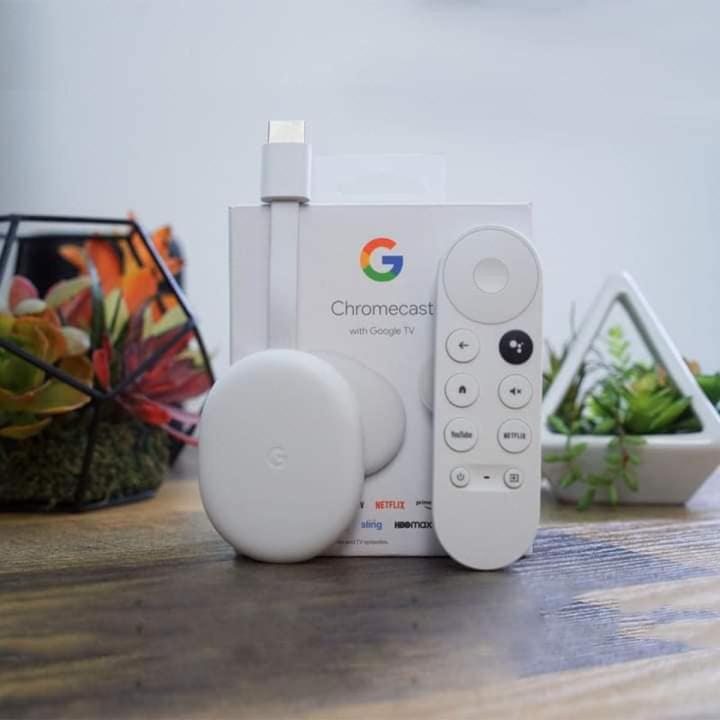
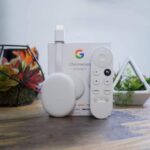
Typical Chromecast with Google TV 4K packaging includes:
- 1 × Chromecast with Google TV 4K
- 1 × Chromecast Voice Remote
- 2 × AAA batteries for the remote
- 1 × Power adapter
- 1 × Power cable
- Documentation
Google confirms that the Voice Remote includes two AAA batteries and that a power supply is included with the Chromecast with Google TV. Package contents can vary by market or seller.
Who Should Buy This Product?
The Google Chromecast With Google TV 4K is suitable for users who want a compact streaming device with 4K HDR playback and a dedicated voice-enabled remote.
It is especially useful for:
- 4K television owners
- Home entertainment enthusiasts
- Streaming service users
- Movie lovers
- TV series viewers
- Users who prefer voice control
- Google ecosystem users
- Users upgrading an older HDMI-equipped TV
- Compact home theater setups
Why Buy from AIYOZON?
When you purchase the Google Chromecast With Google TV 4K from AIYOZON, you can conveniently shop for a compact 4K streaming solution designed for modern home entertainment.
Before ordering, check the product variant, color, included accessories, warranty terms and regional service availability to ensure the package matches your requirements.
Frequently Asked Questions
What is Google Chromecast With Google TV 4K?
Google Chromecast With Google TV 4K is a compact streaming device that provides a Google TV interface and supports compatible video content up to 4K Ultra HD at 60 fps.
Does Chromecast With Google TV support 4K?
Yes. The 4K version supports resolutions up to 4K Ultra HD at 60 fps. A compatible 4K TV, suitable content and an adequate internet connection are required for 4K playback.
Does Chromecast With Google TV 4K support Dolby Vision?
Yes. The 4K version supports Dolby Vision, along with HDR10, HDR10+ and HLG.
Does it come with a voice remote?
Yes. Chromecast with Google TV 4K includes the Chromecast Voice Remote, which has an integrated microphone for Google Assistant voice input.
How much storage does Chromecast With Google TV 4K have?
The Chromecast with Google TV 4K has 8GB of storage and 2GB of RAM.
Does Chromecast With Google TV 4K support Wi-Fi?
Yes. It supports 802.11ac Wi-Fi on 2.4GHz and 5GHz bands.
Does Chromecast With Google TV 4K work with a 1080p TV?
Yes. It can work with a TV that has an HDMI connection. However, if the TV is limited to 1080p, the Chromecast will output up to the TV’s supported resolution rather than 4K.
Does it require a 4K TV?
A 4K TV is required to actually view 4K content. The device itself can still be used with compatible lower-resolution HDMI TVs.
Does Chromecast With Google TV 4K support Dolby Atmos?
Google lists Dolby Atmos support through HDMI passthrough for compatible Chromecast with Google TV setups. Actual Atmos playback depends on the content, application and connected audio equipment.
Can I use Google Assistant with the remote?
Yes. The dedicated remote has a Google Assistant button and built-in microphone for voice searches and supported commands.
What internet speed is recommended for 4K?
Google recommends a high-speed internet connection of at least 20 Mbps for 4K content. Actual streaming quality can vary depending on network conditions and the streaming service.
Is Ethernet available?
Yes, but Ethernet requires a separate Ethernet power adapter rather than a built-in Ethernet port on the Chromecast itself.
Final Verdict
The Google Chromecast With Google TV 4K combines 4K Ultra HD streaming, HDR support, Dolby Vision, Google TV, dual-band Wi-Fi and a Google Assistant Voice Remote in a compact HDMI-connected device.
With 2GB RAM, 8GB storage, 4K/60fps support and multiple HDR formats, it provides a convenient way to access supported streaming entertainment on compatible TVs.
🎬 Upgrade Your TV Streaming Experience
Bring a smarter entertainment interface to your compatible TV with the Google Chromecast With Google TV 4K.
✔ Up to 4K Ultra HD at 60fps
✔ Dolby Vision & HDR10+ Support
✔ Google TV Interface
✔ Google Assistant Voice Remote
✔ 2GB RAM + 8GB Storage
✔ Dual-Band 2.4GHz/5GHz Wi-Fi
✔ Bluetooth 4.2
✔ HDMI 2.0 with ALLM
✔ Compact Streaming Design














Reviews
There are no reviews yet.