


UGREEN CM700 4K 60Hz HDMI Video Capture Card for Streaming
10,020.00৳
UGREEN CM700 4K 60Hz HDMI Video Capture Card for Streaming
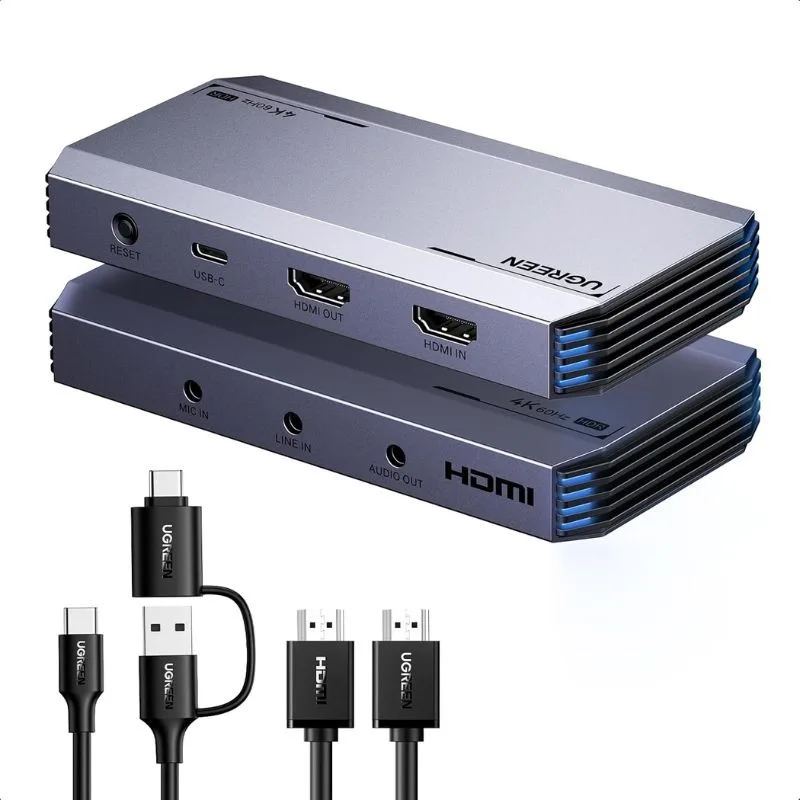
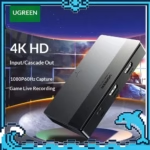
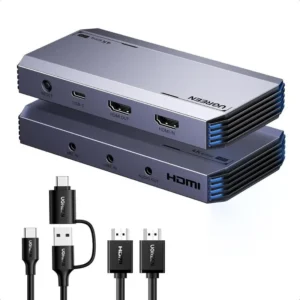
The UGREEN CM700 4K 60Hz HDMI Video Capture Card is a high-performance external capture solution designed for gaming, live streaming, video recording, content creation and video conferencing. With support for HDMI input and HDMI loop-out, it allows you to capture video while simultaneously monitoring your source on a connected display.
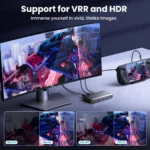
The CM700 supports video modes including 4K@60Hz, 2K@144Hz, 2K@120Hz and 1080P@240Hz, giving gamers and content creators flexibility for both high-resolution and high-refresh-rate workflows. It also supports VRR (Variable Refresh Rate) and HDR features designed to improve gaming and video performance.
The capture card uses a USB-C interface with USB 3.0 / USB 3.2 Gen 1 connectivity, providing a theoretical transfer rate of up to 5Gbps. It also features dedicated microphone, line-in and audio-out ports for more flexible streaming audio setups.
Common Problems with Basic Capture Cards
Basic capture cards may create limitations for gamers and streamers.
Common problems include:
- Limited video resolution
- Low maximum refresh rate
- Noticeable capture latency
- No HDMI passthrough
- Limited audio connections
- Poor heat management
- Lack of VRR support
- Limited compatibility with modern gaming hardware
- Difficulty connecting microphones and audio mixers
For users who want a more flexible streaming and gaming setup, a higher-performance HDMI capture card can provide greater connectivity and video-format support.
Smart Solution for Streaming & Gaming
The UGREEN CM700 combines HDMI capture, HDMI passthrough, USB 3.0 connectivity and multiple audio interfaces in a single external device.
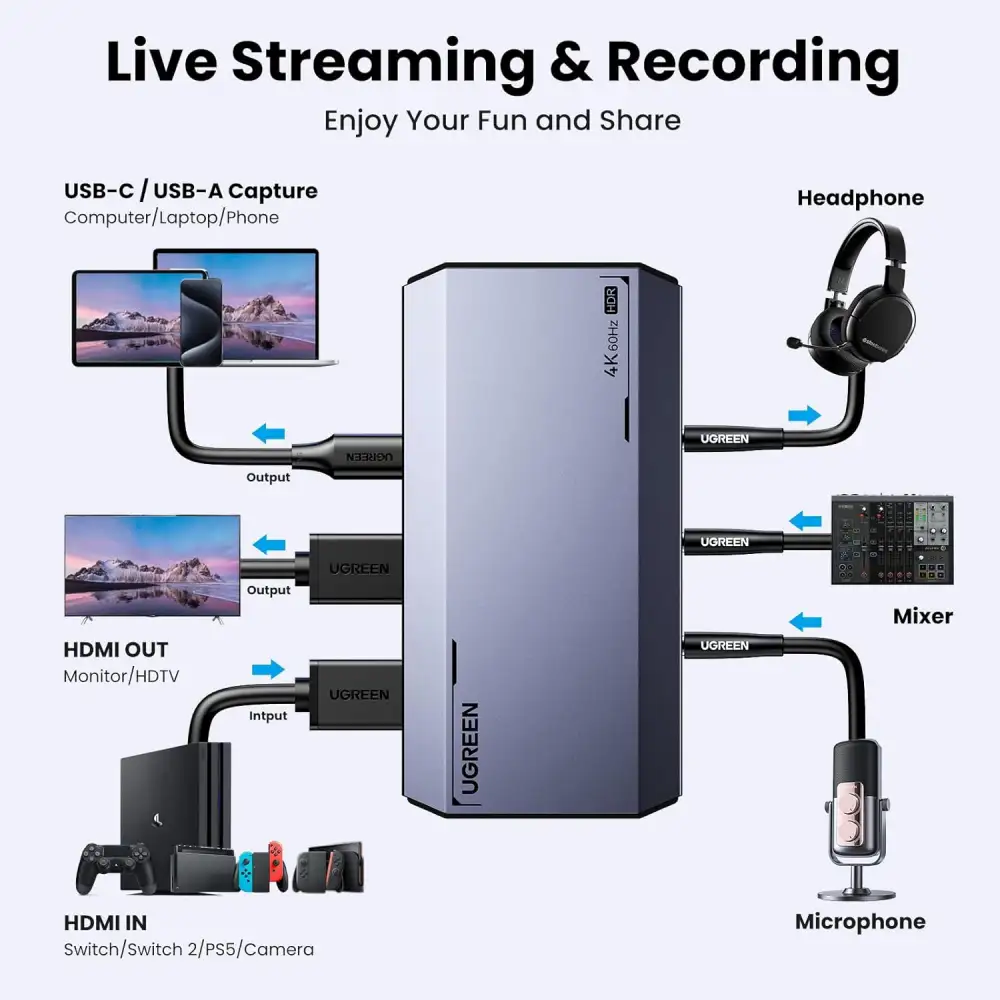
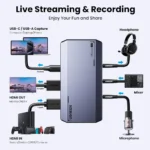
Connect your gaming console, camera, computer or other HDMI source to the HDMI IN port. You can then connect a monitor or TV to HDMI OUT for passthrough while sending the captured signal to your computer through USB-C.
This makes the CM700 suitable for gaming streams, tutorials, product demonstrations, online presentations and other content-production workflows.
Key Features
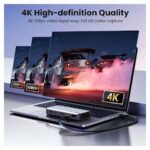
1. 4K@60Hz Video Capture
The UGREEN CM700 supports video capture up to 4K@60Hz according to the current CM700 documentation and manufacturer product information.
It also supports additional high-refresh-rate modes including 2K@144Hz, 2K@120Hz and 1080P@240Hz, making it suitable for different gaming and content-creation requirements.
2. 4K@60Hz HDMI Loop-Out
The HDMI OUT port supports up to 4K@60Hz passthrough, allowing you to connect a monitor or TV while capturing the HDMI source.
This is particularly useful for gaming because you can continue viewing the source on a dedicated display while the computer handles recording or streaming.
3. High-Refresh-Rate Support
For fast-paced gaming, the CM700 supports:
- 4K@60Hz
- 2K@144Hz
- 2K@120Hz
- 1080P@240Hz
The available mode depends on the connected source, display and overall setup.
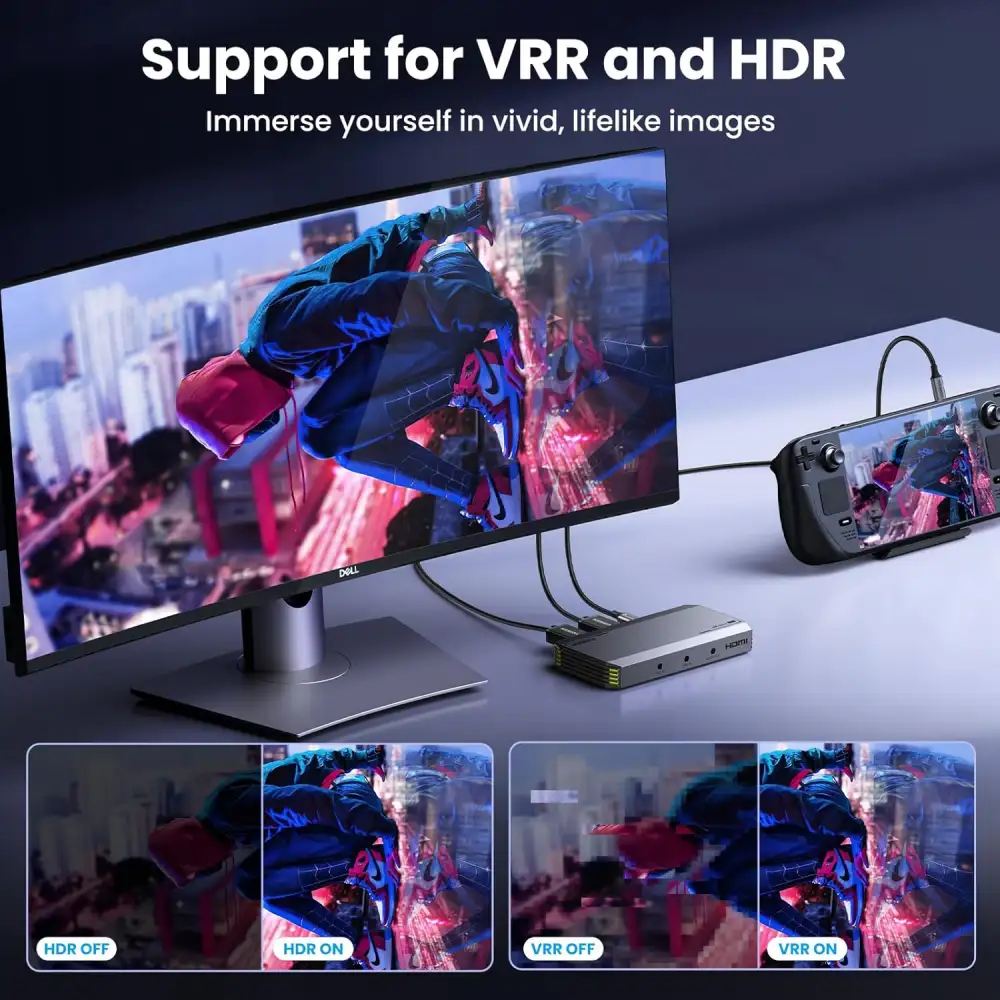
4. VRR Support
The CM700 supports Variable Refresh Rate (VRR) technology.
VRR is designed to dynamically synchronize the display refresh rate with the source frame rate, helping reduce visible tearing and stuttering in supported gaming setups.
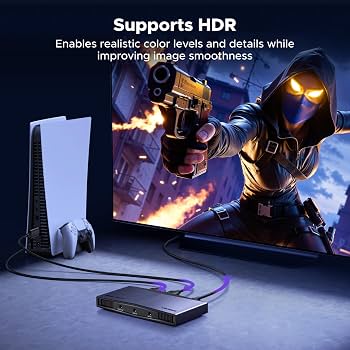
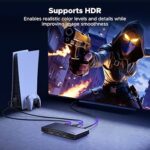
5. HDR Support
The capture card also supports HDR-related video functionality, making it suitable for compatible high-dynamic-range gaming and video sources.
Actual HDR behavior depends on the source device, display, software and connected setup.
6. USB 3.0 / USB 3.2 Gen 1
The CM700 uses USB-C for connection to a computer or compatible device and supports USB 3.0 / USB 3.2 Gen 1 connectivity.
The interface provides a theoretical data-transfer rate of up to 5Gbps.
7. Triple 3.5mm Audio Ports
One of the CM700’s useful features is its multi-audio connectivity.
The device provides:
- 3.5mm microphone input
- 3.5mm line-in
- 3.5mm audio/headphone output
This allows streamers to integrate a microphone, audio mixer and monitoring headphones into the capture setup.
8. 24-bit / 48kHz Audio
The CM700 supports digital audio sampling up to 24-bit / 48kHz, providing suitable audio capability for streaming, recording and content creation.
9. Aluminum Alloy Construction
The capture card uses an aluminum alloy casing with heat-dissipation structures designed to help manage heat during extended operation.
10. RGB Lighting
The CM700 features RGB lighting with multiple lighting modes, adding a gaming-oriented appearance to the capture setup. Some listings specify 7 RGB lighting modes.
11. Plug & Play Operation
The CM700 is designed for straightforward connection without requiring a dedicated driver for supported systems.
Connect the HDMI source, USB connection and optional audio devices, then select the capture device in compatible streaming or recording software.
Benefits
- Capture video up to 4K@60Hz
- Support for 2K@144Hz and 2K@120Hz
- Support for 1080P@240Hz
- 4K@60Hz HDMI passthrough
- VRR support
- HDR support
- USB-C USB 3.0 / USB 3.2 Gen 1 interface
- Up to 5Gbps theoretical USB transfer rate
- Triple 3.5mm audio connectivity
- 24-bit / 48kHz digital audio
- Aluminum alloy body
- Heat-dissipation design
- RGB lighting
- Suitable for gaming and streaming
- Compatible with multiple operating systems
Perfect For
The UGREEN CM700 4K HDMI Capture Card is ideal for:
- Game streamers
- YouTube creators
- Twitch streamers
- Content creators
- Professional gamers
- Gaming YouTubers
- Video recording
- Live presentations
- Online teaching
- Camera capture
- Product demonstrations
- PC screen recording
- Console streaming
- E-commerce live streaming
Why Choose UGREEN CM700?
The CM700 is designed for users who need more than basic HDMI capture.
Its combination of 4K@60Hz capture, 4K@60Hz passthrough, high-refresh-rate support, VRR, HDR, USB 3.0 connectivity and multiple audio ports provides flexibility for modern gaming and streaming setups.
The HDMI passthrough is particularly useful for gamers because the source can be displayed on a separate monitor while the capture signal is sent to a computer for streaming or recording.
UGREEN CM700 vs Basic HDMI Capture Card
| Feature | Basic HDMI Capture Card | UGREEN CM700 |
|---|---|---|
| 4K Capture | Depends on Model | Yes, up to 4K@60Hz |
| 4K HDMI Passthrough | Often Limited | Yes, up to 4K@60Hz |
| 2K@144Hz | Usually No | Yes |
| 2K@120Hz | Depends on Model | Yes |
| 1080P@240Hz | Usually No | Yes |
| VRR | Usually No | Yes |
| HDR | Depends on Model | Supported |
| USB Interface | Varies | USB-C / USB 3.0 |
| Mic Input | Varies | 3.5mm |
| Line-In | Usually No | 3.5mm |
| Audio Output | Varies | 3.5mm |
| RGB Lighting | Usually No | Yes |
| Aluminum Body | Varies | Yes |
Specifications of basic capture cards vary by model, so the comparison is intended as a general feature comparison rather than a comparison with one specific competing product.
How to Use UGREEN CM700
Step 1: Connect Your HDMI Source
Connect your gaming console, camera, PC, TV box or other compatible HDMI source to the HDMI IN port.
Supported source examples include gaming consoles such as PS5 and Nintendo Switch, cameras and computers.
Step 2: Connect Your Monitor
If you want HDMI passthrough, connect your monitor or TV to the HDMI OUT port.
The loop-out connection supports up to 4K@60Hz.
Step 3: Connect the Capture Card to Your Computer
Use the supplied USB cable to connect the CM700’s USB-C port to a compatible USB 3.0/USB 3.2 Gen 1 port on your computer.
Step 4: Connect Your Audio Equipment
If required, connect:
- Microphone to MIC IN
- Mixer to LINE IN
- Headphones or speakers to AUDIO OUT
The three 3.5mm connections provide additional flexibility for streaming audio.
Step 5: Open Streaming Software
Launch compatible software such as OBS Studio, XSplit or PotPlayer and select the UGREEN capture card as the video/audio source.
Step 6: Configure Resolution
Select a supported resolution and frame rate according to your HDMI source, display and computer capabilities.
Step 7: Start Streaming or Recording
Once the video and audio sources are configured, start your livestream, recording or video-conferencing session.
Use Cases
Gaming & Live Streaming
Connect a PS5, Xbox, Nintendo Switch or compatible gaming system and stream gameplay through your computer.
YouTube Content Creation
Record gameplay, tutorials, demonstrations and other HDMI video sources for YouTube content.
Twitch Streaming
Use the capture card to send compatible console or camera video to your streaming computer.
Camera Capture
Connect a compatible HDMI camera or camcorder for live video production and recording.
PC Recording
Capture HDMI video from another computer or compatible device for tutorials, demonstrations and presentations.
Online Teaching
Capture an HDMI camera or computer source for online lessons and presentations.
E-Commerce Live Streaming
Use the HDMI capture system for product demonstrations and live shopping content.
Cleaning & Maintenance
- Keep the capture card in a dry environment.
- Do not expose the device to water or excessive moisture.
- Keep ventilation areas unobstructed.
- Avoid placing the capture card near excessive heat.
- Clean the exterior with a soft, dry cloth.
- Do not use abrasive chemicals or cleaners.
- Disconnect the device before cleaning.
- Allow sufficient airflow around the aluminum body during extended use.
The manufacturer documentation recommends keeping the device dry and ensuring proper ventilation around its heat-dissipation structures.
Important Usage Tips
- Use high-quality HDMI cables for high-resolution/high-refresh-rate connections.
- Use a USB 3.0 or higher connection for best performance.
- Make sure your source and display support the selected resolution and refresh rate.
- Use the HDMI OUT port for passthrough monitoring.
- Connect the microphone and mixer to the correct 3.5mm ports.
- Configure the capture device correctly in OBS or other compatible software.
- Avoid blocking the capture card’s ventilation areas.
- Check the requirements of your computer before attempting high-resolution capture.
- Actual performance depends on the HDMI source, display, USB connection and computer hardware.
Product Specifications
| Specification | Details |
|---|---|
| Brand | UGREEN |
| Model | CM700 |
| Product Number | 25173 |
| Product Type | HDMI Video Capture Card |
| HDMI Input | Up to 4K@60Hz |
| HDMI Loop-Out | Up to 4K@60Hz |
| Capture Resolution | Up to 4K@60Hz |
| Other Supported Modes | 2K@144Hz, 2K@120Hz, 1080P@240Hz |
| Capture Interface | USB-C |
| USB Standard | USB 3.0 / USB 3.2 Gen 1 |
| Theoretical USB Speed | Up to 5Gbps |
| Video Formats | MJPEG, YUY2, NV12, I420, P010, XRGB |
| Audio Input | 3.5mm MIC IN, 3.5mm LINE IN |
| Audio Output | 3.5mm AUDIO OUT |
| Digital Audio | Up to 24-bit / 48kHz |
| VRR | Yes |
| HDR | Yes |
| Lighting | RGB, multiple modes |
| Housing | Aluminum Alloy |
| Power Supply | 5V / 1A |
| Operating Systems | Windows 8.1/10/11, macOS, Linux, Android |
| Main Uses | Streaming, Recording, Gaming, Video Capture |
The above specifications are based primarily on the CM700/25173 manual and manufacturer information, with Bangladesh retailer listings used for cross-checking. Some retailer pages contain contradictory statements about maximum capture resolution, so the CM700 manual/manufacturer specification should be used as the primary reference.
What’s in the Box?
Typical package contents include:
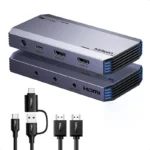
- 1 × UGREEN CM700 Capture Card
- 1 × HDMI Cable
- 1 × 2-in-1 USB-A to USB-C Cable
- 1 × User Manual
The current CM700 documentation lists a 5-foot HDMI cable, a 2-in-1 USB-A/USB-C cable and the user manual among the included accessories.
Who Should Buy This Product?
Choose the UGREEN CM700 4K 60Hz HDMI Video Capture Card if you want:
- High-resolution HDMI capture
- 4K@60Hz HDMI passthrough
- High-refresh-rate gaming support
- VRR functionality
- HDR support
- USB 3.0 high-speed connectivity
- Multiple audio input/output options
- A capture card for gaming and streaming
- An aluminum-bodied external capture device
- Flexible compatibility across computers and mobile devices
If your main requirement is only basic 1080P capture, a simpler capture card may provide the functionality you need. The CM700 is designed for users who want a broader range of high-resolution and high-refresh-rate capabilities.
Why Buy from AIYOZON?
When purchasing the UGREEN CM700 4K 60Hz HDMI Video Capture Card from AIYOZON, you can enjoy a convenient shopping experience for professional-grade streaming and gaming accessories.
Before placing your order, verify the exact model CM700 / 25173, included accessories, warranty terms and compatibility with your source device and computer.
Frequently Asked Questions
What is the model number of the UGREEN CM700?
The model is CM700, with product number 25173.
Does the UGREEN CM700 support 4K@60Hz?
Yes. The CM700 documentation lists support for 4K@60Hz video capture and 4K@60Hz HDMI loop-out.
What other resolutions does the CM700 support?
The listed modes include 2K@144Hz, 2K@120Hz and 1080P@240Hz, in addition to 4K@60Hz.
Does it have HDMI passthrough?
Yes. The HDMI OUT port supports 4K@60Hz loop-out, allowing you to monitor the HDMI source on a connected display.
Does the CM700 support VRR?
Yes. The CM700 supports Variable Refresh Rate (VRR).
Does the CM700 support HDR?
Yes. The CM700 is listed with HDR support. Actual HDR functionality depends on the source, display and software configuration.
What audio ports does it have?
The CM700 includes 3.5mm microphone input, 3.5mm line-in and 3.5mm audio/headphone output.
Can I use the CM700 for PS5 or Nintendo Switch?
Yes. The CM700 is designed to work with HDMI sources such as PS5, Nintendo Switch, cameras and computers, provided the connected setup uses supported signals.
Which software can I use?
The CM700 is listed as compatible with software including OBS Studio, XSplit and PotPlayer.
Does it require a separate power adapter?
The CM700 is specified for 5V/1A power and connects through USB-C. The supplied USB cable is used for connection and power according to the setup documentation.
What operating systems are supported?
The listed systems include Windows 8.1/10/11, macOS, Linux and Android. Some regional listings additionally advertise iOS compatibility, so mobile compatibility should be confirmed for your specific setup.
Is the UGREEN CM700 suitable for live streaming?
Yes. It is specifically designed for live streaming, video recording and gaming capture, with HDMI passthrough and multiple audio connections for more advanced streaming setups.
Final Verdict
The UGREEN CM700 4K 60Hz HDMI Video Capture Card is a feature-rich capture solution for gamers, streamers and content creators who need high-resolution HDMI capture with flexible connectivity.
With 4K@60Hz capture, 4K@60Hz HDMI passthrough, 2K high-refresh-rate support, 1080P@240Hz support, VRR, HDR, USB 3.0 connectivity and triple 3.5mm audio ports, the CM700 is designed for demanding streaming and recording workflows.
Ready to Upgrade Your Streaming Setup?
- ✔ 4K@60Hz Video Capture
- ✔ 4K@60Hz HDMI Loop-Out
- ✔ 2K@144Hz & 2K@120Hz Support
- ✔ 1080P@240Hz Support
- ✔ VRR & HDR Support
- ✔ USB-C / USB 3.0 Connectivity
- ✔ Up to 5Gbps Theoretical Transfer Rate
- ✔ Triple 3.5mm Audio Ports
- ✔ Aluminum Alloy Housing
- ✔ RGB Lighting
- ✔ Gaming & Streaming Ready








Reviews
There are no reviews yet.