

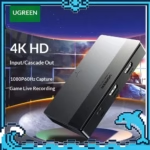
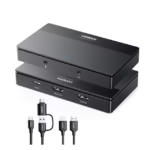

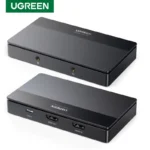

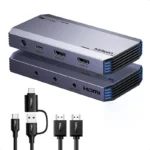

UGREEN CM630 4K HDMI Video Capture Card USB-C 3.0 for Streaming
7,900.00৳
UGREEN CM630 4K HDMI Video Capture Card USB-C 3.0 for Streaming
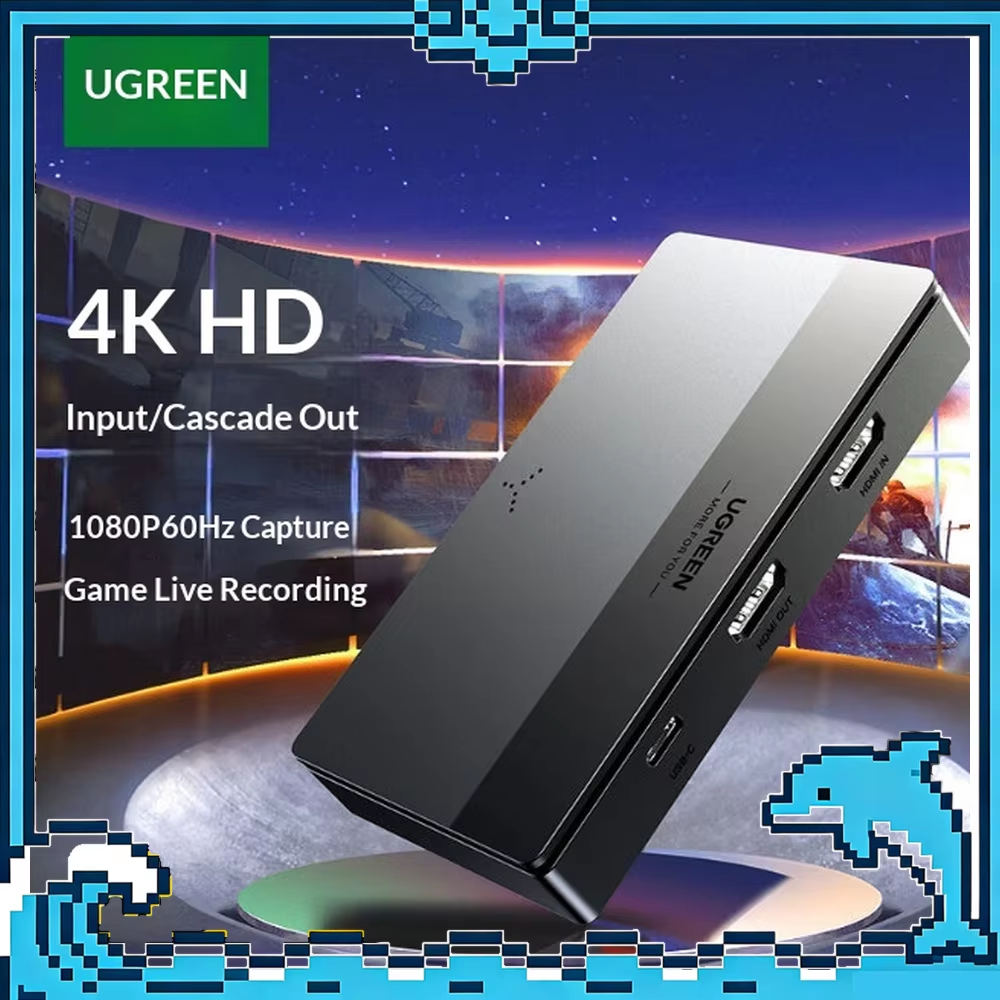
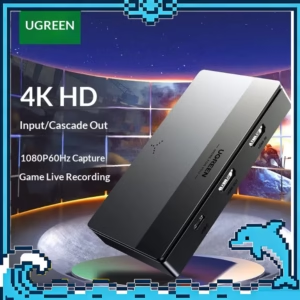
The UGREEN CM630 4K HDMI Video Capture Card is designed for gamers, streamers, content creators and professionals who need to capture HDMI video and audio on a computer while maintaining high-resolution HDMI passthrough to a TV or monitor.
The CM630 supports HDMI input up to 4K@60Hz with YCbCr 4:2:0 and provides 4K@60Hz HDMI loop-out to a compatible display. Through its USB-C connection, the device can capture and stream video at up to 1080p@60Hz.
The capture card also includes 3.5mm microphone input and headset/audio output, making it useful for gaming commentary, livestreaming, video recording, online presentations and other content-production applications. It supports software such as OBS Studio, XSplit, PotPlayer and QuickTime Player.
Common Problems With Video Streaming & Recording
Capturing video from a console, camera or computer can be difficult without dedicated hardware.
- HDMI devices cannot normally send their video directly into a computer as a capture source
- Recording gameplay may require additional equipment
- Monitoring video while recording can be inconvenient
- Streamers often need microphone and headphone connections
- Some capture devices cannot handle 4K HDMI passthrough
- High-latency capture can affect gaming and live production
- Compatibility with streaming software can vary
Smart Solution
The UGREEN CM630 creates a simple connection between your HDMI source, display and computer.
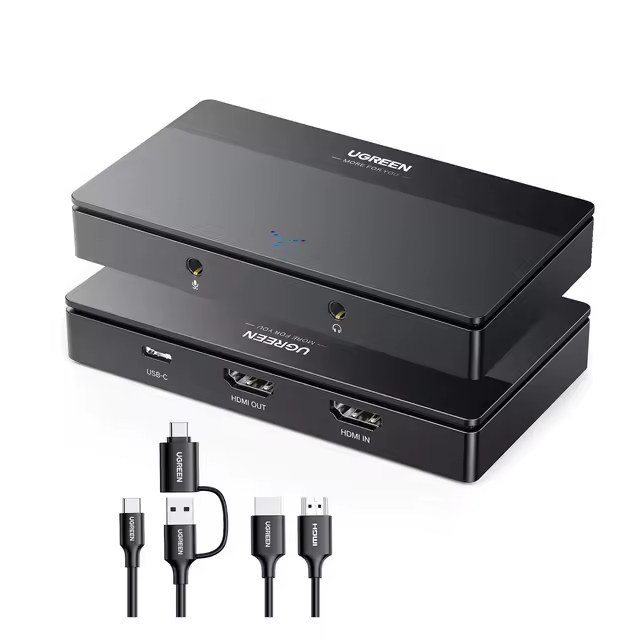
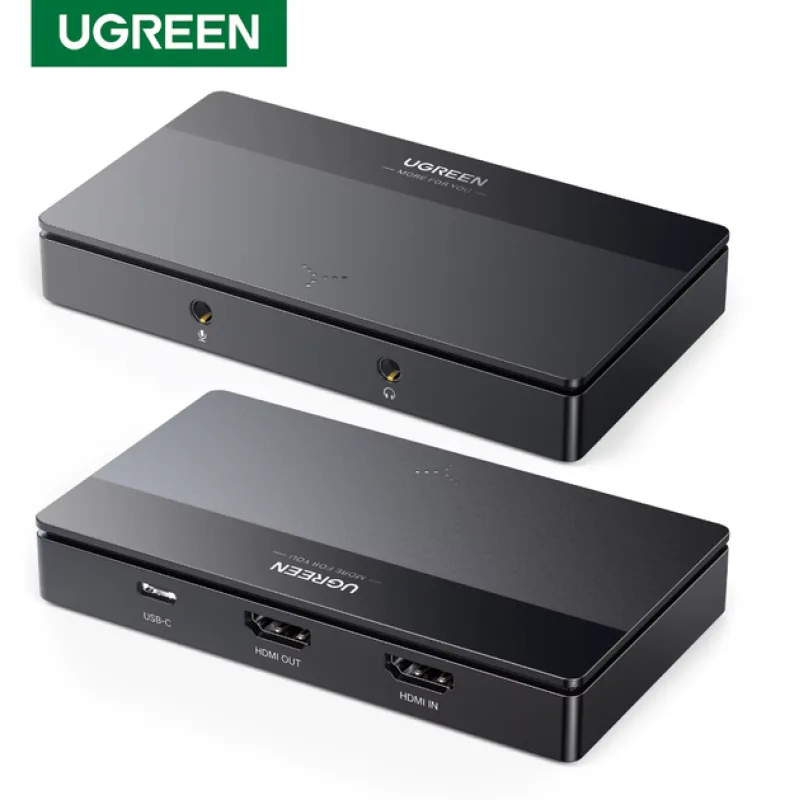
Connect a gaming console, camera, PC or other compatible HDMI source to HDMI IN. Connect your TV or monitor to HDMI OUT for 4K passthrough, then connect the USB-C capture port to your computer.
This allows you to monitor the original HDMI signal on a display while simultaneously sending a Full HD capture stream to compatible software on your computer.
Key Features
4K@60Hz HDMI Input
The CM630 supports HDMI input up to 4K@60Hz / YCbCr 4:2:0, allowing compatible gaming consoles, cameras, computers and other HDMI sources to connect at high resolution.
4K@60Hz HDMI Loop-Out
The HDMI OUT port supports 4K@60Hz passthrough, allowing you to send the HDMI source to a compatible TV or monitor while capturing the signal through USB-C.
1080p@60Hz USB Capture
The USB-C capture output supports up to 1080p@60Hz. This is an important distinction: the CM630 accepts and passes through 4K@60Hz, but its USB capture resolution is up to 1080p@60Hz.
USB-C 3.0 Interface
The CM630 uses a USB-C capture connection designed for high-speed data transfer between the capture card and compatible computer or mobile device.
Gaming Capture & Streaming
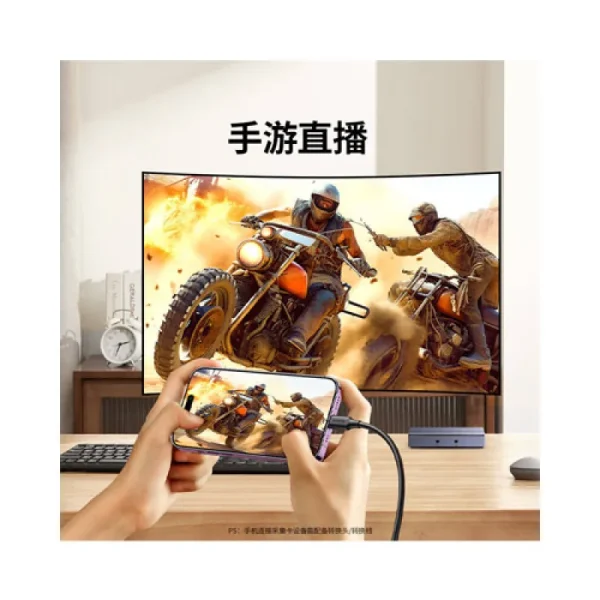
The CM630 is suitable for capturing gameplay from compatible consoles such as PS4, PS5, Nintendo Switch and Xbox, as well as HDMI video from PCs and cameras.
3.5mm Microphone Input
A dedicated microphone input allows you to connect a compatible microphone for voice commentary, livestreaming, presentations and other recording applications.
3.5mm Headset & Audio Output
The CM630 supports a 3.5mm headset connection with microphone support, making it convenient for monitoring audio during gaming and streaming.
Multiple Video Formats
The device supports MJPG/YUY2 and other recording formats, providing compatibility with supported capture and streaming applications.
Wide Operating System Compatibility
The CM630 supports Windows 8.1/10/11, macOS, Linux and Android 5.0 or later, according to the published specifications.
Popular Streaming Software Support
Compatible software includes OBS Studio, XSplit, PotPlayer and QuickTime Player, making the CM630 suitable for common streaming, recording and playback workflows.
Plug & Play Design
The CM630 is designed for convenient use with compatible systems without requiring a dedicated driver installation in normal supported configurations.
Benefits
- 4K@60Hz HDMI input
- 4K@60Hz HDMI passthrough
- Up to 1080p@60Hz USB capture
- USB-C 3.0 connection
- Suitable for gaming and streaming
- 3.5mm microphone input
- 3.5mm headset/audio output
- Supports MJPG and YUY2 formats
- Compatible with OBS Studio and XSplit
- Works with Windows, macOS, Linux and Android
- Suitable for cameras, PCs and gaming consoles
- Convenient HDMI loop-out
- Useful for live streaming and video recording
Perfect For
The UGREEN CM630 4K HDMI Video Capture Card is ideal for:
- Gamers
- YouTube creators
- Twitch streamers
- Facebook live streamers
- Video content creators
- Game recording
- DSLR/mirrorless camera capture
- Online teachers
- Webinar presenters
- Podcasters
- Home streaming setups
- Professional video production
Why Choose UGREEN CM630?
The UGREEN CM630 combines 4K HDMI passthrough with Full HD USB capture in a compact capture device.
Its 4K@60Hz HDMI input and loop-out allow you to maintain a high-resolution display connection, while the USB-C interface sends up to 1080p@60Hz video to your computer for recording or livestreaming.
The built-in microphone and headset connections also make it easier to create a complete gaming or streaming setup without requiring separate audio hardware.
UGREEN CM630 vs Basic HDMI Capture Card
| Feature | UGREEN CM630 | Basic HDMI Capture Card |
|---|---|---|
| HDMI Input | Up to 4K@60Hz | Varies |
| HDMI Loop-Out | Up to 4K@60Hz | Often unavailable |
| USB Capture | Up to 1080p@60Hz | Varies |
| Interface | USB-C 3.0 | Varies |
| Gaming Support | Yes | Varies |
| Microphone Input | 3.5mm | Depends on model |
| Headset Output | 3.5mm | Depends on model |
| OBS Support | Yes | Depends on model |
| XSplit Support | Yes | Depends on model |
| 4K Passthrough | Yes | Often unavailable |
| Best For | Streaming, gaming & recording | Basic video capture |
How to Use UGREEN CM630
Step 1: Connect Your HDMI Source
Connect your gaming console, camera, PC or other compatible HDMI source to the HDMI IN port of the CM630.
Step 2: Connect Your Display
Connect the HDMI OUT port to your TV or monitor to use the 4K HDMI passthrough function.
Step 3: Connect the Capture Card to Your Computer
Connect the USB-C port of the CM630 to your computer using the included USB-C cable.
Step 4: Connect Your Microphone
If you need voice commentary, connect a compatible microphone to the dedicated 3.5mm microphone input.
Step 5: Connect Your Headset
Connect compatible headphones or a headset to the 3.5mm audio output for audio monitoring.
Step 6: Open Streaming Software
Launch software such as OBS Studio, XSplit, PotPlayer or QuickTime Player.
Step 7: Select the Capture Device
Add the UGREEN CM630 as a video capture source inside your chosen software and configure the desired capture resolution and frame rate.
Step 8: Start Recording or Streaming
Once the video and audio sources are configured, start your livestream, recording or video production session.
Use Cases
Gaming Streaming
Connect your PS5, PS4, Xbox, Nintendo Switch or compatible gaming device to the CM630 and stream gameplay through your computer.
YouTube Video Creation
Capture gameplay, camera footage, tutorials and other HDMI sources for editing and publishing.
Live Streaming
Use OBS Studio or another compatible application to broadcast your HDMI source to your preferred streaming platform.
Camera Capture
Connect a compatible HDMI-output camera to capture its video on a computer for livestreaming, recording or conferencing.
Online Teaching
Use the CM630 to capture a camera, computer display or other HDMI source for online classes and presentations.
Gaming Recording
Monitor gameplay through the 4K HDMI loop-out while capturing the video through USB-C at up to 1080p@60Hz.
Audio Features
The CM630 provides dedicated connections for microphone input and headset/audio monitoring.
Microphone Input
Connect a compatible microphone to add voice commentary to gaming streams, tutorials, presentations or other recordings.
Headset Output
Connect a compatible headset for monitoring audio while streaming or recording. The published specifications support a 3.5mm 3-pole/4-pole headset with microphone.
PCM Audio
The CM630 supports PCM 2.0 audio, with published specifications listing audio sampling up to 24-bit/48kHz.
Compatibility
The CM630 is designed to work with a wide range of HDMI source devices, including:
- PS5
- PS4
- Nintendo Switch
- Xbox
- Gaming PCs
- Desktop computers
- Laptops with compatible HDMI output
- DSLR/mirrorless cameras
- Camcorders
- TV boxes
- Other compatible HDMI video sources
Compatible operating systems include:
- Windows 8.1
- Windows 10
- Windows 11
- macOS
- Linux
- Android 5.0 or later
Supported software includes:
- OBS Studio
- XSplit
- PotPlayer
- QuickTime Player
Important Usage Tips
- Use a USB 3.0-compatible connection for the intended capture performance.
- Use suitable HDMI cables for 4K@60Hz passthrough.
- Make sure your TV or monitor supports the desired resolution.
- Configure the correct capture source inside your streaming software.
- Keep the capture device away from excessive heat and moisture.
- Make sure your computer has sufficient processing resources for 1080p@60Hz recording or streaming.
- Check audio input and monitoring settings before starting a livestream.
- 4K@60Hz refers to HDMI input and loop-out; USB capture is limited to 1080p@60Hz.
Important HDCP Limitation
The CM630 does not support capturing, recording or livestreaming HDCP-protected signals, such as protected Blu-ray/DVD content. UGREEN’s documentation also notes that PS4 and PS5 users may need to disable HDCP in the console settings before using the capture card for supported gameplay capture.
This limitation is important when using the CM630 with protected video sources.
Product Specifications
| Specification | Details |
|---|---|
| Brand | UGREEN |
| Model | CM630 |
| P/N | 15390A |
| Product Type | HDMI Video Capture Card |
| HDMI Input | Up to 4K@60Hz / YCbCr 4:2:0 |
| HDMI Loop-Out | Up to 4K@60Hz / YCbCr 4:2:0 |
| USB Capture | Up to 1080p@60Hz |
| Capture Interface | USB-C 3.0 |
| Video Formats | MJPG, YUY2 and more |
| Audio | PCM 2.0 |
| Microphone Input | 3.5mm |
| Headset Output | 3.5mm |
| Pixel Formats | RGB / YCbCr 4:4:4 / YCbCr 4:2:2 / YCbCr 4:2:0 |
| Color Depth | 24-bit / 30-bit / 36-bit |
| Audio Sampling | Up to 24-bit / 48kHz |
| Compatible Systems | Windows 8.1/10/11, macOS, Linux, Android 5.0+ |
| Compatible Software | OBS Studio, XSplit, PotPlayer, QuickTime Player |
| Main Uses | Streaming, Gaming, Recording, Conferencing |
The specifications above are based on UGREEN’s CM630 documentation. UGREEN notes that laboratory measurements may vary depending on specific usage conditions.
What’s in the Box
Typical CM630 packaging includes:
- 1 × UGREEN CM630 HD Video Capture Card
- 1 × HDMI Cable
- 1 × USB-C Cable
- 1 × User Manual
- 1 × OBS Studio Quick Start Guide
Package contents may vary by regional or seller packaging.
Who Should Buy This Product?
The UGREEN CM630 4K HDMI Video Capture Card is suitable for users who need HDMI capture for gaming, streaming, recording or professional presentations.
It is especially suitable for:
- Gamers
- Streamers
- YouTubers
- Video creators
- Online teachers
- Camera users
- Podcasters
- Content production teams
- Gaming content creators
- Home studio users
Why Buy from AIYOZON?
When you purchase the UGREEN CM630 4K HDMI Video Capture Card from AIYOZON, you can conveniently shop for a versatile capture solution designed for gaming, livestreaming, recording and content creation.
Before placing your order, check the CM630/15390A model, included accessories, computer compatibility and warranty terms to ensure the product matches your setup.
Frequently Asked Questions
What is the UGREEN CM630?
The UGREEN CM630 is an HDMI video capture card designed to capture HDMI video to a computer while providing HDMI loop-out for monitoring on a TV or monitor.
Does UGREEN CM630 support 4K?
Yes. The CM630 supports 4K@60Hz HDMI input and 4K@60Hz HDMI loop-out at YCbCr 4:2:0.
Can UGREEN CM630 capture 4K video?
No. The HDMI input and loop-out support up to 4K@60Hz, but the USB-C capture output supports up to 1080p@60Hz.
What is the maximum capture resolution?
The maximum USB capture resolution is 1080p@60Hz.
Does UGREEN CM630 support OBS Studio?
Yes. OBS Studio is listed as compatible software for the CM630.
Can I use UGREEN CM630 for PS5?
Yes, the CM630 can be used with compatible PS5 HDMI video signals. However, UGREEN states that HDCP must be disabled on PS4/PS5 when required for supported capture use.
Does the CM630 support Xbox and Nintendo Switch?
Yes. The CM630 documentation illustrates gaming-console applications including PS4, PS5, Switch and Xbox.
Does the CM630 have HDMI passthrough?
Yes. The HDMI OUT port provides up to 4K@60Hz passthrough to a compatible TV or monitor.
Does the CM630 have a microphone input?
Yes. It includes a dedicated 3.5mm microphone input.
Does it have a headphone output?
Yes. The CM630 supports a 3.5mm headset/audio output, including compatible headsets with microphone support.
Which operating systems support the CM630?
The published specifications list Windows 8.1/10/11, macOS, Linux and Android 5.0 or later.
Which software works with UGREEN CM630?
Compatible software includes OBS Studio, XSplit, PotPlayer and QuickTime Player.
Does the CM630 capture HDCP-protected content?
No. The CM630 does not support capturing, recording or livestreaming HDCP-protected signals.
What comes with the UGREEN CM630?
Typical packaging includes the capture card, HDMI cable, USB-C cable, user manual and OBS Studio quick-start guide.
Final Verdict
The UGREEN CM630 4K HDMI Video Capture Card USB-C 3.0 is a versatile solution for gamers, streamers, creators and professionals who need reliable HDMI capture with high-resolution passthrough.
With 4K@60Hz HDMI input, 4K@60Hz loop-out, 1080p@60Hz USB capture, USB-C 3.0, microphone input, headset output and broad software compatibility, the CM630 is well suited for gaming, livestreaming, recording, camera capture and online content production.
🎥 Upgrade Your Streaming & Recording Setup
Capture your HDMI video and keep high-resolution passthrough with the UGREEN CM630.
✔ 4K@60Hz HDMI Input
✔ 4K@60Hz HDMI Loop-Out
✔ 1080p@60Hz USB Capture
✔ USB-C 3.0 Interface
✔ 3.5mm Microphone Input
✔ 3.5mm Headset Output
✔ OBS Studio & XSplit Support
✔ Windows, macOS, Linux & Android Compatible
✔ Ideal for Gaming, Streaming & Recording








Reviews
There are no reviews yet.