


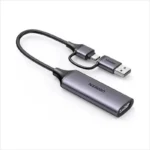

UGREEN CM695 2 In 1 Out DisplayPort KVM Switch – 8K@60Hz, DP 1.4, HDCP 2.3 & USB 3.0
8,390.00৳
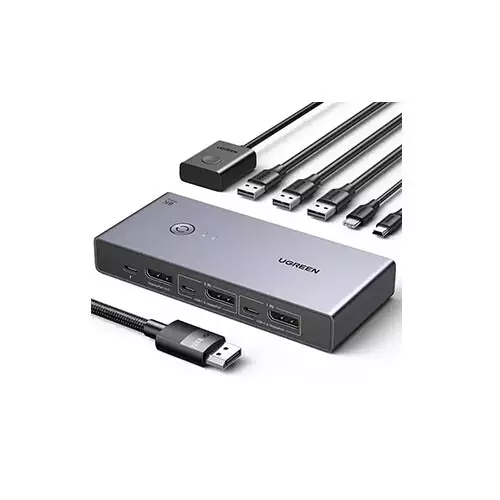
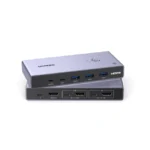
The UGREEN CM695 2 In 1 Out DisplayPort KVM Switch is a convenient solution for users who want to operate two computers through one DisplayPort monitor while sharing compatible USB peripherals. Instead of repeatedly disconnecting and reconnecting cables, you can switch between two connected computers using the physical button or the included desktop controller.
Supporting up to 8K@60Hz resolution, DisplayPort 1.4 and HDCP 2.3, the CM695 is designed for high-resolution displays and professional desktop setups. It also includes three USB-A ports and one USB-C port, supporting USB 3.0 data transfer speeds of up to 5Gbps for compatible peripherals.
Whether you use a desktop PC for work and a second computer for personal tasks, the UGREEN CM695 helps simplify your workspace by combining display switching and USB peripheral sharing in one compact device.
Common Problems with Multiple Computers
Using two computers at one desk can create several inconveniences:
- Connecting and disconnecting monitor cables repeatedly
- Maintaining separate keyboards and mice for each computer
- Managing multiple USB accessories
- Losing desk space to extra peripherals
- Switching between work and personal computers
- Reconfiguring connections whenever you change devices
A KVM switch provides a more organized way to share a monitor and compatible peripherals between computers.
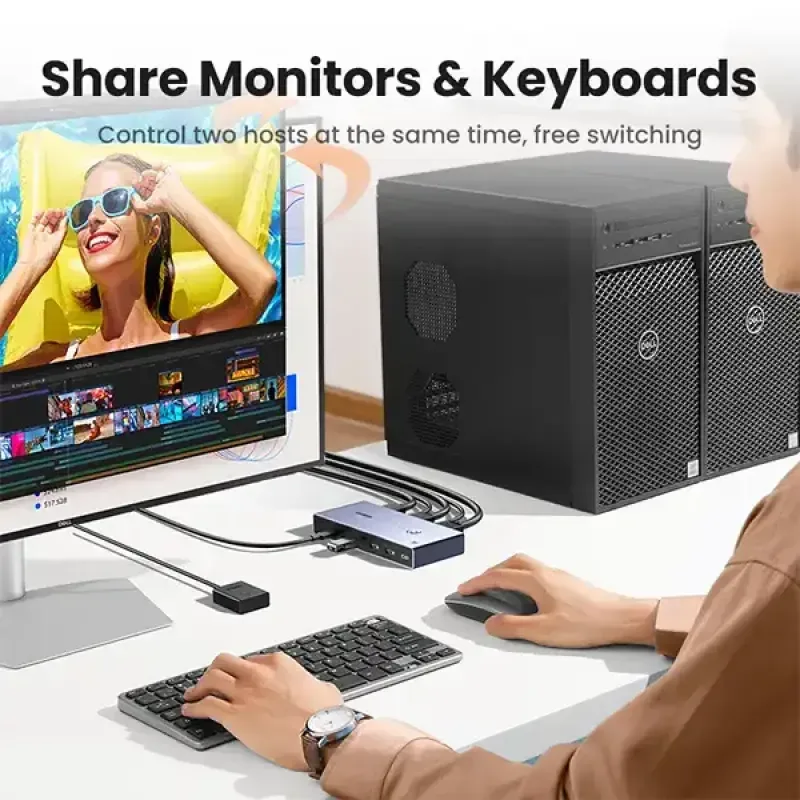
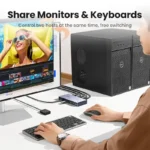
Smart Solution: One Monitor, Two Computers
The UGREEN CM695 DisplayPort KVM Switch allows two DisplayPort-equipped computers to share one compatible monitor and supported USB accessories.
Connect both computers to the switch, connect your monitor to the DisplayPort output, and attach compatible USB peripherals. You can then select which computer controls the shared setup using the available switching controls.
How it works:
Two Computers → UGREEN CM695 → One DisplayPort Monitor
Shared USB devices, such as a keyboard and mouse, connect through the switch’s USB ports.
Key Features
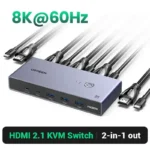
1. 8K@60Hz Ultra-High-Resolution Output
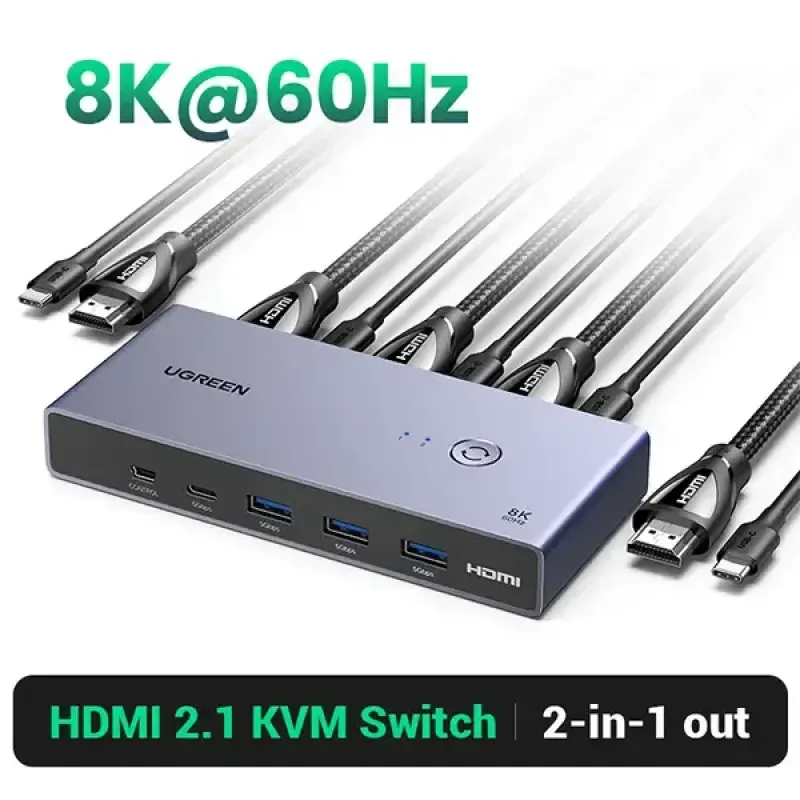
The CM695 supports DisplayPort output up to 8K@60Hz, with the maximum mode specified as 4:4:4 chroma at 8-bit color depth. This allows compatible computers and displays to deliver detailed, high-resolution images.
Actual resolution and refresh rate depend on the graphics hardware, monitor, DisplayPort cables and connected system configuration.
2. DisplayPort 1.4 and HDCP 2.3
The switch supports DisplayPort 1.4 and HDCP 2.3, providing compatibility with supported high-resolution video sources and displays. It also supports lower resolutions, including 4K and 1080p.
3. Two Computers to One Monitor
The 2-in-1-out design lets you connect two DisplayPort sources to a single DisplayPort monitor.
This setup is useful for switching between:
- A desktop PC and a work computer
- Two desktop computers
- A compatible workstation and personal computer
- Two compatible DisplayPort-equipped systems
Important: This is a 2-in-1-out switch, not a dual-monitor splitter. It selects one computer’s video output at a time.
4. USB 3.0 Peripheral Sharing
The CM695 provides:
- 3 × USB-A 3.0 ports
- 1 × USB-C 3.0 port
These ports support data transfer speeds of up to 5Gbps, allowing compatible USB peripherals to be shared through the KVM setup.
Compatible devices may include keyboards, mice, USB storage devices, webcams and other supported USB accessories.
5. Convenient Switching Controls
You can switch between the connected computers using the physical button on the device or the desktop controller connected through the dedicated mini-USB port. The switch also has a memory function that can retain the previously selected input.
Note: Keyboard hotkey switching is not supported according to the available CM695 specifications.
6. HDR and 3D Video Support
The CM695 is listed with support for HDR and 3D video features, alongside multiple color formats including RGB and YCbCr. Compatibility depends on the connected source, display and content.
7. Audio and Video Switching
The switch supports synchronized DisplayPort audio and video switching. Available specifications identify LPCM audio support; advanced audio formats and channel configurations should be checked against the exact source and display setup.
8. Memory Function
The built-in memory function can retain the last selected computer input, helping you return to your preferred source when using the switch.
9. Protection Features
Available CM695 specifications list short-circuit and overcurrent protection for supported connections. The USB ports have a shared current limit, so peripherals with high power requirements may need separate power.
10. Compatible with Multiple Operating Systems
The CM695 is listed as compatible with Windows, macOS and Linux systems. The computers must also have suitable DisplayPort video output and USB connections for the KVM functions you intend to use.
Key Benefits
- Supports up to 8K@60Hz DisplayPort output
- DisplayPort 1.4 and HDCP 2.3
- Connects two computers to one monitor
- Shares compatible USB peripherals
- Three USB-A and one USB-C port
- USB 3.0 data transfer up to 5Gbps
- Physical button and desktop-controller switching
- Remembers the last selected input
- Supports HDR and 3D video features
- Compatible with Windows, macOS and Linux
- Helps reduce cable swapping and desk clutter
- Suitable for home offices and professional workstations
Perfect For
The UGREEN CM695 is suitable for:
- Home office users
- IT professionals
- Programmers and developers
- Content creators
- Desktop PC users
- Users managing work and personal computers
- Multi-computer workstations
- Offices with shared monitor setups
- Users who need to share a keyboard and mouse between computers
Why Choose UGREEN CM695?
The CM695 combines high-resolution DisplayPort switching with USB peripheral sharing. Rather than maintaining separate monitors, keyboards and mice for two computers, you can use one compatible monitor and a shared set of USB accessories.
Its 8K@60Hz capability, USB 3.0 connectivity and dedicated switching controls make it a useful option for users who want a more organized desktop without sacrificing supported display quality.
UGREEN CM695 vs. a Basic DisplayPort Switch
| Feature | UGREEN CM695 KVM Switch | Basic DisplayPort Switch |
|---|---|---|
| DisplayPort Inputs | 2 | Varies |
| DisplayPort Output | 1 | Usually 1 |
| Maximum Listed Resolution | Up to 8K@60Hz | Varies |
| USB Peripheral Sharing | Yes | Often unavailable |
| USB-A Ports | 3 | Varies |
| USB-C Port | 1 | Varies |
| Desktop Controller | Supported | Depends on model |
| Input Memory | Yes | Depends on model |
| Operating System Compatibility | Windows, macOS, Linux | Depends on model |
| Best Use | Video switching and USB sharing | Primarily video switching |
How to Use the UGREEN CM695
Step 1: Connect the Monitor
Connect your DisplayPort monitor to the switch’s DisplayPort output.
Step 2: Connect the First Computer
Connect the first computer’s DisplayPort output to the first input on the CM695. Connect the required USB data connection so compatible USB peripherals can be shared.
Step 3: Connect the Second Computer
Connect the second computer to the other DisplayPort input and its corresponding USB connection.
Step 4: Connect Your USB Accessories
Plug your keyboard, mouse and other compatible USB peripherals into the switch’s USB ports.
Step 5: Connect Power
The listed power requirement is USB-C 5V⎓4A. Use a suitable power source and check the exact unit’s instructions. The power adapter and power cable may not be included in the standard package.
Step 6: Select Your Computer
Use the physical button or desktop controller to select the computer you want to use.
Step 7: Check Display Settings
For 8K@60Hz output, ensure that both computers and the monitor support the required mode and that you use suitable DisplayPort 1.4 cables. UGREEN recommends short, suitable cables for achieving the maximum resolution.
Recommended Use Cases
Work and Personal Computers
Switch between your office computer and personal desktop while sharing a monitor and compatible peripherals.
Programming and Development
Use a shared keyboard, mouse and monitor while switching between two compatible development systems.
Home Office
Reduce desk clutter by managing two computers through one display and a shared set of USB accessories.
High-Resolution Workstation
Use a compatible 8K monitor and graphics hardware when detailed visuals are important.
Shared USB Accessories
Connect supported accessories such as a keyboard, mouse, webcam or USB storage device to the switch instead of moving them between computers.
Setup & Maintenance Tips
- Keep the DisplayPort and USB connections securely connected.
- Use suitable DisplayPort 1.4 cables for high-resolution output.
- Keep the switch’s ventilation area unobstructed.
- Use a power source that meets the specified requirements.
- Avoid exceeding the shared USB current limit.
- Disconnect power before changing the setup if required by the manual.
- Keep the switch away from liquids and excessive heat.
- Update graphics drivers if a connected computer does not offer the expected display resolution.
Important Usage Tips
- The CM695 is a DisplayPort KVM switch, not an HDMI switch.
- It connects two computers to one monitor; it does not display both computers simultaneously on separate monitors.
- Each computer needs the appropriate DisplayPort video connection and USB data connection for KVM peripheral sharing.
- Keyboard hotkey switching is not supported in the available specifications.
- 8K@60Hz requires compatible computers, monitor and suitable cables.
- The USB-C power adapter and cable may be sold separately.
- Do not assume all USB-C ports support video output; the CM695’s USB-C port is specified for USB data.
- Confirm your computer’s ports before ordering.
Product Specifications
| Specification | Details |
|---|---|
| Brand | UGREEN |
| Model | CM695 |
| Product Number | 25962 |
| Product Type | DisplayPort KVM Switch |
| Input | 2 × DisplayPort 1.4 |
| Output | 1 × DisplayPort 1.4 |
| HDCP | HDCP 2.3 |
| Maximum Resolution | Up to 8K@60Hz, 4:4:4, 8-bit |
| Backward Compatibility | Includes supported lower-resolution modes such as 4K@120Hz and 1080p |
| Video Bandwidth | Up to 32.4Gbps total |
| USB-A Ports | 3 × USB 3.0, up to 5Gbps |
| USB-C Port | 1 × USB 3.0, up to 5Gbps |
| Controller Port | 1 × Mini USB |
| Switching Methods | Physical button and desktop controller |
| Hotkey Switching | Not supported |
| Memory Function | Remembers last selected input |
| Video Features | HDR, 3D, RGB and YCbCr formats |
| Audio | LPCM support |
| Power Input | USB-C, 5V⎓4A |
| Shared USB Current Limit | Up to 3A |
| Operating Temperature | 0°C to 45°C |
| Storage Temperature | −20°C to 60°C |
| Compatible Systems | Windows, macOS and Linux |
| Warranty | Depends on the seller and regional offer |
Specifications are based on available CM695/25962 listings. Confirm the exact model and package contents with the seller before purchase.
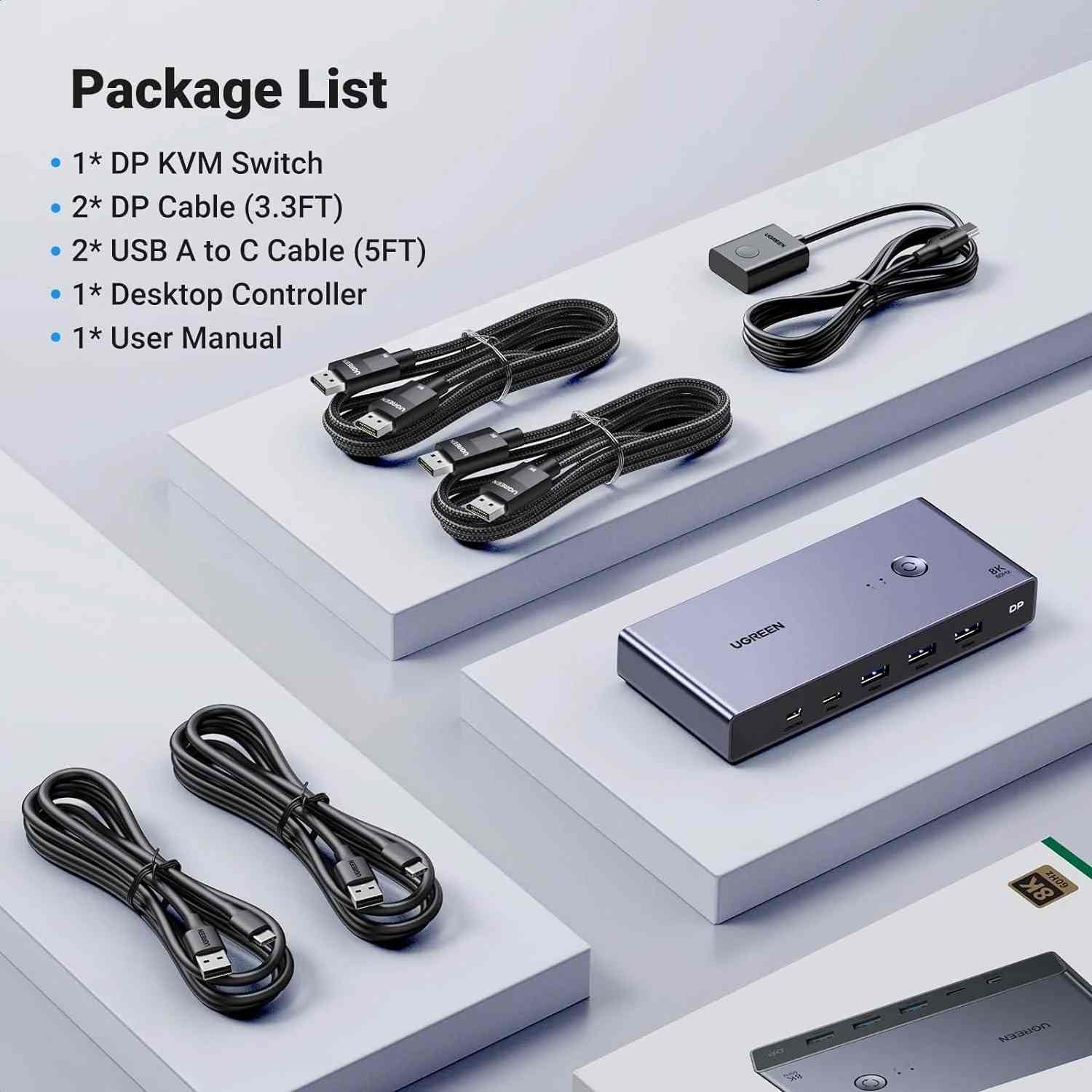
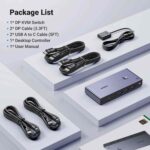
What’s in the Box?
The standard package is commonly listed as including:
- 1 × UGREEN CM695 DisplayPort KVM Switch
- 1 × Desktop Controller
- 2 × USB-A to USB-C cables
- 1 × User Guide
Important: DisplayPort cables and the USB-C power cable/power adapter are listed as not included with the standard package on UGREEN’s product page. Confirm the exact seller bundle before ordering.
Who Should Buy This Product?
Choose the UGREEN CM695 if you want:
- To switch between two computers using one monitor
- DisplayPort 1.4 support
- Up to 8K@60Hz output on compatible equipment
- Shared keyboard, mouse and USB accessories
- USB 3.0 data transfer
- A physical button and desktop controller
- A cleaner and more organized workstation
If you need to connect HDMI-only devices, display two computers simultaneously on two monitors, or switch using keyboard hotkeys, check the required features carefully before choosing this model.
Why Buy from AIYOZON?
When purchasing the UGREEN CM695 DisplayPort KVM Switch from AIYOZON, you can enjoy a convenient online shopping experience for computer accessories and connectivity solutions.
- Clear product specifications
- Convenient online ordering
- Product assistance
- Delivery support across Bangladesh
- Help checking compatibility before purchase
Frequently Asked Questions
What is the UGREEN CM695?
The UGREEN CM695 is a DisplayPort KVM switch that allows two compatible computers to share one DisplayPort monitor and supported USB peripherals.
Does the CM695 support 8K@60Hz?
Yes. It is specified for up to 8K@60Hz output when the connected computers, monitor and cables support the required configuration.
How many computers can I connect?
You can connect two DisplayPort source computers and switch between them using one monitor.
Can I use one keyboard and mouse with both computers?
Yes. Compatible USB peripherals can be connected to the switch’s USB ports and shared between the selected computer systems.
Does it support HDMI?
No. The CM695 is a DisplayPort switch and does not provide HDMI ports. Use a suitable DisplayPort-to-HDMI solution only if it meets your source, display and resolution requirements.
Does it support keyboard hotkeys?
No. The available CM695 specifications list switching through the physical button or desktop controller, not keyboard hotkeys.
What USB ports does it have?
It has three USB-A 3.0 ports and one USB-C 3.0 port, with listed data speeds up to 5Gbps.
Does the package include DisplayPort cables?
UGREEN’s product page states that DisplayPort cables are not included with the standard package. Confirm the seller’s bundle before ordering.
Does it need external power?
The listed power input is USB-C 5V⎓4A. A suitable power source is required; check whether the cable and adapter are included with your selected package.
Is it compatible with Mac and Linux?
Yes. It is listed as compatible with Windows, macOS and Linux, provided the computers have the required DisplayPort and USB connections.
Final Verdict
The UGREEN CM695 2 In 1 Out DisplayPort KVM Switch is a practical solution for users who need to switch between two computers while sharing one monitor and compatible USB peripherals. Its 8K@60Hz DisplayPort 1.4 output, HDCP 2.3 support, USB 3.0 ports, input memory and desktop controller make it well suited to a modern workstation.
Before ordering, make sure your computers use DisplayPort, check that your monitor supports the resolution you want, and confirm the included cables and power accessories.
Simplify Your Multi-Computer Workspace
- ✔ Up to 8K@60Hz DisplayPort output
- ✔ DP 1.4 and HDCP 2.3
- ✔ Two computers, one monitor
- ✔ 3 × USB-A and 1 × USB-C
- ✔ USB 3.0 data speeds up to 5Gbps
- ✔ Physical button and desktop controller
- ✔ Memory for the last selected input
- ✔ Windows, macOS and Linux compatibility










Reviews
There are no reviews yet.