




UGREEN CM692 8K HDMI KVM Switch 2 In 1 Out – HDMI 2.1, USB 3.0 Sharing for Two Computers
Original price was: 8,990.00৳ .7,990.00৳ Current price is: 7,990.00৳ .
UGREEN CM692 8K HDMI KVM Switch 2 In 1 Out – HDMI 2.1, USB 3.0 Sharing for Two Computers
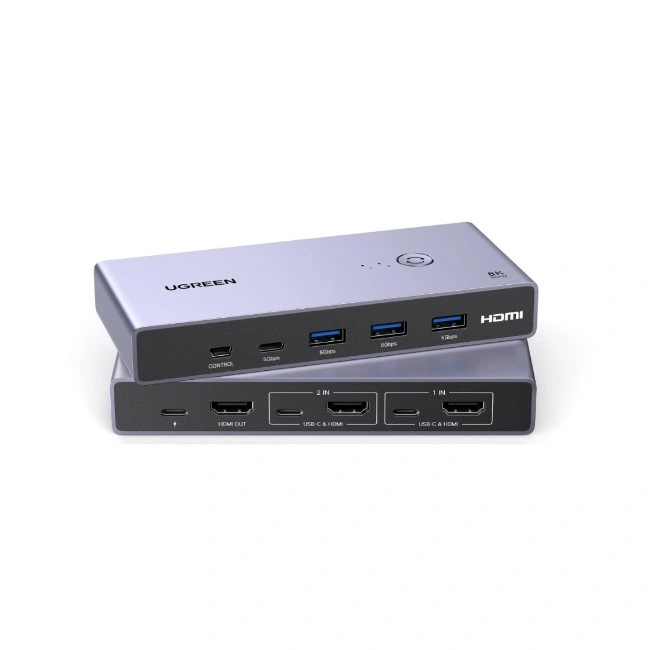
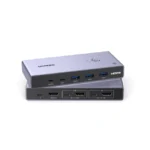
The UGREEN CM692 8K HDMI KVM Switch is a convenient solution for users who want to control two computers through a single monitor, keyboard, mouse and shared USB accessories. Instead of connecting and disconnecting devices every time you switch computers, this KVM switch lets you select which computer controls your shared setup.
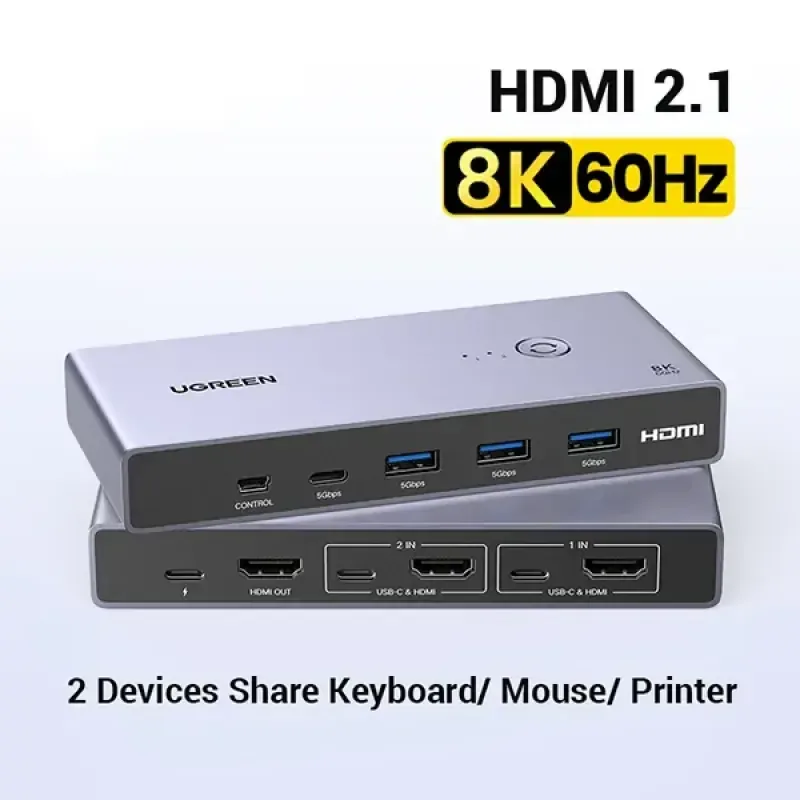
Featuring HDMI 2.1 video support up to 8K@60Hz, USB 3.0 connectivity and convenient switching through a physical button or desktop controller, the UGREEN CM692 is suitable for home offices, professional workstations, multitasking environments and dual-computer setups. It supports Windows, macOS and Linux, making it useful for a range of compatible computer systems.
Common Problems with Dual-Computer Setups
Using two computers with one workstation can create several inconveniences:
- Connecting and disconnecting the same keyboard and mouse repeatedly
- Needing separate monitors for each computer
- Managing multiple cables across the desk
- Switching between work and personal computers manually
- Sharing USB accessories between different systems
- Losing desk space because of unnecessary peripherals
The UGREEN CM692 helps simplify this setup by combining video switching and USB peripheral sharing in one device.
Smart Solution: One Monitor for Two Computers
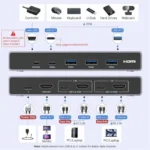
The UGREEN CM692 HDMI KVM Switch allows two compatible computers to share one HDMI monitor and a common set of USB peripherals.
Connect two computers → Connect one monitor and USB accessories → Press the switch button → Choose the active computer
This setup is useful when you work with a desktop PC and laptop, use separate work and personal computers, or need to switch between two systems without rearranging your desk.
Key Features
1. 8K@60Hz Ultra-HD Video Support
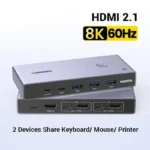
The CM692 supports video output up to 8K@60Hz, delivering detailed visuals when used with compatible computers, displays and suitable HDMI cables. It also supports lower resolutions and refresh rates, including selected 4K and Full HD modes.
For 8K@60Hz operation, ensure that both the source computer and monitor support the required video mode. Suitable HDMI cables are also essential; product documentation recommends short, compatible cables for achieving the highest resolution reliably.
2. Two Computers, One Monitor
With its 2-in-1-out configuration, the switch accepts video from two computers and sends the selected computer’s signal to one HDMI display.
This makes it easier to use one monitor for different tasks without physically changing the HDMI connection each time. The switch selects one source at a time rather than displaying both computer outputs simultaneously.
3. USB 3.0 Peripheral Sharing
The CM692 provides shared USB connectivity for compatible accessories, including:
- Keyboard
- Mouse
- USB flash drive
- Printer
- External storage devices
- Other compatible USB peripherals
Its USB 3.0 connections support data transfer rates up to 5Gbps, with backward compatibility for USB 2.0 and USB 1.1 devices. Actual transfer speeds depend on the connected device, cables and computer.
4. HDMI 2.1 Compatibility
The HDMI 2.1 interface supports high-resolution video modes up to the product’s advertised 8K@60Hz capability. The switch is also listed with HDCP 2.3/1.4 compatibility and support for features such as HDR and 3D video, subject to the connected equipment and content.
5. Convenient Button Switching
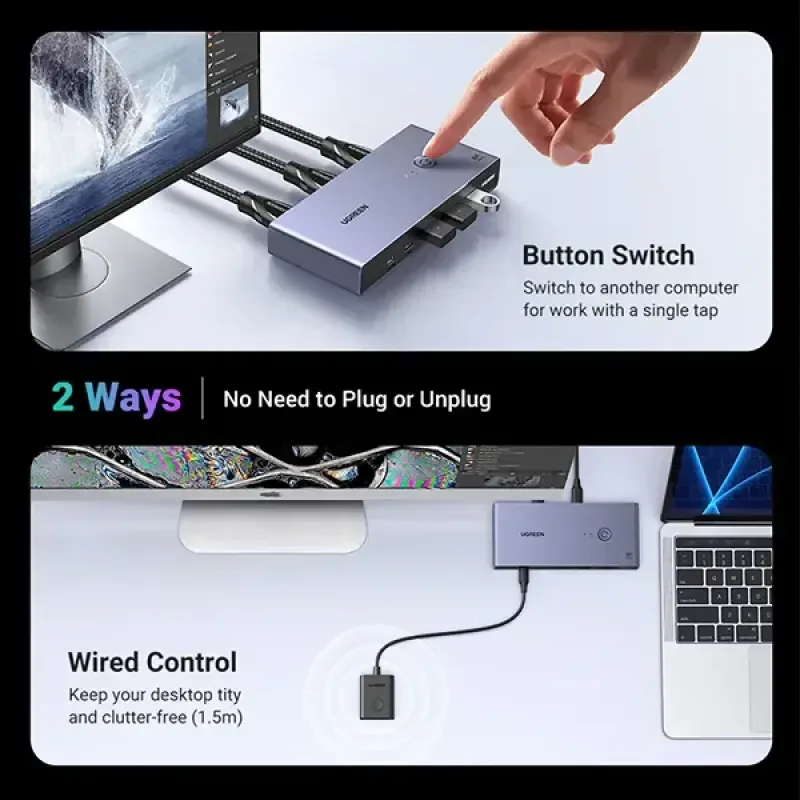
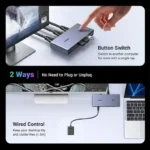
The physical switching button makes it easy to change the active computer without unplugging cables.
This is especially useful when moving between office work, personal tasks, content creation and other activities on separate computers.
6. Desktop Controller Support
The CM692 supports a separate desktop controller, allowing you to position the main switch away from your immediate workspace while keeping the switching control within easy reach.
The controller connects through the dedicated control port. Confirm the exact controller and cable accessories included with the selected retail package.
7. Power-Off Memory
The switch is listed with a power-off memory function that can retain the last selected input channel. This helps make it more convenient to resume using your preferred computer after power is restored.
8. High-Quality Audio Support
The CM692 can pass audio through its HDMI connection, with listed support for audio sampling up to 192kHz/24-bit. Actual audio formats and quality depend on the source computer, display or audio equipment, and media being played.
9. Broad Operating-System Compatibility
The switch is listed as compatible with Windows, macOS and Linux systems. Compatibility with a particular computer still depends on its available video output, USB connectivity and operating-system configuration.
10. Cleaner, More Organized Workstation
By combining display switching and USB accessory sharing, the CM692 helps reduce the need to repeatedly reconnect peripherals. It is a practical option for workstations where desk space, convenience and an organized cable layout matter.
Benefits of the UGREEN CM692 KVM Switch
- Share one monitor between two computers
- Switch between two HDMI video sources
- Supports up to 8K@60Hz with compatible equipment
- HDMI 2.1 interface
- USB 3.0 data transfer up to 5Gbps
- Share compatible keyboards, mice and USB accessories
- Physical button switching
- Desktop controller support
- Power-off input memory
- HDMI audio pass-through
- Windows, macOS and Linux compatibility
- Helps reduce desk clutter
- Useful for work, study and multitasking
Perfect For
The UGREEN CM692 is ideal for:
- Dual-PC workstations
- Desktop and laptop users
- Home offices
- Professional workspaces
- Programmers and developers
- Content creators
- Students
- Remote workers
- Users who share one monitor between work and personal computers
- Workstations with shared keyboards, mice and USB accessories
Why Choose UGREEN CM692?
A standard HDMI switch selects a video source, while a KVM switch also allows compatible USB peripherals to be shared between computers.
The UGREEN CM692 combines high-resolution HDMI switching with USB 3.0 peripheral sharing. Its 8K@60Hz video support, physical switching controls and desktop controller make it a practical choice for users who want to manage two computers from one workstation.
UGREEN CM692 vs. a Basic HDMI Switch
| Feature | UGREEN CM692 KVM Switch | Basic HDMI Switch |
|---|---|---|
| Video Sources | 2 computers | Depends on model |
| Display Outputs | 1 monitor | Usually 1 display |
| Maximum Advertised Resolution | Up to 8K@60Hz | Depends on model |
| HDMI Standard | HDMI 2.1 | Varies |
| USB Peripheral Sharing | Yes | Usually no |
| Keyboard and Mouse Sharing | Yes, through compatible USB connections | Usually no |
| Switching Method | Button / desktop controller | Usually a button or remote |
| Operating Systems | Windows, macOS, Linux | Generally OS-independent for video |
| Best For | Sharing a workstation between two computers | Switching video sources only |
How to Use the UGREEN CM692
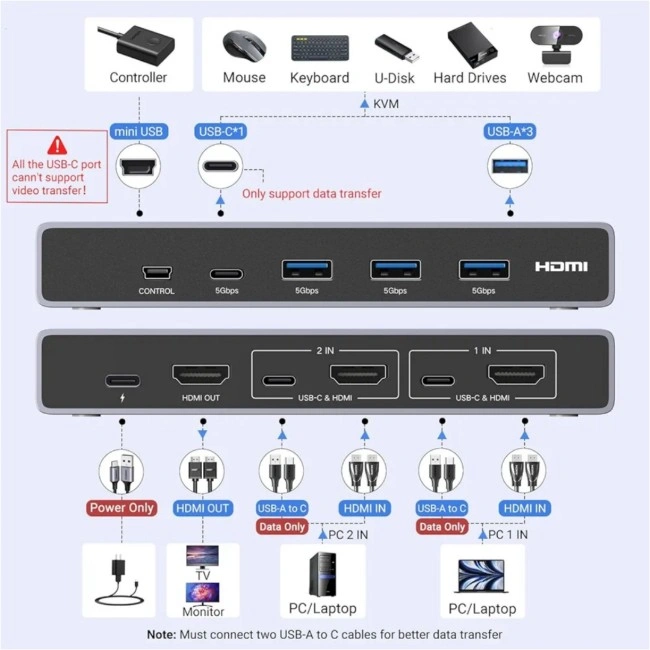
Step 1: Connect the First Computer
Connect the first computer’s HDMI output to the corresponding HDMI input on the KVM switch. Connect the required USB data cable between the computer and its designated USB input.
Step 2: Connect the Second Computer
Repeat the process for the second computer, using its corresponding HDMI input and USB data connection.
Step 3: Connect the Monitor
Connect the KVM switch’s HDMI output to your monitor using a compatible HDMI cable.
Step 4: Connect Your USB Accessories
Connect your keyboard, mouse and other compatible USB peripherals to the switch’s shared USB ports.
Step 5: Provide Power as Required
Follow the product manual’s power instructions. The CM692 supports a 5V USB-C power input, and an appropriate external power source may be needed depending on the connected equipment and configuration. Check the supplied package before purchasing a separate power adapter.
Step 6: Select the Active Computer
Use the physical button or the connected desktop controller to switch between the two computers.
Step 7: Configure Your Display
For 8K@60Hz, make sure the computer, graphics hardware, monitor and HDMI cables all support the required resolution and refresh rate.
Recommended Use Cases
Home Office
Share a monitor, keyboard and mouse between a work computer and a personal computer.
Professional Workstation
Switch between two systems while keeping the same display and compatible USB accessories.
Content Creation
Use a shared workstation setup for compatible video-editing, graphics and other creative workflows.
Study and Remote Work
Move between a personal computer and a study or work laptop without repeatedly reconnecting peripherals.
Multi-Computer Setup
Use one monitor and a shared USB accessory set to keep a dual-computer desk more organized.
Cleaning & Maintenance
- Disconnect the switch from power before cleaning.
- Use a soft, dry cloth to clean the exterior.
- Keep HDMI and USB ports free from dust.
- Avoid pulling cables by their connectors.
- Ensure cables are securely connected.
- Keep the switch away from liquid and excessive moisture.
- Store unused cables neatly to prevent damage.
Important Usage Tips
- 8K@60Hz requires compatible computers, monitor and HDMI cables. The switch alone cannot upgrade a device that does not support 8K.
- Use the correct HDMI and USB data connections for both computers.
- USB-C connections on this KVM should not be assumed to provide video or laptop charging; follow the port labels and manual.
- The switch selects one computer at a time; it does not show two computer screens simultaneously on the same monitor.
- USB 3.0 transfer speeds are theoretical maximums and depend on the connected devices.
- Use the recommended power arrangement when connecting power-hungry USB accessories.
- Check whether the desktop controller, HDMI cables, USB cables and power adapter are included in your exact package.
Product Specifications
| Specification | Details |
|---|---|
| Brand | UGREEN |
| Model | CM692 |
| Product SKU | 25961 |
| Product Type | HDMI KVM Switch |
| Configuration | 2 In 1 Out |
| HDMI Standard | HDMI 2.1 |
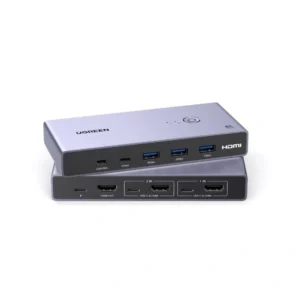
| HDMI Inputs | 2 × HDMI |
| HDMI Output | 1 × HDMI |
| Maximum Advertised Resolution | Up to 8K@60Hz |
| Other Supported Modes | Selected 8K, 4K, 1440p and 1080p modes |
| USB Standard | USB 3.0 |
| USB Data Transfer | Up to 5Gbps |
| Shared USB Output Ports | 3 × USB-A and 1 × USB-C |
| Host USB Connections | 2 × USB-C data connections |
| Power Input | USB-C, 5V |
| Switching Methods | Physical button / desktop controller |
| HDCP | HDCP 2.3 / 1.4 |
| Video Features | HDR, 3D and other supported HDMI features |
| Audio | HDMI audio, up to 192kHz/24-bit listed |
| Operating-System Compatibility | Windows, macOS, Linux |
| Dimensions | Approx. 142 × 63 × 21mm |
| Color | Check the supplied version |
Specifications are based on available CM692/25961 documentation and retailer listings. Check the product label and manual supplied with your unit if port configuration or included accessories differ.
What’s in the Box?
The package may include the following items, depending on the retail bundle:
- 1 × UGREEN CM692 HDMI KVM Switch
- 1 × Desktop Controller
- 2 × HDMI Cables
- 2 × USB Data Cables
- 1 × User Manual
Some listings and bundles differ in their included cables and power accessories. Confirm the exact box contents with AIYOZON before ordering, especially if you need a power adapter or specific cable lengths.
Who Should Buy This Product?
Choose the UGREEN CM692 8K HDMI KVM Switch if you want:
- Two computers connected to one monitor
- Shared keyboard and mouse control
- USB 3.0 accessory sharing
- High-resolution HDMI switching
- A more organized dual-computer workspace
- Convenient button or desktop-controller switching
- A KVM solution compatible with Windows, macOS or Linux
If you only need to switch video between devices and do not need to share USB peripherals, a basic HDMI switch may be sufficient.
Why Buy from AIYOZON?
When purchasing the UGREEN CM692 8K HDMI KVM Switch from AIYOZON, you can enjoy a convenient shopping experience for computer accessories and connectivity solutions.
- Clear product information
- Convenient online ordering
- Product guidance before purchase
- Delivery support
- Customer assistance for compatibility questions
Before ordering, verify your computers’ HDMI and USB ports, monitor resolution and the included cable configuration.
Frequently Asked Questions
What is the UGREEN CM692?
The UGREEN CM692 is an HDMI KVM switch designed to let two computers share one monitor and compatible USB peripherals.
Does the CM692 support 8K resolution?
Yes. It is advertised for resolutions up to 8K@60Hz, provided that the computers, monitor and cables support the required mode.
Can I connect two computers to one monitor?
Yes. The 2-in-1-out configuration lets you select one of two computer inputs for a single HDMI monitor. It does not display both computer outputs simultaneously.
Can I share my keyboard and mouse?
Yes. The CM692 provides USB connections for sharing compatible peripherals between the two computers.
What is the USB 3.0 transfer speed?
The USB 3.0 connections support data transfer rates up to 5Gbps. Actual performance depends on the connected devices and setup.
How do I switch between computers?
Use the physical switching button or the compatible desktop controller. The listed model does not support keyboard hotkey switching.
Does it work with Mac?
The CM692 is listed as compatible with macOS, as well as Windows and Linux. Your Mac must still provide compatible video output and USB connectivity.
Does it support HDR?
Yes. HDR support is listed, but the source computer, monitor, cables and content must all support the required HDR mode.
Does it require external power?
The switch supports a 5V USB-C power input. The required power arrangement can depend on the connected devices, so follow the manual and confirm whether a power adapter is included in your package.
Are HDMI cables included?
Some CM692 package listings include two HDMI cables and two USB data cables, while retail bundles may differ. Check the exact package contents before purchase.
Final Verdict
The UGREEN CM692 8K HDMI KVM Switch 2 In 1 Out is a useful workstation accessory for anyone who wants to control two computers through one monitor and share compatible USB peripherals. Its HDMI 2.1 interface, advertised 8K@60Hz video support, USB 3.0 connectivity and convenient switching options make it suitable for home offices, professional desks and dual-computer environments.
Simplify Your Dual-Computer Setup
- ✔ 2 Computers, 1 Monitor
- ✔ Up to 8K@60Hz Video
- ✔ HDMI 2.1
- ✔ USB 3.0 Peripheral Sharing
- ✔ Up to 5Gbps USB Data Transfer
- ✔ Keyboard & Mouse Sharing
- ✔ Physical Button & Desktop Controller
- ✔ Windows, macOS & Linux Compatibility











Reviews
There are no reviews yet.