


UGREEN XG501 4K HDMI Capture Card – Premium Streaming & 4K Video Recording
Original price was: 17,500.00৳ .16,500.00৳ Current price is: 16,500.00৳ .
UGREEN XG501 4K HDMI Capture Card – Premium Streaming & 4K Video Recording
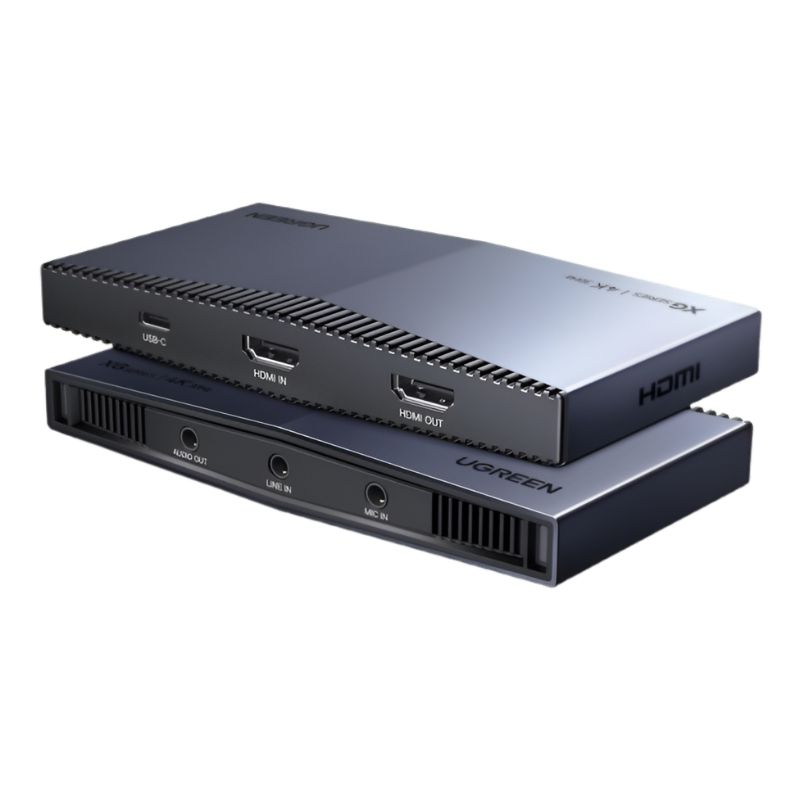
Want to record gameplay, stream live video, or capture footage from an HDMI camera? The UGREEN XG501 4K HDMI Capture Card is designed to bring video from compatible HDMI sources into a computer or supported device for streaming and recording. It supports HDMI input and passthrough up to 4K at 60Hz, with video capture up to 4K at 30Hz under compatible conditions. <Cite refs={[“turn250740search0″,”turn250740search2”]} />
Available through AIYOZON, this UGREEN capture card is a practical option for gamers, streamers, educators, and content creators in Bangladesh who want to record or broadcast video from compatible gaming consoles, cameras, and computers. Its USB-C connection supports capture to a compatible host, while HDMI passthrough lets you view the source on a connected display as you record.
Whether you’re creating YouTube videos, streaming gameplay, recording tutorials, or capturing a camera feed, the XG501 helps simplify a compatible video production setup.
Common Problems with Basic Video Recording Setups
- 🎮 Difficult gameplay recording: Capturing console video on a computer can require a dedicated capture device.
- 📹 Limited recording options: A basic setup may not support the input resolution required for your content.
- 🖥️ Interrupted gameplay viewing: Relying only on a software preview can be inconvenient while playing.
- 🎙️ Complicated streaming workflows: Connecting video sources and recording software can be confusing for beginners.
- 🔌 Device compatibility concerns: Capture cards must match the video output and connection requirements of the source and host devices.
Smart Solution: UGREEN XG501 4K HDMI Capture Card
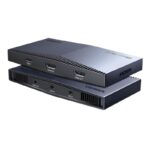
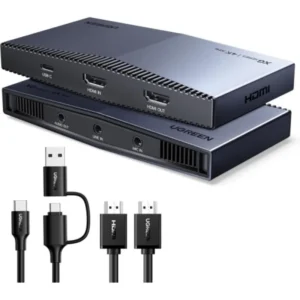
The UGREEN XG501 4K HDMI Capture Card provides a dedicated way to capture video from a compatible HDMI source and transfer it to a computer or other supported host over USB-C. It is designed for recording gameplay, live streaming, camera capture, online demonstrations, and other video production tasks.
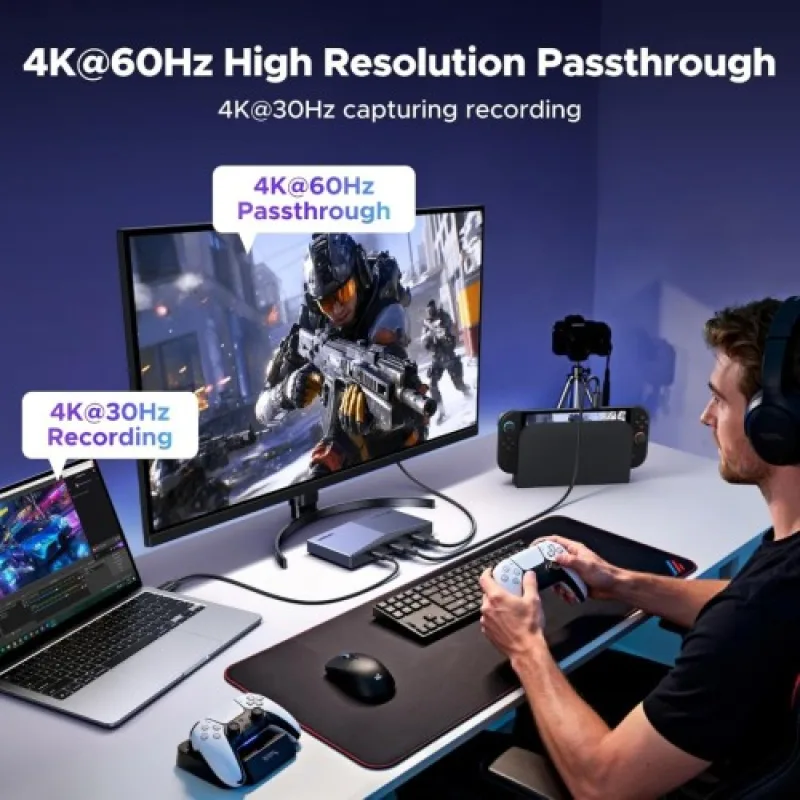
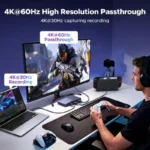
With HDMI input and passthrough up to 4K at 60Hz and capture up to 4K at 30Hz, the XG501 can let you view a high-resolution source on a connected display while recording through compatible software. Remember that 4K60 passthrough is not the same as 4K60 recording: the listed maximum capture resolution is 4K at 30Hz. <Cite refs={[“turn250740search0″,”turn250740search2”]} />
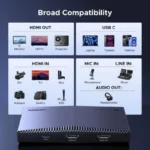
The device is listed as compatible with platforms and software such as Windows, macOS, Linux, Android, iPadOS, and OBS Studio, depending on the host and configuration. Check your device’s USB capabilities, operating system, capture software, and HDMI output settings before purchasing.
Key Features of UGREEN XG501 4K HDMI Capture Card
🎥 1. Up to 4K30 Video Capture
Capture video at resolutions up to 4K at 30Hz with compatible equipment and software. This is useful for recording high-resolution gameplay, camera footage, tutorials, and other video content.
🖥️ 2. 4K60 HDMI Passthrough
The HDMI loop-out feature supports passthrough up to 4K at 60Hz. Connect a compatible monitor or TV to view the source while capturing video on your computer. Actual display performance depends on the connected equipment and settings.
🎮 3. Suitable for Gaming Capture
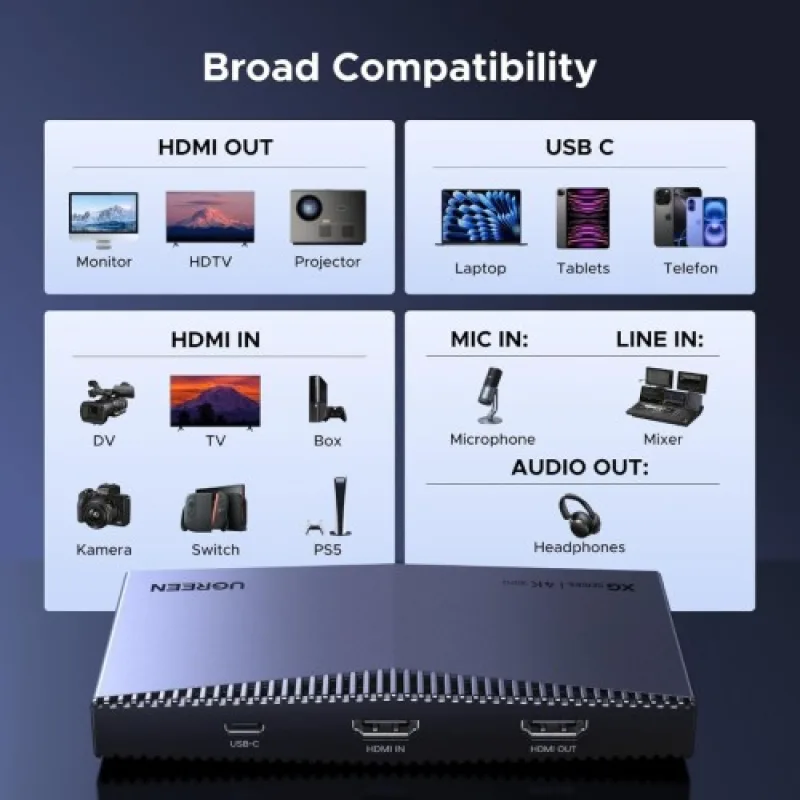
The XG501 can be used with compatible HDMI-output gaming devices, including supported PlayStation, Xbox, and Nintendo Switch systems. Console settings and content-protection requirements can affect whether capture works.
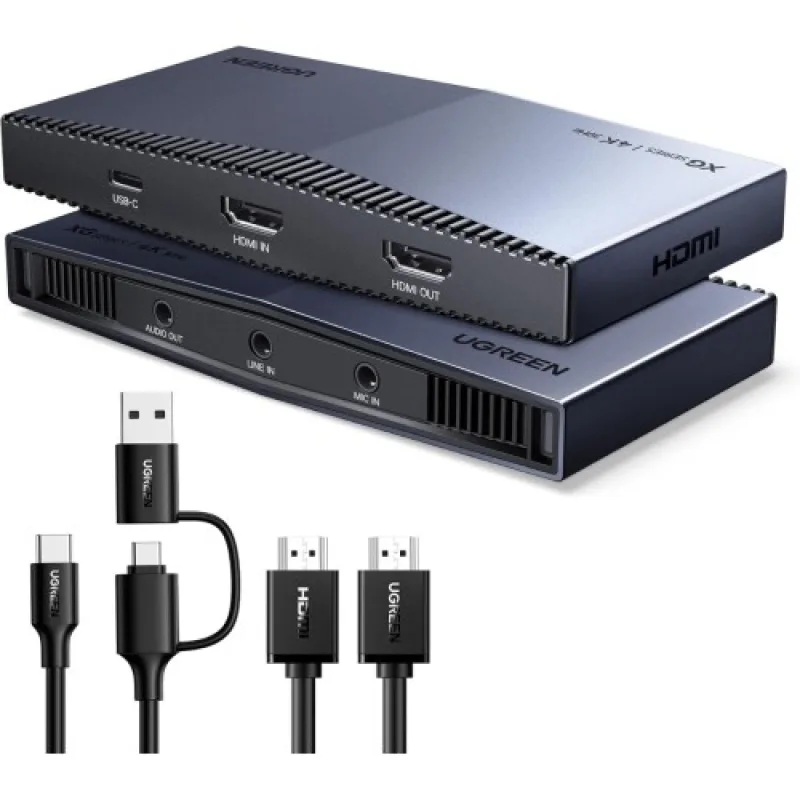
🔌 4. USB-C Host Connectivity
The USB-C connection transfers captured video to a compatible computer or host device. Your host must support the required USB connection and capture software to achieve the intended resolution and performance.
🎙️ 5. Audio Capture and Microphone Connectivity
Available model listings describe HDMI audio capture and microphone connectivity. This can help creators combine source audio and commentary in a compatible streaming workflow. Confirm the exact audio ports and package contents before purchase. <Cite refs={[“turn250740search1″,”turn250740search2”]} />
🌈 6. HDR Support for Compatible Setups
Listings for the XG501 identify HDR support. HDR input and passthrough behavior can depend on the source, display, operating system, and software configuration, so HDR recording should not be assumed to work in every setup.
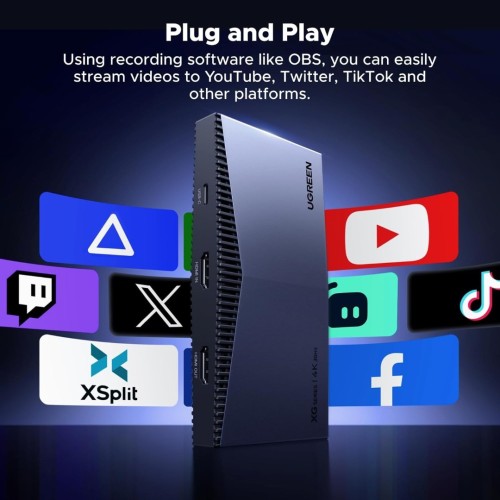
⚙️ 7. Compatible with Popular Capture Software
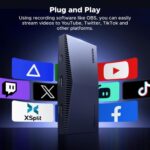
The capture card is listed for use with OBS Studio and other compatible video capture applications. Software settings can affect resolution, frame rate, colour format, and audio synchronization.
🛠️ 8. Metal Housing
Available listings describe a metal or aluminum-alloy housing. This provides a sturdy enclosure for a device intended for regular use in gaming and video production setups. <Cite refs={[“turn250740search1″,”turn250740search2”]} />
Benefits You’ll Enjoy
- ✅ Capture compatible video at up to 4K30.
- ✅ View source video through 4K60 HDMI passthrough.
- ✅ Record gameplay from supported HDMI-output consoles.
- ✅ Capture video from compatible cameras and computers.
- ✅ Connect to a compatible host through USB-C.
- ✅ Use compatible recording and streaming software such as OBS Studio.
- ✅ Create tutorials, gameplay recordings, and live broadcasts.
- ✅ Integrate source audio into supported recording workflows.
- ✅ Build a more organized video capture setup for home or studio use.
Perfect For
- 🎮 PlayStation gameplay recording and streaming.
- 🕹️ Compatible Xbox gaming capture.
- 🎮 Nintendo Switch gameplay capture.
- 📷 DSLR and mirrorless cameras with supported HDMI output.
- 💻 Computers and laptops used as compatible video sources.
- ▶️ YouTube content creators.
- 🔴 Live streamers using compatible broadcasting software.
- 🧑🏫 Online teachers and educators recording demonstrations.
- 🎬 Video creators capturing presentations and tutorials.
- 🏢 Professionals who need to capture supported HDMI video for demonstrations.
Why Choose the UGREEN XG501 4K HDMI Capture Card?
The UGREEN XG501 is designed for creators who need a dedicated capture device for compatible HDMI video sources. Its support for 4K30 capture makes it suitable for high-resolution recording workflows, while 4K60 passthrough lets you view a compatible source on a connected display during capture.
USB-C host connectivity makes it practical for compatible modern computers and other supported devices. It can be used with gaming consoles, cameras, and other HDMI-output sources, making it a versatile option for different recording and streaming needs.
The capture card can also work with popular video software, including OBS Studio, subject to the host device and configuration. This gives users flexibility to manage scenes, recording settings, and live broadcasts within their chosen application.
Before buying, remember that a capture card does not improve the source device’s output quality by itself. The source, HDMI cable, host computer, software, and selected capture settings all affect the final result.
UGREEN XG501 vs Basic HDMI Capture Card
| Feature | UGREEN XG501 | Basic Capture Card |
|---|---|---|
| Maximum HDMI input | Up to 4K60 | Depends on model |
| Maximum capture resolution | Up to 4K30 | Depends on model |
| HDMI passthrough | Up to 4K60 | May vary or be unavailable |
| Host connection | USB-C | Depends on model |
| Streaming software | Compatible software, including OBS Studio | Depends on model |
| Gaming use | Supported HDMI-output devices | Depends on model |
| HDR | Listed support; configuration-dependent | Depends on model |
| Best use | Compatible high-resolution recording and passthrough | Basic capture tasks, depending on specifications |
Always compare capture resolution separately from HDMI input and passthrough resolution.
How to Use the UGREEN XG501 4K HDMI Capture Card
- Check compatibility: Confirm that your source device provides HDMI output and your computer or host supports the capture card.
- Connect the HDMI source: Connect your console, camera, or other source to the capture card’s HDMI input.
- Connect the display: If you want passthrough viewing, connect a compatible monitor or TV to the HDMI output.
- Connect the host: Use the USB-C connection to attach the capture card to a compatible computer or supported host device.
- Open capture software: Launch OBS Studio or another compatible application and select the capture card as the video source.
- Set the recording options: Choose a supported resolution, frame rate, and audio source based on your equipment.
- Test before recording: Check the video, audio, and passthrough display before starting a full recording or livestream.
Important Usage Tips
- Use compatible HDMI cables and suitable USB-C host connections.
- Remember that maximum listed capture resolution is 4K30, while passthrough supports up to 4K60.
- Confirm that your computer has enough processing power and USB bandwidth for your chosen settings.
- Some consoles require HDCP to be disabled for gameplay capture where the console allows it.
- The capture card cannot record HDCP-protected video content.
- HDR recording behavior may vary by software, operating system, and capture format.
- Check audio routing and microphone settings before streaming.
- Actual supported resolutions may differ on mobile devices and tablets.
Product Specifications
| Specification | Details |
|---|---|
| Brand | UGREEN |
| Model | XG501 |
| Product Code | 65518 |
| Product Type | 4K HDMI Video Capture Card |
| HDMI Input | Up to 4K at 60Hz |
| Maximum Capture Resolution | Up to 4K at 30Hz |
| HDMI Passthrough | Up to 4K at 60Hz |
| Host Interface | USB-C |
| USB Connectivity | USB 3.0/USB 3.2-class connection, according to listings |
| Audio | HDMI audio capture; microphone connectivity listed |
| HDR | Listed support; behavior depends on configuration |
| Compatible Software | OBS Studio and other compatible capture applications |
| Compatible Systems | Windows, macOS, Linux, Android, and iPadOS, subject to device support |
| Compatible Sources | Supported gaming consoles, cameras, and HDMI-output devices |
| Housing | Metal/aluminum alloy, according to listings |
| Power | USB-powered, according to listings |
| Warranty | Varies by seller; confirm before purchase |
Specifications are based on available product listings for the UGREEN XG501 (65518). Confirm the exact package contents, warranty, and supported resolution modes with the seller before ordering. <Cite refs={[“turn250740search0″,”turn250740search1″,”turn250740search2”]} />
Why Buy from AIYOZON?
- Quality Products: Explore practical technology accessories for gaming and content creation.
- Fast Delivery Across Bangladesh: Convenient delivery options for customers nationwide.
- Secure Packaging: Products are carefully packed for delivery.
- Responsive Customer Support: Get assistance with product and order-related questions.
- Convenient Online Shopping: Browse and order from the comfort of your home.
- Great Value for Money: Find useful technology products for your setup and budget.
Frequently Asked Questions (FAQ)
1. What is the UGREEN XG501 4K HDMI Capture Card used for?
It captures video from compatible HDMI sources, such as gaming consoles and cameras, so you can record or stream through compatible software on a supported host device.
2. Does the UGREEN XG501 support 4K recording?
Yes. It supports capture at up to 4K at 30Hz under compatible conditions. It supports HDMI passthrough up to 4K at 60Hz, which is a different specification.
3. Can I use this capture card with a PS5 or Xbox?
It can be used with compatible HDMI-output gaming consoles. You may need to adjust console settings, and HDCP-protected content cannot be captured.
4. Is the XG501 compatible with OBS Studio?
Available listings identify OBS Studio as compatible software. The exact capture resolution and performance depend on your computer, operating system, USB connection, and OBS settings.
5. Can I use the capture card with a DSLR camera?
Yes, if the camera provides a compatible HDMI output. Check whether your camera can provide a clean HDMI signal and whether its output settings are supported.
6. Does it support HDR?
Listings identify HDR support, particularly for compatible input and passthrough configurations. HDR recording may depend on your host device and software settings.
7. Does it work with smartphones or tablets?
Listings identify Android and iPadOS support, but compatibility and available capture resolutions vary by device, operating system, adapters, and software. Verify your specific device before purchase.
8. How long does delivery take in Bangladesh?
- Inside Dhaka: 24–48 Hours
- Outside Dhaka: 2–3 Business Days
Delivery times may vary depending on your location, order processing, and courier availability.
Buy UGREEN XG501 4K HDMI Capture Card from AIYOZON
Improve your compatible recording and streaming setup with the UGREEN XG501 4K HDMI Capture Card. With up to 4K30 video capture, 4K60 HDMI passthrough, USB-C host connectivity, and support for compatible streaming software, it is a practical option for gamers, streamers, educators, and content creators.









Reviews
There are no reviews yet.