




UGREEN MD105 Mini DP to DisplayPort Cable 4K@60Hz 1.5M – Premium High-Resolution Display Cable
650.00৳
UGREEN MD105 Mini DP to DisplayPort Cable 4K@60Hz 1.5M – Premium High-Resolution Display Cable
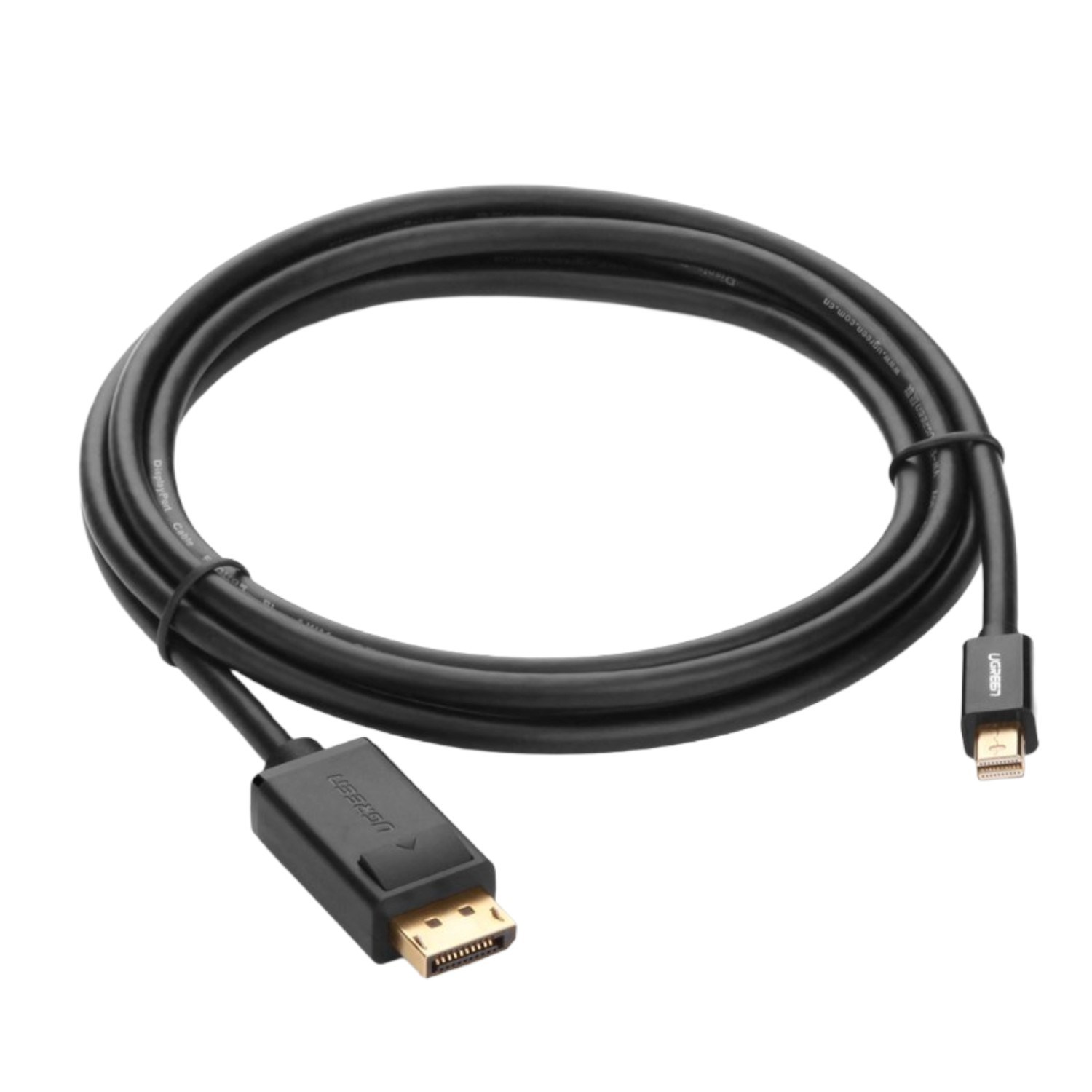
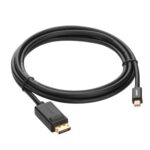
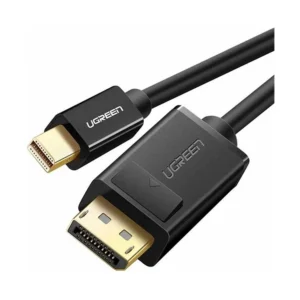
The UGREEN MD105 Mini DP to DisplayPort Cable 4K@60Hz 1.5M is a practical display connectivity solution for connecting compatible laptops, desktop computers and other Mini DisplayPort-equipped devices to DisplayPort monitors, projectors and displays.
Designed around the DisplayPort 1.2 standard, this cable supports resolutions up to 3840 × 2160 (4K) at 60Hz at the 1.5-metre length. It also supports audio and video transmission, Mirror Mode and Extend Mode, making it useful for home offices, professional workstations, presentations and entertainment setups.
The MD105 features 32AWG tin-plated copper conductors, internal shielding and 24K gold-plated connectors, according to product specifications. Its 1.5-metre length offers convenient reach for many desk and monitor arrangements without requiring an excessively long cable.
Common Problems with Display Connections
Connecting a computer to an external monitor can be difficult when the devices use different display ports.
Common problems include:
- A laptop has Mini DisplayPort, but the monitor uses standard DisplayPort.
- A presentation requires a larger external screen.
- A second monitor is needed for multitasking.
- An incompatible cable limits the available resolution or refresh rate.
- Separate audio and video connections create unnecessary cable clutter.
- A cable that is too short makes desk setup inconvenient.
The UGREEN MD105 provides a dedicated Mini DisplayPort-to-DisplayPort connection for compatible equipment.
Smart Solution: High-Resolution Display Connectivity
The UGREEN MD105 Mini DP to DisplayPort Cable connects compatible Mini DisplayPort or Thunderbolt 1/2 devices with DisplayPort displays. It supports high-resolution video, synchronized audio and common desktop display configurations without requiring a separate driver installation.
Key Features
1. 4K Ultra HD at 60Hz
Enjoy supported resolutions up to 3840 × 2160 at 60Hz when the connected source, display and settings support this output. This is suitable for detailed desktop work, presentations, compatible video playback and everyday productivity.
2. Mini DisplayPort to DisplayPort Connection
The cable has a Mini DisplayPort connector on one end and a standard DisplayPort connector on the other. It is designed for compatible computers and displays that use these interfaces.
3. Thunderbolt 1 and Thunderbolt 2 Compatibility
Compatible Thunderbolt 1 or Thunderbolt 2 ports that support Mini DisplayPort video output can be used with this cable. Compatibility depends on the actual port and device; USB-C Thunderbolt 3, 4 or 5 ports are not the same connector and may require a suitable adapter or different cable.
4. Audio and Video Transmission
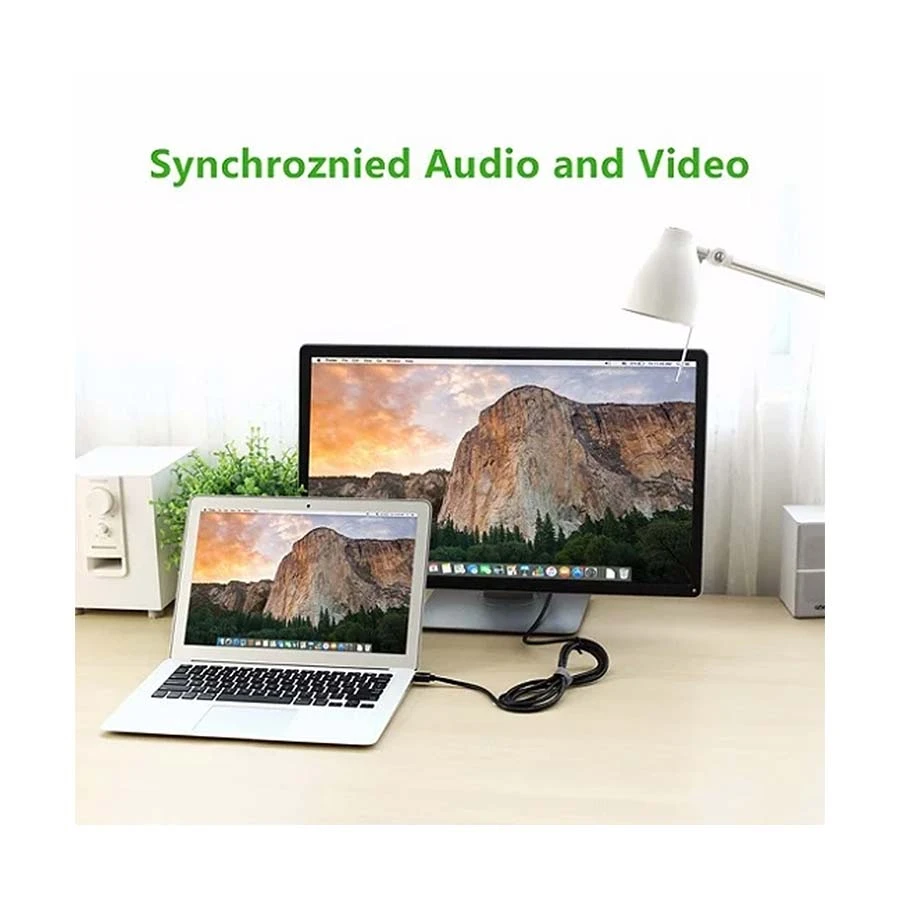
The MD105 supports synchronized digital audio and video transmission through the display connection, helping reduce the need for a separate audio cable when both devices support DisplayPort audio.
5. Mirror and Extend Display Modes
Use Mirror Mode to show the same content on a compatible external display, or Extend Mode to expand your desktop across multiple screens. Availability depends on the operating system, graphics hardware and display configuration.
6. DisplayPort 1.2 Support
The MD105 is listed as a DisplayPort 1.2 cable and supports bandwidth up to 8.64Gbps under its stated transmission specification. Supported resolution and refresh rate depend on the connected devices and signal configuration.
7. 32AWG Tin-Plated Copper Conductors
The cable uses 32AWG tin-plated copper conductors with internal shielding, as specified by current product listings. This construction is designed to support signal transmission and help reduce interference.
8. 24K Gold-Plated Connectors
The connectors feature 24K gold plating, which helps resist corrosion and oxidation at the contact surfaces.
9. 1.5-Metre Practical Length
The 1.5-metre cable length is convenient for connecting a compatible computer to a nearby monitor or projector in a desk setup, home office or meeting room.
10. Plug-and-Play Convenience
The cable does not require a dedicated driver for standard compatible display connections. Connect the devices and select the desired display mode in your computer’s display settings.
Benefits
- Supports up to 4K@60Hz at the specified 1.5-metre length
- Connects compatible Mini DisplayPort devices to DisplayPort displays
- Supports compatible Thunderbolt 1/2 video output
- Carries digital audio and video
- Supports Mirror and Extend display modes
- DisplayPort 1.2 specification
- Up to 8.64Gbps stated bandwidth
- 32AWG tin-plated copper conductors
- Internal shielding
- 24K gold-plated connectors
- Convenient 1.5-metre length
- Plug-and-play operation
Perfect For
The UGREEN MD105 is suitable for:
- Compatible MacBook and laptop users
- Desktop computer workstations
- DisplayPort monitor connections
- External displays for productivity
- Office presentations
- Projectors with DisplayPort input
- Multi-monitor workspaces
- Compatible Thunderbolt 1/2 computers
- Home and office display setups
Why Choose the UGREEN MD105?
The UGREEN MD105 is a straightforward solution when your computer provides Mini DisplayPort output but your monitor or projector uses standard DisplayPort.
Its support for 4K@60Hz, digital audio/video, Mirror Mode and Extend Mode makes it useful for everyday work and compatible high-resolution display setups. The cable’s 1.5-metre length and specified shielded construction also make it practical for desktop use.
UGREEN MD105 vs. Basic Display Cables
| Feature | UGREEN MD105 | Basic Display Cable |
|---|---|---|
| Connector Type | Mini DP to DisplayPort | Depends on cable |
| Maximum Listed Resolution | Up to 4K@60Hz at 1.5m | Varies |
| DisplayPort Version | DP 1.2 | Varies |
| Audio Transmission | Supported on compatible devices | Depends on cable |
| Mirror Mode | Supported | Depends on setup |
| Extend Mode | Supported | Depends on setup |
| Connector Plating | 24K gold-plated | Varies |
| Cable Length | 1.5m | Varies |
| Thunderbolt 1/2 Compatibility | Compatible with supported video output | Depends on cable |
Specifications are based on UGREEN MD105 product listings. Actual display performance depends on the source device, graphics hardware, monitor and configuration.
How to Use the UGREEN MD105 Cable
Step 1: Check Your Device Ports
Confirm that your source device has a compatible Mini DisplayPort or Thunderbolt 1/2 video-output port and that your monitor or projector has a DisplayPort input.
Step 2: Connect the Cable
Insert the Mini DisplayPort connector into the source device and the DisplayPort connector into the compatible display.
Step 3: Select the Display Mode
Open your computer’s display settings and choose Mirror Mode or Extend Mode, depending on your needs.
Step 4: Set the Resolution and Refresh Rate
Select up to 3840 × 2160 at 60Hz if supported by your source device, display and configuration.
Step 5: Check Audio Output
If you want audio through the monitor, select the compatible DisplayPort audio output in your computer’s sound settings, where available.
Recommended Use Cases
Office Productivity
Connect a compatible laptop or desktop to an external monitor for documents, spreadsheets, research and multitasking.
Presentations
Connect a compatible computer to a DisplayPort-equipped projector or display for meetings and presentations.
Home Entertainment
Use a compatible source and display for supported high-resolution video playback with synchronized audio.
Multi-Monitor Workstations
Extend your desktop to a compatible external monitor for a larger workspace, subject to your computer’s graphics capabilities.
Creative Work
Use a supported high-resolution display for photo editing, design work and other tasks that benefit from additional screen space.
Care & Maintenance
- Disconnect the cable by holding the connector, not pulling the wire.
- Avoid sharply bending or crushing the cable.
- Keep the connectors free from dust and moisture.
- Do not force the connector into an incompatible port.
- Store the cable without tight knots when not in use.
- Check the connector and cable jacket periodically for damage.
Important Usage Tips
- Confirm that your source device has Mini DisplayPort video output before purchasing.
- A USB-C port is not automatically compatible with Mini DisplayPort connectors.
- Maximum resolution and refresh rate depend on the computer, graphics hardware, monitor and supported settings.
- The cable does not convert HDMI or USB-C to DisplayPort without the appropriate compatible conversion hardware.
- For 4K@60Hz, ensure both the source and display support the required mode.
- Thunderbolt 1/2 compatibility does not mean the cable plugs directly into USB-C Thunderbolt 3/4/5 ports.
Product Specifications
| Specification | Details |
|---|---|
| Brand | UGREEN |
| Model | MD105 |
| Product Code | 10477 (black version commonly listed) |
| Product Type | Mini DisplayPort to DisplayPort Cable |
| Cable Length | 1.5m |
| Source Connector | Mini DisplayPort male |
| Display Connector | DisplayPort male |
| DisplayPort Version | DP 1.2 |
| Maximum Listed Resolution | Up to 3840 × 2160 @ 60Hz |
| Other Listed Modes | 2560 × 1600 @ 60/120Hz; 2560 × 1440 @ 144Hz |
| Stated Bandwidth | Up to 8.64Gbps |
| Audio/Video | Supported on compatible devices |
| Display Modes | Mirror / Extend |
| Conductor | 32AWG tin-plated copper |
| Connector Plating | 24K gold-plated |
| Shielding | Multiple internal shielding layers |
| Outer Jacket | PVC |
| Colour | Black on common 10477 listings; regional variants may differ |
| Driver Required | No, for standard compatible connections |
Specifications are compiled from UGREEN product information and retailer listings; confirm the colour and exact product code of the stock supplied.
What’s in the Box?
Typical package contents:
- 1 × UGREEN MD105 Mini DisplayPort to DisplayPort Cable, 1.5m
Check the seller’s package listing for any additional accessories or warranty documentation.
Who Should Buy This Product?
Choose the UGREEN MD105 if you:
- Need to connect Mini DisplayPort to DisplayPort
- Want 4K@60Hz support on compatible devices
- Use a computer with Thunderbolt 1/2 video output
- Need digital audio and video through one cable
- Want Mirror or Extend display modes
- Need a 1.5-metre cable for a desk or office setup
Why Buy from AIYOZON?
When purchasing the UGREEN MD105 Mini DP to DisplayPort Cable from AIYOZON, you can enjoy a convenient shopping experience for computer and display accessories.
- Clear product information
- Convenient online ordering
- Product guidance before purchase
- Delivery support across Bangladesh
- Customer assistance for product-related questions
Frequently Asked Questions
What is the UGREEN MD105?
The UGREEN MD105 is a 1.5-metre cable designed to connect compatible Mini DisplayPort devices to DisplayPort displays.
Does the UGREEN MD105 support 4K at 60Hz?
Yes. The 1.5-metre version is listed as supporting up to 3840 × 2160 at 60Hz, provided the source and display support that mode.
Can I connect a MacBook to a DisplayPort monitor?
Yes, if the MacBook has a compatible Mini DisplayPort or Thunderbolt 1/2 port and the monitor has a DisplayPort input. Check your exact MacBook model before ordering.
Does the cable transmit audio?
Yes. It supports digital audio and video transmission when the connected source and display support DisplayPort audio.
Does it support Mirror and Extend modes?
Yes. The cable supports these modes on compatible computers and display configurations.
Is the UGREEN MD105 compatible with USB-C?
Not directly through a standard USB-C port. A compatible adapter or a different cable may be required, depending on the device’s video-output capability.
Does it require drivers?
No additional driver is required for standard compatible display connections.
How long is the cable?
The UGREEN MD105 version covered here is 1.5 metres long.
Final Verdict
The UGREEN MD105 Mini DP to DisplayPort Cable 4K@60Hz 1.5M is a practical option for connecting compatible Mini DisplayPort or Thunderbolt 1/2 devices to DisplayPort monitors and projectors.
With support for 4K@60Hz, digital audio/video, Mirror Mode, Extend Mode, DP 1.2 and a 1.5-metre cable length, it is well suited to compatible home, office and workstation setups. Confirm the ports on both devices before ordering to ensure the cable is the right fit.
Upgrade Your Display Connection
- ✔ Up to 4K@60Hz on compatible devices
- ✔ Mini DisplayPort to DisplayPort
- ✔ Digital audio and video transmission
- ✔ Mirror and Extend display modes
- ✔ 1.5-metre cable length
- ✔ Shielded cable construction
- ✔ 24K gold-plated connectors











Reviews
There are no reviews yet.