The Baseus Metal Gleam 6-in-1 USB-C Hub is a compact connectivity solution designed to expand the ports available on compatible laptops, tablets and other USB-C devices. It combines high-resolution HDMI output, fast USB data transfer, wired Gigabit Ethernet and USB Power Delivery pass-through charging in one portable aluminum-alloy adapter.
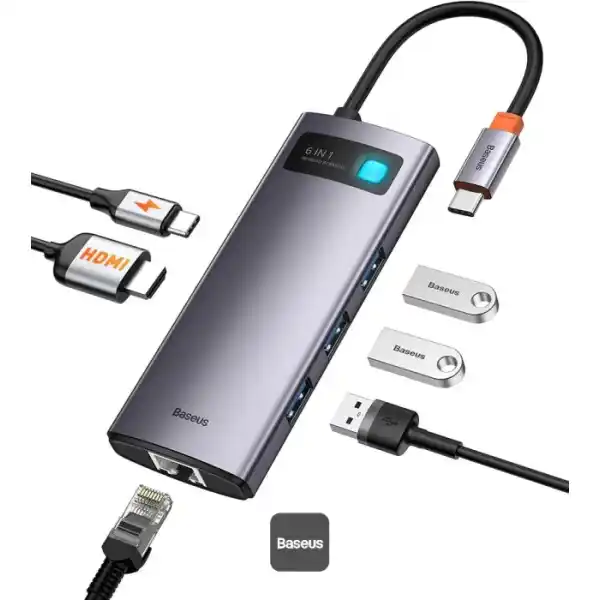
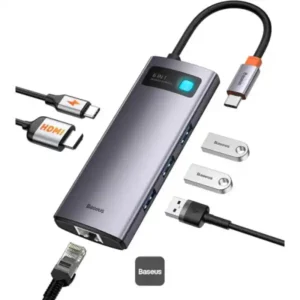
The newer Baseus Metal Gleam Series II configuration offers six functions through a single USB-C connection: HDMI output up to 4K@60Hz, two USB-A data ports, one USB-C data port, a USB-C PD charging port rated for up to 100W input and a Gigabit Ethernet port. The USB data ports support transfer speeds of up to 10Gbps, depending on the connected device and storage hardware.
Whether you work with multiple peripherals, connect a laptop to an external monitor, transfer large files or prefer a wired internet connection, this Baseus USB-C docking hub helps keep your workspace organized while expanding everyday connectivity.
Common Problems with Laptop Connectivity
Modern laptops and tablets often prioritize slim, lightweight designs over a large selection of physical ports.
Common limitations include:
- Too few USB ports for accessories
- No full-size HDMI output
- No built-in RJ45 Ethernet port
- Difficulty connecting several peripherals at once
- Limited options for wired networking
- The need to connect a separate charger while working
- Extra adapters cluttering a desk or travel bag
A multifunctional USB-C hub can address many of these connectivity needs through one compact adapter.
Smart Solution: Six Functions in One USB-C Hub
The Baseus Metal Gleam hub combines display output, data connectivity, network access and power pass-through in one device.
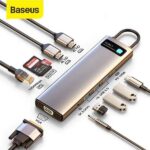
Its six output functions include:
- 1 × HDMI port
- 2 × USB-A data ports
- 1 × USB-C data port
- 1 × USB-C PD charging port
- 1 × RJ45 Gigabit Ethernet port
The hub connects to a compatible device through its USB-C host connector. The exact display and data capabilities depend on the hub version and the host device’s USB-C specifications.
Key Features
1. Six-in-One Connectivity
Connect an external display, USB accessories, storage devices, a wired network and a compatible USB-C charger using one compact adapter.
This can help reduce cable clutter and make a laptop workspace more convenient.
2. 4K@60Hz HDMI Output
The newer Series II configuration supports HDMI output up to 4K at 60Hz, making it suitable for compatible monitors, TVs and projectors.
Use the HDMI port for presentations, office work, supported video playback and extending your laptop’s display.
Important: 4K@60Hz output requires a compatible host device, display, HDMI cable and supported video-output mode. The older CAHUB-CW0G version is specified for 4K@30Hz instead.
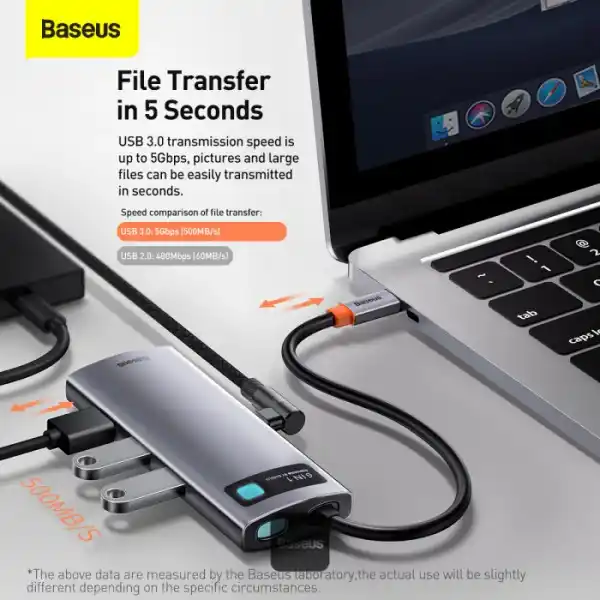
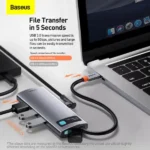
3. Up to 10Gbps USB 3.2 Data Transfer
The Series II hub features two USB-A data ports and one USB-C data port, each specified for transfer speeds of up to 10Gbps.
Connect compatible external SSDs, flash drives, keyboards, mice and other USB peripherals. Actual transfer speeds depend on the connected device, cable, storage hardware and host interface.
4. 100W USB-C PD Pass-Through Charging
The USB-C PD port supports up to 100W input for pass-through charging when used with a compatible USB-C Power Delivery charger.
This allows you to charge a compatible laptop while using the hub’s other functions.
Note: The 100W rating refers to the hub’s maximum supported PD input. It does not guarantee that the connected laptop receives the full 100W; actual power delivery depends on the charger, host device and hub’s power requirements.
5. Gigabit Ethernet for Wired Networking
The RJ45 port supports network speeds of up to 1000Mbps, with compatibility for lower-speed 10Mbps and 100Mbps networks.
A wired connection can be useful for desktop work, video meetings, large downloads and other tasks where a stable network connection is preferred.
6. Premium Aluminum-Alloy Body
The Metal Gleam Series II uses an aluminum-alloy housing with a refined finish. Its compact construction is designed for everyday use at home, in the office or while travelling.
7. Compact and Portable Design
The hub is small enough to carry with a laptop or keep in a desk drawer. The Series II version is listed at approximately 125 × 49 × 16mm and around 96g, although measurements can vary slightly by listing.
8. Plug-and-Play Convenience
The hub is designed for straightforward connection to compatible USB-C devices. Supported operating systems include Windows, macOS and Linux, though individual features depend on the host device and its hardware support.
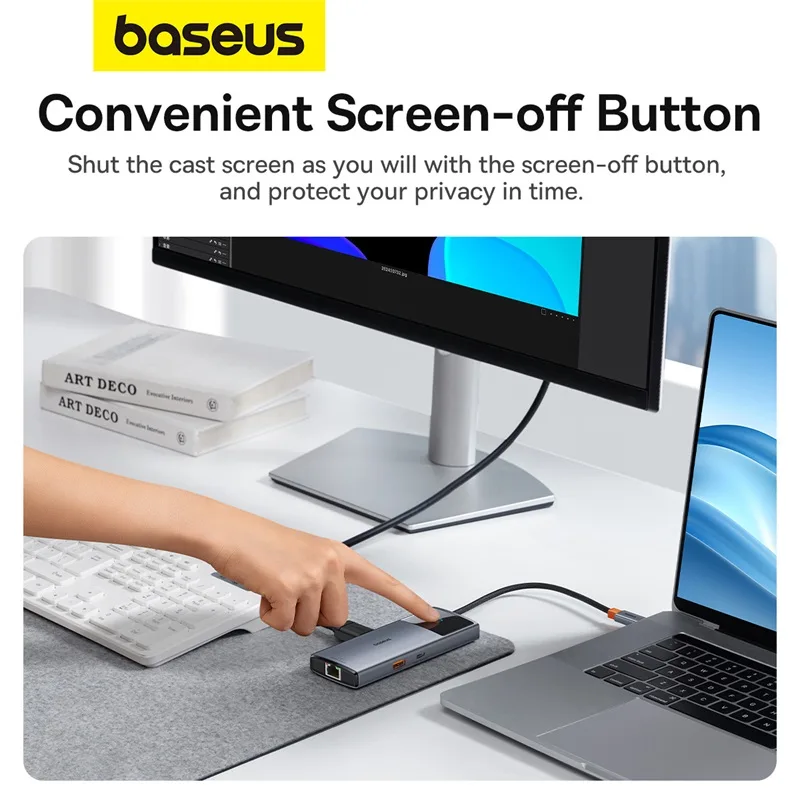
9. One-Click Screen-Off Button
The newer Series II configuration includes a screen-off button intended to provide convenient control of the connected display output. This feature is specific to the relevant Series II version and should not be assumed to exist on every Metal Gleam 6-in-1 hub.
Benefits of Baseus Metal Gleam 6-in-1 USB-C Hub
- Expands a compatible USB-C device’s connectivity
- HDMI output up to 4K@60Hz on the Series II version
- Up to 10Gbps USB data transfer
- Three USB data ports
- Up to 100W PD pass-through input
- Gigabit Ethernet for wired networking
- Aluminum-alloy construction
- Compact, travel-friendly design
- Connects multiple types of peripherals
- Helps reduce adapter and cable clutter
- Useful for home, office and study setups
Perfect For
Laptop Users
Expand the ports on a compatible USB-C laptop for displays, storage and accessories.
MacBook Users
Connect compatible MacBook models to an external HDMI monitor, USB accessories and wired Ethernet. Display support depends on the MacBook model.
Office Professionals
Use a monitor, keyboard, mouse, storage devices and wired networking through one hub.
Students
Connect compatible laptops to classroom projectors, external displays and USB accessories.
Content Creators
Transfer files from compatible USB storage devices and connect to an external display while working.
Remote Workers
Combine a wired network connection, external monitor and peripherals for a more convenient home-office setup.
Why Choose Baseus Metal Gleam 6-in-1?
The Baseus Metal Gleam hub is designed to bring several everyday connectivity functions together without requiring a bulky docking station.
Its combination of HDMI output, USB data ports, PD pass-through charging and Gigabit Ethernet makes it useful for people who regularly move between workspaces or want a cleaner desk setup.
For buyers who need 4K@60Hz and 10Gbps USB data, it is especially important to select the newer Series II configuration rather than the older CAHUB-CW0G model.
Baseus Metal Gleam Series II vs. Older Metal Gleam Hub
| Feature |
Metal Gleam Series II |
Older CAHUB-CW0G |
| HDMI output |
Up to 4K@60Hz |
Up to 4K@30Hz |
| USB data speed |
Up to 10Gbps |
Up to 5Gbps |
| USB data ports |
2 × USB-A + 1 × USB-C |
3 × USB-A |
| PD charging |
Up to 100W input |
Up to 100W input |
| Ethernet |
Gigabit, up to 1000Mbps |
Gigabit, up to 1000Mbps |
| Screen-off button |
Listed on Series II |
Not listed on the older configuration |
| Housing |
Aluminum alloy |
Aluminum alloy |
Specifications are based on the listed Series II and CAHUB-CW0G configurations. Confirm the model number and port layout of the supplied unit before publishing or ordering.
How to Use Baseus Metal Gleam 6-in-1 USB-C Hub
Step 1: Check Your Device
Confirm that your laptop, tablet or other host device has a compatible USB-C port. For HDMI output, the host USB-C port must support video output, such as DisplayPort Alt Mode or a compatible equivalent.
Step 2: Connect the Hub
Plug the hub’s USB-C connector into the host device.
Step 3: Connect an External Display
Connect an HDMI cable from the hub to a compatible monitor, TV or projector.
Step 4: Attach USB Accessories
Connect supported peripherals or storage devices to the USB-A and USB-C data ports.
Step 5: Connect Wired Ethernet
Attach an Ethernet cable to the RJ45 port and connect it to a compatible router, switch or network outlet.
Step 6: Connect a USB-C Charger
If you want to charge your laptop while using the hub, connect a compatible USB-C PD charger to the PD port.
Recommended Use Cases
External Monitor Setup
Connect a compatible 4K display for additional workspace or presentations.
File Transfers
Use the USB data ports with compatible high-speed storage devices.
Stable Wired Internet
Connect to Gigabit Ethernet for a wired network connection where available.
Home Office
Use the hub to connect your monitor, keyboard, mouse and network cable while keeping the laptop charged.
Travel and Presentations
Carry one adapter for compatible displays, USB accessories and networking at different work locations.
Cleaning & Maintenance
- Disconnect the hub before cleaning.
- Wipe the housing with a soft, dry cloth.
- Keep the ports free from dust and debris.
- Avoid liquids and excessive moisture.
- Do not bend or pull the integrated cable forcefully.
- Store the hub in a dry location.
- Avoid placing heavy objects on the adapter or cable.
Important Usage Tips
- Confirm the exact model before purchase.
- Verify that your USB-C port supports video output if you plan to use HDMI.
- Use a compatible HDMI cable and display for 4K@60Hz.
- USB transfer speeds depend on the host device and connected peripherals.
- Use a suitable USB-C PD charger for pass-through charging.
- The 100W PD rating is a maximum input rating, not a guarantee of 100W laptop charging.
- Gigabit Ethernet performance depends on your router, network cable, internet service and connected device.
- A hub cannot add features that the host device does not support.
Product Specifications
| Specification |
Details |
| Brand |
Baseus |
| Product Series |
Metal Gleam Series II |
| Product Type |
6-in-1 USB-C Hub |
| Model / SKU |
B00061802813-00 for the Series II configuration |
| Host Connector |
USB-C |
| HDMI Output |
Up to 4K@60Hz |
| USB-A Data Ports |
2 × USB-A, up to 10Gbps each |
| USB-C Data Port |
1 × USB-C, up to 10Gbps |
| USB-C PD Port |
Up to 100W input |
| Ethernet |
RJ45 Gigabit Ethernet, up to 1000Mbps |
| Housing Material |
Aluminum alloy |
| Approx. Dimensions |
125 × 49 × 16mm |
| Approx. Weight |
96g |
| Compatibility |
Compatible USB-C devices supporting the required functions |
| Operating Systems |
Windows, macOS, Linux; feature support varies |
| Color |
Space Gray |
Specifications refer to the newer Series II configuration. The older CAHUB-CW0G version differs in HDMI refresh rate, USB data speed and port layout.
What’s in the Box?
Typical Series II package contents include:
- 1 × Baseus Metal Gleam 6-in-1 USB-C Hub
- 1 × User Manual
- Warranty documentation where supplied
A compatible USB-C PD charger and HDMI cable may need to be purchased separately. Confirm the actual package contents with the seller.
Who Should Buy This Product?
The Baseus Metal Gleam 6-in-1 USB-C Hub is suitable for people who:
- Need more ports on a compatible USB-C laptop
- Want to connect an external monitor
- Require fast USB data connections
- Prefer wired Gigabit Ethernet
- Want pass-through charging
- Need a compact aluminum-alloy hub for travel
- Want to simplify their home or office workspace
Why Buy from AIYOZON?
When purchasing the Baseus Metal Gleam 6-in-1 USB-C Hub from AIYOZON, you can enjoy a convenient shopping experience for useful laptop and connectivity accessories.
- Clear product information
- Convenient online ordering
- Product-focused customer support
- Delivery support across Bangladesh
- Access to practical tech accessories
Check the exact model, supported features, warranty terms and included accessories before placing your order.
Frequently Asked Questions
What is the Baseus Metal Gleam 6-in-1 USB-C Hub?
It is a USB-C connectivity adapter that combines HDMI, USB data ports, a USB-C PD charging port and Gigabit Ethernet in one compact device.
Does it support 4K output?
The newer Metal Gleam Series II version supports HDMI output up to 4K@60Hz. The older CAHUB-CW0G model is specified for 4K@30Hz, so check the model before buying.
Does it support 10Gbps data transfer?
Yes. The Series II version lists two USB-A data ports and one USB-C data port supporting up to 10Gbps. The older CAHUB-CW0G version supports up to 5Gbps.
Can I charge my laptop through the hub?
Yes, if the laptop and charger support USB-C Power Delivery. The hub’s PD port supports up to 100W input, but actual laptop charging power may be lower.
Does it have an Ethernet port?
Yes. The Series II configuration includes an RJ45 Gigabit Ethernet port supporting up to 1000Mbps.
Is it compatible with MacBook?
It works with compatible MacBook models that support the required USB-C functions. HDMI output depends on the particular MacBook’s video-output support.
Can I use it with Windows laptops?
Yes, with compatible USB-C laptops. Individual functions such as HDMI video output depend on the device’s hardware and port specifications.
Does it require drivers?
It is designed for plug-and-play operation on supported systems, though operating-system and device compatibility may affect individual functions.
Does the package include a charger?
A charger is not typically included in the standard hub package. Check the specific seller’s package details before ordering.
Is this the same as the Baseus CAHUB-CW0G?
No. The older CAHUB-CW0G has a different port configuration, 5Gbps USB data and 4K@30Hz HDMI. The newer Series II model supports 10Gbps USB data and 4K@60Hz HDMI.
Final Verdict
The Baseus Metal Gleam 6-in-1 USB-C Hub is a practical accessory for expanding connectivity on compatible USB-C devices. The newer Series II version combines 4K@60Hz HDMI, 10Gbps USB data transfer, 100W PD pass-through input and Gigabit Ethernet in a compact aluminum-alloy body.
For work, study, presentations and home-office setups, it can reduce the need for multiple separate adapters while providing convenient access to displays, storage devices and wired networking.
Upgrade Your Laptop Connectivity
- 6-in-1 USB-C hub
- Up to 4K@60Hz HDMI output
- Up to 10Gbps USB data transfer
- Up to 100W PD pass-through input
- Gigabit Ethernet
- Compact aluminum-alloy construction
👉 Order the Baseus Metal Gleam 6-in-1 USB-C Hub from AIYOZON and expand your compatible laptop’s connectivity with one compact adapter.






















Reviews
There are no reviews yet.