

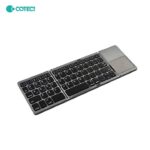
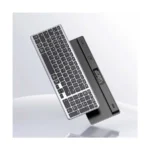

NILLKIN Cube Pocket Foldable Bluetooth Keyboard with Touchpad – 64-Key Wireless Keyboard for Phone, Tablet & Laptop
Original price was: 4,990.00৳ .4,590.00৳ Current price is: 4,590.00৳ .
NILLKIN Cube Pocket Foldable Bluetooth Keyboard with Touchpad – 64-Key Wireless Keyboard for Phone, Tablet & Laptop
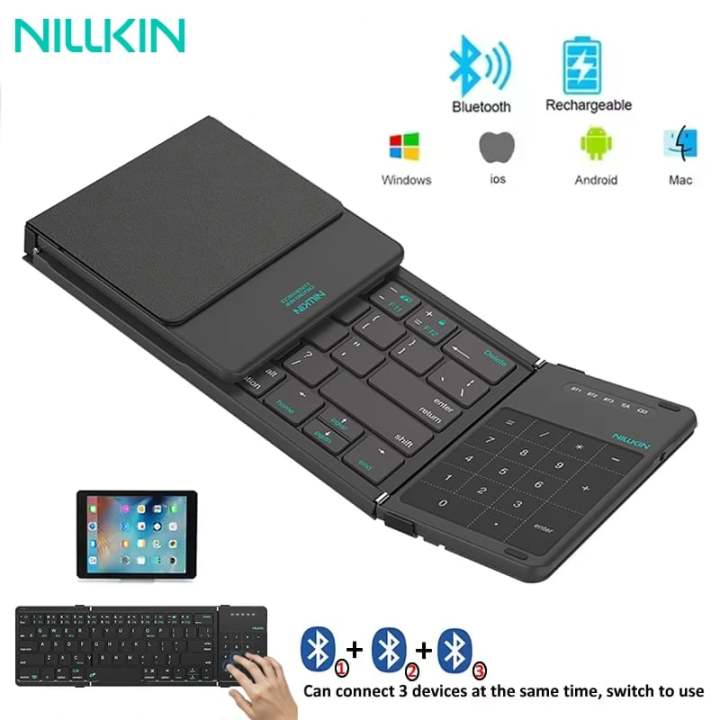
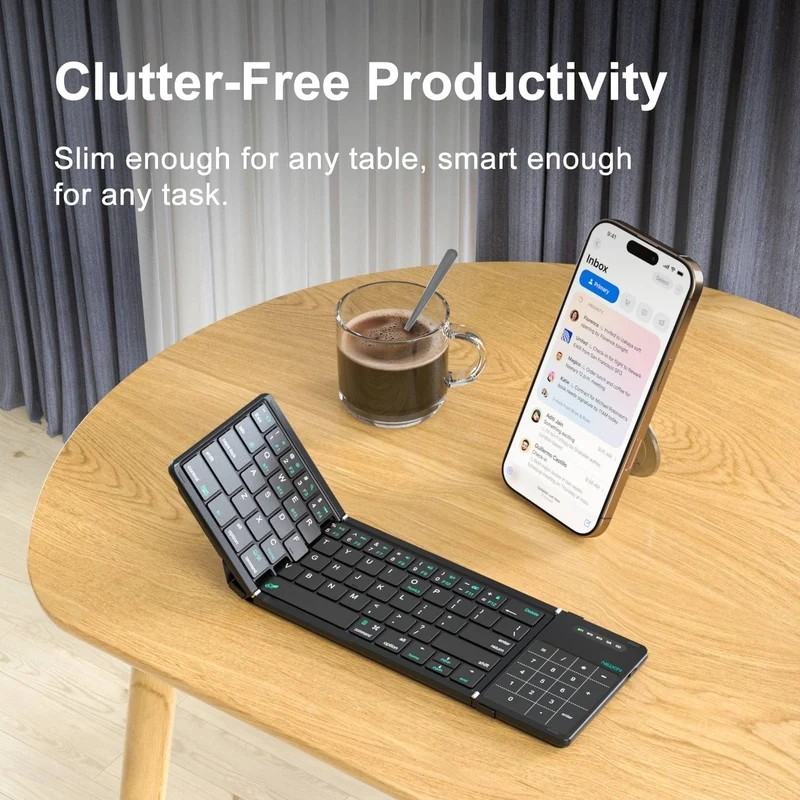
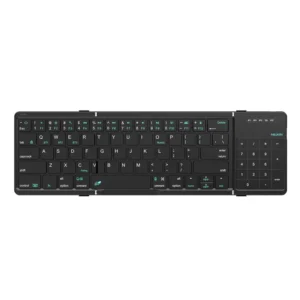
The NILLKIN Cube Pocket Foldable Bluetooth Keyboard with Touchpad is a compact wireless keyboard designed for people who want to work, study, write and browse comfortably while travelling. Its three-fold design, integrated touchpad and lightweight construction make it a practical companion for smartphones, tablets and compatible laptops.
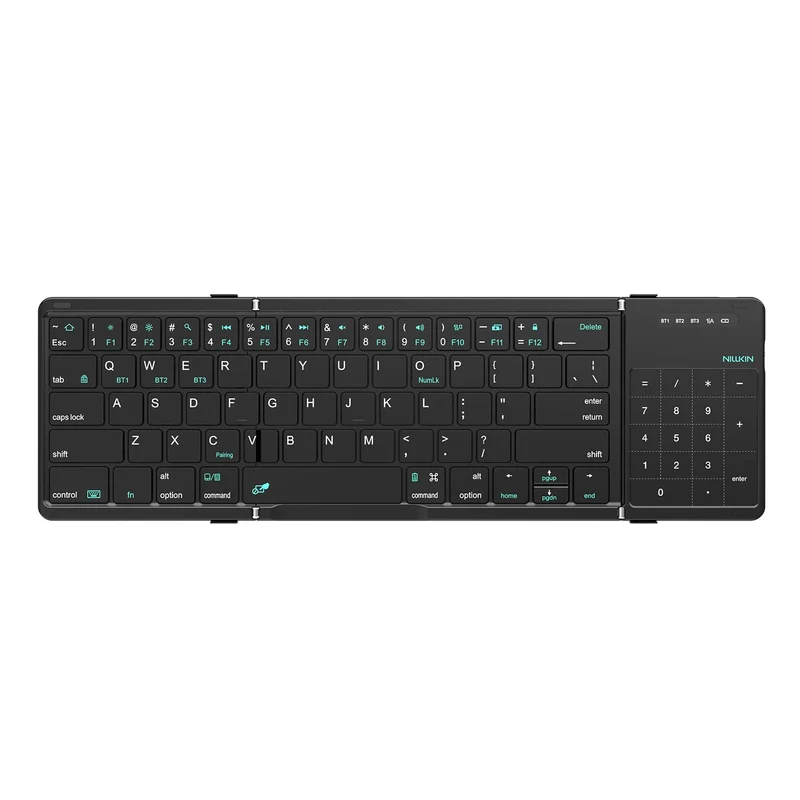
Featuring a 64-key layout, Bluetooth 5.0 connectivity and support for up to three paired devices, the Cube Pocket helps you create a portable workspace without carrying a full-size keyboard and a separate mouse. Its scissor-switch keys provide a quiet, responsive typing experience, while the built-in touchpad supports convenient cursor navigation.
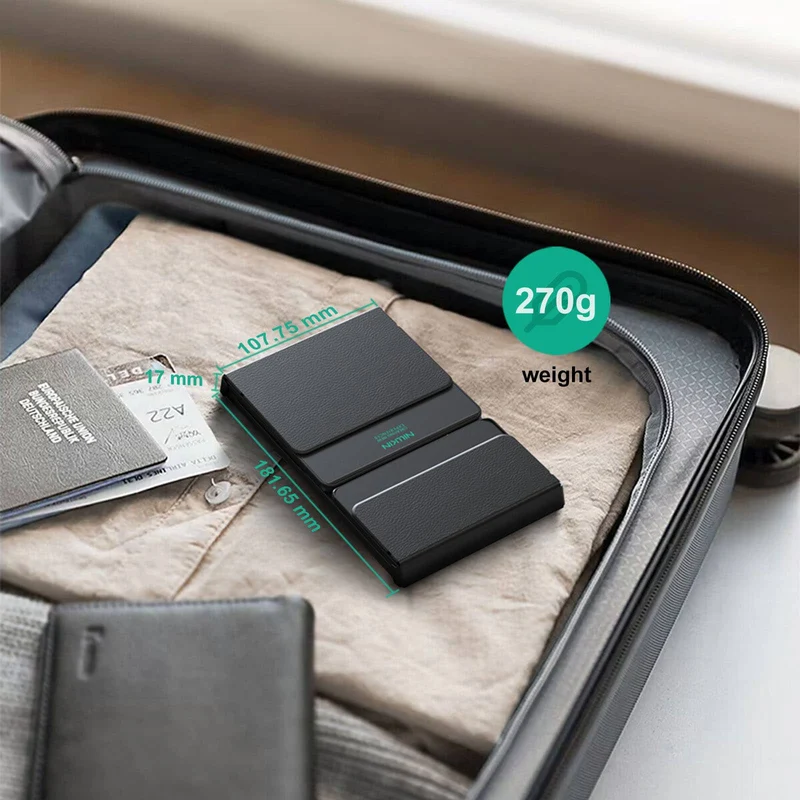
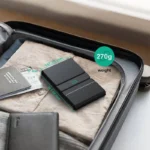
Weighing approximately 270g and measuring around 182 × 108 × 16mm when folded, this NILLKIN keyboard is designed for mobile productivity, remote work, online learning and everyday travel. It also features a rechargeable battery and USB-C charging for convenient use on the go.
Common Problems with Portable Typing
Typing on a smartphone or tablet can be inconvenient when you need to write longer messages, documents or emails.
Common challenges include:
- Small on-screen keyboards that limit typing comfort
- Fingerprints and screen clutter from constant typing
- Carrying a separate mouse and keyboard
- Bulky accessories that take up bag space
- Switching between multiple devices during work
- No convenient physical keyboard for mobile productivity
The NILLKIN Cube Pocket combines a physical keyboard and touchpad in one foldable accessory to help simplify your mobile workspace.
Smart Solution: A Foldable Keyboard with Built-In Touchpad
The NILLKIN Cube Pocket Foldable Bluetooth Keyboard combines portable typing, wireless connectivity and touchpad navigation in one compact device.
Its three-fold construction makes it easy to store when not in use. When unfolded, it provides a practical typing surface for compatible smartphones, tablets and computers.
The integrated touchpad reduces the need to carry a separate mouse, while Bluetooth connectivity allows you to pair the keyboard with multiple devices and switch between them as needed. citeturn113776search1turn113776search2
Key Features
1. Three-Fold Portable Design
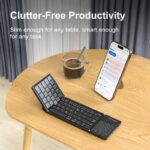
The keyboard folds into a compact form for convenient storage in a backpack, handbag, laptop bag or travel pouch.
Its folded dimensions of approximately 182 × 108 × 16mm make it suitable for people who need a portable typing solution without carrying bulky accessories. citeturn113776search1
2. Built-In Touchpad
The integrated touchpad lets you control the cursor and navigate compatible devices without requiring a separate mouse.
Depending on the connected operating system, supported touchpad functions can include cursor movement, scrolling and multi-touch gestures. The touchpad also incorporates anti-mistouch functionality and can automatically disable while typing. citeturn113776search1
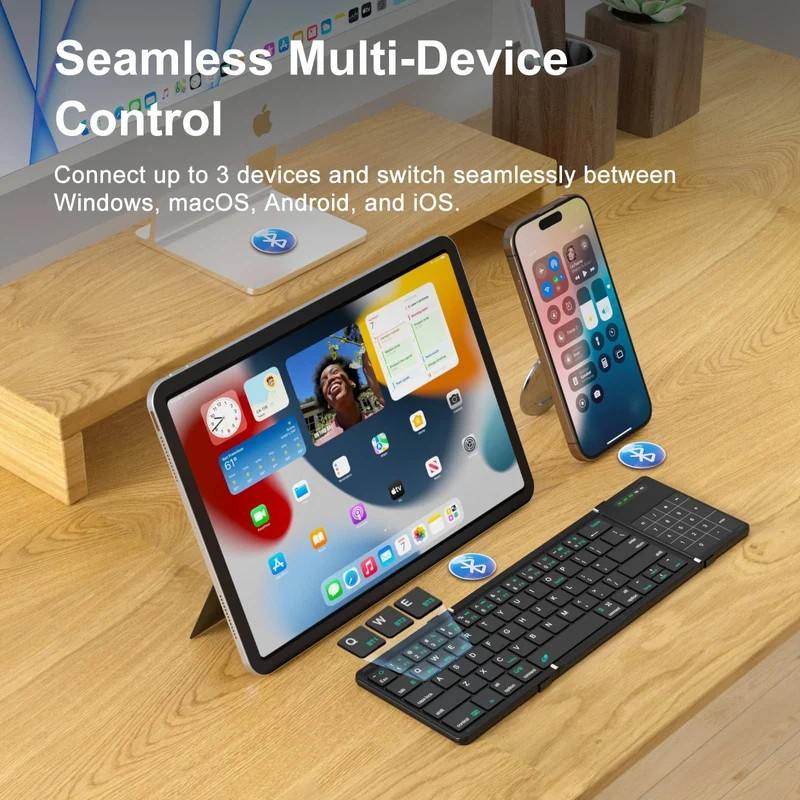
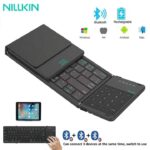
3. Connect Up to Three Devices
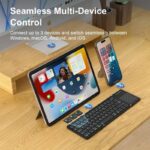
The keyboard supports pairing with up to three Bluetooth devices, allowing you to use it with a combination of compatible phones, tablets and computers.
Switching between paired devices makes it convenient to move between work, communication and study tasks without repeatedly pairing the keyboard. citeturn113776search1turn113776search2
4. Bluetooth 5.0 Connectivity
Bluetooth 5.0 provides wireless connectivity without requiring a dedicated USB receiver.
The listed wireless operating range is approximately 10 metres, although the actual range can vary depending on obstacles, interference and the connected device. citeturn113776search1
5. Compact 64-Key Layout
The 64-key layout provides essential typing functions in a space-saving format.
It is designed for everyday tasks such as writing emails, taking notes, editing documents, messaging and browsing the web. As a compact keyboard, its key arrangement differs from a full-size desktop keyboard.
6. Quiet Scissor-Switch Keys
The scissor-switch mechanism is designed to provide responsive keystrokes with a quiet typing feel.
This makes the keyboard suitable for environments where loud typing can be distracting, including libraries, classrooms, offices and shared workspaces. citeturn113776search1
7. Lightweight 270g Construction
At approximately 270g, the Cube Pocket is easy to carry alongside a tablet or smartphone.
Its lightweight design is useful for students, digital marketers, remote workers and frequent travellers who need to type while away from their main desk. citeturn113776search1
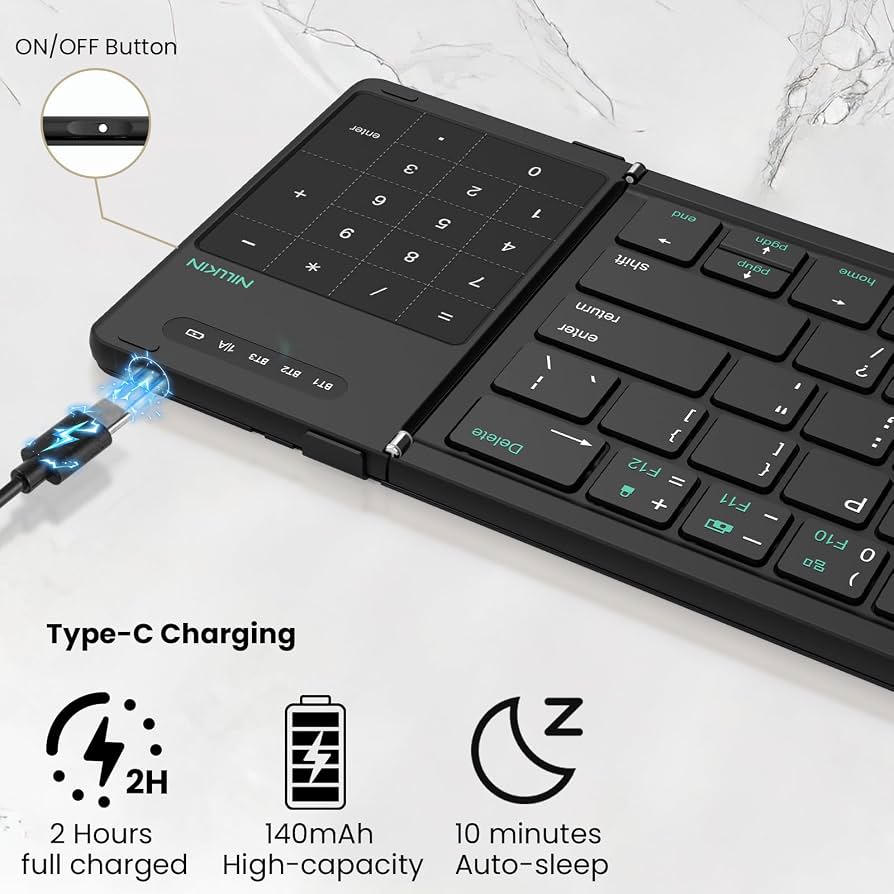
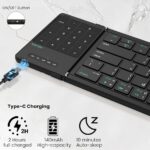
8. Rechargeable Battery with USB-C
The keyboard features a built-in 140mAh rechargeable battery and USB-C charging.
NILLKIN lists up to approximately 10 hours of use per charge, depending on operating conditions. The keyboard also enters sleep mode after around 10 minutes of inactivity to conserve power. citeturn113776search1
9. Automatic System Adaptation
The keyboard supports iOS, Android, Windows and macOS. Its system-adaptation features help configure keyboard behaviour for supported operating systems.
Actual shortcut availability and touchpad gestures can differ between devices and operating-system versions. citeturn113776search1turn113776search2
10. Stable Typing Surface
Anti-slip pads help keep the keyboard stable on a suitable flat surface while typing.
This provides a more dependable setup for writing, messaging and document editing in temporary workspaces. citeturn113776search1
Key Benefits
- Foldable three-section design
- Integrated touchpad for cursor navigation
- Bluetooth 5.0 wireless connectivity
- Connect and switch between up to three paired devices
- Compact 64-key layout
- Quiet scissor-switch keys
- Lightweight construction at approximately 270g
- USB-C rechargeable battery
- Up to approximately 10 hours of listed use
- Supports iOS, Android, Windows and macOS
- Convenient for mobile work and travel
- Helps reduce the need to carry a separate mouse
Perfect For
The NILLKIN Cube Pocket keyboard is suitable for:
- iPad users: Type notes, emails and documents on compatible iPads.
- Smartphone users: Make longer messages and text-based tasks easier.
- Android tablet users: Create a portable workspace for study or productivity.
- Students: Write assignments, take notes and complete online learning tasks.
- Remote workers: Work from cafés, co-working spaces and temporary desks.
- Digital marketers: Write content, manage documents and respond to messages while travelling.
- Business travellers: Carry a compact keyboard for meetings and work trips.
- Laptop users: Add a lightweight keyboard option for flexible work setups.
Why Choose NILLKIN Cube Pocket?
A standard wireless keyboard can be inconvenient when you need to travel light. A separate mouse adds another accessory to carry and charge.
The NILLKIN Cube Pocket Foldable Bluetooth Keyboard brings typing and touchpad control together in a compact, foldable design. Its multi-device Bluetooth support is particularly useful if you regularly switch between a phone, tablet and computer.
It is a practical choice for people who value portability and convenience over the larger key layout of a full-size keyboard.
NILLKIN Cube Pocket vs. a Standard Wireless Keyboard
| Feature | NILLKIN Cube Pocket | Standard Wireless Keyboard |
|---|---|---|
| Folding Design | Three-fold | Usually fixed |
| Connection | Bluetooth 5.0 | Varies |
| Integrated Touchpad | Yes | Depends on model |
| Paired Devices | Up to 3 | Varies |
| Key Layout | 64 keys | Varies |
| Key Mechanism | Scissor switch | Varies |
| Weight | Approx. 270g | Varies |
| Charging | USB-C | Battery or rechargeable |
| Portability | High | Depends on size |
| Best Use | Mobile productivity | Desk-based typing |
How to Use the NILLKIN Cube Pocket Keyboard
Step 1: Unfold the Keyboard
Open the three-fold keyboard carefully and place it on a stable, flat surface.
Step 2: Turn On the Keyboard
Switch on the keyboard according to the instructions supplied with your unit.
Step 3: Select a Bluetooth Channel
Choose one of the available Bluetooth channels for the device you want to connect.
Step 4: Enter Pairing Mode
Follow the keyboard’s pairing instructions. The official product guide specifies selecting a Bluetooth channel with the corresponding Fn shortcut and then using Fn + C to enter pairing mode. citeturn113776search1
Step 5: Connect Your Device
Open Bluetooth settings on your phone, tablet or computer, select the keyboard when it appears, and complete pairing.
Step 6: Start Typing
Use the physical keys for typing and the integrated touchpad for supported cursor-control functions.
Step 7: Switch Between Devices
Use the corresponding Bluetooth channel shortcut to switch between previously paired devices.
Step 8: Recharge When Needed
Connect the supplied USB-C charging cable to a suitable power source when the battery needs charging.
Recommended Use Cases
Writing Emails and Documents
Type longer messages, reports and documents more comfortably than with an on-screen keyboard.
Online Study
Use the keyboard for assignments, research notes, online classes and text-based work.
Content Creation
Draft social media captions, blog outlines, product descriptions and other text content from a compatible mobile device.
Travel and Business Meetings
Carry the folded keyboard to create a temporary workspace in hotels, cafés or meeting rooms.
Multi-Device Workflows
Pair the keyboard with up to three compatible devices and switch between them when moving between tasks.
Cleaning & Maintenance
To keep the keyboard in good condition:
- Fold and store it carefully when not in use.
- Wipe the keys and touchpad with a soft, dry cloth.
- Avoid spraying liquid directly onto the keyboard.
- Keep the USB-C port free from dust and moisture.
- Do not force the hinges or folding sections.
- Recharge using a compatible USB power source.
- Follow the manufacturer’s instructions for storage and cleaning.
Important Usage Tips
- Confirm that your device supports Bluetooth keyboard input.
- Check operating-system compatibility before purchasing.
- Remember that shortcut keys and touchpad gestures may vary by operating system.
- Place the keyboard on a stable surface before typing.
- Avoid applying excessive pressure to the folding joints.
- Do not expose the keyboard to water or excessive moisture.
- Keep the keyboard charged for uninterrupted use.
- Choose the correct keyboard layout for your preferred language when ordering.
Compatibility note: NILLKIN lists support for iOS, Android, Windows and macOS, but some keyboard shortcuts and touchpad functions may behave differently depending on the device and operating-system version. citeturn113776search1turn113776search2
Product Specifications
| Specification | Details |
|---|---|
| Brand | NILLKIN |
| Product Name | Cube Pocket Foldable Bluetooth Keyboard |
| Product Type | Foldable Wireless Keyboard |
| Connection | Bluetooth 5.0 |
| Bluetooth Channels | Up to 3 devices |
| Key Layout | 64 keys |
| Key Mechanism | Scissor switch |
| Touchpad | Integrated touchpad with navigation functions |
| Folding Design | Three-fold |
| Open Dimensions | Approx. 342 × 108 × 9.5mm |
| Folded Dimensions | Approx. 182 × 108 × 16mm |
| Weight | Approx. 270g |
| Battery Capacity | 140mAh |
| Charging Port | USB-C |
| Charging Input | 5V⎓1A listed |
| Listed Usage Time | Up to approximately 10 hours |
| Auto-Sleep | Approx. 10 minutes of inactivity |
| Wireless Range | Approx. 10m |
| Compatible Systems | iOS, Android, Windows, macOS |
| Body Material | ABS + silicone, according to product listing |
| Keyboard Layout Options | US English and selected regional layouts, depending on stock |
| Colour Options | Varies by available edition |
| Intended Use | Mobile productivity, study, travel and office work |
Specifications are based on NILLKIN’s product listings. Confirm the selected colour and keyboard-language layout before ordering. citeturn113776search1turn113776search2
What’s in the Box?
The standard package is listed as including:
- 1 × NILLKIN Cube Pocket Foldable Bluetooth Keyboard
- 1 × USB-C Charging Cable
- 1 × Storage Bag
- 1 × User Manual
Package contents may vary by edition or seller, so confirm the supplied accessories before purchase. citeturn113776search1
Who Should Buy This Product?
Choose the NILLKIN Cube Pocket if you want:
- A compact foldable keyboard for travel
- A built-in touchpad without carrying a separate mouse
- Bluetooth connectivity for multiple devices
- A rechargeable USB-C keyboard
- A lightweight accessory for a phone or tablet
- Quiet typing for study or office use
- A portable solution for mobile productivity
If you primarily work at a fixed desk and prefer a full-size layout with dedicated navigation and function keys, a standard desktop keyboard may be more suitable.
Why Buy from AIYOZON?
When you purchase the NILLKIN Cube Pocket Foldable Bluetooth Keyboard with Touchpad from AIYOZON, you can enjoy a convenient shopping experience for practical technology accessories.
- Clear product information
- Convenient online ordering
- Support with product-related questions
- Delivery options across Bangladesh
- Access to useful mobile productivity gadgets
Check the selected keyboard layout, colour, package contents and compatibility before placing your order.
Frequently Asked Questions
Does the NILLKIN Cube Pocket have a touchpad?
Yes. It includes an integrated touchpad for cursor navigation and supported gestures.
How many devices can it connect to?
It supports pairing with up to three Bluetooth devices, with channel shortcuts for switching between them. citeturn113776search1
Is it compatible with iPad and iPhone?
NILLKIN lists compatibility with iOS devices. Actual touchpad features and keyboard shortcuts depend on the device and operating-system version. citeturn113776search2
Can I use it with Android phones and tablets?
Yes, it is listed as compatible with Bluetooth-enabled Android devices.
Does it work with Windows and Mac?
Yes. NILLKIN lists Windows and macOS among the supported operating systems. citeturn113776search1
How does the keyboard charge?
It uses a rechargeable battery and a USB-C charging port.
How long does the battery last?
NILLKIN lists up to approximately 10 hours of use per charge. Actual battery life depends on usage and operating conditions. citeturn113776search1
Is the keyboard suitable for travel?
Yes. Its three-fold design, approximately 270g weight and compact folded size make it suitable for bags and travel kits.
Does it replace a full-size keyboard?
It provides essential typing functions in a 64-key layout, but its compact arrangement is different from a full-size desktop keyboard.
Does the keyboard include a mouse?
No separate mouse is listed in the standard package. The keyboard has an integrated touchpad for supported navigation functions.
Final Verdict
The NILLKIN Cube Pocket Foldable Bluetooth Keyboard with Touchpad is a useful accessory for people who want a portable typing solution for smartphones, tablets and compatible computers.
Its three-fold design, 64-key layout, Bluetooth 5.0, support for up to three devices, integrated touchpad, quiet scissor-switch keys and USB-C rechargeable battery make it well suited to mobile productivity, study, travel and flexible workspaces. citeturn113776search1turn113776search2
Make Your Mobile Workspace More Productive
- ✔ Three-fold portable design
- ✔ Built-in touchpad
- ✔ Bluetooth 5.0 connectivity
- ✔ Pair up to three devices
- ✔ Compact 64-key layout
- ✔ Quiet scissor-switch keys
- ✔ Approx. 270g lightweight construction
- ✔ USB-C rechargeable battery
- ✔ Compatible with iOS, Android, Windows and macOS





Reviews
There are no reviews yet.