





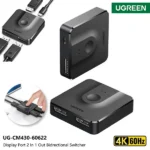



UGREEN CM430 Premium 4K Bi-Directional DisplayPort Switch & Splitter
1,450.00৳
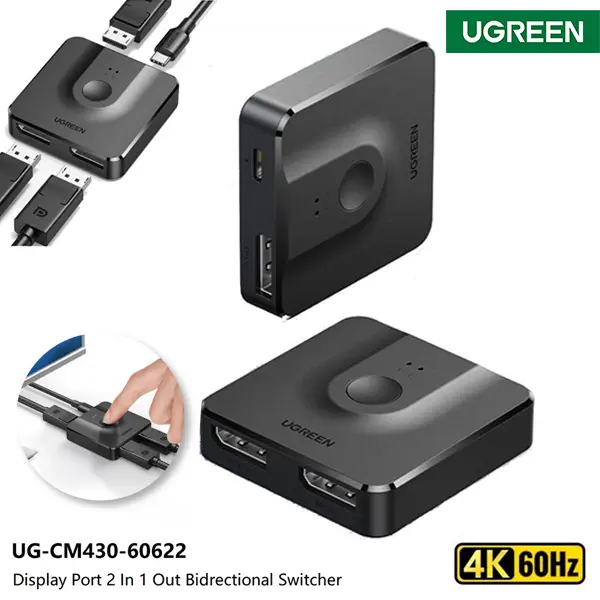
UGREEN CM430 Premium 4K Bi-Directional DisplayPort Switch & Splitter
Convenient Display Switching for Your Computer Setup
Looking for a convenient way to switch between computers and monitors without repeatedly unplugging cables? You can find the UGREEN CM430 DisplayPort Switch at AIYOZON, your convenient destination for computer accessories in Bangladesh. This compact bi-directional switch is designed to help you manage compatible DisplayPort connections more easily, whether you want to share one monitor between two computers or select between two displays connected to one source.
The UGREEN CM430 is useful for home offices, gaming setups, workstations and everyday computer use. With support for DisplayPort 1.2, HDR and HDCP compatibility, it provides a practical solution for managing compatible video connections. Its compact design helps keep your desk organized, while the physical switching button makes changing connections simple. Please note: UGREEN CM430, product code 60622, is commonly listed as a DisplayPort switch, not an HDMI switch. Check your device ports before ordering.
Common Problems with DisplayPort Connections
Modern workstations often use multiple computers, graphics cards and monitors. However, managing their video connections can become frustrating when you have limited display ports or need to switch between devices throughout the day.
Without a suitable switching device, you may need to disconnect cables manually, rearrange your workstation or purchase additional accessories. These inconveniences can interrupt your workflow and make your desk unnecessarily cluttered.
Common problems include:
-
❌ Not having enough available DisplayPort connections.
-
🔄 Repeatedly unplugging cables to switch between computers.
-
💻 Wanting to use one monitor with a work computer and a personal PC.
-
🖥️ Needing to select between two displays connected to one source.
-
⏱️ Losing time changing connections during work or gaming.
-
🧹 Managing messy cables around a computer desk.
-
🎮 Switching between compatible computers used for different tasks.
-
🔌 Finding a simple solution for sharing display equipment.
Smart Solution: UGREEN CM430 DisplayPort Switch
The UGREEN CM430 DisplayPort Switch provides a practical way to manage compatible display connections. Its bi-directional design supports two main arrangements: connecting two DisplayPort sources to one display, or connecting one DisplayPort source to two displays and selecting which display is active. This flexibility makes it useful for people who regularly switch between computers or display devices.
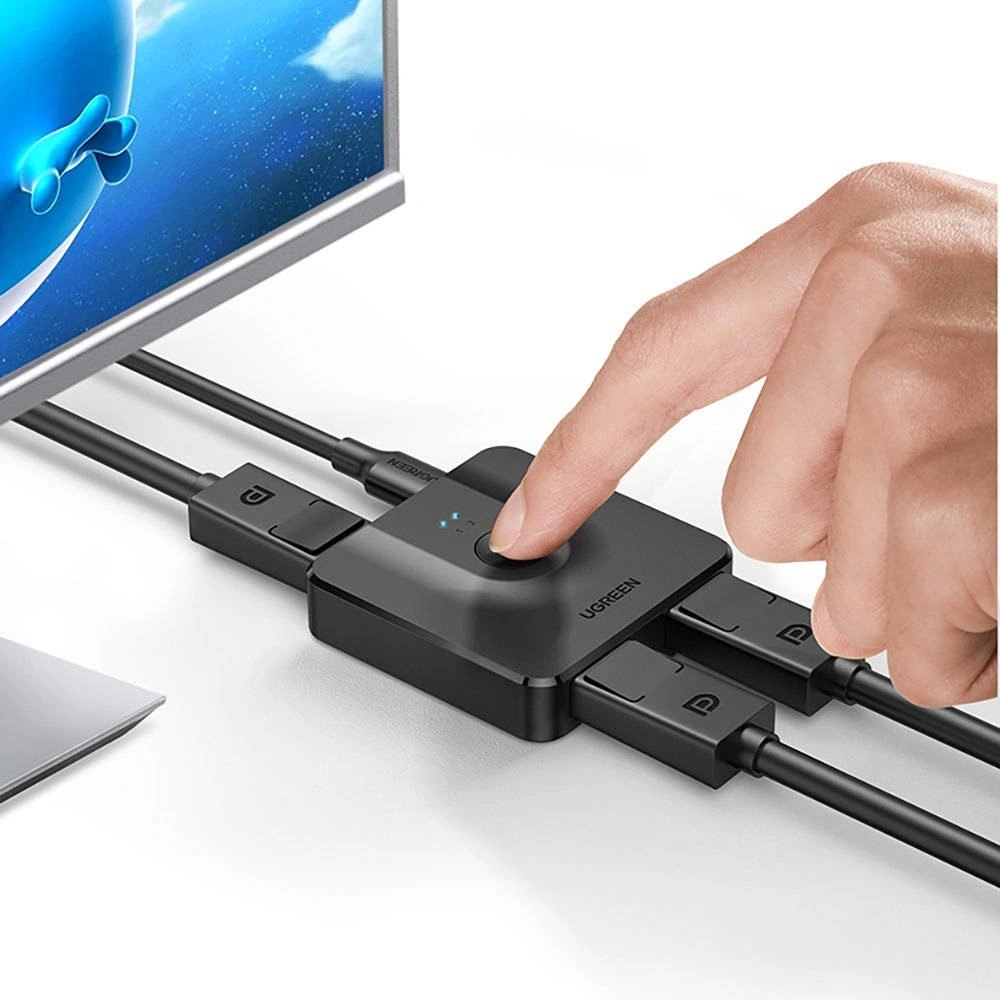
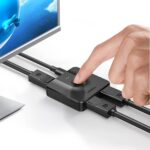
Think of it as a small connection manager for your workstation. Instead of repeatedly removing and reconnecting cables, you can use the physical switching button to select the connection you need. This helps simplify everyday tasks, whether you are moving from office work to personal use or switching between compatible display setups.
The device supports DisplayPort 1.2 and is listed with HDR and HDCP 2.2/1.4 compatibility. Published listings differ on the maximum resolution supported by particular versions, so verify the specifications of your exact unit before advertising 4K@60Hz. The CM430 also includes a USB-C power input for powered operation when required. Its compact design makes it convenient for desks, offices and home entertainment areas.
Key Features
🔄 Bi-Directional DisplayPort Switching
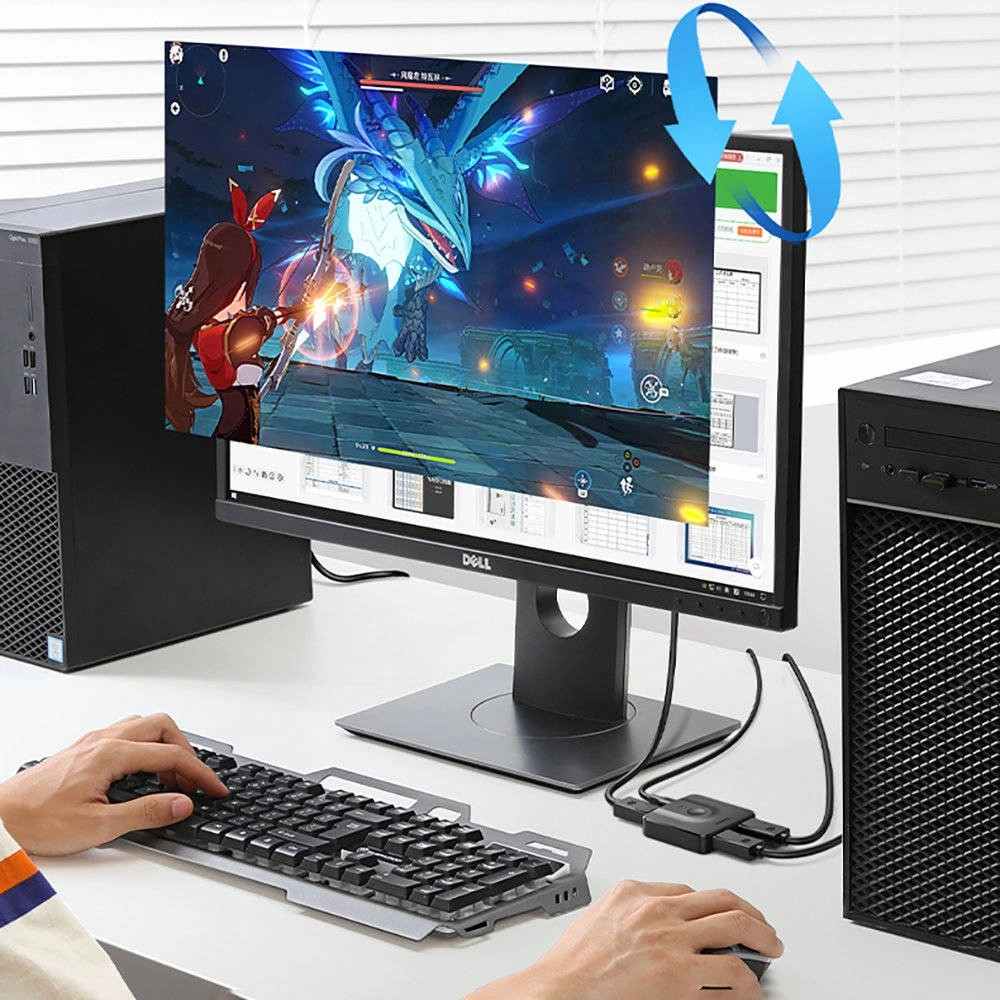
The UGREEN CM430 supports two useful connection arrangements. You can connect two compatible computers to one monitor and switch between them, or connect one source to two displays and select the display you want to use. This flexibility helps simplify setups where display connections need to change frequently.
Remember that it is a switch, not a multi-viewer. In the one-source-to-two-display arrangement, only one selected display is active at a time.
🖥️ High-Resolution Display Support
The CM430 is designed for high-resolution DisplayPort connections and is advertised as a 4K-capable switch. Some product listings specify 4K@60Hz, while others list 4K@30Hz. Check the exact product version before purchasing if a particular resolution or refresh rate is essential to your setup.
Your source device, monitor and DisplayPort cables must also support the desired video output. Using compatible equipment helps you achieve the best available picture quality.
✨ DisplayPort 1.2 Interface
The DisplayPort 1.2 interface supports compatible video connections between computers and monitors. It is suitable for everyday productivity, browsing, presentations and supported multimedia applications.
Actual video performance depends on the capabilities of the connected equipment, the cables used and the specific switch version.
🎨 HDR and HDCP Compatibility
The CM430 is listed with HDR support for compatible sources and displays. HDR can improve the presentation of supported content when all parts of the connection support the required format.
It is also listed with HDCP 2.2 and 1.4 compatibility. This helps with supported protected video content, provided the source, switch and display meet the relevant requirements.
🔘 Simple One-Button Switching
The physical switching button makes changing the active connection straightforward. You do not need to repeatedly remove cables or rearrange your desk every time you want to change sources.
This is particularly useful for shared workstations, home offices and computer setups where two devices use the same monitor.
⚡ USB-C Power Input
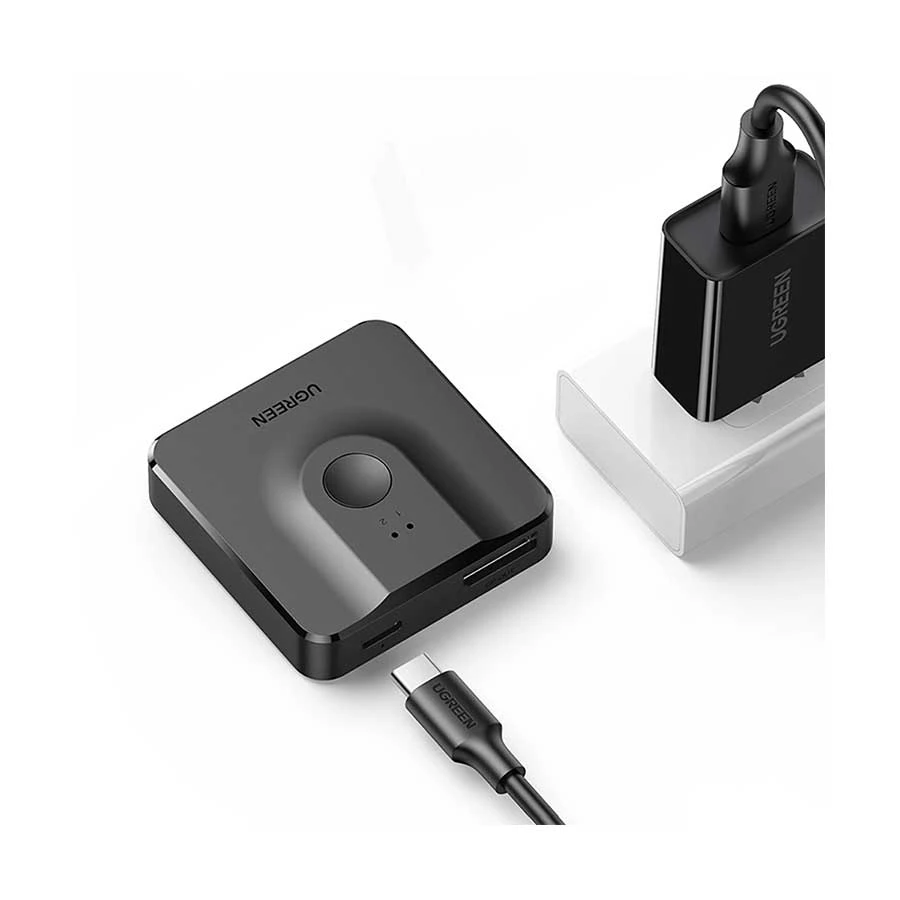
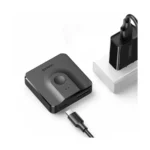
The CM430 is listed with a USB-C power input rated at 5V/1A. Connecting suitable power when required can help the switch operate as intended.
Check the instructions and package contents for the correct power arrangement for your specific unit. The power cable and adapter supplied may vary by seller.
🎒 Compact and Space-Saving Design
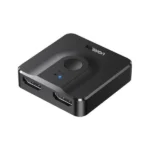
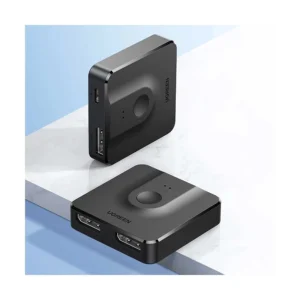
With listed dimensions of approximately 51 × 51 × 13.5 mm, the CM430 has a compact form that fits neatly beside a monitor or computer. It takes up little desk space and helps keep display connections organized.
Its small size makes it practical for home offices, workstations and other setups where desk space is limited.
🔌 Convenient Plug-and-Play Operation
The CM430 is designed for hardware-based switching and generally does not require dedicated driver installation. Connect compatible devices according to the port labels, supply power when required and select the desired connection.
The source devices must still support DisplayPort output, and the displays must have compatible DisplayPort inputs.
Benefits You’ll Enjoy
-
✔️ Convenient switching between compatible computers and displays without repeatedly unplugging cables.
-
✔️ A smarter workstation with fewer interruptions when moving between work and personal devices.
-
✔️ Better desk organization by keeping display connections in one compact location.
-
✔️ Flexible connection options for sharing one monitor or selecting between two displays.
-
✔️ Practical everyday operation with a physical switching button.
-
✔️ Support for compatible high-resolution displays when the exact switch version and connected equipment allow it.
-
✔️ Useful compatibility features including listed HDR and HDCP support.
-
✔️ Space-saving design for small desks, office setups and home workstations.
-
✔️ Reduced cable handling when changing between regularly used devices.
-
✔️ A practical alternative to repeatedly disconnecting and reconnecting display cables.
Perfect For
-
💼 Office professionals who use a work computer and a personal desktop with one monitor.
-
🏠 Home office users who want a more organized computer workspace.
-
🖥️ Desktop PC users who need to switch between compatible DisplayPort sources.
-
🎮 Gamers using compatible DisplayPort-equipped computers and monitors.
-
🎨 Content creators who regularly switch between compatible workstation devices.
-
🎓 Students sharing a monitor between different computers.
-
🏢 Small offices managing shared display equipment.
-
📊 Productivity-focused users who want a straightforward way to change display connections.
-
🧑💻 IT and computer enthusiasts organizing compatible display setups.
-
🎁 Computer accessory buyers looking for a practical connectivity solution for a compatible workstation.
Why Choose the UGREEN CM430 DisplayPort Switch?
The UGREEN CM430 is designed for users who want more convenient control over their DisplayPort connections. Rather than repeatedly unplugging cables when changing computers or displays, you can use a dedicated switching device to select the connection you need. This can make everyday computer use more convenient and help keep your workstation organized.
Its bi-directional design is a key advantage over a basic switch that only supports one connection arrangement. Depending on your setup, you can use it to share one display between two sources or select between two displays connected to one source. This flexibility is useful for people who use multiple computers but do not need to display several video sources simultaneously.
The compact construction also makes the CM430 easy to position near your monitor or computer. Its physical switching button provides a straightforward way to change connections, while the USB-C power input supports powered operation when required. Listed HDR and HDCP compatibility can also help with supported content when the entire setup meets the necessary requirements.
For customers in Bangladesh, the UGREEN CM430 is worth considering when a compatible DisplayPort switching solution is needed for home or office use. Before ordering, check the connector type and exact resolution specification. Some listings identify the CM430 as a DisplayPort switch and differ in whether they specify 4K@30Hz or 4K@60Hz. Confirming these details helps you choose the right product for your monitor and computer.
UGREEN CM430 vs Ordinary DisplayPort Switch
| Feature | UGREEN CM430 | Ordinary DisplayPort Switch |
|---|---|---|
| Bi-directional operation | ✅ Supported | ⚠️ Depends on model |
| Two sources to one display | ✅ Supported | ✅ Common on many models |
| One source to two displays | ✅ One display selected at a time | ⚠️ Depends on model |
| High-resolution video | ✅ Supported; exact limits vary by version | ⚠️ Varies |
| DisplayPort 1.2 | ✅ Listed | ⚠️ Depends on model |
| HDR compatibility | ✅ Listed | ⚠️ Depends on model |
| HDCP compatibility | ✅ HDCP 2.2/1.4 listed | ⚠️ Depends on model |
| Physical switching button | ✅ Yes | ⚠️ Depends on model |
| USB-C power input | ✅ 5V/1A listed | ⚠️ Depends on model |
| Compact design | ✅ Approximately 51 × 51 × 13.5 mm | ⚠️ Varies |
Specifications depend on the exact model and hardware version. This comparison describes the commonly listed CM430 DisplayPort version, not an unverified HDMI version.
How This Product Makes Daily Life Easier
The UGREEN CM430 helps simplify the way you manage multiple computers and displays. If you regularly move between a work computer and a personal PC, sharing one compatible monitor can reduce the need for manual cable changes and keep your workstation easier to manage.
It is also useful when you want to select between two displays connected to a single source. Instead of repeatedly reconnecting the display cable, you can use the switch to choose the display you need. This is especially helpful in workspaces where equipment stays connected but the active display changes during the day.
However, the CM430 does not show two different sources simultaneously on one screen, and its one-source-to-two-display mode activates only one selected display at a time. If you need two monitors to show different content simultaneously or want multiple video sources displayed together, you will need a different type of device.
How to Use the UGREEN CM430 DisplayPort Switch
Step 1: Check Your Devices
Confirm that your computer or graphics card has a compatible DisplayPort output and that your monitor has a compatible DisplayPort input. The CM430/60622 is commonly listed as a DisplayPort device, so do not assume it will connect directly to HDMI ports.
Step 2: Choose Your Connection Arrangement
Decide whether you want to connect two sources to one display or one source to two displays. Check the port labels on the switch before connecting the cables.
Step 3: Connect the DisplayPort Cables
For two-source mode, connect both compatible sources to the input ports and the monitor to the output. For two-display mode, follow the port arrangement indicated on the product and connect the displays accordingly.
Step 4: Connect Power When Required
Use a suitable USB-C 5V/1A power supply when required by the device. Check the included instructions to confirm the correct power arrangement.
Step 5: Select the Active Connection
Use the physical switching button to select the computer or display you want to use. Confirm that the selected source is powered on and that the monitor is set to the correct input.
Step 6: Check the Display Output
If the screen does not display correctly, check the cable connections, selected input and power supply. Also confirm that the source, monitor, cables and exact switch version support your desired resolution and refresh rate.
Important Usage Tips
Before using the UGREEN CM430, confirm that your devices have compatible DisplayPort connections. A DisplayPort switch cannot be connected directly to HDMI ports unless a suitable compatible conversion solution is used. Also check the exact model specifications if you require 4K@60Hz, because published listings for CM430/60622 differ on the maximum supported resolution.
Use DisplayPort cables appropriate for your required video format and keep the connections secure. If power is required, use a suitable USB-C power source matching the specified 5V/1A input. Avoid pulling cables by their wires, and disconnect the device carefully when rearranging your workstation.
Remember that the CM430 switches between connections rather than displaying several sources simultaneously. In one-source-to-two-display mode, only the selected display is active. HDR and HDCP features also depend on the connected source, monitor, cables and supported video standards.
Product Specifications
| Feature | Details |
|---|---|
| Brand | UGREEN |
| Product Name | UGREEN CM430 Bi-Directional DisplayPort Switch |
| Model | CM430 |
| Product Code | 60622 |
| Material | ABS is listed by some product listings; confirm the exact unit |
| Size | Approximately 51 × 51 × 13.5 mm |
| Color | Black |
| Interface | DisplayPort 1.2 |
| Connection Modes | 2 inputs to 1 output or 1 input to 2 outputs |
| Maximum Resolution | Listings vary between 4K@30Hz and 4K@60Hz; verify the exact unit |
| HDR Support | Listed |
| HDCP Support | HDCP 2.2 / 1.4 listed |
| Power Input | USB-C, 5V/1A |
| Switching Method | Physical button |
| Installation | Hardware-based, generally plug and play |
| Main Use | Switching between compatible DisplayPort sources and displays |
| Display Operation | One selected display active at a time in 1-input-to-2-output mode |
Why Buy from AIYOZON?
At AIYOZON, you can explore practical computer accessories designed to make everyday technology easier to use. Whether you are organizing a home workstation, improving a computer setup or looking for display connectivity products, choosing an accessory that matches your devices is important.
We aim to provide convenient online shopping for customers across Bangladesh, with product information to help you make a more informed purchase. Before ordering the UGREEN CM430, check the connector type and resolution requirements to ensure it suits your equipment.
-
✅ Quality Products
-
🚚 Fast Delivery Across Bangladesh
-
📦 Secure Packaging
-
💬 Responsive Customer Support
-
⭐ Convenient Online Shopping
-
💯 Great Value for Money
Frequently Asked Questions
Q1. What is the UGREEN CM430 DisplayPort Switch used for?
The UGREEN CM430 is used to switch between compatible DisplayPort sources and displays. You can connect two sources to one monitor or select between two displays connected to one source. Only one selected display is active in the latter arrangement.
Q2. Does the UGREEN CM430 support 4K@60Hz?
Some listings advertise 4K@60Hz, while others specify 4K@30Hz for CM430/60622. Verify the exact unit before purchasing if 4K@60Hz is essential. The source device, monitor and cables must also support the required resolution and refresh rate.
Q3. Is the UGREEN CM430 an HDMI switch?
CM430 with product code 60622 is commonly listed as a DisplayPort switch. Check the physical ports before purchasing or publishing it as an HDMI product. HDMI and DisplayPort connections are different interfaces.
Q4. Can I connect two computers to one monitor?
Yes, the commonly listed DisplayPort version supports connecting two compatible sources to one display. You can then select the active source using the switching button. Both computers and the monitor must have compatible DisplayPort connections.
Q5. Can the CM430 display content on two monitors simultaneously?
No. In one-source-to-two-display mode, the switch selects one display at a time. If you need simultaneous output to both monitors, check for a device specifically designed to support that function.
Q6. Does the CM430 support HDR, and does it need power?
HDR support is listed, but the source, display and complete connection must support the relevant HDR format. The device is also listed with a USB-C 5V/1A power input; follow the instructions for your exact unit to determine the required power arrangement.
Q7. Is the UGREEN CM430 compatible with Windows, macOS and Linux?
The switch is designed for hardware-based DisplayPort connections and generally does not require dedicated drivers. Compatibility depends on the computer’s DisplayPort output, graphics hardware, display and operating system configuration.
Q8. How long does delivery take from AIYOZON?
AIYOZON delivery estimates are:
-
Inside Dhaka: 24–48 Hours
-
Outside Dhaka: 2–3 Business Days
Delivery times may vary depending on product availability and the delivery location.
Make Your Display Setup More Convenient
The UGREEN CM430 DisplayPort Switch is a practical option for users who want to manage compatible computers and displays without repeatedly changing cables. Its bi-directional design, physical switching button, compact size and listed HDR/HDCP compatibility make it suitable for many home and office workstations.
It is particularly useful for sharing a monitor between two computers or selecting between two displays connected to one source. Before ordering, confirm the connector type and the exact resolution supported by your unit, especially if your setup requires 4K@60Hz.











Reviews
There are no reviews yet.