


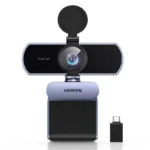

UGREEN CM717 2K Webcam – 4MP Autofocus Camera with Dual Noise-Canceling Microphones
Original price was: 5,000.00৳ .3,950.00৳ Current price is: 3,950.00৳ .
UGREEN CM717 2K Webcam – 4MP Autofocus Camera with Dual Noise-Canceling Microphones
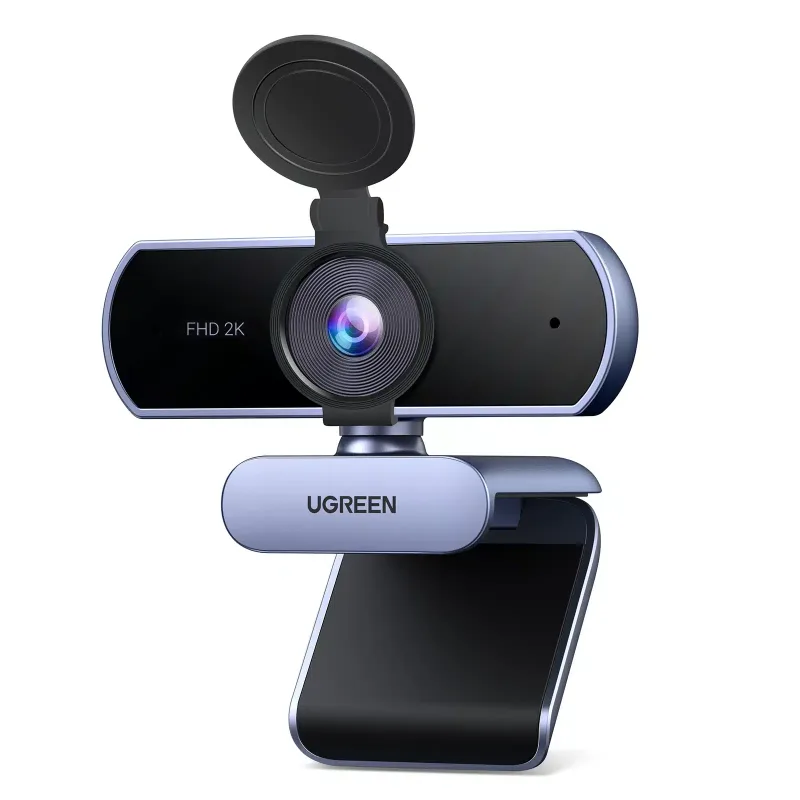
The UGREEN CM717 2K Webcam is a versatile USB camera designed for online meetings, video calls, remote work, online classes, live streaming and everyday desktop communication. Combining 2K video resolution, a 4MP CMOS sensor, automatic focus and dual built-in microphones, it helps deliver clear video and convenient audio capture without requiring a separate microphone for basic calls.
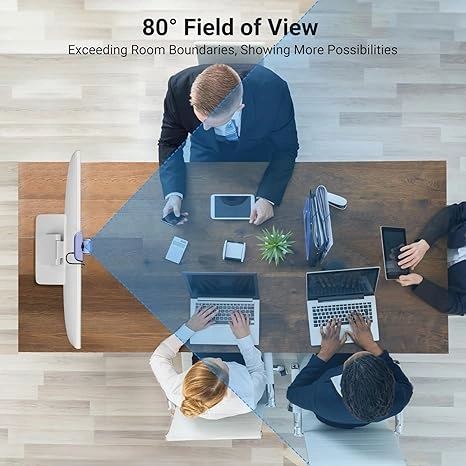
The CM717 supports video at up to 2560 × 1440 resolution and 30 frames per second. Its approximately 80° diagonal field of view provides a practical viewing area for individual users and small meeting setups, while automatic light adjustment helps adapt the image to changing lighting conditions.
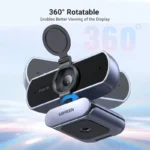
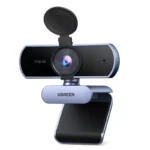
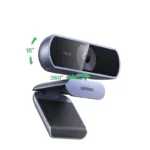
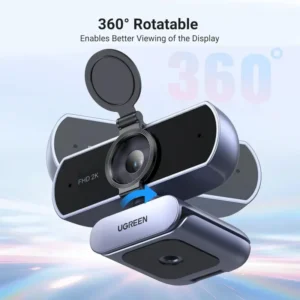
With USB plug-and-play connectivity, an adjustable mounting clip, a standard tripod thread and a built-in privacy cover, the UGREEN CM717 2K USB Webcam is a convenient upgrade for computers with basic or no built-in cameras.
Common Problems with Built-In Webcams
Built-in laptop cameras can be limiting for users who need better video quality or more flexible positioning.
Common problems include:
- Low-resolution video during meetings
- Blurry images when the subject moves
- Poor image quality in changing lighting
- Weak built-in microphone performance
- Limited camera positioning
- Lack of a physical privacy cover
- Difficulty setting up a separate camera
- Inconsistent framing during online presentations
The UGREEN CM717 combines video, microphones and mounting flexibility in one USB-connected device.
Smart Solution: UGREEN CM717 2K Webcam
The UGREEN CM717 provides an easy way to upgrade your video communication setup without installing a complicated camera system.
Connect the webcam to a compatible USB port, position it on your monitor or desk, and select it as the camera and microphone in your preferred application. Its autofocus, automatic light adjustment and dual microphones are designed to make everyday video calls more convenient.
Key Features
1. Sharp 2K Video Resolution
The webcam supports resolutions up to 2560 × 1440 at 30 FPS, providing more image detail than standard 1080p Full HD video at comparable framing.
This resolution is useful for video conferences, online lessons, remote presentations and personal recordings. Actual output quality depends on the selected resolution, application, lighting and available USB bandwidth.
2. 4MP CMOS Image Sensor
The built-in 4-megapixel CMOS sensor captures image information for the webcam’s 2K video output.
It is designed to provide detailed video for everyday professional and personal communication, including online interviews and virtual meetings.
3. Dual Noise-Canceling Microphones
The CM717 features two built-in omnidirectional microphones designed to capture voices while helping reduce distracting background noise.
This integrated audio system is convenient for meetings, online classes, video calls and casual recordings without an additional microphone. Microphone performance varies with room acoustics, background noise and distance from the camera.
4. Automatic Focus
The autofocus system adjusts focus automatically to help keep the subject clear during video calls.
This reduces the need for manual focusing and is useful when changing your position slightly during a meeting or presentation.
5. 80° Wide Field of View
The webcam offers an approximately 80° diagonal field of view, with the manual listing 72° horizontally and 45° vertically.
This framing is suitable for an individual seated at a desk while still allowing some background to remain visible.
6. Automatic Light Adjustment
Automatic light adjustment helps the camera adapt to different lighting conditions, such as a home office, study desk or meeting room.
For the best image quality, position a light source in front of you where possible and avoid placing a bright window directly behind your head.
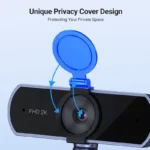
7. Built-In Privacy Cover
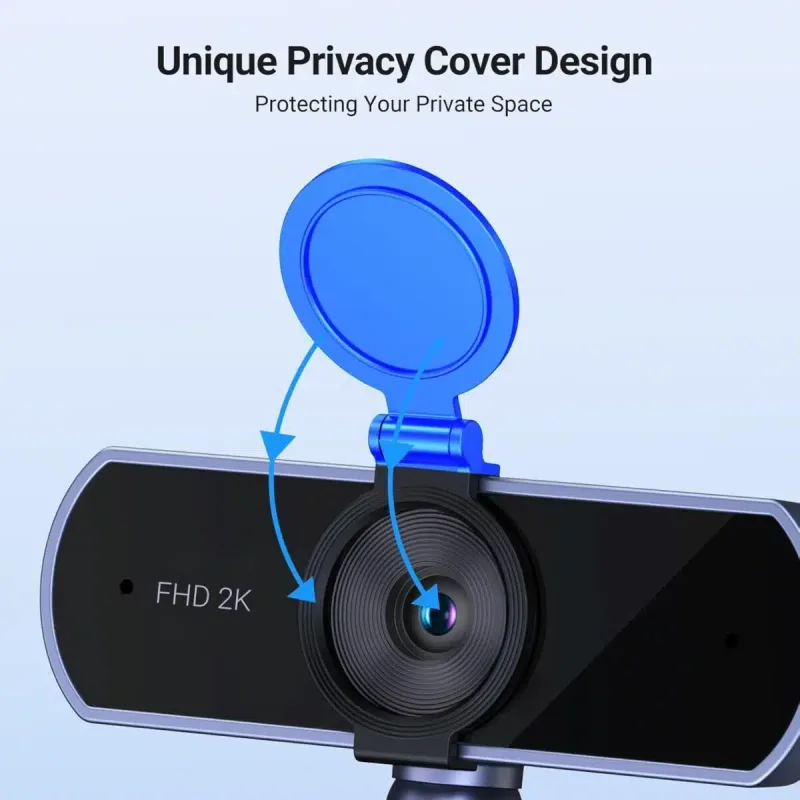
The included privacy cover lets you physically cover the camera lens when it is not in use.
This provides a simple way to reduce concerns about accidental camera exposure between meetings. Remember to uncover the lens before starting a video call.
8. USB Plug-and-Play Connection
The CM717 uses a wired USB-A connection for power and data. Its plug-and-play design allows you to connect it to a compatible computer and select it from your operating system or video application settings.
No separate webcam power adapter is listed in the standard package.
9. Flexible Mounting Options
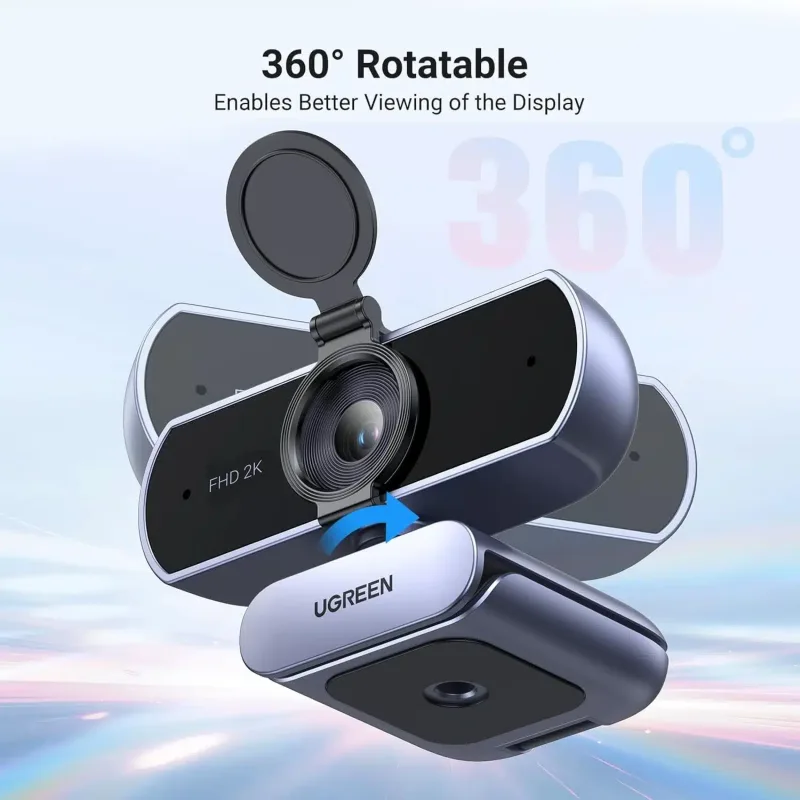
The adjustable mounting clip can be used to position the webcam on a compatible monitor or laptop screen. It can also stand on a suitable flat surface.
A standard 1/4-inch tripod thread provides another mounting option when you want more flexibility for recording or presentations. A tripod is not included in the listed package contents.
10. 2-Meter USB Cable
The approximately 2-meter (6.6-foot) cable offers flexibility when connecting the webcam to a desktop computer, laptop or another compatible USB host.
Benefits of UGREEN CM717 Webcam
- Up to 2K video at 30 FPS
- 4MP CMOS image sensor
- Automatic focus
- Dual built-in microphones
- Noise-reduction microphone design
- Approximately 80° diagonal field of view
- Automatic light adjustment
- Built-in privacy cover
- USB plug-and-play connection
- Adjustable mounting clip and stand
- 1/4-inch tripod mounting thread
- Approximately 2-meter USB cable
- Suitable for home, office and study setups
Perfect For
Remote workers: Improve your desktop video setup for online meetings and remote collaboration.
Students: Attend online classes, virtual tutoring sessions and remote examinations where an external webcam is permitted.
Job seekers: Use the camera for online interviews and professional video calls.
Content creators: Record talking-head videos, tutorials and presentations at up to 2K resolution.
Online teachers: Present lessons and communicate with students using the webcam’s integrated microphone system.
Office users: Add an external camera to a desktop computer or upgrade from a basic built-in webcam.
Personal video calls: Enjoy a dedicated camera for communicating with family, friends and colleagues.
Why Choose UGREEN CM717 2K Webcam?
The UGREEN CM717 combines several everyday webcam essentials in a single device. Instead of purchasing a camera, microphone and privacy accessory separately, you get a 2K camera, dual microphones, autofocus, adjustable mounting and a privacy cover in one USB webcam.
Its straightforward wired connection makes it a practical choice for users who want a simple desktop video upgrade for meetings, classes, interviews and recordings.
UGREEN CM717 vs. a Basic Built-In Webcam
| Feature | UGREEN CM717 | Basic Built-In Webcam |
|---|---|---|
| Maximum Listed Resolution | 2K (2560 × 1440) | Varies by device |
| Maximum Frame Rate at 2K | 30 FPS | Varies |
| Image Sensor | 4MP CMOS | Varies |
| Autofocus | Yes | Depends on device |
| Dual Microphones | Yes | Depends on device |
| Automatic Light Adjustment | Yes | Depends on device |
| Privacy Cover | Included | Varies |
| Flexible External Mounting | Yes | Usually limited |
| USB Plug-and-Play | Yes | Integrated |
| Tripod Thread | 1/4-inch | Usually unavailable |
Comparison is general; built-in webcam specifications vary by computer model.
How to Use UGREEN CM717 Webcam
Step 1: Position the Webcam
Attach the webcam to the top of a compatible monitor or laptop screen, place it on a stable desk, or mount it on a compatible tripod.
Step 2: Connect the USB Cable
Plug the USB-A connector into a compatible USB port on your computer or supported host device.
Step 3: Allow the Device to Be Recognized
Wait for your operating system to recognize the webcam. The manual describes the device as suitable for plug-and-play use.
Step 4: Select the Camera
Open your video conferencing or camera application and choose the UGREEN webcam as the video input.
Step 5: Select the Microphone
If you want to use the webcam’s built-in microphones, select the UGREEN camera or corresponding webcam audio device as the microphone input in your computer’s sound settings.
Step 6: Adjust Your Framing and Lighting
Position the camera at a comfortable eye-level angle. Use suitable front lighting and check the video preview before starting your meeting.
Step 7: Use the Privacy Cover
Cover the lens when you finish using the camera.
Recommended Use Cases
Online Meetings
Use the CM717 for video conferencing, team meetings and remote collaboration with compatible applications.
Online Classes
The 2K camera and integrated microphones provide a convenient setup for virtual lessons and study sessions.
Video Interviews
Position the camera near eye level and use appropriate lighting for a more professional-looking interview setup.
Live Streaming and Recording
Use the webcam for compatible live-streaming and recording software. Available resolution and frame-rate settings depend on the software and host system.
Home Office
Mount the camera on your monitor or place it on your desk for regular work calls.
Presentations and Tutorials
Use the tripod thread or adjustable mount to frame yourself and your workspace for demonstrations.
Cleaning & Maintenance
- Disconnect the webcam before cleaning when practical.
- Use a clean, soft cloth to remove dust from the exterior.
- Avoid touching the lens directly with your fingers.
- Use a suitable lens-cleaning cloth if the lens needs attention.
- Do not pour cleaning liquid onto the camera.
- Avoid alcohol or corrosive cleaning liquids on the lens, as advised in the product manual.
- Keep the USB connector dry and free from debris.
- Close the privacy cover when the camera is not in use.
Important Usage Tips
- Confirm that your computer has a compatible USB port.
- Check the selected camera resolution in your application if 2K video is required.
- Remember that the maximum listed resolution is 2K at 30 FPS, not 4K.
- Select the UGREEN webcam’s microphone in your system settings if you want to use its built-in microphones.
- Use good front lighting to improve video quality.
- Ensure the mounting clip is secure before leaving the webcam in place.
- A separate tripod is not included in the standard package.
- Actual microphone pickup distance and image quality can vary depending on the room and setup.
Product Specifications
| Specification | Details |
|---|---|
| Brand | UGREEN |
| Product Name | USB Full HD Webcam |
| Model | CM717 |
| Product Number | 25442 |
| Camera Resolution | Up to 2K (2560 × 1440) |
| Maximum Frame Rate | 30 FPS at 2K |
| Image Sensor | 4MP CMOS |
| Field of View | 80° diagonal / 72° horizontal / 45° vertical |
| Focus Type | Automatic focus |
| Microphones | 2 built-in omnidirectional microphones |
| Voice Pickup Distance | Up to 5m listed in the manual; practical results vary |
| Optimal Image Range | Approx. 0.5–5m listed |
| Light Adjustment | Automatic |
| Privacy Cover | Yes |
| Connection | Wired USB-A |
| Cable Length | Approx. 2m |
| Mounting | Adjustable clip/stand and 1/4-inch tripod thread |
| Compatibility | Windows, macOS and other supported USB host systems |
| Color | Gray / metallic gray depending on listing |
Specifications are based primarily on the CM717/25442 manual and product listings. Microphone pickup distance and field-of-view values should be checked against the supplied regional version if exact figures are critical.
What’s in the Box?
The CM717/25442 manual lists the following standard package contents:
- 1 × UGREEN CM717 USB Webcam
- 1 × Privacy Cover
- 1 × User Manual
- 1 × Warranty Card
Note: A tripod is not listed as included in the standard package. Check the seller’s package details for any additional accessories or warranty terms.
Who Should Buy This Product?
The UGREEN CM717 2K Webcam is a suitable option for people who want:
- A dedicated 2K webcam for video calls
- Autofocus without manual adjustment
- Integrated microphones for everyday communication
- A privacy cover for the camera lens
- An external webcam for a desktop PC
- A flexible mount for monitor, desk or tripod placement
- A convenient camera for remote work, online learning or presentations
Why Buy from AIYOZON?
When purchasing the UGREEN CM717 2K Webcam from AIYOZON, you can enjoy a convenient shopping experience for practical computer accessories.
- Clear product specifications
- Convenient online ordering
- Product-focused customer support
- Delivery support across Bangladesh
- Helpful information for choosing compatible accessories
Check the available warranty and exact package contents on the product listing before ordering.
Frequently Asked Questions
What is the maximum resolution of the UGREEN CM717?
The CM717 supports up to 2560 × 1440 (2K) at 30 FPS.
Does the UGREEN CM717 have autofocus?
Yes. The webcam uses automatic focus to help keep the subject clear.
Does it have built-in microphones?
Yes. It has two built-in omnidirectional microphones designed for voice pickup and noise reduction.
Does it include a privacy cover?
Yes. The standard package lists a privacy cover for the camera lens.
Is the UGREEN CM717 plug-and-play?
Yes. It uses a wired USB connection and is designed for plug-and-play use on compatible systems. You may still need to select it in your computer’s camera and sound settings.
Can I use it with Windows and macOS?
The manual lists Windows 7/8/10 or later and macOS X 10.6 or later. Compatibility with newer operating-system versions depends on the host device and application.
Can I mount it on a tripod?
Yes. The webcam has a standard 1/4-inch tripod thread, but the tripod is not included in the listed standard package.
Is it suitable for Zoom, Google Meet and Microsoft Teams?
It is a USB webcam designed for video conferencing. It can be used with compatible meeting applications when the operating system recognizes it as a camera and its microphone is selected where needed.
Is the CM717 a 4K webcam?
No. Its maximum listed video resolution is 2K at 30 FPS, not 4K.
Does the webcam require a separate power adapter?
The standard webcam uses its USB cable for power and data, so a separate webcam power adapter is not listed as necessary.
Final Verdict
The UGREEN CM717 2K Full HD Webcam is a practical desktop camera for users who want sharper video, integrated audio and flexible mounting in one straightforward USB device.
With 2K resolution at 30 FPS, a 4MP CMOS sensor, autofocus, dual microphones, automatic light adjustment and a privacy cover, it is well suited to online meetings, remote work, online classes, interviews and everyday video calls.
Upgrade Your Video Calling Setup
- ✔ 2K video at 30 FPS
- ✔ 4MP CMOS image sensor
- ✔ Automatic focus
- ✔ Dual noise-canceling microphones
- ✔ Approximately 80° diagonal field of view
- ✔ Automatic light adjustment
- ✔ Built-in privacy cover
- ✔ USB plug-and-play connection
- ✔ Adjustable mounting clip and tripod thread











Reviews
There are no reviews yet.