





UGREEN FineCam Pro 4K Webcam CM930 (75726) – Ultra HD AI Webcam with Autofocus & Noise-Cancelling Microphones
10,200.00৳
UGREEN FineCam Pro 4K Webcam CM930 (75726) – Ultra HD AI Webcam with Autofocus & Noise-Cancelling Microphones
The UGREEN FineCam Pro 4K Webcam CM930 (75726) is a professional USB webcam designed for video conferencing, livestreaming, online teaching, remote work and content creation. Combining Ultra HD video, fast autofocus and AI-powered camera features, it helps you create a clearer and more professional appearance during online meetings and recordings.
The webcam supports 4K Ultra HD resolution at 30 frames per second (FPS) and Full HD 1080p video at up to 60 FPS. Its 8MP imaging system and PDAF autofocus help capture detailed visuals while keeping your subject in focus. AI auto-framing, tracking and gesture recognition provide additional convenience for presentations, streaming and hands-free camera control.
The FineCam Pro also features two built-in omnidirectional microphones with noise-reduction capabilities, USB-C connectivity and a physical privacy cover. Its flexible mounting options make it suitable for laptops, desktop monitors and compatible tripods.
Common Problems with Standard Webcams
Basic webcams may not provide the video quality or intelligent features needed for professional communication.
Common problems include:
- Blurry video during online meetings
- Limited resolution and image detail
- Slow or unreliable focusing
- Difficult framing when moving during presentations
- Background noise affecting voice clarity
- Poor flexibility for vertical video
- Complicated installation or driver requirements
- Privacy concerns when the camera is not in use
The UGREEN FineCam Pro CM930 combines high-resolution video, autofocus and intelligent camera features in one compact device.
Smart Solution: 4K Video with AI Camera Features
The UGREEN FineCam Pro combines several functions to improve everyday video communication:
4K Imaging → PDAF Autofocus → AI Framing & Tracking → Dual Microphones → USB-C Connectivity
This combination makes it suitable for users who need more than a basic webcam for meetings, streaming, online classes and professional presentations.
Key Features
1. 4K Ultra HD Video at 30 FPS
Capture video at up to 3840 × 2160 resolution at 30 FPS for detailed presentations, professional meetings and content creation. The webcam also supports lower-resolution modes, including 1080p at up to 60 FPS, allowing you to prioritize smoother motion when required.
2. 8MP Imaging System
The CM930 is listed with an 8MP imaging system designed to deliver detailed video. This is useful for video calls, product demonstrations, tutorials and livestreams where clear visual presentation matters.
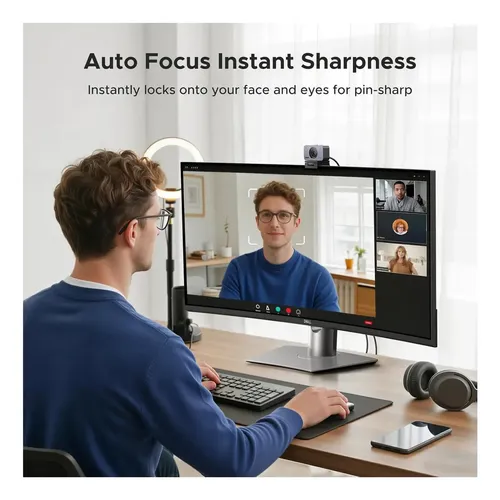
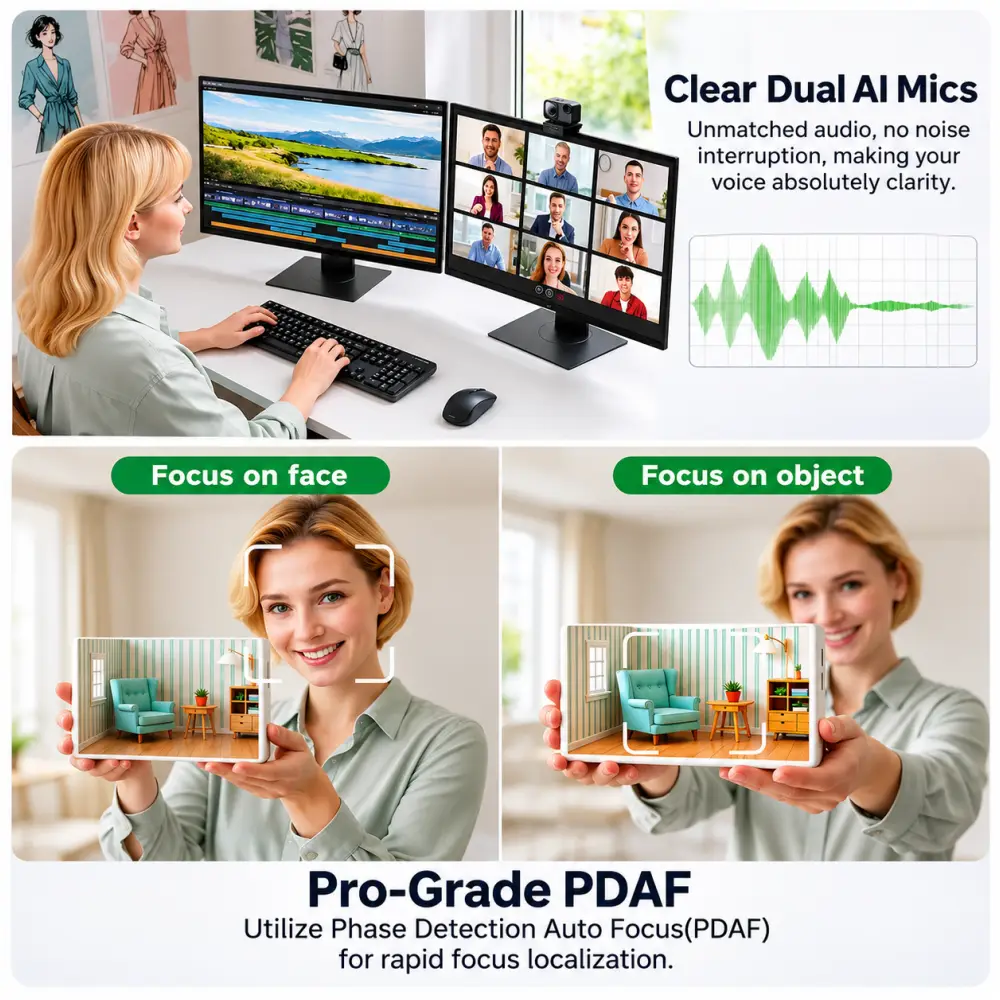
3. PDAF Fast Autofocus
Phase Detection Autofocus (PDAF) helps the camera focus quickly on the subject. This is particularly useful when moving during a presentation, holding an object up to the camera or changing your position during a recording.
4. AI Auto-Framing and Tracking
AI-powered framing and tracking features help keep the subject appropriately positioned in the camera view. These features are useful for online teaching, presentations, livestreaming and other activities where you may move around while speaking. Actual behavior can depend on lighting, movement and supported software.
5. Gesture Recognition
The FineCam Pro supports gesture-based controls for compatible camera functions. This can make it easier to activate supported features without reaching for the camera or computer controls. Refer to the product manual for the specific supported gestures.
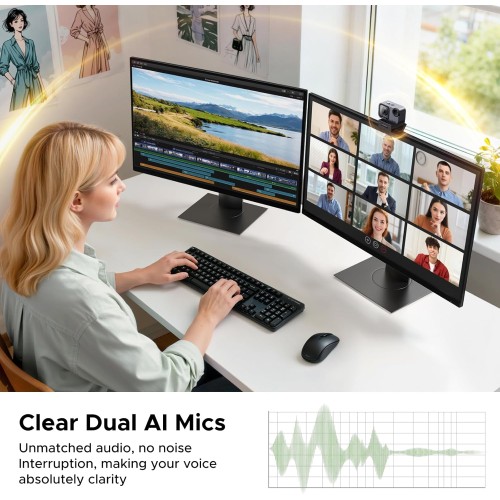
6. Dual Built-In Noise-Reducing Microphones
Two built-in omnidirectional microphones capture voices for video calls, online classes and recordings. Noise-reduction features are designed to help reduce distracting background sounds, although performance depends on the surrounding environment.
7. 1080p at Up to 60 FPS
When 4K resolution is unnecessary, the webcam supports Full HD 1080p at up to 60 FPS. This can provide smoother motion for presentations, streaming and everyday video communication.
8. Portrait and Landscape Video Modes
The CM930 supports landscape video and selected portrait-oriented output modes. This can be useful for creating vertical content or adapting the camera to different recording formats, provided the software and system support the chosen mode.
9. Automatic Image Adjustments
Some CM930 product listings describe automatic brightness and color adjustments to help maintain a balanced image under changing lighting conditions. Results depend on the room lighting, background and camera settings.
10. USB-C Plug-and-Play Connectivity
The webcam connects through USB-C and supports UVC-based operation. It is designed for straightforward setup on compatible computers without requiring a separate capture card. Use the included USB-A adapter when necessary for a compatible USB-A port.
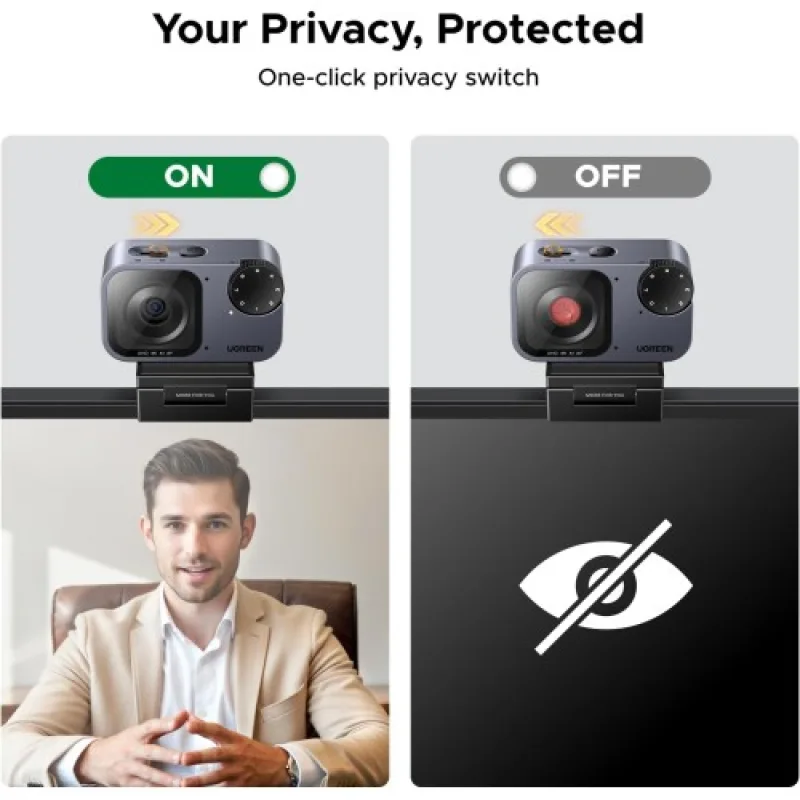
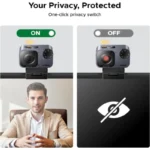
11. Physical Privacy Cover
A physical privacy cover helps block the camera lens when the webcam is not in use. This provides a simple additional privacy measure between calls or recording sessions.
12. Flexible Mounting Options
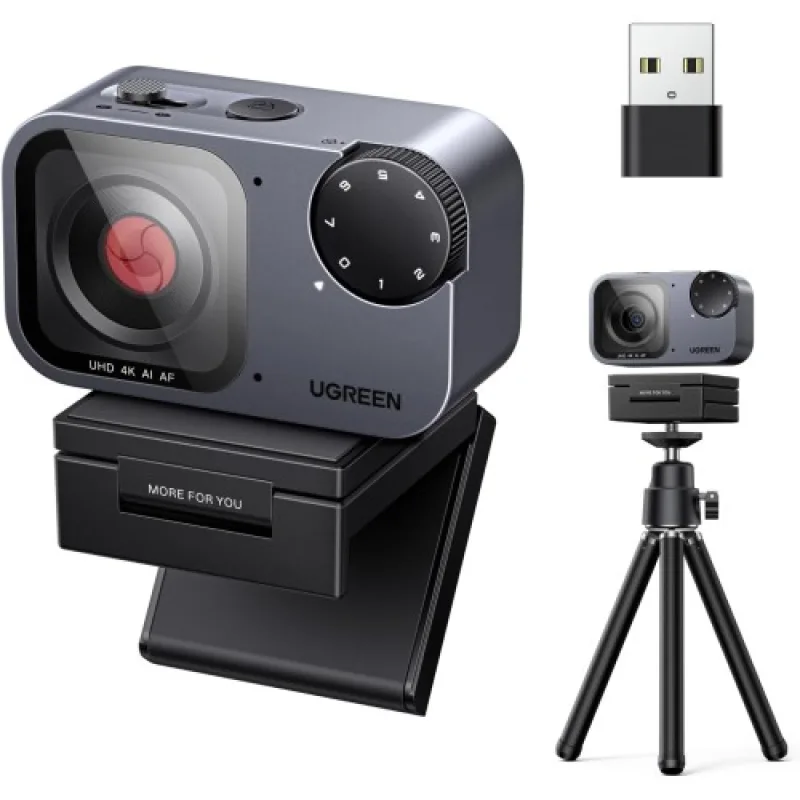
The webcam is designed for use with compatible laptop screens, desktop monitors and tripods. A magnetic stand or mount is listed in available product documentation, while some retail packages also list a tripod. Confirm the supplied accessories with the seller before ordering.
Benefits of UGREEN FineCam Pro CM930
- 4K Ultra HD video at 30 FPS
- Full HD 1080p at up to 60 FPS
- 8MP imaging system
- PDAF autofocus
- AI auto-framing and tracking
- Gesture recognition
- Dual built-in microphones
- Noise-reduction features for clearer communication
- Portrait and landscape video modes
- USB-C connectivity
- Plug-and-play operation on compatible systems
- Physical privacy cover
- Flexible mounting options
- Suitable for work, education and content creation
Perfect For
Remote Workers
Improve your video-call setup for professional meetings, interviews and remote collaboration.
Content Creators
Record tutorials, demonstrations and other video content with 4K resolution and autofocus.
Online Teachers
Use AI framing and autofocus to support presentations and lessons.
Livestreamers
Choose 4K detail or 1080p at up to 60 FPS according to your streaming setup and software requirements.
Business Professionals
Present a clearer image during virtual meetings, client calls and online presentations.
Students
Use the webcam for online classes, virtual interviews and remote learning.
Gamers
Upgrade your camera setup for livestreaming and communication with teammates or viewers.
Why Choose UGREEN FineCam Pro 4K Webcam?
The UGREEN FineCam Pro CM930 combines high-resolution imaging with practical intelligent features. Instead of relying only on resolution, it adds PDAF autofocus, AI framing, gesture recognition and built-in microphones to support a more complete video communication setup.
Its support for 4K at 30 FPS and 1080p at up to 60 FPS gives users flexibility to choose between image detail and smoother motion.
UGREEN FineCam Pro CM930 vs. Basic 1080p Webcam
| Feature | UGREEN FineCam Pro CM930 | Basic 1080p Webcam |
|---|---|---|
| Maximum Resolution | 4K at 30 FPS | Usually 1080p |
| Full HD Frame Rate | Up to 60 FPS | Varies by model |
| Imaging System | 8MP | Varies |
| Autofocus | PDAF | Fixed focus or autofocus |
| AI Framing/Tracking | Supported | Depends on model |
| Gesture Recognition | Supported | Usually unavailable |
| Built-In Microphones | Dual omnidirectional | Varies |
| Portrait Video Modes | Supported modes available | Depends on model |
| USB-C Connectivity | Yes | Varies |
| Physical Privacy Cover | Listed | Depends on model |
| Best For | Professional calls, streaming and content creation | Everyday video calls |
Comparison is based on the listed capabilities of the CM930 and common entry-level webcam features. Individual competing models may offer similar functions.
How to Use UGREEN FineCam Pro CM930
Step 1: Position the Webcam
Attach the webcam to a compatible monitor or laptop screen, place it on its stand, or use a compatible tripod.
Step 2: Connect the USB Cable
Connect the supplied USB-C cable to the webcam and a compatible computer port. Use the included USB-A adapter if needed.
Step 3: Select the Camera in Your Software
Open your video-conferencing, streaming or recording application and select the UGREEN webcam as the video source.
Step 4: Select the Microphone
Choose the webcam’s built-in microphones as the audio input if you want to use them for voice capture.
Step 5: Choose Your Video Resolution
Select 4K at 30 FPS for detailed video or 1080p at up to 60 FPS for smoother motion, depending on the software and system capabilities.
Step 6: Enable Supported AI Features
Use the applicable camera controls or compatible software to configure AI framing, tracking, gesture recognition and other available functions.
Step 7: Close the Privacy Cover After Use
When the webcam is not needed, close its physical privacy cover for additional peace of mind.
Recommended Use Cases
Video Conferencing
Use the webcam for meetings on compatible conferencing platforms, including Zoom, Microsoft Teams and Google Meet.
YouTube and Video Creation
Record tutorials, product reviews and educational content with 4K video and autofocus.
Online Classes
Use the built-in microphones and autofocus for lessons, presentations and virtual training.
Product Demonstrations
Show products or objects on camera while autofocus helps maintain clarity as you move them.
Livestreaming
Use 4K or Full HD settings according to your streaming platform, computer performance and bandwidth.
Vertical Content
Use supported portrait modes with compatible software when producing vertical-format content.
Cleaning & Maintenance
To maintain performance:
- Disconnect the webcam before cleaning.
- Clean the lens gently with a soft, clean microfiber cloth.
- Keep the USB connector dry and free from dust.
- Avoid touching or scratching the lens.
- Do not use harsh chemicals or spray liquid directly onto the camera.
- Store the webcam safely when not in use.
- Close the privacy cover when the camera is idle.
Important Usage Tips
- Make sure your computer supports the selected resolution and frame rate.
- Use a compatible USB port and cable for stable operation.
- Ensure adequate lighting for clearer video and more reliable AI tracking.
- Avoid positioning bright light sources directly behind you.
- Check your video application’s resolution settings.
- Use the USB-A adapter only with a compatible port.
- Remember that 4K at 30 FPS and 1080p at 60 FPS are different operating modes.
- AI tracking and gesture recognition depend on lighting, positioning and software support.
- Close the privacy cover when the webcam is not in use.
Product Specifications
| Specification | Details |
|---|---|
| Brand | UGREEN |
| Product Series | FineCam Pro |
| Model | CM930 |
| Product Code | 75726 |
| Product Type | AI 4K Webcam |
| Maximum Video Resolution | 3840 × 2160 at 30 FPS |
| Full HD Video | 1920 × 1080 at up to 60 FPS |
| Imaging System | 8MP |
| Sensor | 1/2-inch sensor reported by selected listings |
| Autofocus | PDAF |
| AI Features | Auto-framing, tracking and gesture recognition |
| Microphones | 2 built-in omnidirectional microphones |
| Audio Features | Noise-reduction functionality |
| Connectivity | USB-C |
| Video Protocol | UVC |
| Privacy | Physical privacy cover |
| Mounting | Compatible monitor/laptop mount; tripod support |
| Dimensions | Approx. 59 × 53 × 39 mm in selected specifications |
| Supported Systems | Windows 7/8/10/11, macOS and Linux |
| Recommended Uses | Meetings, online teaching, streaming and content creation |
What’s in the Box?
Available CM930 package documentation lists the following accessories:
- 1 × UGREEN FineCam Pro 4K Webcam
- 1 × USB-C Data Cable
- 1 × USB-A Adapter
- 1 × Magnetic Stand or Mount
- User Manual
Who Should Buy This Product?
Choose the UGREEN FineCam Pro 4K Webcam CM930 if you want:
- A 4K webcam for professional video calls
- Autofocus for presentations and recording
- AI framing and tracking features
- Built-in microphones for everyday communication
- 1080p at up to 60 FPS
- Support for selected portrait video modes
- USB-C connectivity
- A physical privacy cover
- A webcam for remote work, teaching or streaming
If you only need occasional video calls, a basic Full HD webcam may be sufficient. The FineCam Pro is better suited to users who will benefit from its higher resolution and additional camera features.
Why Buy from AIYOZON?
When purchasing the UGREEN FineCam Pro 4K Webcam CM930 (75726) from AIYOZON, you can enjoy a convenient online shopping experience for computer accessories and productivity gadgets.
AIYOZON Benefits
- Detailed product information
- Convenient online ordering
- Product assistance before purchase
- Delivery support across Bangladesh
- Customer support for product-related questions
Check the exact package contents and warranty terms on the product listing before ordering.
Frequently Asked Questions
What is the maximum resolution of the UGREEN FineCam Pro CM930?
It supports up to 4K Ultra HD at 30 FPS. It also supports 1080p at up to 60 FPS.
Does the CM930 have autofocus?
Yes. It uses PDAF autofocus to help maintain focus as the subject moves.
Does it support AI tracking?
Yes. AI auto-framing and tracking are listed among its supported features. Performance depends on lighting, positioning and the particular function being used.
Does the webcam have a built-in microphone?
Yes. The CM930 is listed with two built-in omnidirectional microphones with noise-reduction capabilities.
Can I use it for livestreaming?
Yes. It is suitable for livestreaming, provided your computer, software and internet connection can handle the selected video settings.
Can it record vertical video?
It supports selected portrait-oriented output modes. Actual use depends on compatibility with your recording or streaming software.
Is the UGREEN FineCam Pro CM930 plug-and-play?
It is designed for UVC-based USB operation on compatible systems. Some features may require compatible software or settings.
Does it support Windows and macOS?
Yes. Listings and product documentation identify support for Windows, macOS and Linux, although exact minimum versions can vary by source. Check your operating system and application compatibility before purchasing.
Does the package include a tripod?
Some retailer listings include a tripod, while other package descriptions list a magnetic stand, USB-C cable and USB-A adapter. Confirm the supplied accessories with the seller before ordering.
Does it have a privacy cover?
Yes. The CM930 is listed with a physical privacy cover that can block the lens when the camera is not in use.
Final Verdict
The UGREEN FineCam Pro 4K Webcam CM930 (75726) is a versatile webcam for users who want high-resolution video and intelligent camera features in one device.
With 4K video at 30 FPS, 1080p at up to 60 FPS, PDAF autofocus, AI framing and tracking, gesture recognition, dual built-in microphones and USB-C connectivity, it is well suited to professional meetings, online teaching, livestreaming and content creation.
For users upgrading from a standard laptop camera, the FineCam Pro offers more flexibility for both work and creative projects.
Upgrade Your Video Setup with UGREEN FineCam Pro
- 4K Ultra HD video at 30 FPS
- 1080p at up to 60 FPS
- 8MP imaging system
- PDAF autofocus
- AI auto-framing and tracking
- Dual built-in noise-reducing microphones
- Gesture recognition
- Portrait and landscape video modes
- USB-C plug-and-play connectivity
- Physical privacy cover














Reviews
There are no reviews yet.