





UGREEN MU102 (15722) Tortoise Look Wireless Mouse – 2.4G & Bluetooth, Silent Click, 4000 DPI
2,080.00৳
UGREEN MU102 (15722) Tortoise Look Wireless Mouse – 2.4G & Bluetooth, Silent Click, 4000 DPI
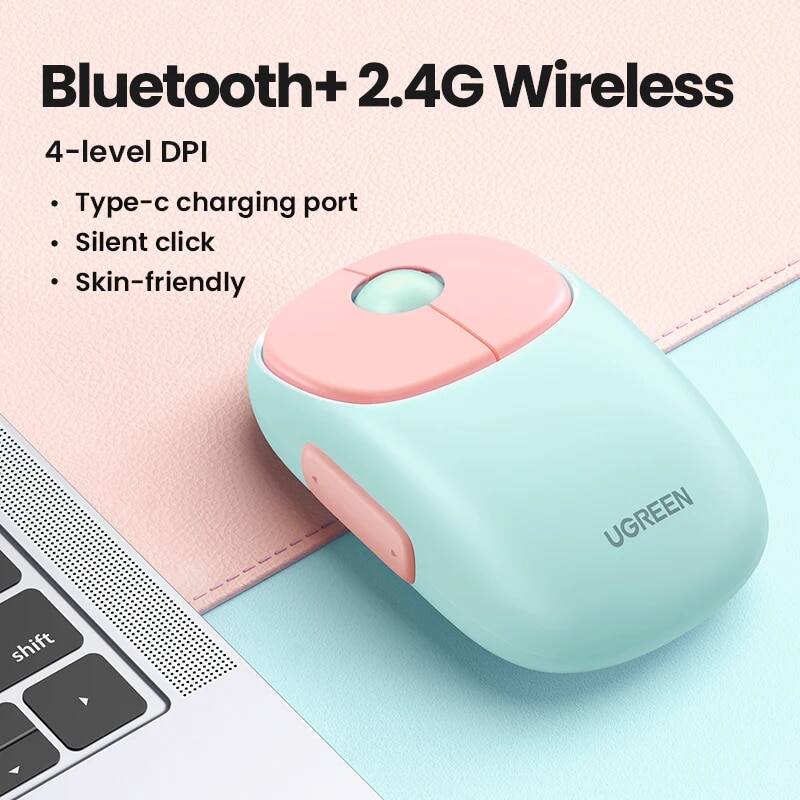
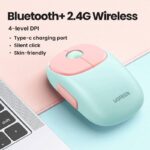
The UGREEN MU102 (15722) Tortoise Look Wireless Mouse is a stylish and versatile wireless mouse designed for everyday office work, study, browsing and general computer use. It combines 2.4GHz wireless and Bluetooth connectivity, allowing you to connect to multiple devices without constantly changing cables or accessories.
With adjustable sensitivity up to 4000 DPI, five physical buttons, forward and backward side buttons, silent-click technology and a built-in 500mAh rechargeable lithium battery, the MU102 is designed for comfortable and quiet everyday operation. The mouse can connect to up to three devices simultaneously, using one 2.4GHz connection and two Bluetooth connections.
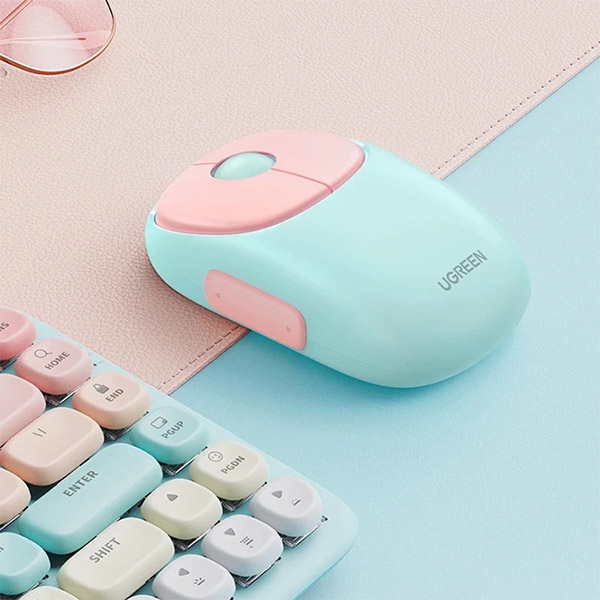
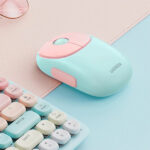
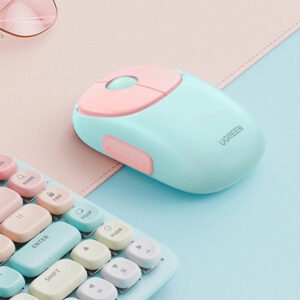
Its compact design and Tortoise Look/Pink finish give it a distinctive appearance while keeping the functionality suitable for laptops, desktop computers and compatible tablets. The model is also listed with a wireless range of up to approximately 10 meters under unobstructed conditions.
Common Problems with Ordinary Wireless Mice
A basic wireless mouse may not provide the flexibility needed for modern multi-device work.
Common issues include:
- Frequent cable management
- Limited wireless connectivity
- Loud clicking in quiet environments
- Low sensitivity or fixed DPI
- Having to use separate mice for different devices
- Short battery life
- Lack of forward and backward buttons
- Difficulty switching between devices
The UGREEN MU102 Wireless Mouse addresses these needs with dual wireless connectivity, adjustable DPI, silent clicks and multi-device switching.
Smart Solution for Comfortable Wireless Computing
The UGREEN MU102 combines multiple productivity features in one rechargeable mouse.
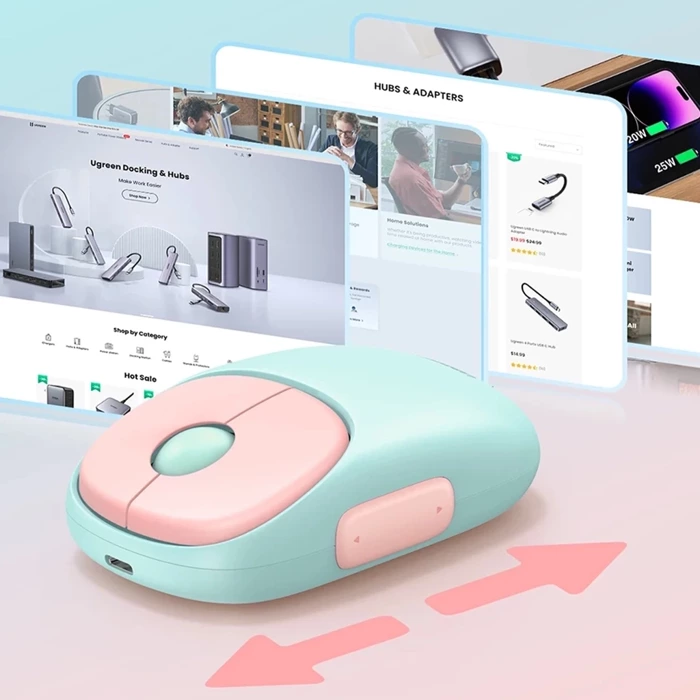
You can connect it through the included 2.4GHz USB receiver or Bluetooth, adjust sensitivity between 1000, 1600, 2000 and 4000 DPI, and switch between up to three connected devices. Its silent-click design is particularly useful for offices, libraries, meetings, bedrooms and late-night computer use.
Key Features
1. Dual Wireless Connectivity
The MU102 supports both:
- 2.4GHz wireless
- Bluetooth
This gives you flexibility depending on the device you are using. The 2.4GHz connection uses the included USB receiver, while Bluetooth allows compatible devices to connect without occupying a USB port.
2. Connect Up to 3 Devices
One of the biggest advantages of the UGREEN MU102 is its ability to maintain connections with up to three devices simultaneously.
The configuration supports:
- 1 × 2.4GHz device
- 2 × Bluetooth devices
You can then switch between connected devices using the mouse’s device/DPI switch button.
This is particularly useful if you work with a laptop, desktop computer and tablet.
3. Adjustable 4000 DPI Sensitivity
The mouse offers four DPI settings:
- 1000 DPI
- 1600 DPI
- 2000 DPI
- 4000 DPI
The adjustable sensitivity allows you to choose a slower setting for precision work or a higher setting for faster cursor movement across larger or high-resolution displays.
4. 99% Silent Clicking
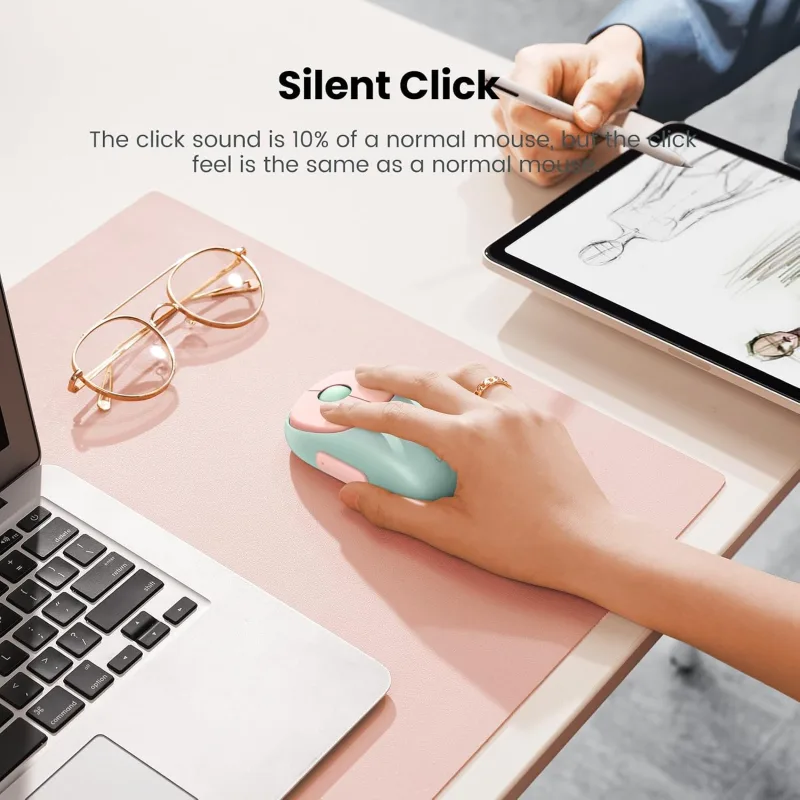
The UGREEN MU102 features a 99% silent-click design. Product documentation describes approximately 40dB noise reduction, making the mouse suitable for quiet working environments.
This makes it a practical choice for:
- Offices
- Libraries
- Study rooms
- Meetings
- Bedrooms
- Late-night work
5. 500mAh Rechargeable Battery
The mouse uses a built-in 500mAh rechargeable lithium battery.
According to the model documentation, a full charge takes approximately 2 hours, while some product specifications list battery operation of up to 3 months, depending on actual usage.
The rechargeable design eliminates the need to regularly purchase disposable AA or AAA batteries.
6. USB-C Charging
The MU102 features a USB-C charging port, making it convenient to recharge using a compatible USB power source.
The documented charging voltage is up to approximately 5.25V.
7. 5-Button Design
The mouse provides five primary buttons:
- Left button
- Right button
- Middle/scroll wheel button
- Forward button
- Backward button
The side buttons are particularly useful for browser navigation, file browsing and other supported applications.
8. Ergonomic Right-Handed Design
The MU102 is designed for right-handed use and features an ergonomic shape intended for comfortable everyday operation.
Its compact body measures approximately 105 × 62.5 × 35mm, with a listed net weight of around 80g.
9. 10-Meter Wireless Range
The MU102 provides a wireless transmission distance of up to approximately 10 meters / 33 feet under unobstructed conditions. Actual range can vary depending on walls, interference and surrounding wireless devices.
10. Windows & Mac System Selection
The mouse includes a Win/Mac system switch, allowing users to select the appropriate operating-system mode.
This makes the MU102 suitable for both Windows and macOS environments.
Benefits
- 2.4GHz and Bluetooth connectivity
- Connect up to 3 devices
- Up to 4000 DPI sensitivity
- Four adjustable DPI levels
- 99% silent clicking
- Approximately 40dB noise reduction
- Built-in 500mAh rechargeable battery
- USB-C charging
- Up to 3 months battery life depending on usage
- Five-button design
- Forward and backward buttons
- Up to 10m wireless range
- Right-handed ergonomic design
- Plug-and-play operation
- Windows/Mac system selection
- Stylish Tortoise Look/Pink appearance
Perfect For
The UGREEN MU102 Wireless Mouse is ideal for:
- Office professionals
- Students
- Freelancers
- Digital marketers
- Graphic designers
- Content creators
- Programmers
- Remote workers
- Laptop users
- Desktop PC users
- Multi-device users
- People who prefer quiet computer accessories
Why Choose UGREEN MU102?
The UGREEN MU102 stands out because it combines multi-device connectivity, adjustable sensitivity, silent clicking and rechargeable power in a compact wireless mouse.
Instead of carrying separate mice for your laptop, desktop and tablet, the MU102 can maintain connections with up to three devices and allow quick switching between them.
Its silent operation is another major advantage for users working in shared or quiet spaces.
UGREEN MU102 vs Standard Wireless Mouse
| Feature | UGREEN MU102 | Standard Wireless Mouse |
|---|---|---|
| 2.4GHz Wireless | Yes | Usually |
| Bluetooth | Yes | Depends |
| Devices Supported | Up to 3 | Usually 1 |
| Maximum DPI | 4000 DPI | Varies |
| DPI Levels | 1000 / 1600 / 2000 / 4000 | Varies |
| Silent Clicking | 99% Silent | Usually No |
| Rechargeable | Yes | Varies |
| Battery Capacity | 500mAh | Varies |
| USB-C Charging | Yes | Depends |
| Side Buttons | Forward + Backward | Depends |
| Wireless Range | Up to 10m | Varies |
| Win/Mac Switch | Yes | Usually No |
How to Use UGREEN MU102 Wireless Mouse
Step 1: Charge the Mouse
Before first use, connect the mouse to a suitable USB power source using the USB-C charging cable.
A full charge takes approximately 2 hours according to the product documentation.
Step 2: Select Windows or Mac Mode
Use the system switch on the bottom of the mouse to select the appropriate WIN or MAC mode.
Step 3: Connect via 2.4GHz
Remove the USB receiver from its storage compartment and connect it to your computer.
The 2.4GHz connection is the default wireless connection method.
Step 4: Connect via Bluetooth
For Bluetooth use, activate Bluetooth pairing and select the UGREEN mouse from your device’s Bluetooth settings.
The mouse supports two Bluetooth connections in addition to its 2.4GHz connection.
Step 5: Select DPI
Choose between 1000, 1600, 2000 and 4000 DPI according to your preferred cursor sensitivity.
Step 6: Switch Between Devices
Use the DPI/device switch control to move between connected devices.
Use Cases
Office Work
The silent-click design helps reduce distractions in shared workspaces.
Student & Study Use
Quiet operation makes the MU102 suitable for libraries, study rooms and classrooms.
Digital Marketing & SEO Work
The multi-device connectivity and side buttons can be useful for users who regularly work across laptops and desktops.
Graphic Design
Higher DPI settings can provide faster cursor movement across high-resolution screens, while lower DPI settings can be selected when more controlled cursor movement is preferred.
Remote Work
Bluetooth connectivity reduces dependence on USB ports when using compatible laptops and tablets.
Home & Bedroom Use
The quiet-click design makes it suitable for late-night browsing and work.
Cleaning & Maintenance
- Keep the mouse surface clean and dry.
- Use a soft, dry microfiber cloth for routine cleaning.
- Avoid spraying liquid directly onto the mouse.
- Keep the optical sensor free from dust.
- Keep the USB receiver stored safely when not in use.
- Avoid dropping or exposing the mouse to excessive moisture.
- Recharge the battery when the low-battery indicator appears.
Important Usage Tips
- Do not immerse the mouse in water.
- Use a compatible USB power source for charging.
- Avoid using excessive force on the scroll wheel or side buttons.
- Keep the optical sensor clean.
- Store the USB receiver safely when travelling.
- Wireless range can decrease when walls or other obstacles interfere with the signal.
- Bluetooth functionality depends on the compatibility of the connected device.
Product Specifications
| Specification | Details |
|---|---|
| Brand | UGREEN |
| Model | MU102 |
| Product Number | 15722 |
| Product Type | Wireless Mouse |
| Design | Tortoise Look / Pink |
| Connectivity | 2.4GHz + Bluetooth |
| Bluetooth Version | Bluetooth 5.0 |
| Wireless Range | Up to 10m |
| DPI | 1000 / 1600 / 2000 / 4000 |
| Maximum DPI | 4000 DPI |
| Buttons | 5 |
| Side Buttons | Forward + Backward |
| Battery | 500mAh Rechargeable Lithium Battery |
| Charging Port | USB-C |
| Charging Time | Approx. 2 Hours |
| Battery Life | Up to Approx. 3 Months* |
| Click Technology | 99% Silent |
| Noise Reduction | Approx. 40dB |
| Sensor | Optical |
| Hand Orientation | Right-Handed |
| Dimensions | Approx. 105 × 62.5 × 35mm |
| Net Weight | Approx. 80g |
| Transmission Frequency | 2400–2483.5MHz |
| Operating Systems | Windows, macOS, Linux, Chrome OS, Android, iOS/iPadOS and compatible systems |
*Battery life depends on usage conditions and is based on manufacturer/lab or product-listing specifications.
What’s in the Box?
Typical package contents include:
- 1 × UGREEN MU102 Wireless Mouse
- 1 × USB Wireless Receiver
- 1 × USB-C Charging Cable
- 1 × User Manual
The USB receiver is typically stored inside the mouse.
Who Should Buy This Product?
Choose the UGREEN MU102 (15722) if you want:
- A stylish wireless mouse
- 2.4GHz + Bluetooth connectivity
- Support for up to three devices
- 4000 DPI sensitivity
- Quiet clicking
- Rechargeable USB-C power
- Forward and backward buttons
- Comfortable right-handed design
- A mouse for office, study and home use
Why Buy from AIYOZON?
When purchasing the UGREEN MU102 Wireless Mouse from AIYOZON, you can enjoy:
- Genuine product-focused shopping
- Clear product specifications
- Convenient online ordering
- Reliable delivery
- Product assistance
- Customer support
- Access to practical computer accessories
Frequently Asked Questions
What is the model number of this UGREEN mouse?
The model is UGREEN MU102, and the product number is 15722.
Does UGREEN MU102 support Bluetooth?
Yes. It supports Bluetooth connectivity as well as 2.4GHz wireless connectivity.
How many devices can UGREEN MU102 connect to?
The mouse can connect to up to three devices simultaneously: one through 2.4GHz and two through Bluetooth.
What is the maximum DPI?
The maximum sensitivity is 4000 DPI, with four selectable levels: 1000, 1600, 2000 and 4000 DPI.
Is UGREEN MU102 rechargeable?
Yes. It has a built-in 500mAh rechargeable lithium battery and USB-C charging.
How long does the battery last?
Product documentation lists up to approximately 3 months, depending on usage conditions.
Is the UGREEN MU102 silent?
It is designed with 99% silent clicking and approximately 40dB noise reduction according to product specifications.
Does it have side buttons?
Yes. It includes dedicated Forward and Backward buttons.
What is the wireless range?
The documented maximum wireless transmission distance is approximately 10 meters in unobstructed conditions.
Is it compatible with Mac?
Yes. The MU102 supports macOS and includes a Win/Mac system-selection switch.
Does it work with phones and tablets?
Yes, the specifications list support for compatible Android, iOS and iPadOS devices. Actual compatibility depends on the device’s Bluetooth support and operating system.
Final Verdict
The UGREEN MU102 (15722) Tortoise Look Wireless Mouse is a versatile and stylish wireless mouse for users who want quiet operation, flexible connectivity and rechargeable convenience.
With 2.4GHz + Bluetooth connectivity, support for up to three devices, 4000 DPI sensitivity, 99% silent clicking, five buttons, USB-C charging and a 500mAh rechargeable battery, it is well suited for office work, study, remote work and everyday computer use.
Its compact right-handed design and 10-meter wireless range further make it a practical choice for laptops, desktops and compatible mobile devices.
🖱️ Upgrade Your Everyday Computing
- ✔ 2.4GHz + Bluetooth
- ✔ Up to 3 Devices
- ✔ 4000 DPI Precision
- ✔ 99% Silent Clicking
- ✔ 500mAh Rechargeable Battery
- ✔ USB-C Charging
- ✔ 5-Button Design
- ✔ 10m Wireless Range
- ✔ Right-Handed Ergonomic Design













Reviews
There are no reviews yet.