

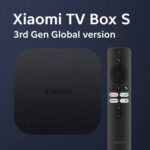




Xiaomi TV Box S (3rd Gen) – 4K Ultra HD Google TV Box with Quad-Core Processor, Dolby Vision & 2GB+32GB Storage
7,990.00৳
Xiaomi TV Box S (3rd Gen) – 4K Ultra HD Google TV Box with Quad-Core Processor, Dolby Vision & 2GB+32GB Storage
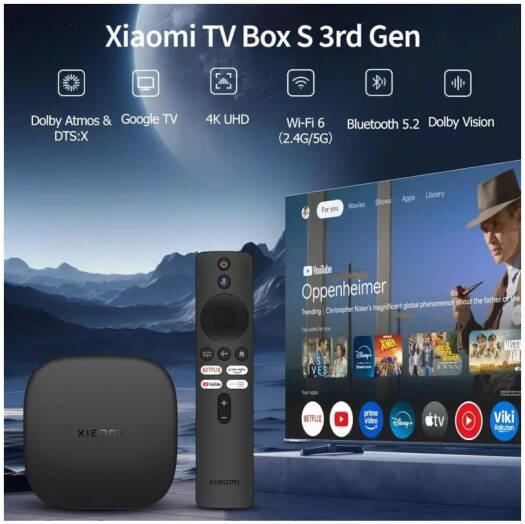
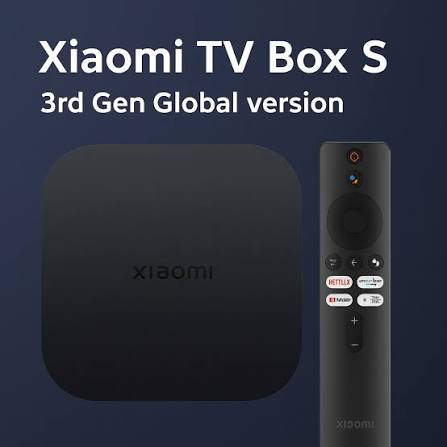
The Xiaomi TV Box S (3rd Gen) is a compact 4K streaming and entertainment device designed to upgrade your television experience with Google TV, high-resolution video playback and modern wireless connectivity.
Powered by a 6nm quad-core 64-bit processor with speeds up to 2.5GHz, the TV Box S (3rd Gen) combines 2GB RAM and 32GB storage for smooth navigation, streaming apps and everyday entertainment. Xiaomi also equips the device with an ARM G310 V2 GPU and supports video playback up to 4K at 60FPS.
For an immersive home cinema experience, the device supports Dolby Vision, HDR10+, Dolby Audio and DTS. It also features Wi-Fi 6 with 2.4GHz and 5GHz support, Bluetooth 5.2, HDMI 2.1 and USB 2.0 connectivity.
With its compact 97 × 97 × 17mm body and approximately 91.2g weight, the Xiaomi TV Box S (3rd Gen) can easily fit beside a television, monitor or entertainment setup.
Common Problems with Traditional TVs
A conventional TV may provide basic viewing, but users often want more flexibility for modern streaming and digital entertainment.
Common limitations include:
- Limited access to modern streaming applications
- Older TV operating systems
- Slow or outdated smart-TV interfaces
- No Google TV experience
- Limited casting options
- Weak wireless connectivity
- No Dolby Vision support on some TVs
- Limited internal storage
- Difficulty upgrading an older non-smart TV
A dedicated streaming box can provide a practical way to add modern entertainment features to a compatible TV.
Smart Solution for Modern Home Entertainment
The Xiaomi TV Box S (3rd Gen) brings a modern Google TV experience to your television through a compact external device.
Connect the box to your TV through HDMI, connect it to the internet and complete the setup. You can then access supported streaming services and apps through the Google TV interface, while Google Cast allows compatible content to be cast from a phone or tablet.
Key Features
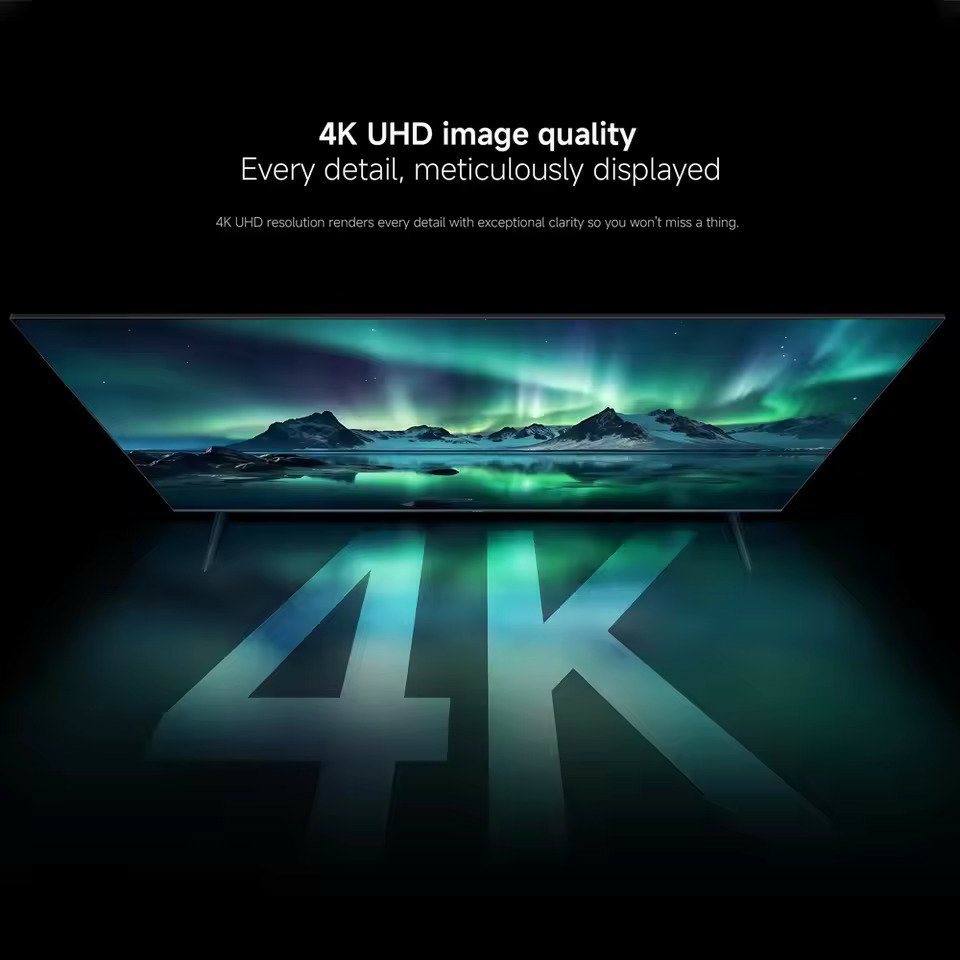
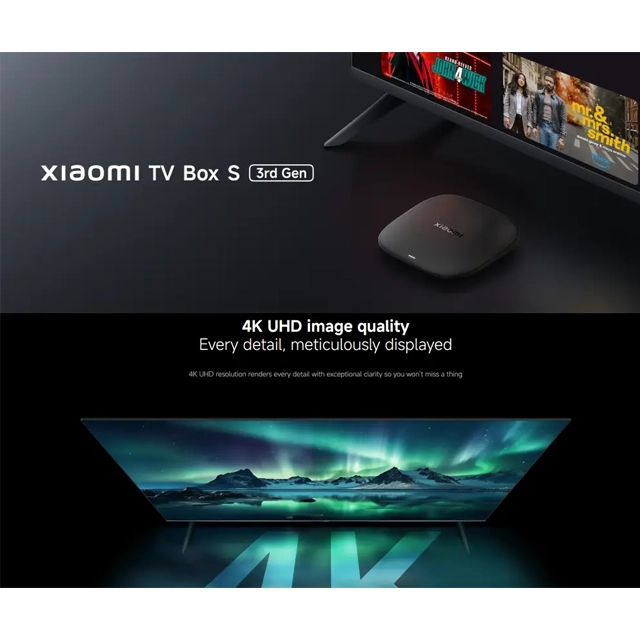
1. 4K Ultra HD Resolution
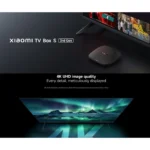
The Xiaomi TV Box S (3rd Gen) supports 4K output at 3840 × 2160 resolution.
This allows compatible 4K televisions and displays to show sharper details compared with Full HD content. Xiaomi notes that 4K viewing requires suitable 4K content sources and a compatible 4K display.
2. Powerful 6nm Quad-Core Processor
The TV Box uses a 64-bit quad-core processor based on Cortex-A55 architecture, with a maximum clock speed of up to 2.5GHz.
The 6nm platform is designed to provide improved performance and efficiency compared with the previous generation. Xiaomi states that, compared with the Xiaomi TV Box S (2nd Gen), CPU performance is increased by approximately 25% and GPU performance by approximately 130% based on Xiaomi internal testing.
3. 2GB RAM + 32GB Storage
The device comes with:
- 2GB RAM
- 32GB internal storage
This configuration provides space for supported applications and system data while helping maintain responsive everyday operation. Actual available storage is lower because the operating system and pre-installed software occupy part of the storage.
4. Google TV Operating System
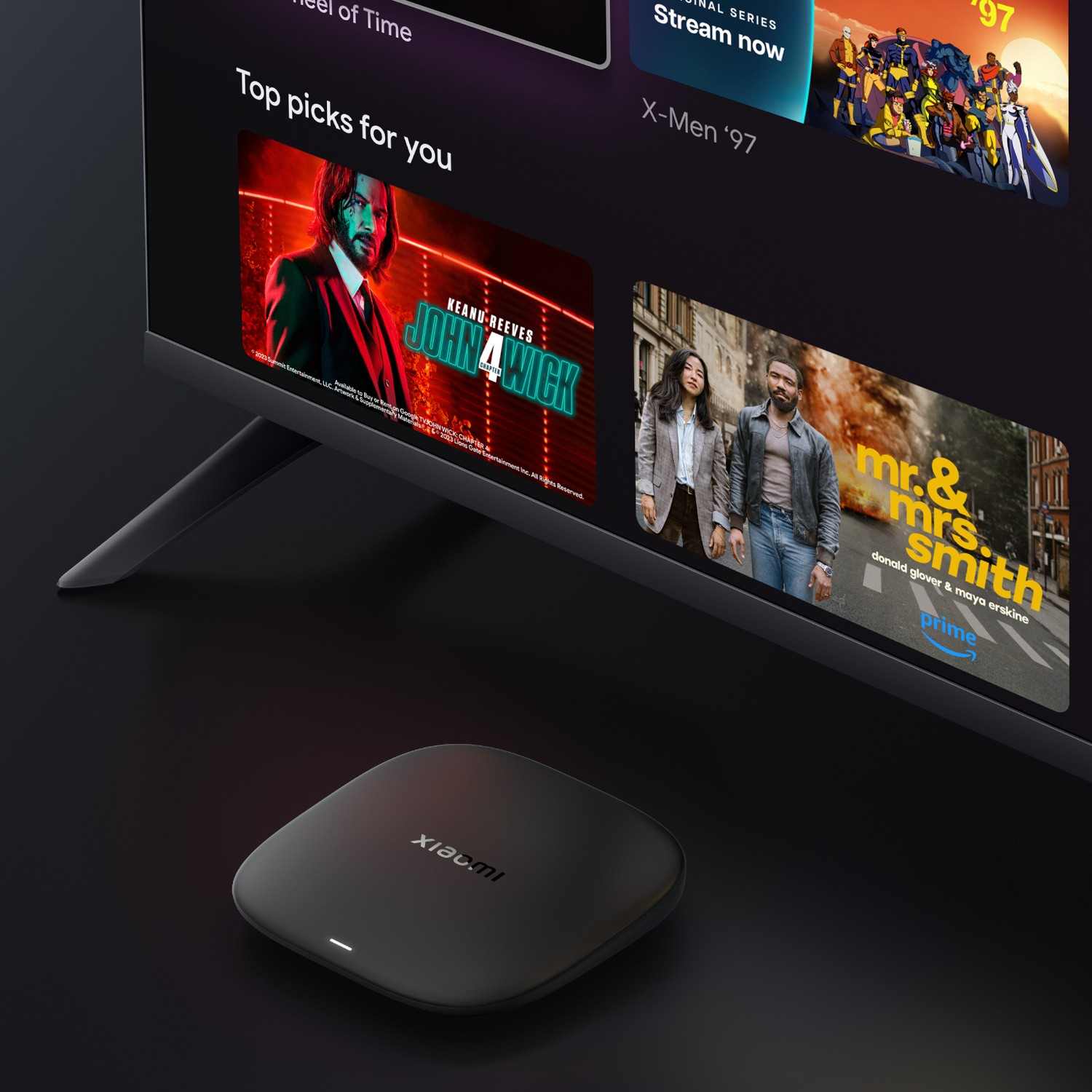
The Xiaomi TV Box S (3rd Gen) runs Google TV, providing an interface designed to bring movies, shows, apps and subscriptions together in one place.
Available content and applications can vary according to country, region and individual streaming-service availability.
5. Dolby Vision & HDR10+
The TV Box supports advanced HDR technologies including Dolby Vision and HDR10+.
When compatible content, display hardware and supported applications are used, these technologies can provide greater contrast, brightness and detail across light and dark areas of the image.
6. Dolby Atmos & DTS Audio Support
For compatible content and audio equipment, the Xiaomi TV Box S (3rd Gen) supports Dolby Audio and DTS.
These technologies are designed to provide a more immersive and detailed home entertainment audio experience.
7. Wi-Fi 6 Connectivity
The device supports Wi-Fi 6 on both 2.4GHz and 5GHz bands.
Wi-Fi 6 features such as OFDMA and MU-MIMO can help improve wireless network efficiency when used with a compatible Wi-Fi 6 router.
8. Bluetooth 5.2
Built-in Bluetooth 5.2 provides wireless connectivity for compatible Bluetooth accessories such as supported remotes, audio devices and other peripherals.
9. HDMI 2.1
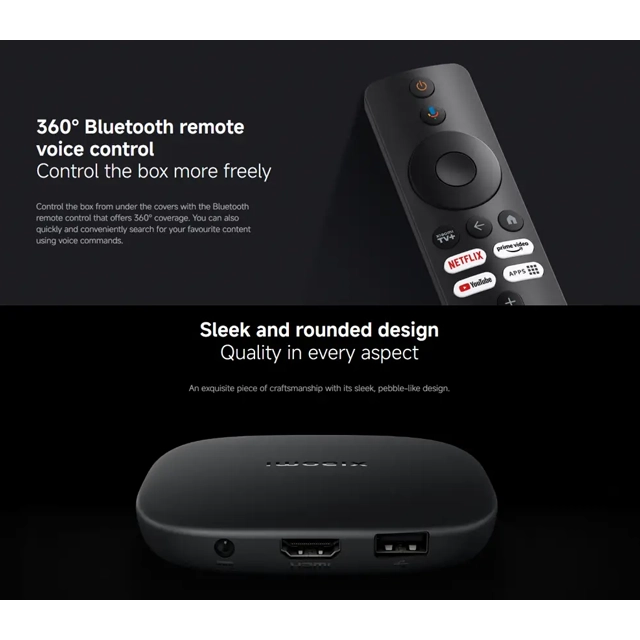
The Xiaomi TV Box S (3rd Gen) includes one HDMI 2.1 port for connecting the device to a compatible television or display.
The device supports 4K video output and HDMI 2.1a according to Xiaomi’s FAQ.
10. USB 2.0 Port
A USB 2.0 port is included for compatible USB accessories and supported external devices.
The official FAQ confirms that the USB port supports USB Host functionality.
11. Google Cast
Compatible applications can use Google Cast to send movies, shows, photos and other supported content from a smartphone or tablet to the TV Box.
Casting functionality depends on the application and device being used.
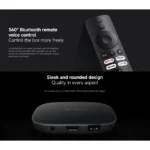
12. Bluetooth Voice Remote
The included Bluetooth remote provides 360° control and supports voice-based searching through the remote’s voice-control functionality.
The exact remote appearance and available functions can vary by market.
13. Compact Pebble-Like Design
The TV Box features a compact rounded design measuring approximately 97 × 97 × 17mm and weighing about 91.2g without packaging.
Its small footprint makes it easy to integrate into a television cabinet, desk or entertainment center.
Benefits
- Upgrade a compatible TV with Google TV
- 4K Ultra HD output
- Up to 4K 60FPS video playback
- 6nm quad-core processor
- Up to 2.5GHz CPU speed
- 2GB RAM
- 32GB internal storage
- Dolby Vision support
- HDR10+ support
- Dolby Audio and DTS
- Wi-Fi 6
- Dual-band 2.4GHz/5GHz Wi-Fi
- Bluetooth 5.2
- HDMI 2.1
- USB 2.0
- Google Cast support
- Bluetooth voice remote
- Compact and lightweight design
Perfect For
The Xiaomi TV Box S (3rd Gen) is suitable for:
- Smart TV upgrades
- 4K TV owners
- Streaming enthusiasts
- Google TV users
- Home cinema setups
- Movie and TV show streaming
- Families
- Bedroom TVs
- Office entertainment systems
- Users with older compatible TVs
- Users who want Google Cast
- Users looking for a compact streaming device
Why Choose Xiaomi TV Box S (3rd Gen)?
The Xiaomi TV Box S (3rd Gen) combines a compact design with modern streaming hardware and Google TV.
Its 4K output, 2GB RAM, 32GB storage, 6nm quad-core processor, Dolby Vision, HDR10+, Wi-Fi 6 and Bluetooth 5.2 make it suitable for users who want a more capable entertainment platform than a basic streaming stick or older smart-TV interface.
Xiaomi TV Box S (3rd Gen) vs Traditional Smart TV
| Feature | Traditional / Older Smart TV | Xiaomi TV Box S (3rd Gen) |
|---|---|---|
| Operating System | Varies | Google TV |
| Resolution | Varies | Up to 4K |
| Processor | TV-dependent | Quad-Core up to 2.5GHz |
| RAM | TV-dependent | 2GB |
| Storage | TV-dependent | 32GB |
| Dolby Vision | Depends on TV | Supported |
| HDR10+ | Depends on TV | Supported |
| Wi-Fi | Varies | Wi-Fi 6 |
| Bluetooth | Varies | Bluetooth 5.2 |
| Google Cast | Depends on TV | Supported |
| HDMI | TV-dependent | HDMI 2.1 |
| USB | TV-dependent | USB 2.0 |
| Upgradeable Experience | Depends on TV | External TV Box platform |
How to Use Xiaomi TV Box S (3rd Gen)
Step 1: Connect the HDMI Cable
Connect the included HDMI cable from the Xiaomi TV Box S (3rd Gen) to an available HDMI port on your television.
Step 2: Connect the Power Adapter
Connect the supplied power adapter to the TV Box and a suitable power outlet.
Step 3: Select the Correct TV Input
Turn on your television and select the HDMI input connected to the TV Box.
Step 4: Connect to the Internet
Follow the on-screen setup process and connect the TV Box to your Wi-Fi network.
The device supports 2.4GHz and 5GHz Wi-Fi 6.
Step 5: Complete Google TV Setup
Follow the Google TV setup instructions and sign in where required.
Step 6: Install or Access Supported Apps
Use the Google TV interface to access supported applications and entertainment services available in your region.
Step 7: Start Streaming
Choose your preferred movie, show, video or other supported content and enjoy it on your TV.
Use Cases
4K Movie Streaming
Connect the TV Box to a compatible 4K display and enjoy supported 4K content with high-resolution playback.
Home Cinema
Dolby Vision, HDR10+, Dolby Audio and DTS support can complement a compatible television and audio setup for a more immersive home cinema experience.
Streaming on an Older TV
A compatible older TV can gain access to a modern external Google TV platform without replacing the television itself.
Phone-to-TV Casting
Use Google Cast-enabled applications to cast supported content from your smartphone or tablet to the television.
Family Entertainment
The Google TV interface provides a centralized platform for supported movies, shows and applications, making the device suitable for shared household entertainment.
Compact Entertainment Setup
Its small 97 × 97 × 17mm body can fit neatly into compact entertainment areas.
Cleaning & Maintenance
- Disconnect the power before cleaning.
- Use a soft, dry cloth to clean the exterior.
- Keep the TV Box away from liquids and excessive moisture.
- Do not spray cleaning liquid directly onto the device.
- Keep ventilation areas unobstructed.
- Avoid placing the device in enclosed areas with excessive heat.
- Keep the HDMI and power connections clean and secure.
- Store the remote in a dry location.
Important Usage Tips
- Use the supplied or compatible power adapter with the correct specifications.
- Connect the device to a compatible HDMI display.
- For 4K playback, use a compatible 4K TV/display and suitable content.
- For Dolby Vision, HDR10+ and advanced audio formats, the content and connected equipment must also support the respective technologies.
- Use a Wi-Fi 6 router to benefit from the device’s Wi-Fi 6 capabilities.
- Keep the device ventilated during extended use.
- App and streaming-service availability varies by country and region.
- Actual available storage is lower than the advertised 32GB because system software occupies part of the storage.
- The official FAQ states that the device does not include an RJ45 Ethernet port, microSD slot, AV jack, IR interface or reset key.
Product Specifications
| Specification | Details |
|---|---|
| Product Name | Xiaomi TV Box S (3rd Gen) |
| Product Type | 4K Streaming / Google TV Box |
| Model | MDZ-32-AA |
| Operating System | Google TV™ |
| Output Resolution | Up to 4K (3840 × 2160) |
| Video Playback | Up to 4K 60FPS |
| CPU | 64-bit Quad-Core A55 |
| Maximum CPU Speed | Up to 2.5GHz |
| Manufacturing Platform | 6nm |
| GPU | ARM G310 V2 |
| RAM | 2GB |
| Storage | 32GB |
| HDR | HDR10+ |
| Dolby Vision | Yes |
| Audio | Dolby Audio / DTS |
| Wi-Fi | Wi-Fi 6, 2.4GHz / 5GHz |
| Bluetooth | Bluetooth 5.2 |
| HDMI | HDMI 2.1 × 1 |
| USB | USB 2.0 × 1 |
| Ethernet | Not supported |
| MicroSD | Not supported |
| AV Jack | Not supported |
| IR | Not supported |
| Google Cast | Supported |
| Voice Remote | Bluetooth Voice Remote |
| Input Voltage | 100–240V, 50/60Hz |
| Output Specification | DC 5.2V / 2.1A |
| Dimensions | Approx. 97 × 97 × 17mm |
| Weight | Approx. 91.2g |
| Color | Black |
| Operating Temperature | 0°C to 40°C |
| Storage Temperature | -15°C to 45°C |
What’s in the Box?
Typical official package contents include:
- 1 × Xiaomi TV Box S (3rd Gen)
- 1 × Bluetooth Voice Remote
- 1 × Power Adapter
- 1 × HDMI Cable
- 1 × User Manual
Package contents can vary slightly by market or regional package. Xiaomi’s official specifications list the TV Box, remote control, user manual, power adapter and HDMI cable.
Who Should Buy This Product?
Choose the Xiaomi TV Box S (3rd Gen) if you want:
- A compact 4K streaming box
- Google TV experience
- 2GB RAM and 32GB storage
- Dolby Vision and HDR10+
- Wi-Fi 6 connectivity
- Bluetooth 5.2
- Google Cast
- HDMI 2.1
- A Bluetooth voice remote
- An external solution for upgrading a compatible TV
If you specifically need wired Ethernet, microSD expansion or multiple USB ports, note that this model does not provide those connections according to Xiaomi’s official FAQ.
Why Buy from AIYOZON?
When purchasing the Xiaomi TV Box S (3rd Gen) from AIYOZON, you can enjoy:
- Convenient online ordering
- Product-focused information
- Secure packaging
- Delivery support
- Product assistance
- Access to Xiaomi smart entertainment products
- Customer support for product-related questions
Before ordering, check the regional version, included accessories, power adapter and supported streaming services to ensure the product matches your requirements.
Frequently Asked Questions
What is Xiaomi TV Box S (3rd Gen)?
The Xiaomi TV Box S (3rd Gen) is a compact 4K Google TV streaming box designed to provide modern streaming, casting and entertainment features through a compatible television.
Does Xiaomi TV Box S (3rd Gen) support 4K?
Yes. It supports 4K output at 3840 × 2160 and video playback up to 4K 60FPS.
How much RAM and storage does it have?
The device has 2GB RAM and 32GB internal storage. Some of the storage is occupied by system software and pre-installed applications, so usable storage will be lower.
Does it support Dolby Vision?
Yes. The Xiaomi TV Box S (3rd Gen) supports Dolby Vision as well as HDR10+.
Does it support Dolby Atmos?
The device supports Dolby Audio and DTS. Actual Dolby Atmos playback depends on compatible content, applications, TV/audio equipment and the supported audio configuration.
Does it have Wi-Fi 6?
Yes. It supports Wi-Fi 6 on 2.4GHz and 5GHz bands, including OFDMA and MU-MIMO.
Does it have Bluetooth?
Yes. The TV Box supports Bluetooth 5.2.
Does it have an Ethernet/LAN port?
No. Xiaomi’s official FAQ states that the Xiaomi TV Box S (3rd Gen) does not support RJ45 LAN.
Does it support a microSD card?
No. The official FAQ states that microSD is not supported.
Does it have USB?
Yes. It has one USB 2.0 port with USB Host support.
Can I cast my phone screen or content to the TV?
Compatible applications can use Google Cast to send supported movies, shows, photos and other content from a phone or tablet to the TV Box.
Does it come with a voice remote?
Yes. The package includes a Bluetooth remote with voice-control functionality.
Can it work with any TV?
It is designed to connect through HDMI, but the television/display must have a compatible HDMI input. 4K, Dolby Vision, HDR10+ and advanced audio features additionally depend on compatible display, content and equipment.
Is 32GB the usable storage?
No. The advertised 32GB is the total internal storage capacity. The operating system and pre-installed applications occupy part of the storage, leaving less space available for user applications and data.
Final Verdict
The Xiaomi TV Box S (3rd Gen) is a compact 4K Google TV streaming device built around a 6nm quad-core processor, 2GB RAM and 32GB storage.
Its combination of 4K 60FPS playback, Dolby Vision, HDR10+, Dolby Audio, DTS, Wi-Fi 6, Bluetooth 5.2, HDMI 2.1, Google Cast and a Bluetooth voice remote makes it a versatile addition to a compatible home entertainment setup.
Its compact 97 × 97 × 17mm design also makes it easy to integrate into a TV cabinet, bedroom setup or small entertainment area.
Ready to Upgrade Your TV Experience?
- ✔ 4K Ultra HD output
- ✔ Google TV
- ✔ 6nm Quad-Core A55 processor
- ✔ Up to 2.5GHz CPU
- ✔ 2GB RAM + 32GB storage
- ✔ Dolby Vision
- ✔ HDR10+
- ✔ Dolby Audio & DTS
- ✔ Wi-Fi 6
- ✔ Bluetooth 5.2
- ✔ HDMI 2.1
- ✔ Google Cast
- ✔ Bluetooth voice remote
- ✔ Compact 97 × 97 × 17mm design

















Reviews
There are no reviews yet.