




UGREEN CM600 5-Port 4K 60Hz HDMI Switcher with Remote – 5-in-1 HDMI 2.0 Switch
Original price was: 6,000.00৳ .4,400.00৳ Current price is: 4,400.00৳ .
UGREEN CM600 5-Port 4K 60Hz HDMI Switcher with Remote – 5-in-1 HDMI 2.0 Switch
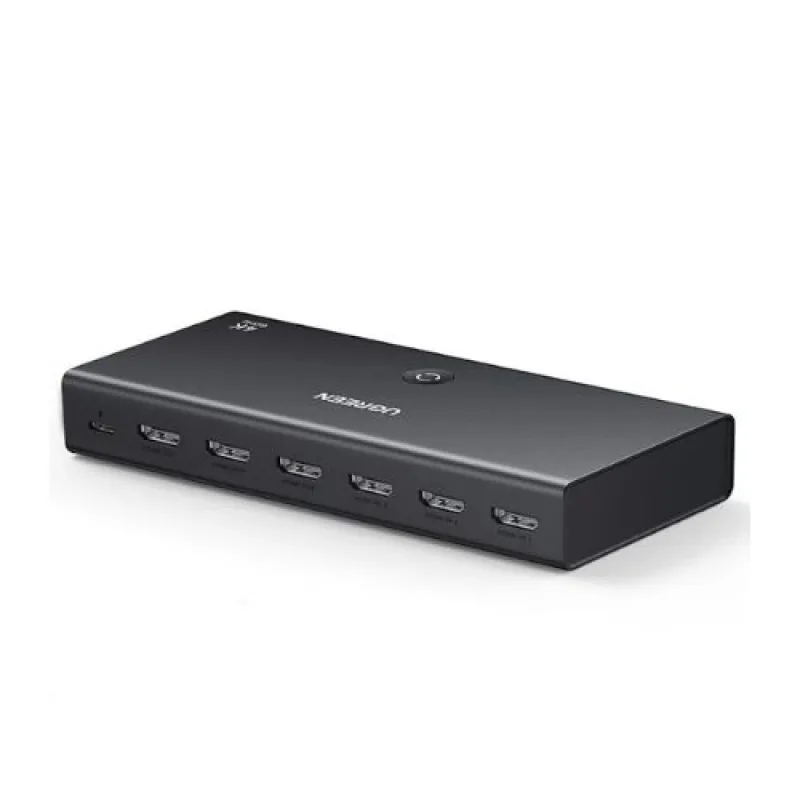
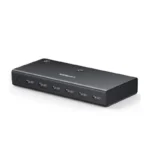
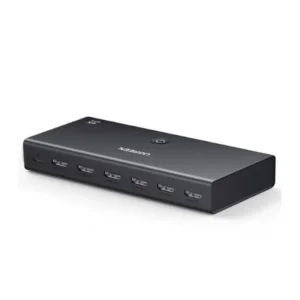
The UGREEN CM600 5-Port 4K 60Hz HDMI Switcher is a convenient solution for connecting multiple HDMI devices to a single television, monitor or projector. Instead of repeatedly unplugging and reconnecting HDMI cables, you can connect up to five source devices and switch between them using the included remote control or the physical button on the switch. Current product listings identify this model as CM600 (90802).
Supporting resolutions up to 4K at 60Hz and an HDMI 2.0 connection, the switch is suitable for compatible gaming consoles, computers, streaming devices, Blu-ray players and other HDMI sources. Its LED indicators help identify the currently selected input, while USB-C power keeps the switch operating reliably.
Whether you are building a home entertainment system, organizing a gaming setup or connecting several devices to a monitor, the UGREEN CM600 helps make HDMI source selection easier.
Common Problems with Multiple HDMI Devices
Modern entertainment setups often include several HDMI devices, such as:
- PlayStation and Xbox consoles
- Desktop computers and laptops
- Streaming media players
- Blu-ray and DVD players
- TV boxes and other media devices
- Gaming consoles and capture-related equipment
When a television or monitor has fewer HDMI ports than your devices require, you may need to disconnect cables or access the display’s input controls repeatedly.
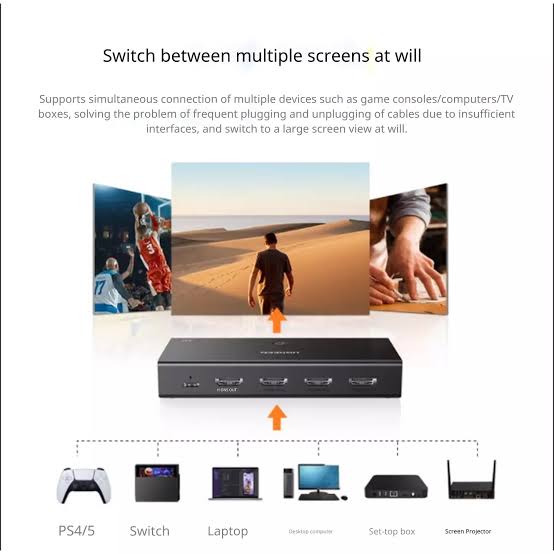
The UGREEN CM600 HDMI Switcher provides a simple alternative by connecting multiple sources to one display and allowing you to select the device you want to use.
Smart Solution: Five HDMI Inputs, One Display
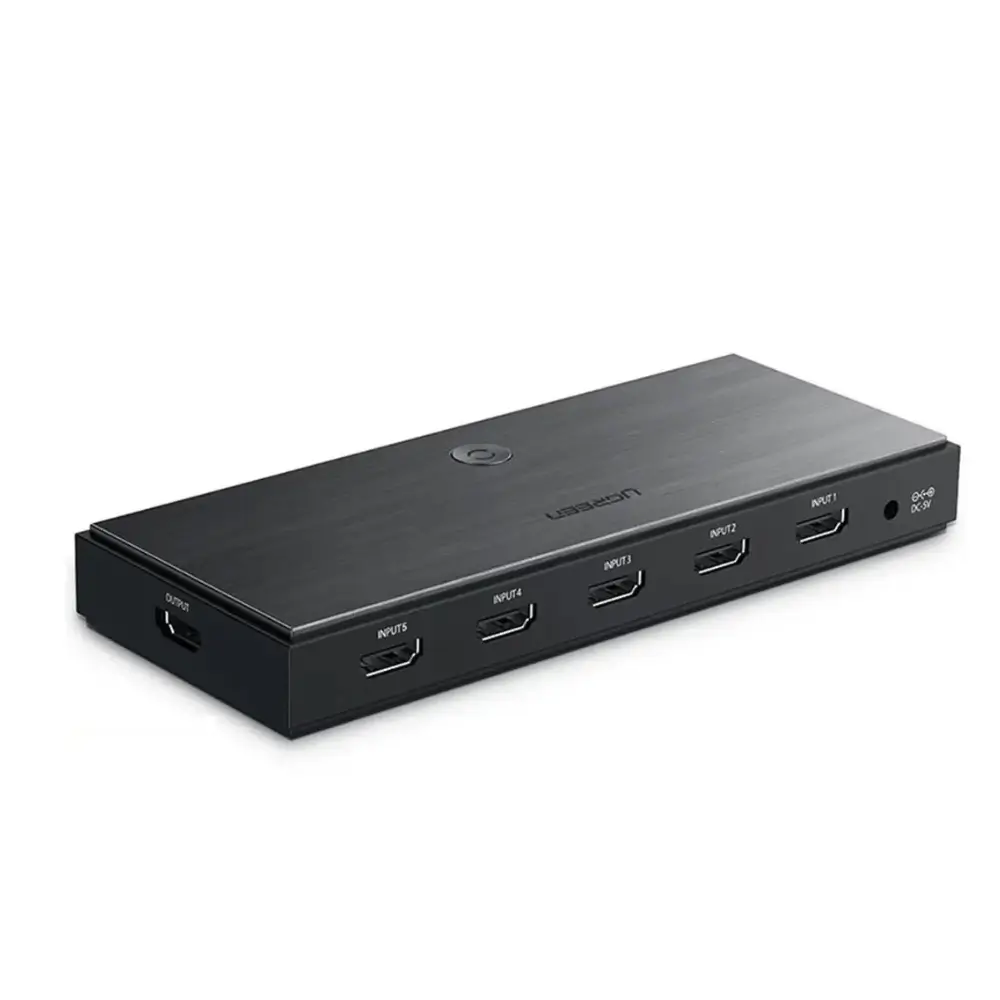
The UGREEN CM600 uses a 5-in-1-out configuration. Connect up to five HDMI source devices to the input ports, then connect the single HDMI output to your television, monitor or projector. Select the desired source using the remote or the switch’s physical button.
Five HDMI sources → UGREEN CM600 → One HDMI display
This setup reduces cable swapping and keeps your entertainment area more organized.
Key Features
1. Five HDMI Inputs
Connect up to five HDMI source devices to one compatible display. This is useful when several gaming consoles, media players and computers share the same television or monitor.
2. 4K Ultra HD at 60Hz
The CM600 is listed with support for resolutions up to 3840 × 2160 at 60Hz. This allows compatible source devices and displays to deliver detailed 4K visuals with smooth motion, provided the entire connection supports the selected resolution and refresh rate.
3. HDMI 2.0 Connectivity
The related UGREEN 5-in-1 HDMI switch specifications identify HDMI 2.0 and bandwidth up to 18Gbps. These capabilities support compatible high-resolution video and audio signals. Confirm the exact CM600 package documentation for the supplied regional version.
4. Convenient Remote Control
Use the included remote to switch between connected HDMI sources without reaching behind your television or monitor. The physical button on the switch also provides a direct way to select an input.
5. LED Input Indicators
LED indicators show which input is currently selected, making it easier to identify the active source when several devices are connected.
6. USB-C Powered Operation
Current CM600 listings specify a USB-C power connection and an included USB-C power cable. Check the seller’s package details to confirm whether a separate power adapter is included.
7. Plug-and-Play Setup
The switch is designed to work without installing dedicated drivers. Connect the HDMI sources and display, provide the required USB power, and select the desired input.
8. Broad Device Compatibility
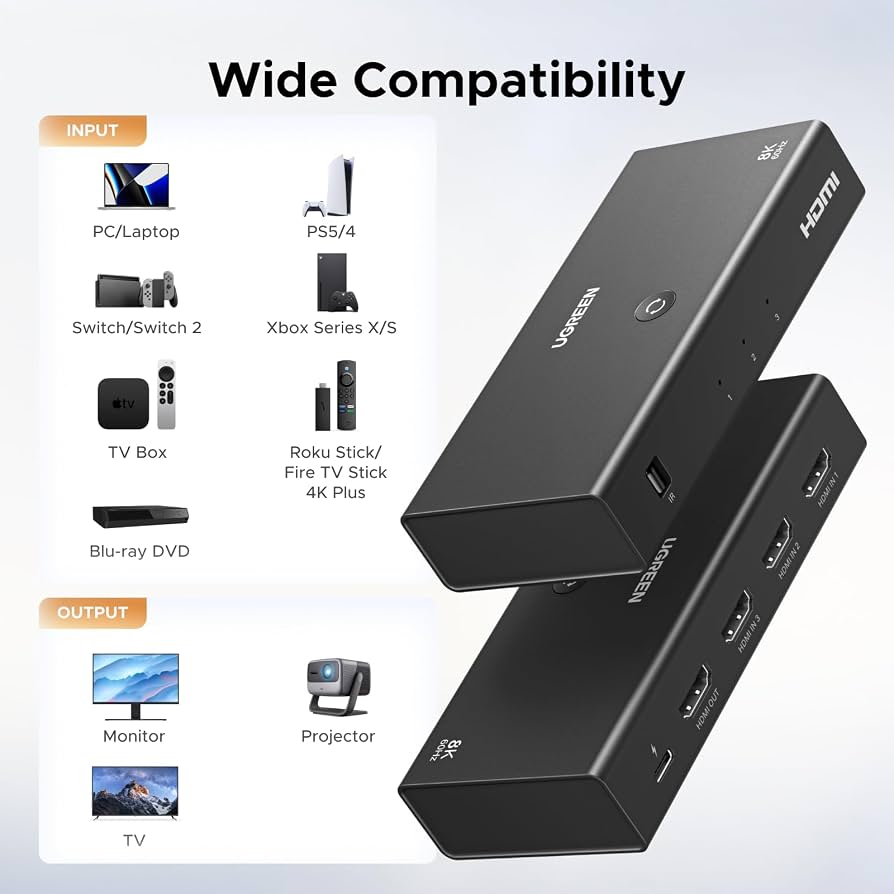
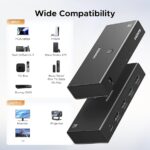
The 5-in-1 HDMI switch category is commonly used with compatible devices such as PlayStation, Xbox, Nintendo Switch, computers, streaming players, Blu-ray players, televisions and projectors. Actual compatibility depends on the HDMI output, display and supported video format of each device.
9. Supports Everyday Entertainment Setups
The switch is useful for home theatres, gaming areas and workstations where several HDMI sources need to share one display.
10. No Repeated Cable Swapping
Once the devices are connected, you can switch between sources using the remote or physical button rather than disconnecting cables each time.
Benefits of UGREEN CM600
- Connects up to five HDMI sources to one display
- Supports up to 4K at 60Hz on compatible setups
- Remote and physical-button switching
- LED indicators for input selection
- USB-C power connection
- Driver-free operation
- Helps reduce repeated cable swapping
- Suitable for gaming, streaming and home entertainment
- Works with compatible HDMI televisions, monitors and projectors
- Keeps multi-device setups easier to manage
Perfect For
The UGREEN CM600 is suitable for:
- Gamers: Share one television between compatible consoles.
- Home theatre users: Connect a media player, TV box and Blu-ray player.
- Office users: Switch between computers and other HDMI sources.
- Streaming enthusiasts: Connect compatible streaming devices.
- Desktop setups: Share a monitor between several HDMI-equipped devices.
- Families: Keep several entertainment devices connected to one display.
Why Choose UGREEN CM600?
The main advantage of the UGREEN CM600 5-Port HDMI Switcher is convenience. It allows several HDMI sources to remain connected to one display, with input selection handled by a remote or a button on the switch.
Its 4K@60Hz support makes it a useful option for compatible modern displays, while the LED indicators and USB-C power connection help simplify everyday operation.
UGREEN CM600 vs. a Basic HDMI Switch
| Feature | UGREEN CM600 | Basic HDMI Switch |
|---|---|---|
| HDMI Inputs | 5 | Varies |
| HDMI Outputs | 1 | Usually 1 |
| Maximum Listed Resolution | Up to 4K@60Hz | Varies |
| Remote Control | Yes | Depends on model |
| Physical Switching Button | Yes | Depends on model |
| LED Input Indicators | Yes | Depends on model |
| USB-C Power | Listed | Varies |
| Driver Installation | Not required | Usually not required |
| Best Use | Multiple HDMI sources sharing one display | Depends on model |
The comparison reflects the listed CM600 features; capabilities of other HDMI switches vary by model.
How to Use UGREEN CM600
Step 1: Connect Your HDMI Sources
Connect up to five compatible source devices to the HDMI input ports.
Step 2: Connect the Display
Connect the HDMI output from the switch to your television, monitor or projector.
Step 3: Connect USB Power
Connect the included power cable to the switch and a suitable USB power source, following the instructions supplied with your unit.
Step 4: Turn On Your Devices
Switch on the display and the source device you want to use.
Step 5: Select the Input
Use the remote control or physical button to select the appropriate HDMI input.
Step 6: Check the Picture and Sound
Confirm that the display is using the correct input and that the source device’s resolution and refresh-rate settings are compatible with the display and HDMI cables.
Recommended Use Cases
Gaming Setup
Keep compatible PlayStation, Xbox and Nintendo Switch devices connected to one display, then select the console you want to play.
Home Entertainment
Connect compatible media players, streaming boxes and Blu-ray players to a shared television.
Office and Workstation
Switch a monitor between a laptop, desktop computer or other compatible HDMI source.
Projector Setup
Use the switch to select between multiple HDMI sources connected to a compatible projector.
Shared Family Television
Reduce the need to access the rear HDMI ports whenever someone wants to use a different device.
Cleaning & Maintenance
- Disconnect power before cleaning the switch.
- Wipe the exterior with a dry, soft cloth.
- Keep HDMI and USB-C ports free from dust.
- Avoid liquids and excessive moisture.
- Ensure cables are securely connected.
- Store the remote in a safe, dry location.
- Avoid pulling the switch by its connected cables.
Important Usage Tips
- This is an HDMI switch, not an HDMI splitter. It selects one source to send to one display.
- It does not display all five sources simultaneously.
- Do not assume automatic input switching is supported; select inputs using the remote or physical button.
- For 4K@60Hz, use HDMI cables and source/display devices that support the required video format and bandwidth.
- Cable length and quality can affect signal reliability at higher resolutions.
- The remote may require batteries that are not included; check the package contents.
- A USB power adapter may be sold separately, depending on the bundle.
UGREEN’s related 5-in-1 HDMI switch documentation specifically notes manual or remote source selection and that the power adapter and remote batteries may not be included in some packages. Confirm the CM600 bundle supplied by AIYOZON.
Product Specifications
| Specification | Details |
|---|---|
| Brand | UGREEN |
| Product Name | 5-Port 4K 60Hz HDMI Switcher with Remote |
| Model | CM600 |
| Product Code | 90802 |
| Product Type | HDMI Switch |
| Input Ports | 5 × HDMI |
| Output Ports | 1 × HDMI |
| Maximum Listed Resolution | Up to 4K@60Hz |
| HDMI Version | HDMI 2.0 listed for the product category |
| Maximum Listed Bandwidth | Up to 18Gbps for the related 5-in-1 switch specification |
| Switching Methods | Remote control and physical button |
| Input Indicators | LED indicators |
| Power Connection | USB-C |
| Driver Requirement | No dedicated driver required |
| Compatible Display Types | TV, monitor, projector with compatible HDMI input |
| Compatible Sources | HDMI-equipped consoles, computers, media players and other compatible devices |
Specification note: CM600 (90802) is the model identifier found in current listings. Some specifications such as HDMI bandwidth, HDR/HDCP features and cable-length recommendations are published for related UGREEN 5-in-1 switches, so confirm the exact unit’s documentation before advertising every advanced video feature as guaranteed.
What’s in the Box?
Typical listed contents include:
- 1 × UGREEN CM600 HDMI Switcher
- 1 × Remote Control
- 1 × USB-C Power Cable
- 1 × User Manual or Documentation
Please verify the exact retail bundle. A separate USB power adapter and remote batteries may not be included.
Who Should Buy This Product?
Choose the UGREEN CM600 if you:
- Have more HDMI devices than available display inputs
- Want to connect up to five sources to one screen
- Need remote input switching
- Want 4K@60Hz support for a compatible setup
- Prefer not to unplug HDMI cables repeatedly
- Use a television or monitor for gaming and streaming
- Want a straightforward multi-device entertainment solution
Why Buy from AIYOZON?
When purchasing the UGREEN CM600 5-Port 4K 60Hz HDMI Switcher from AIYOZON, you can enjoy a convenient shopping experience for useful connectivity accessories.
- Detailed product information
- Convenient online ordering
- Product guidance before purchase
- Customer support
- Delivery options across Bangladesh
Before ordering, confirm the model code, included accessories and power-adapter arrangement for the exact stock version.
Frequently Asked Questions
What is the UGREEN CM600?
The UGREEN CM600 is a 5-input, 1-output HDMI switcher designed to connect multiple HDMI source devices to one display. Current listings identify it as model 90802.
Does the CM600 support 4K at 60Hz?
Yes. Current CM600 listings advertise support for resolutions up to 4K@60Hz. The source device, display and HDMI cables must also support the selected resolution and refresh rate.
How many devices can I connect?
You can connect up to five HDMI source devices to the switch and send the selected source to one display.
Can I switch inputs using the remote?
Yes. The product is listed with remote control and a physical switching button.
Can it show five devices on the screen at once?
No. It is a switcher, not a multi-viewer or splitter. It selects one HDMI source at a time for the connected display.
Does the CM600 need a power connection?
Current listings specify USB-C power. Use the cable and a suitable power source as described in the product instructions.
Is the HDMI switch plug-and-play?
It is listed as driver-free, so dedicated computer drivers are not required. You still need to connect the cables and provide the required power.
Does it support HDR?
Related UGREEN 5-in-1 HDMI 2.0 switches list HDR support, but verify the exact CM600 documentation and connected-device compatibility before relying on a particular HDR format.
Are the power adapter and remote batteries included?
Not necessarily. Package contents vary by seller and bundle. Check the AIYOZON product listing or confirm with the seller before ordering.
Final Verdict
The UGREEN CM600 5-Port 4K 60Hz HDMI Switcher with Remote is a practical way to connect multiple HDMI sources to one television, monitor or projector. Its five-input design, remote and physical-button switching, LED indicators and advertised 4K@60Hz support make it useful for gaming, streaming, office work and home entertainment.
Simplify Your HDMI Setup
- 5 HDMI inputs, 1 display output
- Up to 4K@60Hz support
- Remote and physical-button switching
- LED input indicators
- USB-C powered operation
- Driver-free setup












Reviews
There are no reviews yet.