






UGREEN CM629 4K HDMI Video Capture Card for Streaming & Recording
3,650.00৳
UGREEN CM629 4K HDMI Video Capture Card for Streaming & Recording
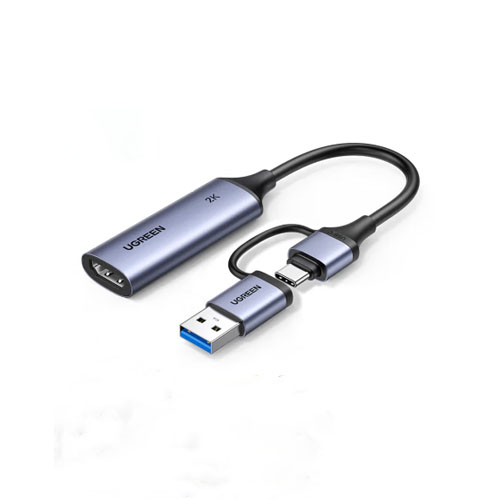
The UGREEN CM629 4K HDMI Video Capture Card is a compact video-capture solution designed for gamers, streamers, educators and content creators who want to record or stream video from compatible HDMI devices using a computer or other supported host device.
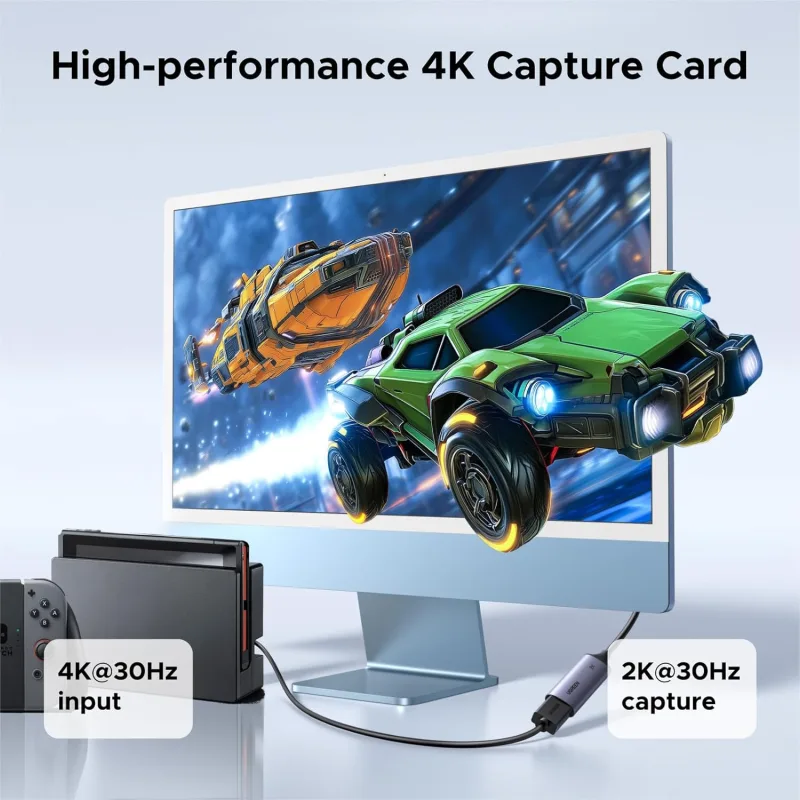
Identified by product code 15389, the CM629 supports HDMI input resolutions of up to 4K@30Hz and video capture at up to 2K@30Hz. It also supports 1080p@60fps workflows, making it suitable for recording gameplay, capturing camera footage, streaming presentations and producing online content.
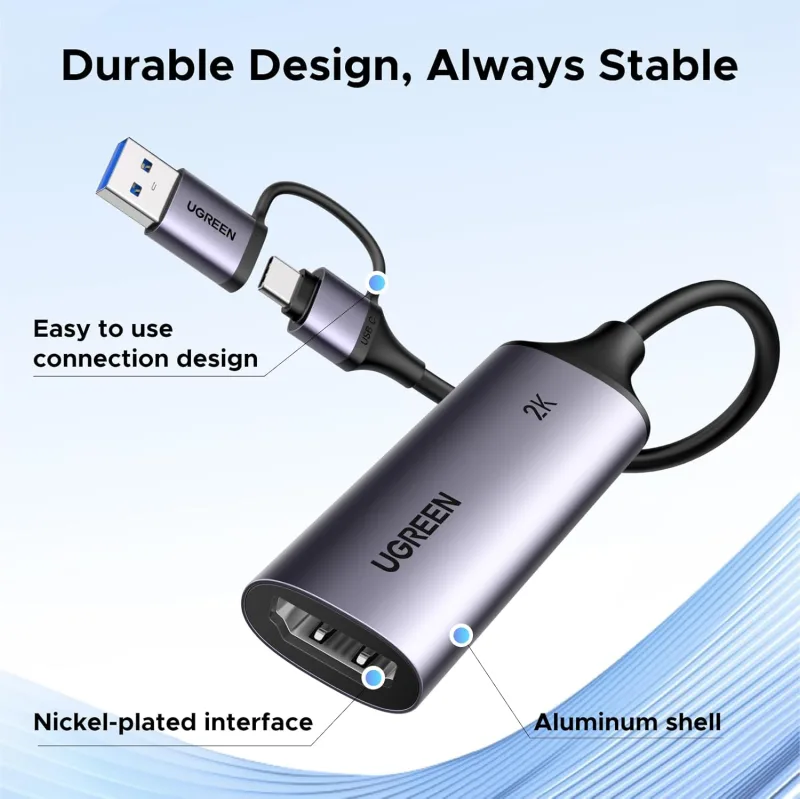
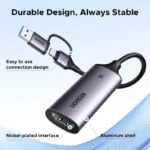
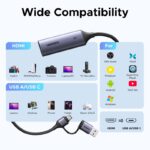
With its dual USB-A and USB-C connectivity, plug-and-play operation and compact aluminum housing, the UGREEN CM629 offers a convenient way to connect compatible HDMI sources to a supported recording or streaming setup.
Common Problems with Video Recording
Capturing video from a gaming console, camera or another HDMI device can be challenging without the right equipment.
Common problems include:
- Difficulty recording HDMI video on a laptop or desktop
- Complicated capture-card installation
- Limited compatibility with different USB ports
- Poor recording smoothness at higher frame rates
- Difficulty streaming gameplay or presentations
- Extra equipment taking up desk space
- Uncertainty about supported input and recording resolutions
The UGREEN CM629 provides a compact capture solution with USB-A and USB-C connectivity for compatible devices.
Smart Solution: UGREEN CM629 HDMI Capture Card
The CM629 connects a compatible HDMI video source to a supported USB host, allowing capture software to receive video and audio for recording or streaming.
HDMI Video Source → UGREEN CM629 → USB-A / USB-C Host → Recording or Streaming Software
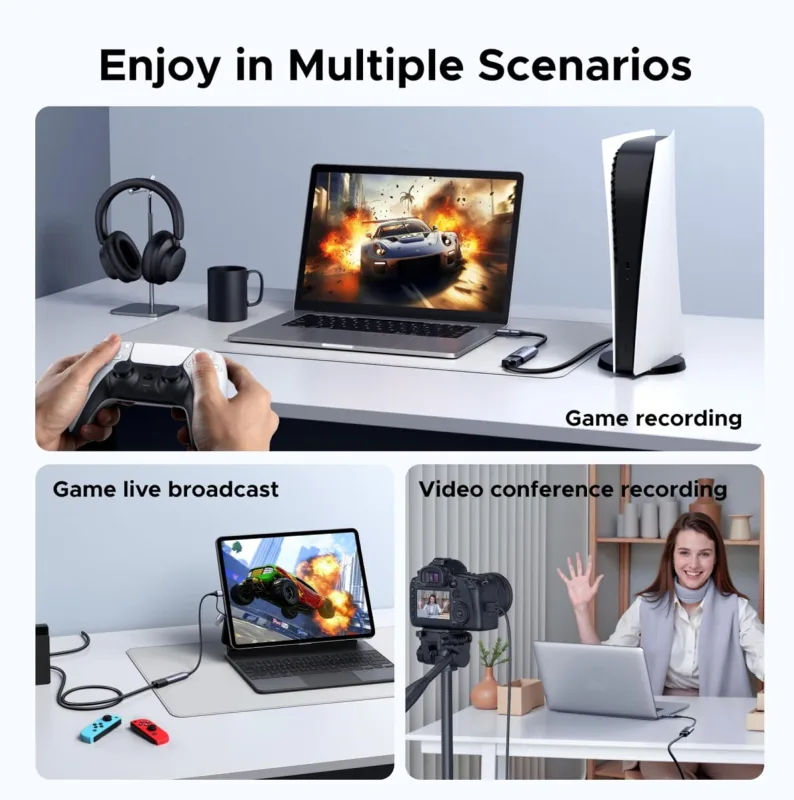
This setup can be useful for gameplay capture, camera recording, online teaching, demonstrations and live broadcasts.
Important resolution note: The CM629 supports up to 4K@30Hz HDMI input, while its listed maximum capture resolution is 2K@30Hz. Do not advertise it as a native 4K recording card.
Key Features
1. Up to 4K HDMI Input
The UGREEN CM629 accepts compatible HDMI video signals at resolutions up to 4K@30Hz. This allows it to work with supported high-resolution sources, subject to the capabilities of the source device and the complete recording setup.
2. Up to 2K@30Hz Video Capture
The capture card supports recording at up to 2K resolution at 30Hz, making it suitable for higher-resolution video capture where supported by the host device and software.
3. 1080p@60fps Support
For Full HD workflows, the CM629 supports 1080p at 60 frames per second. This is useful for capturing smoother motion in compatible gameplay, demonstrations and other video content. Actual performance depends on the source signal, host connection and recording settings.
4. Dual USB-A and USB-C Connectivity
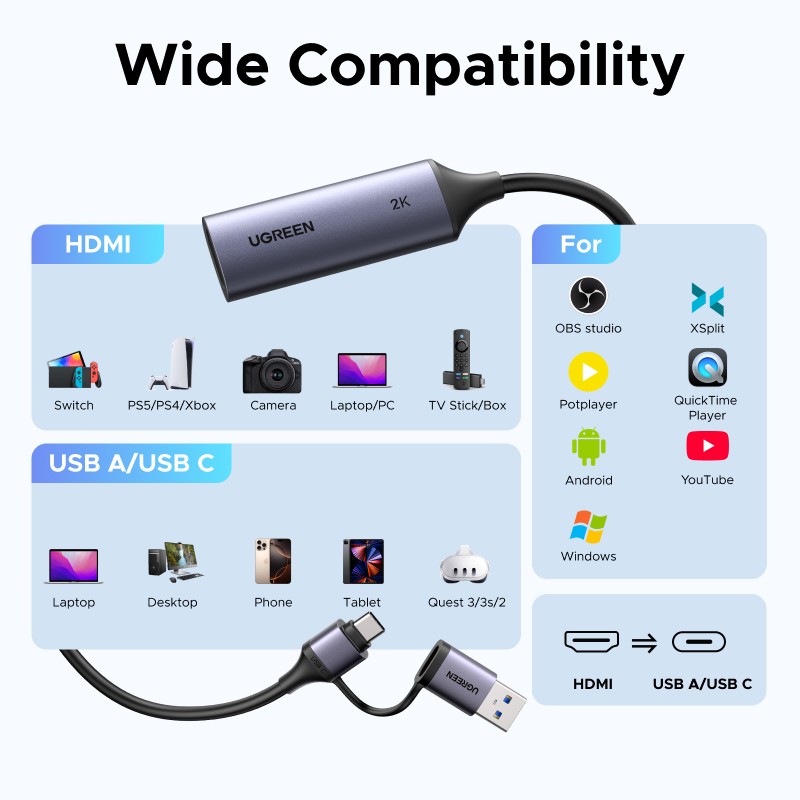
The CM629 features USB-A and USB-C connectivity, offering flexibility when connecting to compatible computers and devices.
Before connecting, confirm that the host port and operating system support the required capture mode.
5. Plug-and-Play Operation
The device is described as plug-and-play, helping simplify setup without a complicated installation process. Compatible recording software may still need to be configured to select the capture card as its video and audio source.
6. MJPEG and YUY2 Video Formats
Available CM629 specifications list MJPEG and YUY2 video formats. The format available in practice depends on the capture mode, host device and recording software.
7. Audio Capture Support
The CM629 supports audio capture alongside video, allowing compatible source audio to be included in recordings and streams. Published specifications list audio sampling up to 24-bit/48kHz.
8. Aluminum Alloy Housing
The aluminum housing provides a durable, compact enclosure and helps dissipate heat during use. Its small form factor is convenient for desks, streaming setups and portable recording equipment.
9. Compatible Recording Software
Listed compatible applications include:
- OBS Studio
- XSplit
- PotPlayer
- QuickTime Player
Software availability and compatibility vary by operating system. Confirm support for your particular computer or mobile device before purchasing.
Benefits of UGREEN CM629
- Supports HDMI input up to 4K@30Hz
- Captures video up to 2K@30Hz
- Supports 1080p@60fps workflows
- Offers USB-A and USB-C connectivity
- Simplifies compatible HDMI video capture
- Supports video and audio recording
- Works with popular capture software
- Compact aluminum construction
- Suitable for gaming, teaching and content creation
- Convenient for home and professional streaming setups
Perfect For
Gamers: Capture compatible gameplay from supported consoles and other HDMI sources.
Streamers: Connect an HDMI source to compatible streaming software.
Content Creators: Record video from supported cameras and other HDMI devices.
Teachers and Trainers: Capture presentations, demonstrations and compatible external video sources.
Online Presenters: Use supported HDMI equipment for demonstrations and recording sessions.
Video Enthusiasts: Create recordings from compatible HDMI devices using a computer-based workflow.
Compatibility depends on the source device, host hardware, operating system and capture software.
Why Choose UGREEN CM629?
The UGREEN CM629 is designed for users who need a straightforward way to capture HDMI video without building a complicated recording setup.
Its combination of 4K input support, 2K@30Hz capture, 1080p@60fps support and dual USB-A/USB-C connectivity makes it a flexible option for compatible streaming and recording workflows.
UGREEN CM629 vs Basic HDMI Capture Card
| Feature | UGREEN CM629 | Basic Capture Card |
|---|---|---|
| HDMI Input | Up to 4K@30Hz | Varies |
| Maximum Listed Capture | Up to 2K@30Hz | Varies |
| Full HD Capture | 1080p@60fps supported | Varies |
| USB Connectivity | USB-A / USB-C | Varies |
| Plug-and-Play | Listed as supported | Depends on model |
| Video Formats | MJPEG / YUY2 listed | Varies |
| Audio Capture | Supported | Depends on model |
| Housing | Aluminum alloy | Varies |
| Use Cases | Streaming, gaming, recording | Model dependent |
Specifications for competing capture cards vary. Compare the actual capture resolution, frame rate and connection type rather than relying on a product’s “4K” label alone.
How to Use UGREEN CM629
Step 1: Connect Your HDMI Source
Connect the HDMI output of your compatible gaming console, camera or other video source to the CM629’s HDMI input.
Step 2: Connect the USB Interface
Connect the capture card to a compatible USB-A or USB-C host port, following the connection requirements for your version.
Step 3: Open Recording Software
Launch a compatible application such as OBS Studio or another supported capture program.
Step 4: Select the Capture Device
Choose the UGREEN capture card as the video source and select the appropriate audio source if required.
Step 5: Configure Resolution and Frame Rate
Select a supported capture setting, such as 1080p@60fps or up to 2K@30Hz, depending on your source, host and software configuration.
Step 6: Start Recording or Streaming
Check the preview and audio, then begin recording or start your live stream.
Recommended Use Cases
Gaming Capture
Record compatible gameplay for tutorials, highlights and gaming videos.
Live Streaming
Use the capture card as an input source in compatible streaming software.
Camera Recording
Capture output from a compatible camera with HDMI output.
Online Education
Record presentations, demonstrations and lessons from supported HDMI equipment.
Product Demonstrations
Capture external video for software tutorials, device demonstrations and training materials.
Cleaning & Maintenance
- Disconnect the capture card before cleaning.
- Wipe the housing with a soft, dry cloth.
- Keep the connectors free from dust and moisture.
- Avoid pulling or bending connected cables excessively.
- Store the device in a dry, protected location.
- Do not dismantle the device or expose it to liquids.
Important Usage Tips
- Check the model and product code: CM629 / 15389.
- Remember that 4K input support does not mean 4K recording.
- Use a compatible USB port and host device.
- Confirm that your HDMI source outputs a supported resolution and refresh rate.
- Select the correct video and audio sources in your recording software.
- Check software and operating-system compatibility before purchase.
- Protected HDMI content may not be capturable; check the source device’s HDCP settings and the manufacturer’s restrictions before recording.
- For the best result, keep the source resolution, capture settings and software configuration within the card’s supported limits.
Product Specifications
| Specification | Details |
|---|---|
| Brand | UGREEN |
| Model | CM629 |
| Product Code | 15389 |
| Product Type | HDMI Video Capture Card |
| HDMI Input Resolution | Up to 4K@30Hz |
| Maximum Listed Capture Resolution | Up to 2K@30Hz |
| Full HD Capture | 1080p@60fps supported |
| Host Connectivity | USB-A / USB-C |
| Video Formats | MJPEG / YUY2 |
| Audio Sampling | Up to 24-bit/48kHz listed |
| Housing | Aluminum alloy |
| Software | OBS Studio, XSplit, PotPlayer, QuickTime Player and others listed |
| Operation | Plug-and-play |
| Intended Use | Video capture, streaming and recording |
Specifications are based on available CM629/15389 product listings. Confirm the exact package and supported modes with the seller before publishing a fixed regional specification.
What’s in the Box?
Package contents may vary by retailer. Before listing the included accessories, verify the actual CM629/15389 package supplied by your distributor.
Who Should Buy This Product?
The UGREEN CM629 is suitable for customers who:
- Need to capture compatible HDMI video on a computer
- Record or stream gameplay
- Capture video from compatible cameras
- Create tutorials and demonstrations
- Teach or present online
- Prefer USB-A and USB-C connection options
- Want a compact capture device for a home or portable setup
Why Buy from AIYOZON?
When purchasing the UGREEN CM629 4K HDMI Video Capture Card from AIYOZON, you can enjoy a convenient shopping experience with clear product information and support before purchase.
- Convenient online ordering
- Detailed product specifications
- Customer support for compatibility questions
- Convenient delivery options
- Access to practical computer and streaming accessories
Frequently Asked Questions
What is the UGREEN CM629 used for?
It is an HDMI video capture card designed to transfer compatible video and audio from an HDMI source to a supported USB host for recording or streaming.
Does the UGREEN CM629 support 4K?
It supports HDMI input up to 4K@30Hz. Its listed maximum capture resolution is 2K@30Hz, so it should not be described as a native 4K recording card.
Can it capture 1080p at 60fps?
Yes. Available product specifications list support for 1080p@60fps.
Does it support USB-A and USB-C?
Yes. The CM629/15389 is listed with both USB-A and USB-C connectivity.
Which software can I use?
Listed compatible applications include OBS Studio, XSplit, PotPlayer and QuickTime Player. Compatibility depends on your operating system and software version.
Can I use it to record console gameplay?
It can be used with compatible HDMI gaming sources. Check your console’s output settings, HDCP restrictions, and the capture card’s supported resolution before recording.
Does it record audio as well as video?
The available specifications list audio capture and support for audio sampling up to 24-bit/48kHz. The final result depends on the source and software configuration.
Is it plug-and-play?
The CM629 is listed as plug-and-play, although you may still need to select it in your recording software and configure the video and audio settings.
Is this a 4K recording card?
Not according to the listed CM629 specifications. It supports up to 4K@30Hz HDMI input but lists capture up to 2K@30Hz and 1080p@60fps support.
Final Verdict
The UGREEN CM629 4K HDMI Video Capture Card is a compact option for users who want to record or stream compatible HDMI video through a supported USB-A or USB-C host.
With up to 4K@30Hz input, 2K@30Hz capture, 1080p@60fps support, MJPEG/YUY2 formats and compatibility with popular recording software, it is suitable for many gaming, teaching and content-creation workflows.
Ready to Capture Your Content?
- 4K@30Hz HDMI input
- Up to 2K@30Hz capture
- 1080p@60fps support
- USB-A and USB-C connectivity
- Video and audio capture
- Compact aluminum housing










Reviews
There are no reviews yet.