






UGREEN CM586 Wireless HDMI Extender 4K@30Hz, 50m – Wireless HDMI & VGA Transmitter Receiver Kit
Original price was: 15,480.00৳ .14,990.00৳ Current price is: 14,990.00৳ .
UGREEN CM586 Wireless HDMI Extender 4K@30Hz, 50m – Wireless HDMI & VGA Transmitter Receiver Kit
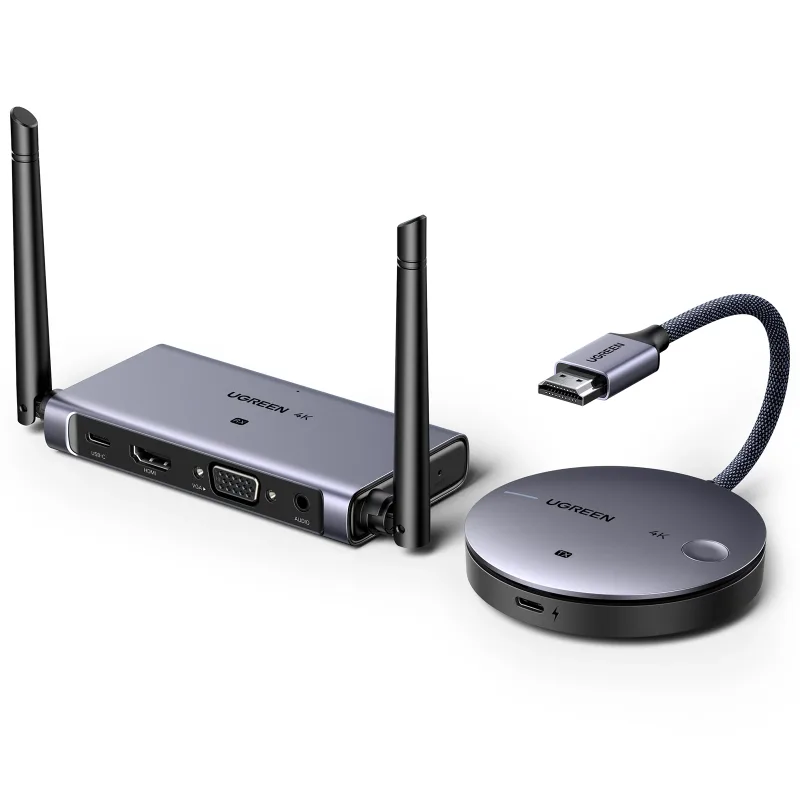
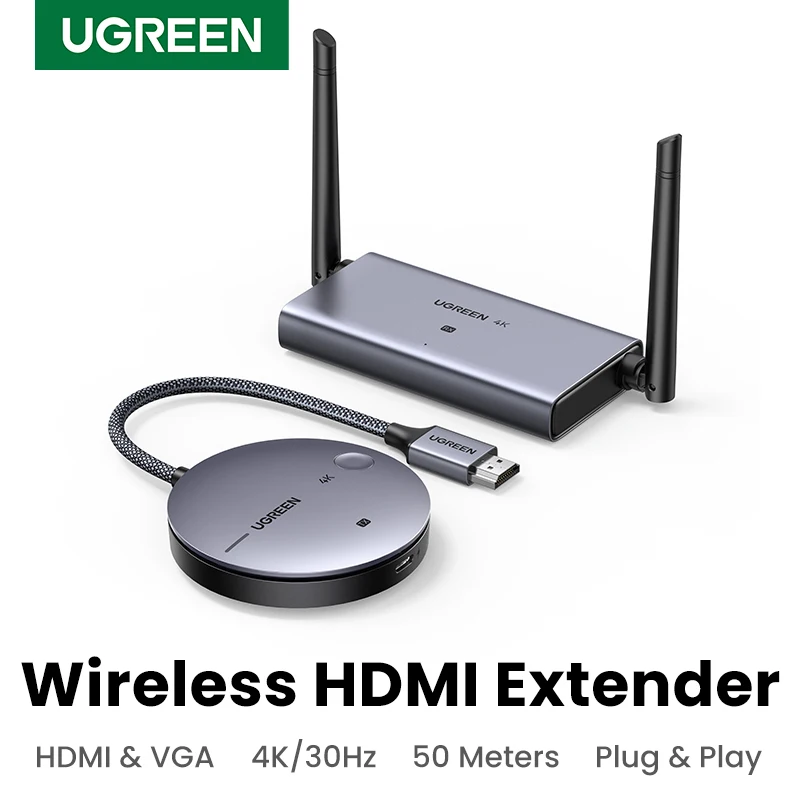
The UGREEN CM586 Wireless HDMI Extender is a wireless video and audio transmission solution designed to connect a compatible source device to a television, monitor or projector without running a long HDMI cable between them.
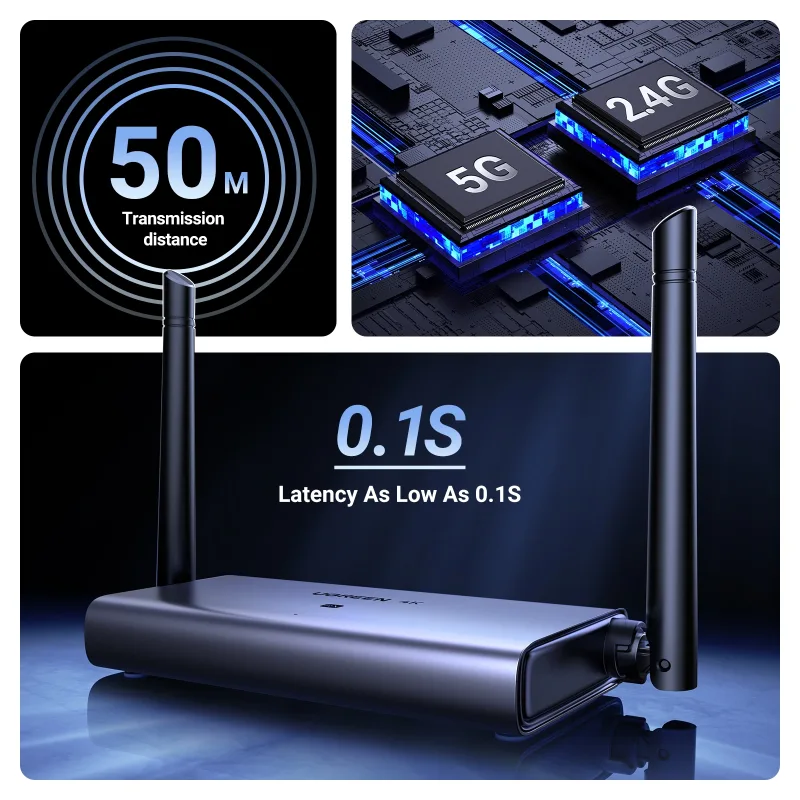
Also identified by product number 90909A, this transmitter-and-receiver kit supports video transmission up to 4K@30Hz and advertises a wireless transmission distance of up to 50 metres (164 feet) under unobstructed conditions. Its receiver provides HDMI and VGA connectivity, along with a 3.5mm audio output for compatible setups.
With dual-band wireless connectivity, plug-and-play setup and support for common display devices, the CM586 is a practical option for presentations, home entertainment, classrooms, offices and other environments where a long physical HDMI cable is inconvenient.
Common Problems with Traditional HDMI Connections
Wired HDMI connections work well, but they can create practical challenges when the source device and display are far apart.
Common problems include:
- Long HDMI cables running across rooms
- Cable clutter around televisions and projectors
- Difficult installation in meeting rooms and classrooms
- Limited placement options for a laptop or media player
- Extra cable management for temporary presentations
- Difficulty connecting devices across open spaces
The UGREEN CM586 provides a wireless alternative by transmitting video and audio from a source device to a compatible display through its dedicated transmitter and receiver.
Smart Solution: Wireless HDMI Transmission up to 50m
The UGREEN CM586 Wireless HDMI Extender uses a transmitter connected to the source device and a receiver connected to the display.
Source device → Wireless transmitter → Wireless signal → Receiver → TV, monitor or projector
The kit supports 2.4GHz and 5GHz wireless frequency bands, with a maximum advertised range of 50 metres in unobstructed conditions. Actual range and stability depend on walls, interference, placement and the selected resolution.
Key Features
1. Up to 4K@30Hz Resolution
The CM586 supports video resolutions up to 4K at 30Hz, making it suitable for compatible media playback, presentations and general display use.
It is also listed as backward compatible with 1080p@60Hz. Actual output depends on the source device, display, connection type and wireless conditions.
2. Wireless Transmission up to 50 Metres
The kit advertises wireless transmission up to 50m (164ft) under unobstructed conditions.
This can help when connecting a laptop or media player to a display positioned across a room or open area. Walls and other obstacles can reduce the practical range.
3. Dual-Band Wireless Connectivity
The CM586 supports wireless frequency bands in the 2.4GHz and 5GHz ranges, helping it operate across different wireless environments.
The extender uses its own transmitter and receiver link; a home Wi-Fi router or internet connection is not generally required for the direct connection between the two units.
4. HDMI Transmitter and Receiver
The transmitter connects to the HDMI output of a compatible source device, while the receiver connects to the display.
This arrangement is useful for laptops, desktop computers, media players, compatible game consoles and other HDMI sources. Check the device’s output compatibility before purchasing.
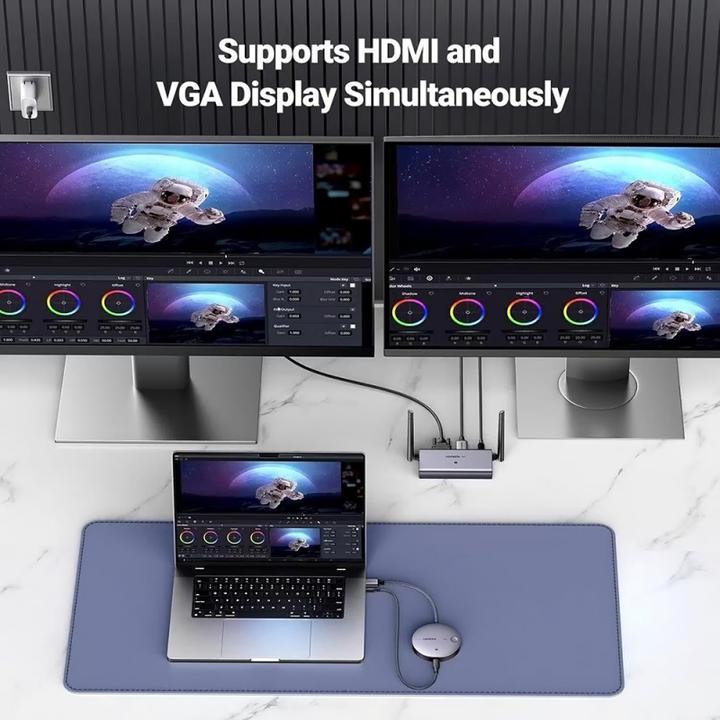
5. HDMI and VGA Receiver Outputs
The receiver includes:
- HDMI output
- VGA output
- 3.5mm audio output
- USB-C power input
This combination helps support both modern HDMI displays and compatible older VGA projectors or monitors. VGA does not carry audio, so a separate audio connection may be necessary when using VGA. Some documentation lists VGA output up to 1080p@60Hz, so confirm the supported resolution for your specific output configuration.
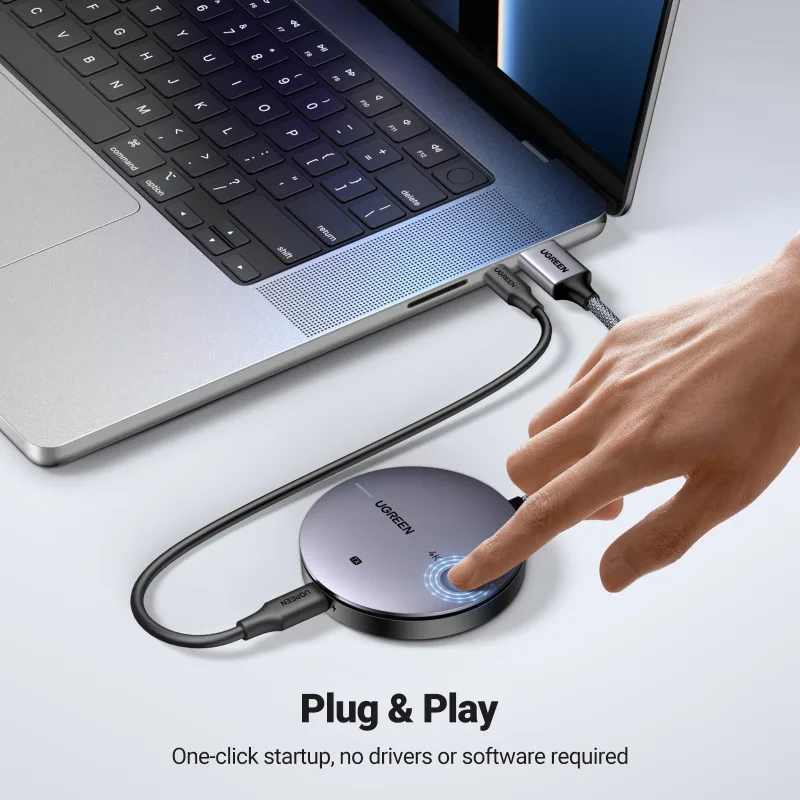
6. Plug-and-Play Setup
The CM586 is designed for straightforward installation without requiring a dedicated software installation for basic operation.
Connect the transmitter to the source, connect the receiver to the display, power both units and establish the wireless link according to the supplied instructions.
7. One-Click Connection
The transmitter features a connection button for convenient pairing or reconnection, depending on the supplied version.
This makes it easier to establish the wireless display link without navigating a complicated setup process.
8. Audio Transmission Support
The CM586 is designed to transmit video and audio from compatible HDMI sources. The documentation lists audio sampling up to 24-bit/48kHz.
When using the receiver’s VGA output, remember that VGA carries video only. Use the receiver’s 3.5mm audio output with a compatible audio device when required.
9. USB-C Power Connection
Both the transmitter and receiver require power through their power ports. The product documentation specifies an external 5V, approximately 1A power supply for each unit, with two USB-A-to-USB-C power cables listed in the package documentation.
A suitable power adapter may need to be supplied separately, depending on the retail package.
10. Compact, Practical Design
The separate transmitter and receiver allow flexible placement without needing a long HDMI cable between the two locations.
The receiver is designed with HDMI, VGA, audio and power connections to support a variety of display setups.
Benefits of UGREEN CM586 Wireless HDMI Extender
- Wireless video transmission without a long HDMI cable
- Supports up to 4K@30Hz
- Advertised transmission range up to 50m in unobstructed conditions
- Dual-band 2.4GHz and 5GHz wireless connectivity
- HDMI and VGA receiver outputs
- 3.5mm audio output
- Supports compatible televisions, monitors and projectors
- Plug-and-play design
- Convenient transmitter connection button
- USB-powered transmitter and receiver
- Suitable for home, office and presentation environments
Perfect For
The UGREEN CM586 is suitable for:
- Business presentations
- Conference rooms
- Classrooms and training centres
- Office meeting rooms
- Home entertainment systems
- Compatible laptop-to-TV setups
- Projector installations
- Digital signage setups
- Compatible media players
- Display installations where long HDMI cables are inconvenient
Why Choose UGREEN CM586?
A conventional HDMI cable physically connects your source device to your display. The UGREEN CM586 Wireless HDMI Extender offers a different approach by transmitting compatible video and audio signals wirelessly.
Its 4K@30Hz support, advertised 50m unobstructed range and HDMI/VGA receiver connections make it useful for a variety of display environments. It is particularly convenient for temporary presentations or installations where routing a long HDMI cable would be difficult.
UGREEN CM586 vs Traditional HDMI Cable
| Feature | UGREEN CM586 | Traditional HDMI Cable |
|---|---|---|
| Connection Type | Wireless transmitter and receiver | Wired |
| Maximum Listed Resolution | Up to 4K@30Hz | Depends on cable specification |
| Advertised Range | Up to 50m unobstructed | Depends on cable and signal requirements |
| HDMI Output | Yes | Yes |
| VGA Support | Receiver includes VGA | Requires a separate adapter or converter if needed |
| 3.5mm Audio Output | Available on receiver | Depends on the connected equipment |
| Long Cable Across Room | Not required between units | Usually required |
| Power | Both units require power | Usually no separate power for a standard cable |
| Installation | Pair transmitter and receiver | Connect cable |
| Best Use | Wireless display connections | Direct wired connections |
How to Use UGREEN CM586 Wireless HDMI Extender
Step 1: Connect the Transmitter
Plug the transmitter into the HDMI output of your laptop, desktop computer, media player or other compatible source device.
Step 2: Power the Transmitter
Connect the transmitter’s power port to a suitable USB power source using the supplied cable.
Step 3: Connect the Receiver
Connect the receiver to the HDMI or VGA input of your television, monitor or projector.
Step 4: Power the Receiver
Connect the receiver to its own suitable USB power source. Both units need power to operate.
Step 5: Select the Correct Display Input
Use the television, monitor or projector controls to select the HDMI or VGA input connected to the receiver.
Step 6: Establish the Wireless Link
Wait for the transmitter and receiver to connect. If needed, follow the included manual’s instructions for using the connection button.
Step 7: Configure Your Display
Adjust the source device’s display settings to select mirroring or extended desktop mode where supported by the device and operating system.
Recommended Use Cases
Office Presentations
Connect a laptop to a compatible meeting-room display or projector without routing a long HDMI cable across the room.
Classroom Teaching
Use the extender to connect a compatible computer to a display at the front of a classroom.
Home Entertainment
Transmit compatible content from a media source to a television positioned farther away.
Projector Installations
Use the wireless link where running a long HDMI cable between the source and projector would be inconvenient.
Older VGA Displays
The receiver’s VGA output can help connect to compatible VGA projectors and monitors. A separate audio connection may be needed because VGA does not carry audio.
Cleaning & Maintenance
- Disconnect the transmitter and receiver from power before cleaning.
- Wipe the exterior with a soft, dry cloth.
- Keep the ports free from dust and debris.
- Avoid exposing the units to water or excessive moisture.
- Ensure both units have adequate ventilation.
- Use suitable USB power sources.
- Store the units and cables safely when not in use.
Important Usage Tips
- The 50m range is an unobstructed maximum, not a guaranteed indoor distance.
- Both the transmitter and receiver require separate power connections.
- Confirm that your source device provides a compatible HDMI output.
- Confirm that your display has the required HDMI or VGA input.
- The maximum listed HDMI resolution is 4K@30Hz, not 4K@60Hz.
- VGA output resolution may be lower than HDMI output, depending on the version and setup.
- VGA does not transmit audio; use the receiver’s 3.5mm audio output when required.
- Wireless interference and physical obstacles may affect performance.
- For latency-sensitive competitive gaming, a direct wired connection may be preferable.
Product Specifications
| Specification | Details |
|---|---|
| Brand | UGREEN |
| Product Name | Wireless HDMI Extender |
| Model | CM586 |
| Part Number | 90909A |
| Product Type | Wireless Video and Audio Extender |
| Wireless Bands | 2.4GHz and 5GHz ranges |
| Maximum HDMI Resolution | Up to 4K@30Hz |
| Backward Compatibility | 1080p@60Hz listed |
| Maximum Advertised Range | Up to 50m / 164ft unobstructed |
| Transmitter Ports | HDMI input and power port |
| Receiver Ports | HDMI, VGA, 3.5mm audio and power port |
| Audio Sampling | Up to 24-bit/48kHz |
| Power Requirement | 5V, approximately 1A for each unit |
| Power Connection | USB power cables |
| Setup | Plug-and-play wireless connection |
| Material | Aluminum alloy and ABS listed in product documentation |
| Colour | Grey |
| Intended Use | Compatible TVs, monitors, projectors and HDMI source devices |
Specifications are based on CM586/90909A product documentation and retailer listings. The supported resolution and distance depend on the connection mode and operating environment.
What’s in the Box?
The documented package commonly includes:
- 1 × UGREEN Wireless HDMI Transmitter
- 1 × UGREEN Wireless HDMI Receiver
- 2 × USB-A-to-USB-C power cables
- 1 × User Manual
A separate USB power adapter may be required for each unit and is not consistently listed as included. Confirm the package contents with the seller before ordering.
Who Should Buy This Product?
Choose the UGREEN CM586 Wireless HDMI Extender if you want:
- A wireless alternative to a long HDMI cable
- Up to 4K@30Hz video support
- Wireless transmission across an open area
- HDMI and VGA receiver connectivity
- A solution for compatible meeting-room displays
- A convenient way to connect a source device to a distant projector or monitor
- A plug-and-play wireless display setup
If you require 4K@60Hz, consistently low latency or reliable transmission through several walls, check whether a different extender or a direct cable better suits your requirements.
Why Buy from AIYOZON?
When you purchase the UGREEN CM586 Wireless HDMI Extender from AIYOZON, you can enjoy a convenient online shopping experience for practical connectivity accessories.
- Clear product specifications
- Convenient online ordering
- Product assistance
- Delivery support
- Customer-focused service
- Access to useful tech accessories
Frequently Asked Questions
What is the UGREEN CM586?
The UGREEN CM586 is a wireless HDMI extender kit that uses a transmitter and receiver to send compatible video and audio signals to a display.
Does the CM586 support 4K?
Yes. The maximum listed HDMI resolution is 4K@30Hz. It is also listed as compatible with 1080p@60Hz.
What is its maximum wireless range?
The advertised maximum is 50 metres (164 feet) in unobstructed conditions. Indoor range may be lower because of walls and wireless interference.
Does the receiver have a VGA output?
Yes. The receiver includes HDMI and VGA outputs. Some documentation lists VGA up to 1080p@60Hz, so check the exact configuration if VGA resolution is important to your setup.
Does it transmit audio?
Yes. The kit is designed to transmit audio along with compatible HDMI video. The receiver also includes a 3.5mm audio output for suitable setups. VGA itself does not carry audio.
Does it need Wi-Fi or internet access?
The transmitter and receiver establish a direct wireless connection, so a home router or internet connection is generally not required for the basic link. The units still require power.
Do both units need power?
Yes. Product documentation specifies a 5V power supply for both the transmitter and receiver. Two USB power cables are listed in the package documentation.
Is it suitable for gaming?
It may work for compatible gaming setups, but wireless transmission can introduce latency. For competitive gaming or latency-sensitive applications, a direct wired HDMI connection may be preferable.
Does it include power adapters?
The documented package commonly includes two USB power cables, but a separate power adapter is not consistently listed. Confirm the included accessories with the seller before purchasing.
Is 4K@60Hz supported?
The CM586’s listed maximum HDMI resolution is 4K@30Hz, so do not purchase it expecting 4K@60Hz output.
Final Verdict
The UGREEN CM586 Wireless HDMI Extender 4K@30Hz, 50m is a practical solution for transmitting compatible video and audio without running a long HDMI cable between a source device and display.
With up to 4K@30Hz support, a 50m advertised unobstructed range, dual-band wireless connectivity, HDMI and VGA receiver outputs, a 3.5mm audio port and plug-and-play setup, it is suitable for compatible office presentations, classrooms, projectors and home entertainment systems.
Make Your Display Setup More Flexible
- Up to 4K@30Hz HDMI resolution
- Up to 50m advertised unobstructed transmission
- 2.4GHz and 5GHz wireless bands
- HDMI and VGA receiver outputs
- 3.5mm audio output
- Plug-and-play setup
- USB-powered transmitter and receiver











Reviews
There are no reviews yet.