




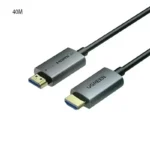
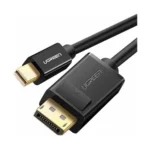

UGREEN MD101 Mini DP to HDMI Cable 4K@30Hz 1.5M – Premium High-Resolution Audio & Video Cable
1,040.00৳
UGREEN MD101 Mini DP to HDMI Cable 4K@30Hz 1.5M – Premium High-Resolution Audio & Video Cable
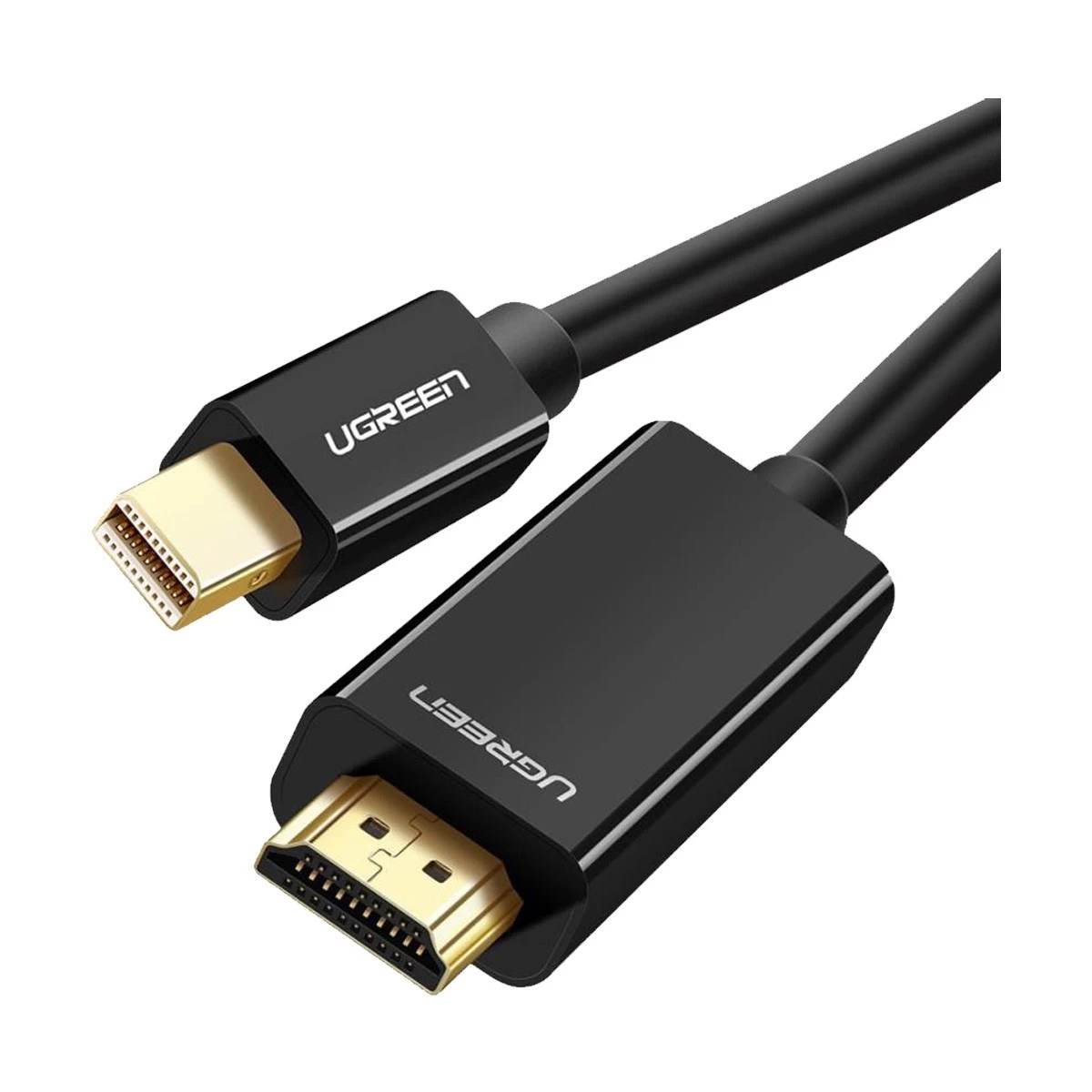
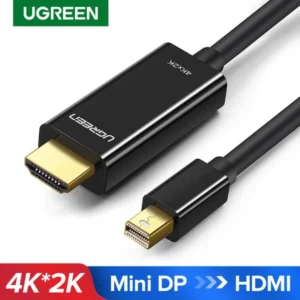
The UGREEN MD101 Mini DP to HDMI Cable 4K@30Hz 1.5M is a convenient display connection solution for connecting compatible laptops and computers with a Mini DisplayPort or Thunderbolt 2 video output to HDMI-equipped TVs, monitors and projectors.
With support for resolutions up to 4K@30Hz, this cable is suitable for presentations, office work, watching videos and extending your desktop across a larger display. Its 1.5-meter length provides practical flexibility for desk setups, while its shielding and gold-plated connectors are designed to support reliable signal transmission. The cable carries both audio and video through a single connection without requiring a separate audio cable.
Whether you need to connect a compatible MacBook, iMac, Microsoft Surface device or Mini DisplayPort-equipped computer to an HDMI monitor, the UGREEN MD101 offers a straightforward plug-and-play solution.
Common Problems with Display Connections
Connecting an older computer to a modern HDMI display can be challenging when the available ports do not match.
Common problems include:
- A laptop has Mini DisplayPort, but the monitor uses HDMI.
- A computer needs to connect to a larger TV or projector.
- Separate audio connections make setup more complicated.
- Poor-quality cables can contribute to unstable signal transmission.
- Short cables may limit the placement of your monitor or projector.
- Installing extra drivers can make display setup unnecessarily complicated.
The UGREEN MD101 Mini DisplayPort to HDMI Cable helps simplify the connection by combining video and audio transmission in one cable.
Smart Solution: Mini DisplayPort to HDMI Connectivity
The UGREEN MD101 converts a compatible Mini DisplayPort video output into an HDMI connection for a supported display.
Mini DisplayPort Source → UGREEN MD101 Cable → HDMI Display
This setup lets you connect a compatible computer to an HDMI television, monitor or projector for presentations, productivity, entertainment and additional screen space. The cable is unidirectional, so the signal must travel from the Mini DisplayPort source to the HDMI display.
Key Features
1. 4K Ultra HD Resolution at 30Hz
The UGREEN MD101 supports resolutions up to 4K × 2K at 30Hz, provided the source computer and connected display also support the selected resolution and refresh rate. It also supports lower resolutions, including 1080p.
2. Mini DisplayPort to HDMI Conversion
Connect a computer with a compatible Mini DisplayPort output to an HDMI-equipped display without needing a separate adapter.
The cable is also compatible with supported Thunderbolt 2 ports that carry Mini DisplayPort video output.
3. Audio and Video Through One Cable
The MD101 carries compatible audio and video signals through the same cable. This reduces cable clutter and helps create a cleaner desk, home entertainment or presentation setup.
4. 1.5-Meter Convenient Length
The 1.5-meter cable provides practical reach for connecting a laptop or desktop computer to a nearby monitor, television or projector.
It is suitable for everyday desk setups, home offices and meeting rooms.
5. Gold-Plated Connectors
The connectors feature gold plating designed to resist corrosion and support reliable electrical contact during regular use.
6. Shielded Cable Construction
The cable uses a tin-plated copper conductor with internal shielding designed to help reduce electromagnetic interference and maintain signal integrity.
7. Plug-and-Play Operation
The MD101 is designed for straightforward connection without requiring dedicated display drivers. Connect the Mini DisplayPort end to a compatible source and the HDMI end to your display.
8. Mirror and Extended Display Support
With a compatible computer and operating system, you can mirror your main display or extend your desktop to a second screen.
This is useful for presentations, multitasking and working across multiple windows.
9. Broad Display Compatibility
The cable can connect compatible Mini DisplayPort-equipped computers to HDMI displays, including supported televisions, monitors and projectors. Compatibility depends on the source device’s video output and the display’s capabilities.
10. Compact and Practical Design
Its 1.5-meter length and simple cable-based design make it easy to keep with your computer accessories for everyday work, presentations or home entertainment.
Benefits of UGREEN MD101 Mini DP to HDMI Cable
- Supports up to 4K@30Hz on compatible devices
- Connects Mini DisplayPort sources to HDMI displays
- Compatible with supported Thunderbolt 2 video outputs
- Transmits audio and video through one cable
- Convenient 1.5-meter length
- Gold-plated connectors
- Shielded construction
- Supports mirror and extended display modes on compatible systems
- Plug-and-play setup
- Suitable for home, office and presentation use
Perfect For
MacBook and iMac Users
Connect compatible older MacBook or iMac models with Mini DisplayPort or Thunderbolt 2 video output to an HDMI monitor or TV.
Microsoft Surface Users
Use the cable with compatible Surface devices featuring Mini DisplayPort output.
Office Professionals
Connect a compatible computer to an external monitor for multitasking, spreadsheets, documents and presentations.
Students and Teachers
Display presentations, educational videos and other content on a compatible HDMI projector or classroom display.
Home Entertainment
Connect a supported computer to an HDMI television for watching videos and viewing content on a larger screen.
Meeting Rooms
Keep a compatible cable available for presentations in offices, classrooms and conference rooms.
Why Choose UGREEN MD101?
The UGREEN MD101 is designed for users who need a direct connection between a Mini DisplayPort-equipped computer and an HDMI display.
Its main advantages are 4K@30Hz support, combined audio and video transmission, a 1.5-meter cable and shielded construction. It also avoids the need for a separate adapter when both the source and display match the cable’s connector types.
UGREEN MD101 vs. a Basic Display Cable
| Feature | UGREEN MD101 | Basic Cable |
|---|---|---|
| Source Connector | Mini DisplayPort | Depends on model |
| Display Connector | HDMI | Depends on model |
| Maximum Resolution | Up to 4K@30Hz | Varies |
| Audio Transmission | Yes, if supported by source | Varies |
| Cable Length | 1.5m | Varies |
| Gold-Plated Connectors | Yes | Depends on model |
| Internal Shielding | Yes | Depends on model |
| Plug-and-Play | Yes | Depends on model |
| Signal Direction | Mini DisplayPort to HDMI | Depends on model |
How to Use UGREEN MD101
Step 1: Check Your Computer’s Port
Confirm that your computer has a compatible Mini DisplayPort or Thunderbolt 2 port that supports Mini DisplayPort video output.
Step 2: Connect the Mini DisplayPort End
Insert the Mini DisplayPort connector into the computer’s compatible video-output port.
Step 3: Connect the HDMI End
Insert the HDMI connector into your TV, monitor or projector.
Step 4: Select the Correct Display Input
Use your display’s input/source menu to select the HDMI port connected to the cable.
Step 5: Configure the Display
If needed, open your computer’s display settings to choose a resolution, refresh rate, mirrored display or extended desktop mode supported by both devices.
Step 6: Check Audio Output
If audio does not play through the connected display, check your computer’s sound settings and select the HDMI display as the audio output if supported.
Recommended Use Cases
External Monitor Setup
Extend your compatible computer’s desktop to an HDMI monitor for improved productivity.
Presentations
Connect a compatible laptop to an HDMI projector or conference-room display.
Home Video Playback
Watch supported video content on a larger HDMI television.
Classroom and Training Sessions
Display lessons, slides and training materials from a compatible computer.
Dual-Screen Productivity
Use an external HDMI display alongside your computer screen when the computer supports extended desktop mode.
Cleaning & Maintenance
- Disconnect the cable before cleaning.
- Wipe the connectors and cable exterior with a dry, soft cloth.
- Keep the connectors free from dust and moisture.
- Avoid bending the cable sharply near the connectors.
- Do not pull the cable by its wire; hold the connector when unplugging.
- Store the cable loosely coiled when not in use.
- Keep the cable away from excessive heat and liquids.
Important Usage Tips
- Signal direction matters: connect Mini DisplayPort to the computer and HDMI to the display.
- This cable does not convert HDMI output into Mini DisplayPort input.
- A USB-C port is not automatically compatible; this cable is not a direct USB-C-to-HDMI cable.
- Thunderbolt 3 or Thunderbolt 4 ports require a suitable compatible adapter or cable rather than this Mini DisplayPort cable.
- The 4K@30Hz maximum depends on the capabilities of the computer, graphics hardware and HDMI display.
- Check that your source device supports video output through its Mini DisplayPort or Thunderbolt 2 port before purchasing.
Product Specifications
| Specification | Details |
|---|---|
| Brand | UGREEN |
| Product Name | Mini DP to HDMI Cable |
| Model | MD101 |
| Product Number | 20848 |
| Product Type | Mini DisplayPort Male to HDMI Male Cable |
| Cable Length | 1.5m |
| Maximum Resolution | Up to 4K × 2K @ 30Hz |
| Supported Resolution | Up to 1080p and other compatible modes |
| Video Bandwidth | Up to 10.8Gbps, as listed by retailers |
| Audio Transmission | Yes, when supported by the source |
| Connector A | Mini DisplayPort Male |
| Connector B | HDMI Male |
| Connector Finish | Gold-plated |
| Conductor | Tin-plated copper |
| Shielding | Internal shielding / braided foil |
| Thunderbolt Compatibility | Compatible Thunderbolt 2 ports with Mini DisplayPort video output |
| Signal Direction | Mini DisplayPort source to HDMI display only |
| Driver Required | No dedicated driver required |
| Color | Black |
| Use | Monitor, TV and projector connection |
Specifications are based on UGREEN regional product listings and retailer documentation. Confirm the connector type and source-device compatibility before ordering.
What’s in the Box?
Typical package contents include:
- 1 × UGREEN MD101 Mini DP to HDMI Cable, 1.5m
The cable connects directly to compatible ports, so a separate adapter is not required when the source and display use the specified connector types.
Who Should Buy This Product?
The UGREEN MD101 is a practical choice for people who:
- Own a computer with Mini DisplayPort video output
- Need to connect to an HDMI monitor, TV or projector
- Want support for up to 4K@30Hz
- Need audio and video over one cable
- Prefer a plug-and-play display connection
- Need a cable for work, study or presentations
Before ordering, check your computer’s physical port. This model is specifically for Mini DisplayPort-to-HDMI connections.
Why Buy from AIYOZON?
When purchasing the UGREEN MD101 Mini DP to HDMI Cable from AIYOZON, you can enjoy a convenient online shopping experience for useful computer accessories.
- Clear product specifications
- Convenient online ordering
- Product-focused customer support
- Delivery options across Bangladesh
- Practical accessories for work, study and entertainment
Check the product details and connector compatibility before placing your order.
Frequently Asked Questions
What is the UGREEN MD101?
The UGREEN MD101 is a 1.5-meter Mini DisplayPort-to-HDMI cable designed to connect compatible computers to HDMI displays.
Does the UGREEN MD101 support 4K?
Yes. It supports up to 4K@30Hz when the source computer and display support that resolution and refresh rate.
Can it transmit audio?
Yes. It supports audio and video transmission when the source device supports audio output over Mini DisplayPort.
Is the cable bidirectional?
No. It is designed to transmit signals from Mini DisplayPort to HDMI only, not from HDMI to Mini DisplayPort.
Does it work with Thunderbolt 2?
Yes, with compatible Thunderbolt 2 ports that provide Mini DisplayPort video output.
Can I use it with a USB-C laptop?
Not directly through a standard USB-C port. You need a suitable USB-C-to-HDMI solution if your computer has USB-C video output but no Mini DisplayPort.
Does it need drivers or an external power supply?
The cable is designed for plug-and-play operation and does not require a separate power supply or dedicated driver.
Can I use it with a projector?
Yes. It can connect a compatible Mini DisplayPort source to a projector with an HDMI input.
How long is the cable?
The cable is 1.5 meters long.
Final Verdict
The UGREEN MD101 Mini DP to HDMI Cable 4K@30Hz 1.5M is a practical display accessory for connecting compatible Mini DisplayPort computers to HDMI-equipped monitors, TVs and projectors.
With 4K@30Hz support, audio and video transmission, gold-plated connectors, internal shielding and a convenient 1.5-meter length, it is suitable for office productivity, classroom presentations and home entertainment.
Its most important limitation is its one-way signal direction, so confirm that your computer has Mini DisplayPort video output before purchasing.
Upgrade Your Display Connection
- 4K@30Hz support on compatible devices
- Mini DisplayPort to HDMI connection
- Audio and video through one cable
- 1.5-meter practical length
- Gold-plated connectors
- Shielded construction
- Plug-and-play setup
- Suitable for compatible computers, monitors, TVs and projectors










Reviews
There are no reviews yet.