




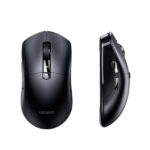
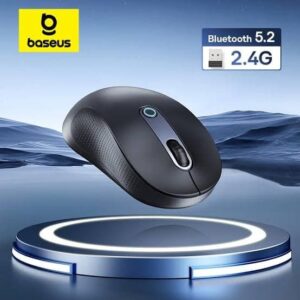
Baseus F02 Ergonomic Wireless Mouse – Bluetooth & 2.4GHz, 4000DPI, Moon Black
Original price was: 1,890.00৳ .1,750.00৳ Current price is: 1,750.00৳ .
Baseus F02 Ergonomic Wireless Mouse – Bluetooth & 2.4GHz, 4000DPI, Moon Black
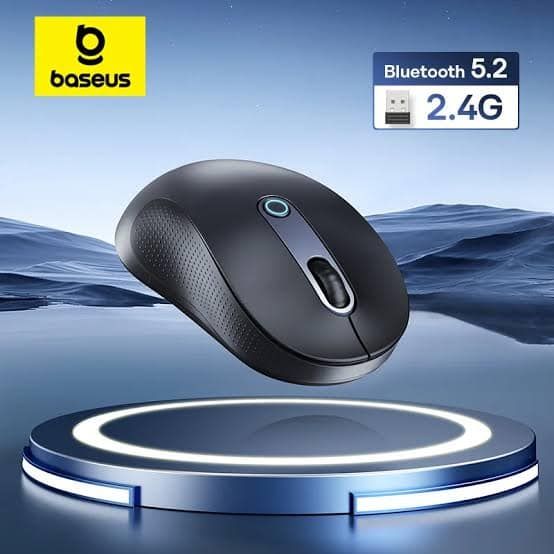
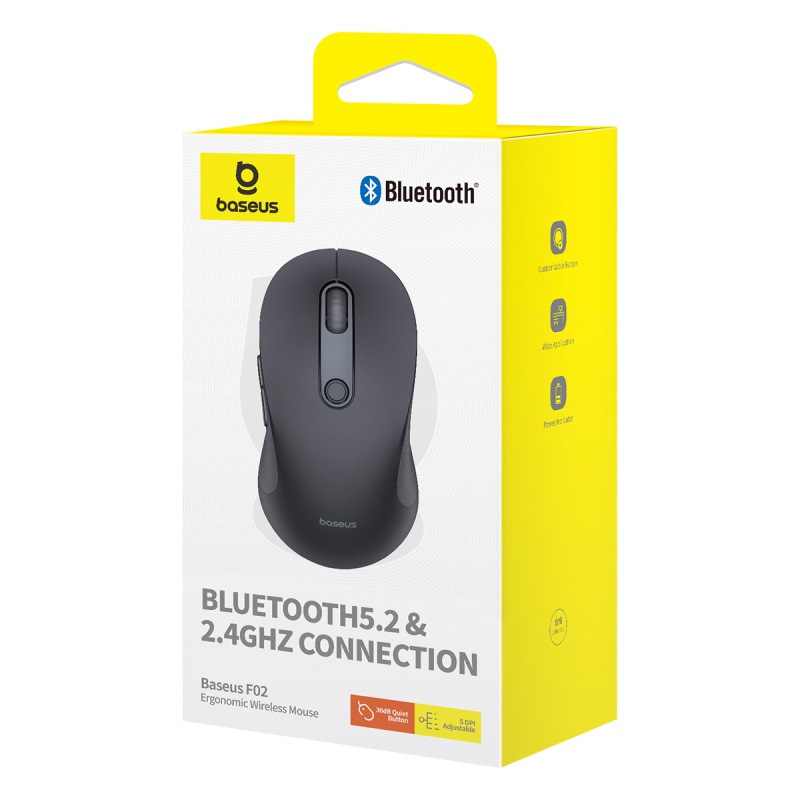
The Baseus F02 Ergonomic Wireless Mouse is a versatile wireless mouse designed for comfortable everyday computer use, productivity, study, creative work and casual gaming.
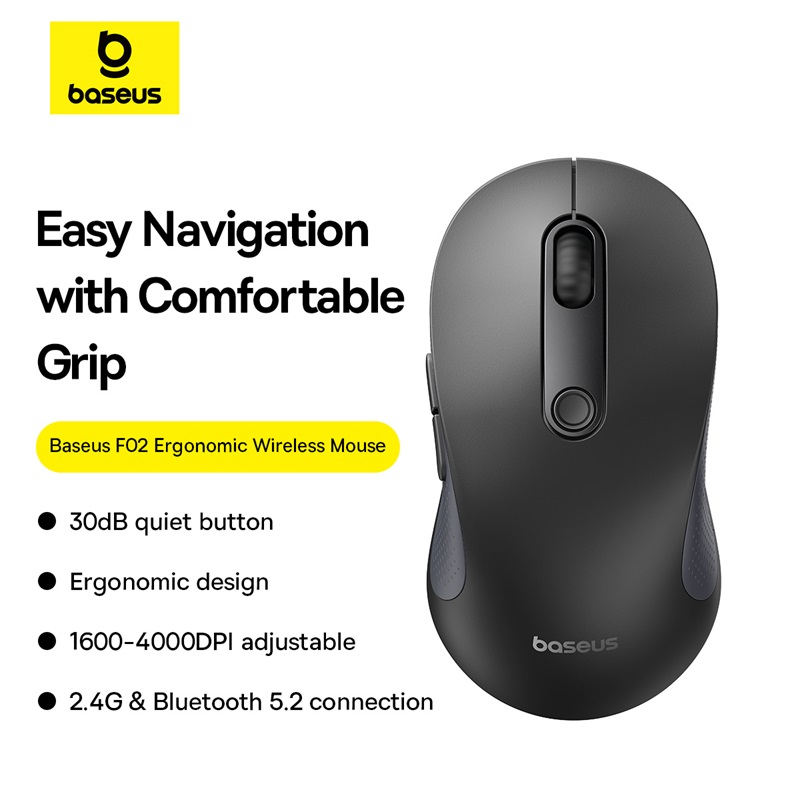
The BS-F02 supports both Bluetooth 5.2 and 2.4GHz wireless connectivity, giving you the flexibility to connect compatible devices through Bluetooth or the included USB receiver. It offers five adjustable sensitivity levels from 1000 DPI up to 4000 DPI, allowing you to choose a suitable cursor speed for different tasks.
Its ergonomic right-handed design, lightweight approximately 90g body, quiet buttons, customizable shortcut button and up to 10-meter wireless transmission distance make it a practical choice for home, office and mobile workstations.
Common Problems with Ordinary Wireless Mice
A basic mouse may become uncomfortable or inconvenient during long working sessions.
Common problems include:
- Wrist and hand fatigue
- Limited connection options
- Fixed DPI sensitivity
- Loud clicking sounds
- Short wireless range
- Poor control at different sensitivity levels
- Difficulty switching between different devices
- Extra cables taking up desk space
- Higher friction during mouse movement
The Baseus F02 Wireless Mouse addresses these everyday issues with ergonomic shaping, dual wireless connectivity, adjustable DPI and quiet operation.
Smart Solution for Comfortable Wireless Computing
The Baseus F02 combines ergonomic comfort with flexible wireless connectivity.
You can use the 2.4GHz USB receiver when you want a conventional wireless connection or use Bluetooth with compatible laptops, tablets and other devices. The mouse also provides five DPI levels so you can adjust pointer sensitivity according to your workflow.
Key Features
1. Dual Wireless Connectivity
The Baseus F02 supports two connection methods:
- Bluetooth 5.2
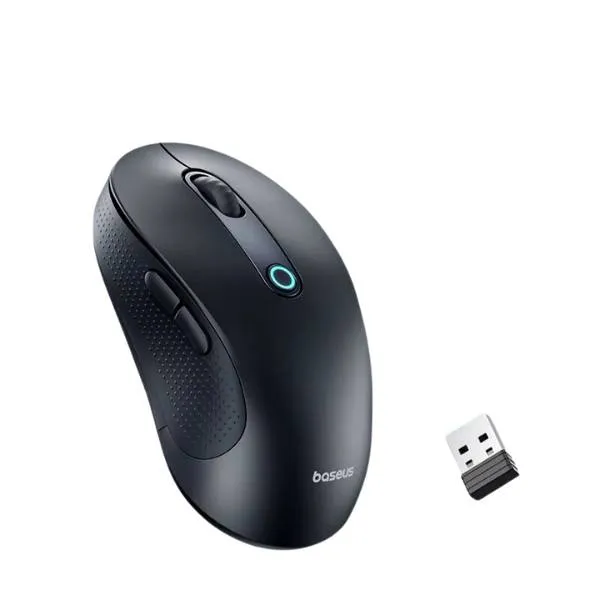
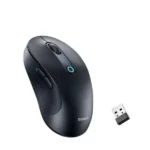
- 2.4GHz wireless via USB receiver
This allows you to choose the connection that best suits your computer or mobile device.
The 2.4GHz receiver is particularly useful for desktop computers and laptops with available USB ports, while Bluetooth can help keep compatible laptops and tablets free from an additional receiver.
2. Adjustable 4000 DPI Sensitivity
The F02 provides five selectable DPI levels:
- 1000 DPI
- 1600 DPI
- 2000 DPI
- 2400 DPI
- 4000 DPI
The DPI button allows you to change cursor sensitivity according to the task. Lower settings can provide more controlled cursor movement, while higher settings can make navigation faster across larger displays.
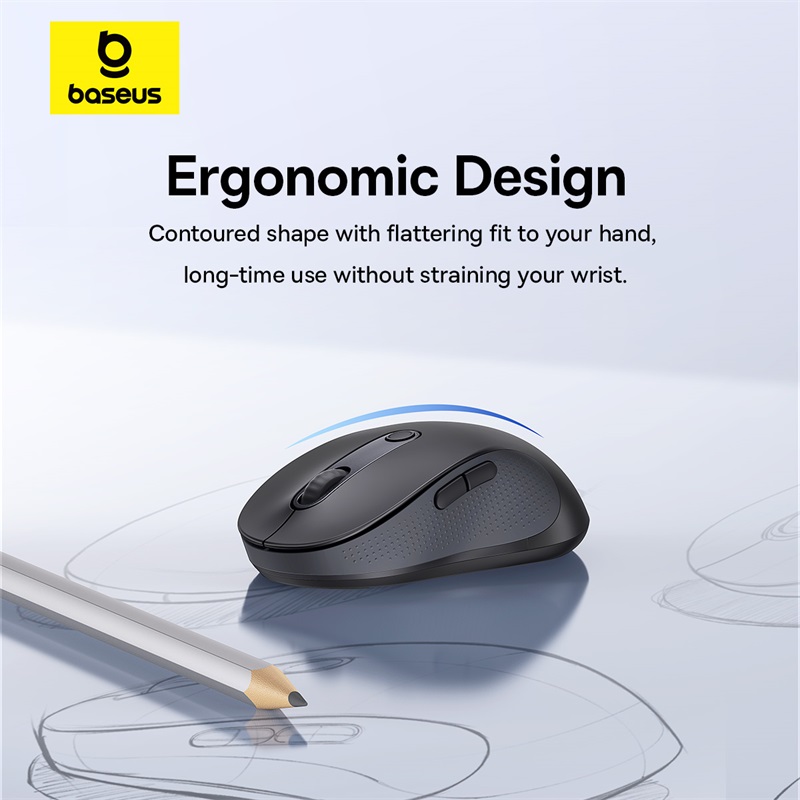
3. Ergonomic Right-Handed Design
The mouse features a contoured ergonomic structure designed for right-handed use.
Its shape is intended to provide a more natural hand position and comfortable grip during extended computer sessions.
Some Bangladesh listings specifically describe it as suitable for medium-sized hands of approximately 17.5–19cm, although hand comfort is subjective and varies from user to user.
4. Quiet Clicking
The Baseus F02 is designed with quiet buttons for reduced clicking noise.
Baseus regional listings describe the clicking sound as below approximately 30dB, making the mouse suitable for offices, libraries, study areas and nighttime computer use.
5. Lightweight 90g Construction
The 4000 DPI BS-F02 version is listed at approximately 90g without the battery.
The lightweight construction makes it easier to move across a desk and convenient to carry with a laptop or computer accessories.
6. Up to 10-Meter Wireless Range
The Baseus F02 provides a wireless transmission distance of approximately 10 meters.
This gives you flexibility to use the mouse without keeping the computer immediately beside your hand position. Actual range can vary depending on obstacles and wireless interference.
7. 250Hz Response Frequency
The BS-F02 4000 DPI version is specified with a response frequency of up to 250Hz.
This supports responsive cursor movement for everyday productivity and compatible applications.
8. Customizable Shortcut Function
The F02 includes a customizable shortcut button/function that can help streamline frequently used commands.
This can be useful for productivity workflows where quick access to a selected function saves repeated keyboard interaction.
9. Smart Energy-Saving
The mouse includes an energy-saving design with automatic sleep functionality.
The power indicator also provides battery-status information, helping users monitor the mouse’s power condition.
10. Smooth Tracking
The optical tracking system is designed for everyday use across surfaces such as:
- Wood
- Fabric
- Plastic
- Other suitable desk surfaces
The bottom also uses low-friction pads to help the mouse move smoothly across the working surface.
For best accuracy, a suitable clean mouse surface is still recommended.
11. Moon Black Finish
The Moon Black finish gives the F02 a simple professional appearance that works well with modern office desks, laptops and desktop setups.
The BS-F02 is also available in other colors in some markets, but the product described here is the Moon Black version.
Benefits
- Dual Bluetooth and 2.4GHz wireless connectivity
- Bluetooth 5.2 support
- Up to 4000 DPI sensitivity
- Five DPI adjustment levels
- Ergonomic right-handed design
- Quiet clicking
- Up to 10m wireless range
- 250Hz response frequency
- Lightweight approximately 90g body
- Customizable shortcut function
- Automatic sleep/energy-saving mode
- Battery indicator
- USB receiver included with the 2.4GHz version
- Suitable for office, study and home use
- Compact wireless design
Perfect For
The Baseus F02 Ergonomic Wireless Mouse is ideal for:
Office Professionals
Use the quiet buttons and ergonomic design for everyday office work, documents, spreadsheets and browsing.
Students
The wireless design is convenient for study desks, laptops and online learning.
Designers & Creatives
The adjustable DPI settings provide additional cursor-control flexibility for editing, design and other precision-based work.
Laptop Users
Bluetooth connectivity helps compatible laptops connect without occupying a USB port.
Desktop Users
The 2.4GHz USB receiver provides a convenient wireless connection for desktop computers and laptops.
Home Users
Its quiet operation and comfortable shape make it suitable for everyday browsing, media control and general computer use.
Casual Gamers
The 4000 DPI maximum sensitivity and 250Hz response frequency can support casual gaming, although this is primarily a productivity-oriented ergonomic mouse rather than a dedicated competitive gaming mouse.
Why Choose Baseus F02?
The Baseus F02 focuses on the features that matter most for everyday wireless computing: comfort, flexible connectivity, adjustable sensitivity and quiet operation.
Instead of being limited to one wireless standard, you can choose between Bluetooth and 2.4GHz. The five DPI levels also let you adjust pointer sensitivity according to your current task.
For users who spend several hours each day working on a computer, the ergonomic design and quiet buttons make the F02 particularly practical.
Baseus F02 vs Traditional Wireless Mouse
| Feature | Baseus F02 | Basic Wireless Mouse |
|---|---|---|
| Bluetooth | Yes, Bluetooth 5.2 | Depends on model |
| 2.4GHz Wireless | Yes | Usually Yes |
| Maximum DPI | 4000 DPI | Often lower |
| DPI Levels | 5 | Usually Limited |
| Wireless Range | Up to 10m | Varies |
| Quiet Buttons | Yes | Depends on model |
| Ergonomic Design | Yes | Varies |
| Response Frequency | Up to 250Hz | Varies |
| Customizable Shortcut | Yes | Usually No |
| Battery Indicator | Yes | Depends on model |
| Auto Sleep | Yes | Depends on model |
| Right-Handed Design | Yes | Varies |
How to Use Baseus F02 Wireless Mouse
Step 1: Install the Battery
Open the battery compartment and insert one AA battery, observing the correct polarity.
The BS-F02 manual specifies AA battery operation.
Step 2: Choose Your Connection
You can connect using either:
2.4GHz Mode:
Remove the USB receiver stored in the mouse and connect it to a compatible USB port.
Bluetooth Mode:
Switch the mouse to Bluetooth mode and initiate pairing from your computer or compatible device.
Step 3: Select DPI
Use the DPI button to cycle through the available sensitivity levels:
1000 → 1600 → 2000 → 2400 → 4000 DPI.
Step 4: Start Using the Mouse
Move the mouse across a suitable surface and use the buttons normally.
Step 5: Save Battery
When you finish using the mouse, allow its automatic sleep mode to reduce unnecessary battery consumption or use the power-off function where applicable.
Use Cases
Office Work
Ideal for documents, spreadsheets, email, web browsing and general desktop productivity.
Graphic Design
Use higher DPI settings when you need faster pointer movement and lower settings when more controlled movement is preferred.
Online Learning
The quiet buttons make it suitable for study environments and shared rooms.
Laptop Work
Bluetooth connectivity makes it convenient for compatible laptops without requiring a USB receiver.
Multi-Device Setup
Use Bluetooth and 2.4GHz connectivity for flexible device connection, depending on the supported setup and switching functionality of your specific unit.
Home Computing
The ergonomic shape and wireless operation provide a clean and comfortable desktop setup.
Cleaning & Maintenance
To keep the Baseus F02 working properly:
- Keep the optical sensor clean.
- Wipe the mouse surface with a soft, dry or slightly damp cloth.
- Keep the mouse away from liquid.
- Avoid dropping or striking the mouse.
- Keep the USB receiver in its storage location when not in use.
- Replace the AA battery when performance becomes weak.
- Keep the bottom pads free from dust and debris.
- Do not use harsh chemicals on the mouse surface.
Important Usage Tips
- Use the correct AA battery and observe polarity.
- Do not expose the mouse to water.
- Keep the optical sensor free from dirt.
- Avoid using the mouse on unsuitable reflective or transparent surfaces when tracking becomes inconsistent.
- Keep the USB receiver away from unnecessary interference.
- For Bluetooth operation, make sure your computer or device supports Bluetooth mouse connections.
- The 4000 DPI specifications apply to the BS-F02 4000 DPI version; other regional F02 versions may have different DPI configurations.
Product Specifications
| Specification | Details |
|---|---|
| Brand | Baseus |
| Product Name | F02 Ergonomic Wireless Mouse |
| Model | BS-F02 |
| Color | Moon Black |
| Material | PC + ABS |
| Connection | Bluetooth 5.2 + 2.4GHz Wireless |
| Wireless Range | Approx. 10m |
| DPI Levels | 1000 / 1600 / 2000 / 2400 / 4000 DPI |
| Maximum DPI | 4000 DPI |
| Response Frequency | Up to 250Hz |
| Buttons | 7 quiet/mute buttons |
| Shortcut Function | Customizable |
| Tracking | Optical |
| Hand Orientation | Right-Handed |
| Weight | Approx. 90g without battery |
| Power | 1 × AA battery |
| Battery Included | Usually No |
| Operating Systems | Windows, macOS/Apple OS, Linux, HarmonyOS and others |
| Certifications | CE, FCC |
| Wireless Range | Up to 10m |
The above specifications correspond to the BS-F02 4000 DPI version. Some Baseus F02 regional variants differ substantially—for example, certain official regional pages list a 2.4GHz-only version with 800/1200/1600 DPI and approximately 70g weight. Do not mix those specifications with the 4000 DPI Bluetooth + 2.4GHz version.
What’s in the Box?
Typical package contents for the BS-F02 wireless version include:
- 1 × Baseus F02 Ergonomic Wireless Mouse
- 1 × 2.4GHz USB Receiver
- 1 × User Manual / Documentation
Battery is generally not included with the version listed by current retailers, so the buyer may need to purchase a compatible AA battery separately.
Package contents can vary slightly by market and seller.
Who Should Buy This Product?
Choose the Baseus F02 Ergonomic Wireless Mouse if you want:
- A comfortable ergonomic wireless mouse
- Bluetooth and 2.4GHz connectivity
- Up to 4000 DPI sensitivity
- Quiet clicking for office or study use
- A lightweight design
- Long-range wireless operation
- Customizable shortcut functionality
- A professional Moon Black finish
- A mouse for work, study and everyday computing
If you need an esports-focused mouse with extremely high polling rates and ultra-low latency, a dedicated gaming mouse may be more appropriate. The F02 is better suited to productivity, office work, study, creative tasks and casual gaming.
Why Buy from AIYOZON?
When purchasing the Baseus F02 Ergonomic Wireless Mouse from AIYOZON, you can enjoy:
- Convenient online ordering
- Carefully selected Baseus products
- Clear product specifications
- Product-focused customer support
- Delivery support across Bangladesh
- Assistance with product-related questions
Frequently Asked Questions
What is the maximum DPI of the Baseus F02?
The BS-F02 4000 DPI version supports five sensitivity levels: 1000, 1600, 2000, 2400 and 4000 DPI.
Does Baseus F02 support Bluetooth?
Yes. The BS-F02 version supports Bluetooth 5.2 as well as 2.4GHz wireless connectivity.
Does it support 2.4GHz wireless?
Yes. The mouse includes a 2.4GHz wireless USB receiver for compatible computers.
What battery does Baseus F02 use?
The BS-F02 manual specifies one AA battery.
Is the battery included?
Current Bangladesh listings for the Moon Black version commonly specify that the battery is not included.
How far can the Baseus F02 work wirelessly?
The specified wireless transmission distance is approximately 10 meters under suitable conditions.
Is the Baseus F02 silent?
It is designed with quiet buttons, with Baseus regional listings describing clicking noise below approximately 30dB.
Is the Baseus F02 good for gaming?
It can handle casual gaming thanks to its adjustable 4000 DPI sensitivity and 250Hz response frequency. However, it is primarily designed as an ergonomic productivity mouse rather than a competitive esports mouse.
Is Baseus F02 rechargeable?
No. The BS-F02 version covered here uses a replaceable AA battery, rather than a built-in rechargeable battery.
Is the Baseus F02 right-handed?
Yes. The 4000 DPI BS-F02 version is specified as a right-handed ergonomic mouse.
Does it require special software?
The mouse is designed for plug-and-play operation for standard functions, so dedicated software is generally not required for basic use.
What devices are compatible with Baseus F02?
The BS-F02 is listed as compatible with Windows, Apple/macOS, Linux, HarmonyOS and other supported systems. Actual compatibility depends on whether the device supports the selected Bluetooth or USB connection method.
Final Verdict
The Baseus F02 Ergonomic Wireless Mouse is a practical wireless mouse for users who want a combination of comfort, quiet operation and flexible connectivity.
With Bluetooth 5.2 + 2.4GHz wireless, five DPI levels up to 4000 DPI, a 250Hz response frequency, ergonomic right-handed design, quiet buttons, customizable shortcut functionality and up to 10m wireless range, it is well suited for office work, study, creative tasks, home computing and casual gaming.
The replaceable AA battery also makes it easy to restore operation without waiting for an internal battery to recharge.
Upgrade Your Everyday Computing Setup
- 🖱️ Ergonomic Right-Handed Design
- 📡 Bluetooth 5.2 + 2.4GHz Wireless
- 🎯 Up to 4000 DPI
- 🔇 Quiet Buttons
- 📶 Up to 10m Wireless Range
- ⚡ 250Hz Response Frequency
- 🔋 AA Battery Powered
- 🖤 Moon Black Finish
- 💻 Great for Work, Study & Everyday Use














Reviews
There are no reviews yet.