

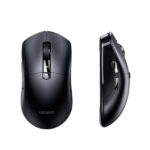



UGREEN G908 NealLink Gaming Mouse 26000 DPI 4K Wireless – PAW3395, 60g, Tri-Mode
Original price was: 5,590.00৳ .4,980.00৳ Current price is: 4,980.00৳ .
UGREEN G908 NealLink Gaming Mouse 26000 DPI 4K Wireless – PAW3395, 60g, Tri-Mode
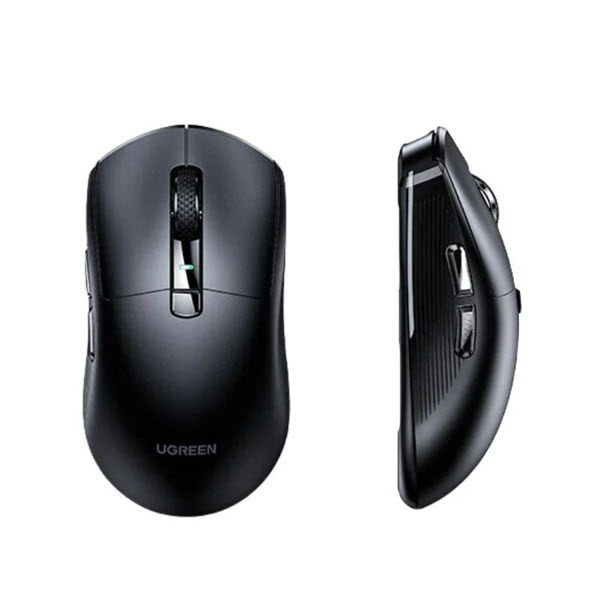
The UGREEN G908 NealLink Gaming Mouse is a lightweight performance gaming mouse designed for gamers who want precise tracking, fast response and flexible connectivity.
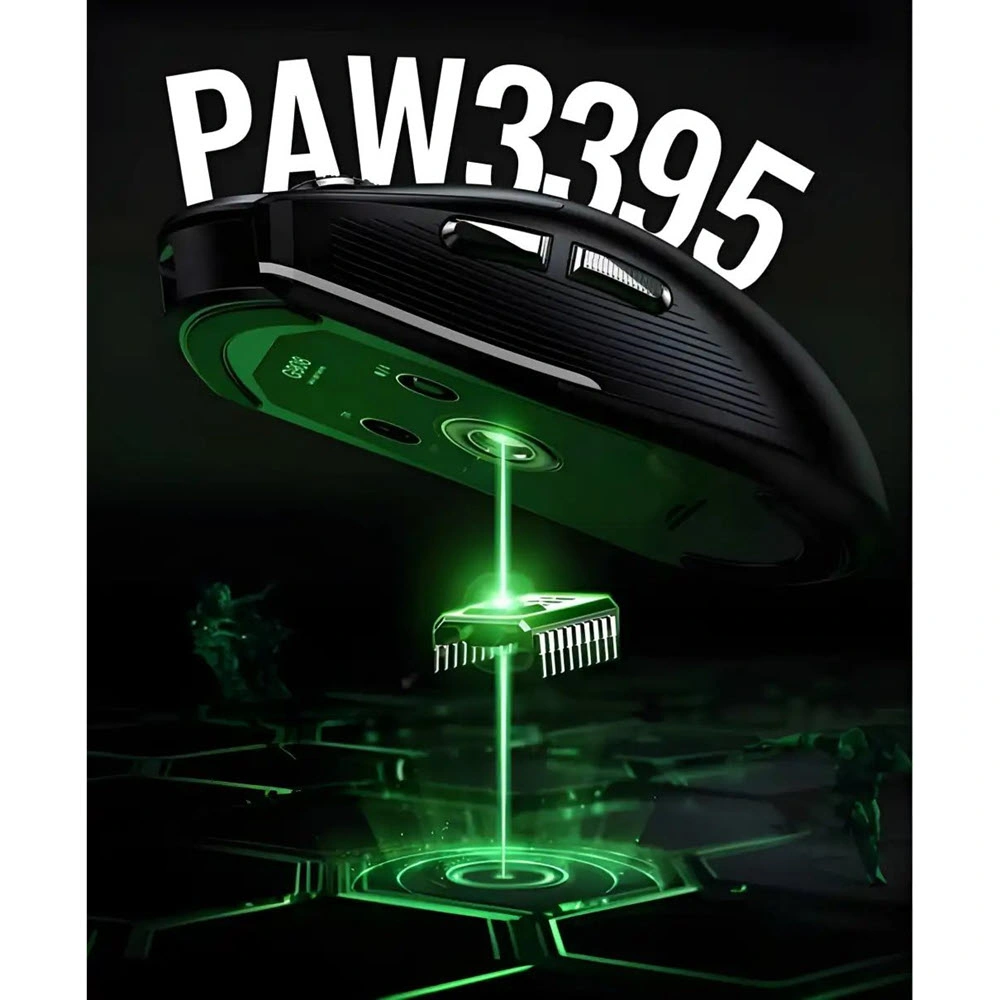
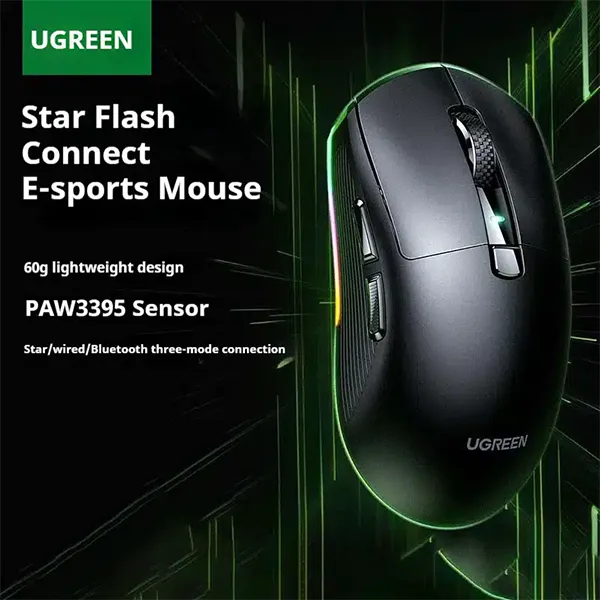
Powered by the PixArt PAW3395 optical sensor, the G908 supports sensitivity up to 26,000 DPI and offers three connection modes: USB-C wired, 2.4GHz StarFlash wireless and Bluetooth 5.3. In competitive gaming modes, it supports up to 4KHz polling wirelessly and up to 8KHz when wired, providing frequent position updates for responsive cursor control.
The mouse weighs approximately 60g, making it suitable for fast movements and extended gaming sessions. It also features customizable RGB lighting, programmable buttons, low-friction feet and UGREEN NealLink software for configuring DPI, buttons and lighting.
Common Problems with Standard Gaming Mice
A conventional gaming mouse may not provide the performance or flexibility demanded by competitive gamers.
Common limitations can include:
- Heavy mouse construction
- Limited DPI adjustment
- Higher wireless latency
- Only one connection method
- Lower polling rates
- Limited button customization
- Basic lighting controls
- Less flexibility between gaming and everyday use
The UGREEN G908 addresses these requirements with a lightweight body, high-resolution sensor, high polling rates and tri-mode connectivity.
Smart Solution for Competitive Gaming
The G908 combines high-end tracking hardware with low-latency connectivity.
How the Performance System Works
PAW3395 Sensor → High-Precision Tracking → High Polling Rate → Fast Cursor Updates → Responsive Gaming Control
For competitive gaming, the 2.4GHz StarFlash connection supports up to 4KHz polling, while wired mode can reach 8KHz. Bluetooth provides a convenient option for everyday computing and compatible mobile or laptop devices.
Key Features
1. PixArt PAW3395 High-Precision Sensor
The G908 uses the PixArt PAW3395 optical sensor, a high-performance sensor designed for accurate tracking and fast movement.
It supports sensitivity up to 26,000 DPI, allowing users to configure the mouse for everything from controlled low-DPI aiming to very high cursor sensitivity.
2. Up to 26,000 DPI
The mouse supports DPI adjustment up to 26,000 DPI through the dedicated software.
Common preset levels include:
- 400 DPI
- 800 DPI
- 1600 DPI
- 3200 DPI
- 6400 DPI
The maximum 26,000 DPI can be configured using the UGREEN driver/software.
3. 4KHz Wireless Polling Rate
The 2.4GHz StarFlash wireless connection supports up to 4KHz polling, giving the mouse the ability to report its position at a high frequency.
This can help provide smoother cursor updates and responsive control in fast-paced games.
4. 8KHz Wired Polling Rate
When connected through USB-C wired mode, the G908 can reach 8KHz polling with a stated latency of approximately 0.125ms in the G908 manual.
This makes wired mode particularly useful for gamers who want the highest available polling rate from the mouse.
5. Tri-Mode Connectivity
The G908 supports three connection methods:
USB-C Wired
Connect directly to your computer for charging and up to 8KHz polling.
2.4GHz StarFlash Wireless
Use the supplied wireless receiver for low-latency gaming with up to 4KHz polling.
Bluetooth 5.3
Bluetooth provides a convenient wireless option for compatible computers and other devices when maximum competitive performance is not required.
6. Lightweight 60g Design
At approximately 60g, the G908 is designed for lightweight gaming.
A lighter mouse can make rapid movements, flicks and repeated directional changes easier, particularly in FPS games.
The manual specifies approximately 60g net weight and dimensions of around 120.16 × 63.7 × 39.18mm.
7. Kaihua Mechanical Micro-Switches
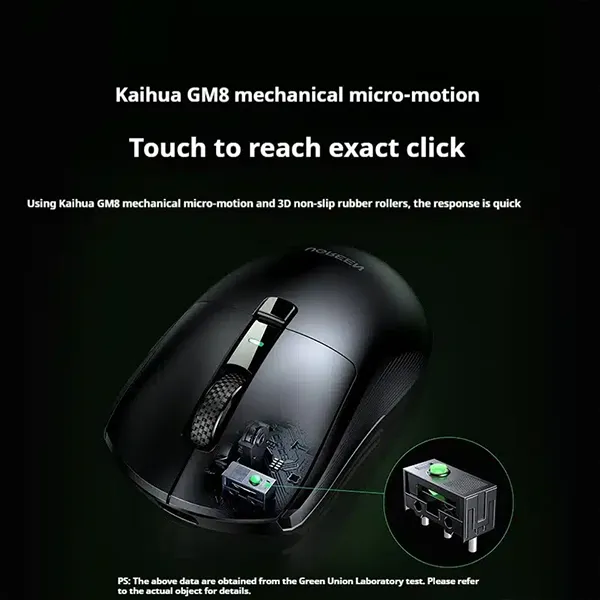
The G908 uses Kaihua GM8 mechanical switches for its primary click system.
Some product listings specify a rated lifespan of around 20 million clicks, while a detailed review of the G908 reports a higher figure for the GM8 switch. Because published ratings differ between sources, the exact switch-life claim should be treated as version/source dependent.
8. 8 Programmable Buttons
The mouse provides 8 buttons, giving gamers additional controls for shortcuts, abilities, macros and productivity functions.
The NealLink software allows supported buttons to be remapped and configured.
9. Customizable RGB Lighting
The G908 includes RGB lighting that can be customized through the supported software.
Users can adjust lighting effects and other supported visual settings to match their gaming setup.
10. NealLink Customization Software
The dedicated UGREEN software allows users to configure supported mouse functions, including:
- DPI levels
- Button assignments
- Macros
- RGB lighting
- Polling rate
- Tracking settings
- Other performance parameters
The software is particularly useful for gamers who want to customize the mouse beyond its default settings.
11. Low-Friction Feet
The G908 uses low-friction mouse feet designed to help the mouse glide smoothly across a compatible mousepad or desk surface.
The manual identifies the feet as low-friction/Teflon-style pads.
12. Rechargeable 500mAh Battery
The G908 uses a rechargeable 500mAh lithium battery and charges through USB-C.
This allows wireless operation without keeping the mouse permanently connected to a cable.
13. Up to 15m Bluetooth Transmission Distance
Bluetooth operation is listed with a transmission distance of up to approximately 15 meters under suitable conditions.
For competitive 2.4GHz gaming, however, the manual recommends keeping the receiver close to the mouse, with an optimal operating distance of approximately 1 meter for the highest-performance StarFlash mode.
Benefits
- High-precision PixArt PAW3395 sensor
- Up to 26,000 DPI
- Up to 4KHz wireless polling
- Up to 8KHz wired polling
- Approximately 60g lightweight body
- Tri-mode connectivity
- 2.4GHz StarFlash wireless
- Bluetooth 5.3
- USB-C wired connection
- Rechargeable 500mAh battery
- 8 programmable buttons
- Customizable RGB lighting
- NealLink software support
- Low-friction feet
- Designed for competitive gaming
- Suitable for gaming and productivity
Perfect For
The UGREEN G908 NealLink Gaming Mouse is suitable for:
🎯 FPS Gaming
The PAW3395 sensor, lightweight body and high polling rates are well suited to fast aiming and flick movements.
🏆 Competitive Gaming
The 4K wireless and 8K wired polling options provide high-frequency position updates for demanding gaming setups.
🖥️ PC Gaming
The mouse works well for a wide range of PC gaming genres, including FPS, MOBA, RTS and action games.
💼 Productivity
The programmable buttons and multiple connection options also make the G908 useful for everyday computer work.
💻 Multi-Device Users
Bluetooth provides an additional connection option for compatible laptops and other devices.
Why Choose UGREEN G908 NealLink Gaming Mouse?
The G908 focuses on the specifications competitive gamers look for: high sensor resolution, high polling rate, lightweight construction and flexible connectivity.
Instead of choosing between a wired gaming mouse and a wireless mouse, the G908 gives users both options along with Bluetooth connectivity.
Its combination of 26,000 DPI, PAW3395, 4K wireless, 8K wired, approximately 60g weight and customizable software makes it a versatile gaming peripheral.
UGREEN G908 vs Standard Wireless Gaming Mouse
| Feature | UGREEN G908 NealLink | Standard Wireless Gaming Mouse |
|---|---|---|
| Sensor | PixArt PAW3395 | Varies |
| Maximum DPI | 26,000 DPI | Usually Lower |
| Wireless Polling | Up to 4KHz | Often Lower |
| Wired Polling | Up to 8KHz | Varies |
| Connectivity | Wired + 2.4G + Bluetooth | Usually 1–2 Modes |
| Weight | Approx. 60g | Varies |
| Buttons | 8 | Usually 5–8 |
| RGB | Customizable | Depends |
| Software | NealLink | Depends |
| Battery | 500mAh Rechargeable | Varies |
| USB-C Charging | Yes | Depends |
How to Use UGREEN G908
Step 1: Charge the Mouse
Connect the included USB-C cable to the mouse and a suitable USB power source.
The same cable can be used for wired operation.
Step 2: Choose Your Connection
Select the connection method that matches your needs:
- USB-C wired
- 2.4GHz StarFlash
- Bluetooth 5.3
Step 3: Connect the 2.4GHz Receiver
For wireless gaming, connect the supplied receiver to your computer and switch the mouse to StarFlash mode.
For the lowest-latency wireless performance, keep the receiver relatively close to the mouse.
Step 4: Install NealLink Software
Install the supported UGREEN software on a compatible Windows system if you want to customize DPI, buttons, RGB lighting and other available settings.
Step 5: Configure DPI
Choose your preferred DPI level and customize the available DPI stages through the software.
Step 6: Customize Buttons
Assign supported functions, shortcuts or macros to programmable buttons according to your game or workflow.
Step 7: Adjust RGB
Customize the available RGB lighting effects or turn the lighting off if preferred.
Use Cases
FPS Gaming
Use a lower DPI setting for controlled aiming and combine it with high polling for responsive movement.
MOBA Gaming
Use programmable buttons for frequently used actions, shortcuts or abilities.
Competitive PC Gaming
Use 2.4GHz StarFlash wireless for high-performance gaming or switch to wired mode for up to 8KHz polling.
Casual Gaming
Bluetooth or standard wireless operation can provide convenient everyday connectivity.
Office & Productivity
The programmable buttons can be configured for shortcuts and frequently used functions.
Cleaning & Maintenance
To keep the G908 performing properly:
- Keep the sensor area free from dust.
- Clean the mouse feet regularly.
- Use a soft, dry microfiber cloth on the exterior.
- Avoid pouring liquid directly onto the mouse.
- Keep the USB-C port dry.
- Clean the mousepad regularly for smoother tracking.
- Store the wireless receiver safely when not in use.
- Avoid dropping or applying excessive pressure to the mouse.
Important Usage Tips
- Use a suitable USB power source for charging.
- Do not expose the mouse to water or excessive moisture.
- Keep the wireless receiver close to the mouse for high-performance 2.4GHz operation.
- For maximum polling rate, use wired mode.
- Do not assume Bluetooth provides the same latency or polling performance as StarFlash wireless.
- Install the correct NealLink software version for your operating system.
- Keep the optical sensor clean for consistent tracking.
- Use a quality mousepad for the best gaming experience.
Important: The headline “4K Wireless” refers to the maximum 4KHz polling rate in 2.4GHz StarFlash mode. The G908 can reach up to 8KHz in wired mode. It is not a 4K-resolution device.
Product Specifications
| Specification | Details |
|---|---|
| Brand | UGREEN |
| Model | G908 |
| Product Name | NealLink Gaming Mouse |
| Sensor | PixArt PAW3395 / 3395 |
| Maximum DPI | Up to 26,000 DPI |
| Wireless Polling Rate | Up to 4KHz |
| Wired Polling Rate | Up to 8KHz |
| Wired Latency | Approx. 0.125ms |
| 2.4GHz Wireless Latency | Approx. 0.25ms |
| Connectivity | USB-C Wired / 2.4GHz StarFlash / Bluetooth 5.3 |
| Buttons | 8 |
| Scroll Wheel | 1 |
| Acceleration | Up to 50G |
| Tracking Speed | Up to 600 IPS |
| Battery | Rechargeable Lithium |
| Battery Capacity | 500mAh |
| Charging | USB-C |
| Weight | Approx. 60g |
| Dimensions | Approx. 120.16 × 63.7 × 39.18mm |
| RGB Lighting | Customizable |
| Hand Orientation | Right-handed |
| Feet | Low-friction/Teflon-style |
| Software | UGREEN NealLink |
| Recommended Gaming Connection | 2.4GHz StarFlash |
| Maximum Performance Connection | Wired USB-C |
The core technical specifications above are based primarily on the G908 manual, with Bangladesh retailer listings used for cross-checking.
What’s in the Box?
The G908 manual lists the following package contents:
- 1 × UGREEN G908 Gaming Mouse
- 1 × 2.4GHz Wireless Receiver
- 1 × USB-C Cable, approximately 1.8m
- 1 × Anti-Slip Grip Patch
Package contents can vary slightly by market or seller bundle.
Who Should Buy This Product?
Choose the UGREEN G908 NealLink Gaming Mouse if you want:
- A lightweight competitive gaming mouse
- PAW3395 sensor performance
- Up to 26,000 DPI
- 4K wireless polling
- 8K wired polling
- Tri-mode connectivity
- Customizable RGB
- Programmable buttons
- Rechargeable USB-C battery
- Gaming-focused software customization
If you mainly need a basic office mouse, many lower-cost UGREEN models will be sufficient. The G908 makes more sense for users who can benefit from its high polling rate, lightweight design and gaming-oriented sensor.
Why Buy from AIYOZON?
When purchasing the UGREEN G908 NealLink Gaming Mouse from AIYOZON, you can enjoy:
- Genuine product-focused shopping
- Detailed and transparent specifications
- Convenient online ordering
- Secure packaging
- Delivery support across Bangladesh
- Product assistance
- Customer support for your purchase
Frequently Asked Questions
What is the maximum DPI of UGREEN G908?
The G908 supports up to 26,000 DPI through its configurable sensor/software settings.
Does UGREEN G908 support 4K wireless?
Yes. Its 2.4GHz StarFlash wireless mode supports up to 4KHz polling.
Does UGREEN G908 support 8K polling?
Yes. The G908 can reach 8KHz polling in wired USB-C mode.
What sensor does the G908 use?
It uses the PixArt PAW3395 optical sensor.
How much does the G908 weigh?
The G908 weighs approximately 60g, making it a lightweight gaming mouse.
How many buttons does it have?
The G908 has 8 buttons, with supported customization through NealLink software.
Is the UGREEN G908 wireless?
Yes. It supports 2.4GHz StarFlash wireless and Bluetooth 5.3, in addition to USB-C wired connectivity.
Does it use Bluetooth 5.3?
Yes. The G908 manual specifies Bluetooth 5.3.
Does the G908 have RGB lighting?
Yes. The mouse has customizable RGB lighting that can be configured through the supported software.
Is the battery rechargeable?
Yes. It uses a 500mAh rechargeable lithium battery and charges through USB-C.
Can I use the G908 with a Mac?
The G908 is listed by retailers as compatible with Windows and macOS, while the manual specifically focuses its customization software on Windows 10 or later. Basic mouse connectivity may work on supported operating systems even where full software customization is limited.
Is the G908 good for FPS gaming?
Yes. Its lightweight approximately 60g design, PAW3395 sensor, high polling rates and low-latency 2.4GHz connection make it well suited to fast-paced FPS gaming.
What does NealLink mean?
NealLink is the UGREEN software/ecosystem used for configuring supported G908 functions such as DPI, buttons, macros and RGB lighting.
Final Verdict
The UGREEN G908 NealLink Gaming Mouse is a strong option for gamers who want flagship-style specifications without moving to a much heavier mouse.
With its PixArt PAW3395 sensor, 26,000 DPI, 4KHz wireless polling, 8KHz wired polling, approximately 60g weight, tri-mode connectivity, RGB lighting and programmable buttons, the G908 is built around speed, precision and customization.
It is particularly attractive for FPS and competitive PC gaming, while its Bluetooth and wired modes also make it practical for everyday computing.
🎮 Ready to Upgrade Your Gaming Setup?
- ✔ PAW3395 High-Precision Sensor
- ✔ Up to 26,000 DPI
- ✔ 4KHz 2.4GHz Wireless Polling
- ✔ 8KHz Wired Polling
- ✔ Approx. 60g Lightweight Design
- ✔ Tri-Mode Connectivity
- ✔ Bluetooth 5.3
- ✔ 8 Programmable Buttons
- ✔ Customizable RGB Lighting
- ✔ 500mAh Rechargeable Battery
- ✔ USB-C Charging
- ✔ NealLink Software












Reviews
There are no reviews yet.