

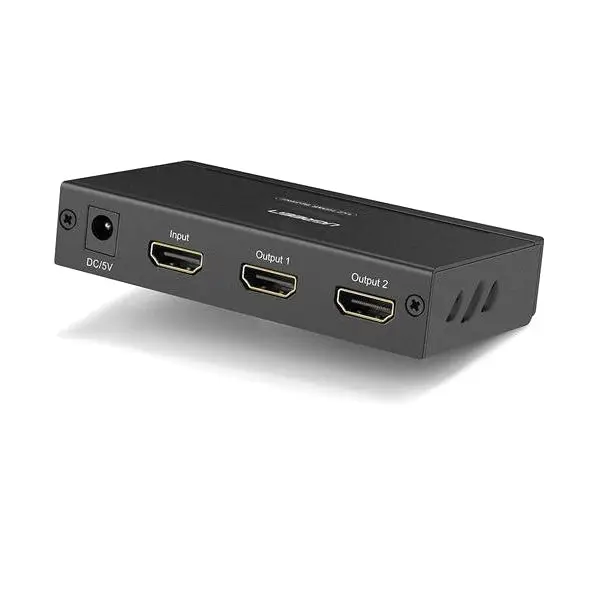
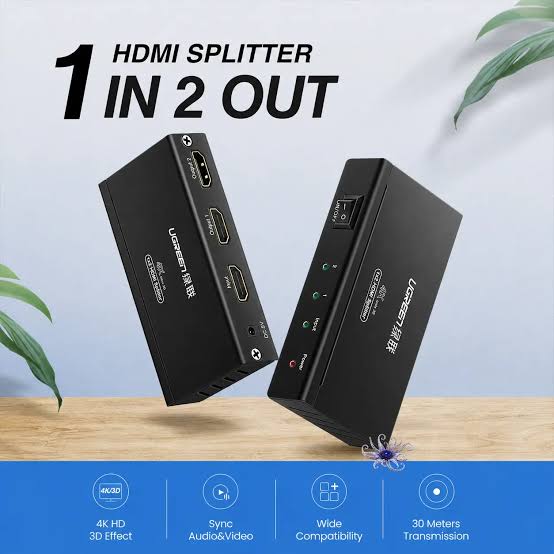
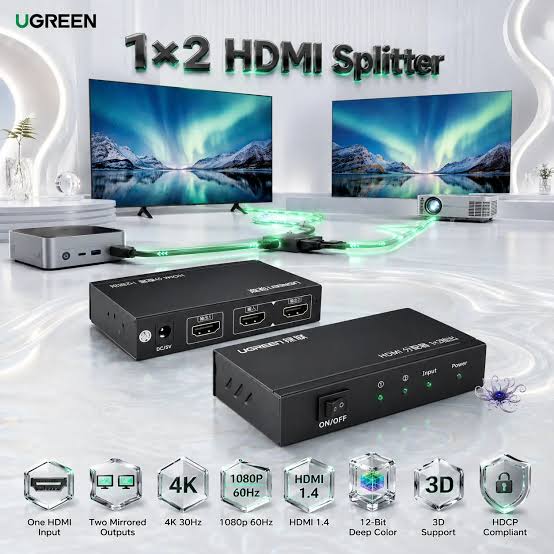
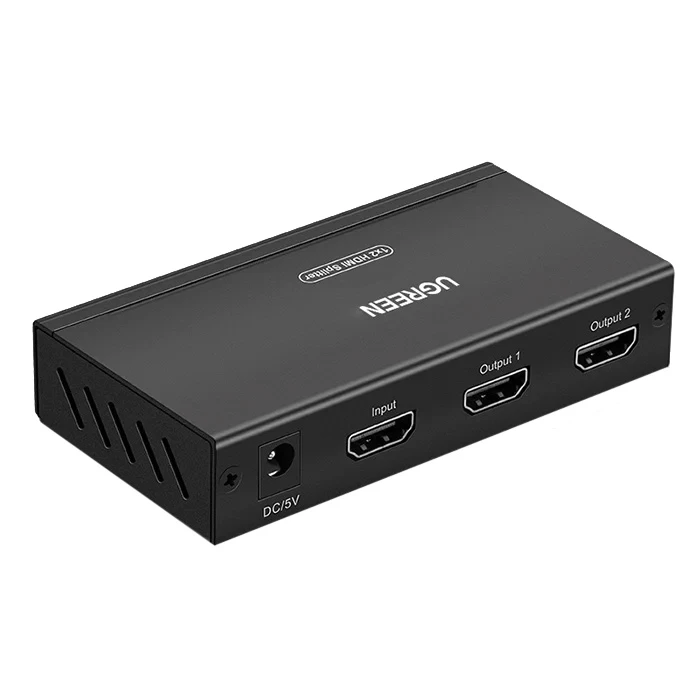
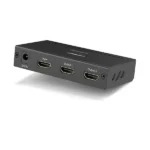
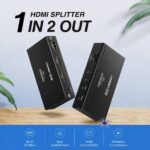
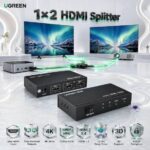
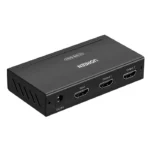
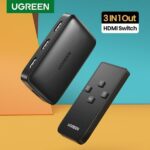

UGREEN 40201 1×2 HDMI Splitter – Premium 1080p@60Hz Dual Display Amplifier with HDCP
2,590.00৳
UGREEN 40201 1×2 HDMI Splitter – Premium 1080p@60Hz HDCP Display Solution
Enjoy Convenient Dual-Display Connectivity with UGREEN
Want to display the same video content on two screens without repeatedly switching HDMI cables? The UGREEN 40201 HDMI Splitter provides a convenient solution by distributing a single HDMI input to two HDMI displays simultaneously. Supporting Full HD 1080p at up to 60Hz and HDCP compliance, this HDMI amplifier splitter is designed for compatible TVs, monitors, projectors, computers, and other HDMI-equipped devices. You can find this practical connectivity accessory at AIYOZON, your convenient destination for technology accessories in Bangladesh.
Whether you are preparing a presentation, displaying information on multiple screens, or sharing video content in your home or office, the UGREEN 40201 HDMI Splitter helps simplify your setup. Instead of repeatedly disconnecting and reconnecting cables, you can connect one HDMI source to two displays and show the same content on both. Its straightforward connection layout makes it useful for home entertainment, classrooms, offices, meeting rooms, and compatible display installations.
Common Problems with HDMI Splitters
Connecting multiple displays to a single HDMI source can be inconvenient when your computer, media player, or other device has only one available HDMI output. Constantly unplugging cables to switch between screens can interrupt your work and make presentations or entertainment less convenient.
Basic connectivity setups may also become messy when you need to send the same video to multiple displays. Without a suitable splitter, you may need additional equipment or a different connection arrangement to achieve your desired setup.
Common problems include:
-
❌ Limited HDMI outputs: Your source device may have only one HDMI output for multiple displays.
-
🖥️ Repeated cable switching: Moving cables between monitors, TVs, and projectors wastes time.
-
📺 Difficult screen sharing: Showing the same content on two displays can require extra equipment.
-
💼 Presentation challenges: Connecting a laptop to multiple compatible screens may be inconvenient.
-
🔌 Messy connectivity: Repeatedly changing connections can make your workspace harder to manage.
-
⚠️ Compatibility concerns: Unsupported resolutions or HDCP incompatibility can prevent content from displaying correctly.
Smart Solution: UGREEN 40201 HDMI Splitter
The UGREEN 40201 HDMI Splitter offers a simple way to distribute one HDMI source to two displays at the same time. With one HDMI input and two HDMI outputs, it lets you display the same video content on two connected screens. It is designed for Full HD resolutions, including 1080p at 60Hz, and supports HDCP-compatible content when the connected equipment and content meet the necessary requirements.
Think of it as a practical distribution point for your HDMI connection. Instead of moving one cable between two screens, you connect your source device to the splitter and connect both displays to its output ports. This arrangement is particularly useful when you want a television and monitor, or two compatible monitors, to show the same image simultaneously.
The UGREEN 40201 HDMI Splitter is suitable for a range of everyday setups, including computers, compatible gaming consoles, media players, televisions, and projectors. Its dedicated power requirement supports its operation, while its straightforward port arrangement keeps installation manageable. Unlike an HDMI switch, which selects one source for a display, this splitter distributes one source to two outputs. Both displays show duplicated content; it does not extend your desktop into two independent screens.
Key Features
🖥️ 1. One HDMI Input, Two HDMI Outputs
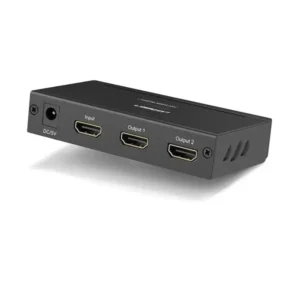
The splitter features one HDMI female input and two HDMI female outputs, allowing a single source to connect to two displays simultaneously. This arrangement reduces the need to swap HDMI cables whenever you want to show content on another screen.
It is useful for setups where two TVs, monitors, or projectors need to display the same image.
✨ 2. Full HD 1080p at 60Hz
The UGREEN 40201 supports Full HD 1080p resolution at 60Hz, making it suitable for compatible displays that use this resolution and refresh rate. It can deliver clear, detailed video for presentations, everyday computer use, and supported entertainment content.
The actual output depends on the source device, connected displays, HDMI cables, and supported video settings.
🛡️ 3. HDCP Compliance
HDCP compliance helps the splitter work with compatible protected digital video content. This is useful when connecting supported media players or other HDMI sources that use content protection.
For successful playback, the source, splitter, displays, and content must have compatible HDCP support. Compliance does not guarantee that every protected streaming service or device will work.
🔊 4. HDMI Audio and Video Connectivity
HDMI carries digital video and compatible audio through a single connection. Using an appropriate HDMI source and displays, the splitter can distribute the source signal without requiring separate video cables for each screen.
Audio playback depends on the source’s audio format, the splitter’s capabilities, and the connected displays or audio equipment.
🔗 5. Female-to-Female HDMI Connections
The input and output ports use standard HDMI female connectors. You can connect compatible HDMI cables between your source device, the splitter, and your displays.
This arrangement offers flexibility when setting up an existing home entertainment system, office workstation, or presentation area.
⚡ 6. Powered HDMI Signal Distribution
The UGREEN 40201 is an active HDMI amplifier splitter that requires external power. This powered design supports the distribution of an HDMI signal to two outputs.
Use the power adapter specified for your exact product version. Check the packaging or product listing for the correct voltage and connector before connecting the power supply.
🎮 7. Broad HDMI Device Applications
The splitter can be used with compatible HDMI sources such as computers, media players, gaming consoles, and set-top boxes. Its two outputs make it convenient for sending a shared display signal to a TV and monitor or to two compatible screens.
Compatibility depends on the video resolution, HDMI and HDCP requirements, and the equipment being connected.
🖤 8. Practical Black Design
The black finish fits naturally into many home entertainment systems, office desks, and conference room setups. Its dedicated splitter design helps organize the connection between one source and two displays.
For exact dimensions, housing material, and included accessories, check the specific product packaging or listing.
Benefits You’ll Enjoy
-
✔️ Convenient dual-screen viewing: Show the same content on two displays without repeatedly changing HDMI connections.
-
✔️ A smarter workspace: Keep your display connections organized around one central splitter.
-
✔️ Simpler presentations: Send compatible presentation content to two screens simultaneously.
-
✔️ Better shared viewing: Let people view the same content on separate displays in different parts of a room.
-
✔️ Useful home entertainment setup: Connect one compatible HDMI source to two TVs or monitors.
-
✔️ Less cable switching: Reduce the inconvenience of disconnecting and reconnecting cables during regular use.
-
✔️ Practical Full HD performance: Enjoy supported 1080p content at up to 60Hz.
-
✔️ Flexible installation: Use the splitter with compatible HDMI equipment for different display arrangements.
-
✔️ Convenient everyday operation: Keep one source connected to two displays for repeated use.
-
✔️ A cost-conscious connectivity solution: Address a basic two-display duplication requirement without necessarily replacing your source device.
Perfect For
-
🏠 Home entertainment: Display the same content on two compatible televisions.
-
💼 Office workstations: Share computer output between a monitor and another display.
-
🏫 Classrooms: Show educational content on two connected displays.
-
🏢 Meeting rooms: Distribute presentation visuals to two screens.
-
📽️ Projector setups: Send a compatible HDMI source to a projector and another display.
-
🎮 Gaming setups: Duplicate a compatible gaming source onto two screens for shared viewing.
-
🛍️ Retail stores: Display the same promotional video on two compatible screens.
-
🎬 Media playback: Connect a supported media player to two displays.
-
🧑🏫 Training centres: Share instructional material across multiple screens.
-
🏡 Multi-screen display arrangements: Keep the same source content visible on two displays in a suitable installation.
Why Choose the UGREEN 40201 HDMI Splitter?
The UGREEN 40201 HDMI Splitter is a practical choice when your primary requirement is to duplicate one HDMI source onto two displays. Its 1-in-2-out configuration makes the connection straightforward, helping you avoid the inconvenience of manually moving a cable between screens. For compatible setups, this is a useful way to make better use of your existing display equipment.
Its support for 1080p at 60Hz makes it suitable for many Full HD viewing and presentation needs. If you primarily use a 1080p monitor, television, or projector, the splitter offers a simple way to share compatible video output without needing an entirely different display arrangement.
HDCP compliance is another useful consideration for supported protected content. However, the complete connection chain must remain compatible, and the splitter should not be confused with a device that converts unsupported resolutions or removes content-protection restrictions.
The powered amplifier-splitter design is intended to distribute the HDMI signal to two outputs. Proper cable selection and a suitable power supply are important for reliable operation. For best results, use compatible HDMI cables and follow the instructions for the exact model you purchase.
Overall, the UGREEN 40201 is a sensible option for customers who need a straightforward, practical HDMI duplication solution. If your goal is to display different applications independently on two monitors, however, you will need a compatible graphics output or docking solution rather than a basic splitter.
UGREEN 40201 HDMI Splitter vs Ordinary HDMI Connectivity
| Feature | UGREEN 40201 HDMI Splitter | Single HDMI Connection |
|---|---|---|
| HDMI source inputs | 1 | 1 |
| Display outputs | 2 | Usually 1 |
| Simultaneous display | ✅ Two displays | ⚠️ Usually one directly connected display |
| Same content on both screens | ✅ Yes | ❌ Requires additional equipment for two displays |
| Full HD 1080p@60Hz | ✅ Supported | Depends on source and display |
| HDCP compliance | ✅ Supported | Depends on connected equipment |
| Independent extended desktop | ❌ No | Depends on computer and graphics hardware |
| External power | Required | Depends on the source and connection |
| Cable switching between two displays | Usually unnecessary | May be necessary without additional outputs |
| Suitable for presentations | ✅ For duplicated content | Depends on the setup |
How This Product Makes Daily Life Easier
The UGREEN 40201 HDMI Splitter helps simplify situations where the same visual information needs to appear on two screens. In an office, you can connect a compatible computer to a monitor and another display for shared viewing. In a classroom or meeting room, a single HDMI source can feed two connected screens, making it easier for people to follow a presentation.
For home entertainment, it can help you arrange two displays around one compatible media source. Keep in mind that both outputs duplicate the same content, and the two displays may need compatible video settings for the best results.
How to Use the UGREEN 40201 HDMI Splitter
Step 1: Identify Your HDMI Source
Choose the device you want to connect, such as a computer, gaming console, set-top box, or media player. Confirm that it has an HDMI output and supports a resolution compatible with your displays.
Step 2: Connect the HDMI Input
Connect an HDMI cable from your source device to the splitter’s single HDMI input port. Make sure the cable is fully inserted.
Step 3: Connect Your Two Displays
Use separate HDMI cables to connect the splitter’s two output ports to your televisions, monitors, or projectors. Both displays will receive duplicated content rather than independent desktop images.
Step 4: Connect the Correct Power Supply
Connect the power adapter specified for your exact UGREEN 40201 version. Verify the voltage, connector, and power requirements on the product label or documentation before switching it on.
Step 5: Turn On the Devices
Power on the splitter, source device, and both displays. Select the correct HDMI input on each display and wait for the video signal to appear.
Step 6: Check the Display Settings
If the picture does not appear correctly, check the HDMI cable connections and select a supported output resolution, such as 1080p at 60Hz. If protected content fails to play, verify HDCP compatibility across the entire connection.
Important Usage Tips
Always use an appropriate power adapter for the specific splitter version. Product listings for the UGREEN 40201 can differ in their stated power requirements, so confirm the rating on your actual device rather than relying on a generic online specification. Avoid using an adapter with an unverified voltage or connector.
Keep the splitter in a dry, well-ventilated location and avoid pulling or bending HDMI cables excessively. Disconnect the power before rearranging connections if recommended by the product instructions, and handle the ports carefully to prevent damage.
Remember that an HDMI splitter duplicates the same source signal. It does not provide independent extended desktops, convert HDMI into another interface, or guarantee compatibility with every resolution, refresh rate, streaming service, or protected-content format. Use good-quality HDMI cables and check the specifications of your source and displays before purchasing.
Product Specifications
| Feature | Details |
|---|---|
| Brand | UGREEN |
| Product Name | UGREEN 40201 1×2 HDMI Splitter |
| Model | 40201 |
| Product Type | HDMI amplifier splitter |
| Connection Type | HDMI |
| Input Ports | 1 × HDMI female |
| Output Ports | 2 × HDMI female |
| Resolution Support | 1080p at 24/50/60Hz; up to 1920 × 1200 according to listed specifications |
| HDCP | Compliant |
| Color Depth | Deep Color up to 12-bit, as specified in product listings |
| Display Function | Duplicates one HDMI source to two displays |
| Power Supply | External power required; verify exact rating on the product |
| Color | Black |
| Compatibility | Compatible HDMI sources and displays, subject to resolution and HDCP support |
| Housing Material | Please check the product packaging/product listing for the exact specification. |
| Dimensions | Please check the product packaging/product listing for the exact specification. |
| Warranty | Please check the AIYOZON product listing for the applicable warranty. |
The model’s listed resolution and connectivity details are supported by product listings for the UGREEN 40201. Power specifications vary between available listings, so confirm the exact version before use.
Why Buy from AIYOZON?
At AIYOZON, you can explore practical technology accessories for your home, office, and entertainment setup. The UGREEN 40201 HDMI Splitter is an option for customers in Bangladesh who need a straightforward way to duplicate a compatible HDMI source across two displays.
Choosing the right connectivity accessory starts with understanding your devices and intended use. Check the product specifications and compatibility requirements before ordering, and contact the AIYOZON support team if you need help identifying the right HDMI solution for your setup.
When shopping with AIYOZON, you can look forward to a convenient online shopping experience and support throughout your purchase.
-
✅ Quality Products
-
🚚 Fast Delivery Across Bangladesh
-
📦 Secure Packaging
-
💬 Responsive Customer Support
-
⭐ Convenient Online Shopping
-
💯 Great Value for Money
Frequently Asked Questions
Q1. What does the UGREEN 40201 HDMI Splitter do?
The UGREEN 40201 HDMI Splitter distributes one HDMI input signal to two HDMI outputs simultaneously. It allows two compatible displays to show the same content from a single source device.
Q2. Does the UGREEN 40201 support 1080p at 60Hz?
Yes. The product is listed as supporting Full HD 1080p at 60Hz, along with other supported refresh rates. Actual performance depends on the connected source, displays, cables, and settings.
Q3. Can I use this splitter to extend my computer desktop across two monitors?
No. This is a duplication splitter, so both displays show the same source content. For an extended desktop with separate applications on each monitor, your computer needs a compatible multi-display graphics output, dock, or other suitable solution.
Q4. Is the UGREEN 40201 compatible with TVs, monitors, and projectors?
It can work with compatible HDMI-equipped TVs, monitors, and projectors. Check the supported resolutions, HDMI connections, and HDCP requirements of your devices before use.
Q5. Does the splitter support HDCP-protected content?
Yes, it is listed as HDCP compliant. However, successful playback of protected content also depends on compatibility between the source device, splitter, displays, and content-protection requirements.
Q6. Does the UGREEN 40201 require external power?
Yes. It requires an external power supply. Since published specifications can differ between versions, check the product label or included documentation for the correct power rating before connecting an adapter.
Q7. How do I maintain and troubleshoot the HDMI splitter?
Keep the splitter dry and well ventilated, and check that all cables are securely connected. If a display shows no picture, verify its selected HDMI input, check the power supply, and try a resolution supported by both displays. Use the appropriate HDMI cables for your setup.
Q8. How long does delivery take from AIYOZON?
The standard delivery estimates are:
-
Inside Dhaka: 24–48 Hours
-
Outside Dhaka: 2–3 Business Days
Delivery times may depend on the delivery location and order circumstances. Check the AIYOZON checkout or delivery policy for the latest details.
Simplify Your Display Setup with UGREEN
If you need a convenient way to show the same content on two screens, the UGREEN 40201 HDMI Splitter offers a practical solution. Its one-input, two-output configuration, Full HD 1080p@60Hz support, and HDCP compliance make it suitable for compatible home entertainment systems, office workstations, classrooms, and presentation environments.
By reducing the need to switch HDMI cables manually, this splitter can make everyday display sharing more convenient. It is especially useful for customers who want a straightforward duplicated display setup without the complexity of a multi-monitor extension system.
Before ordering, confirm that your devices support the required HDMI connection and resolution, and check the power requirements for the exact model. This helps ensure that the splitter meets your needs and works with your existing equipment.







Reviews
There are no reviews yet.