


UGREEN CM332 HDMI Switcher – Premium 3-in-1-Out 4K@30Hz HDMI Switch with Remote Control
Original price was: 2,890.00৳ .2,390.00৳ Current price is: 2,390.00৳ .
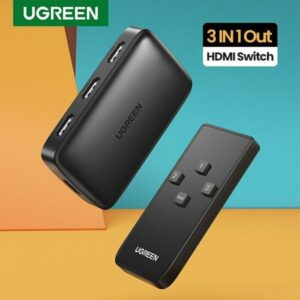
UGREEN CM332 HDMI Switcher – Premium 3-in-1-Out 4K@30Hz HDMI Selector
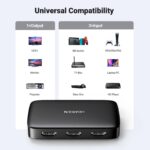
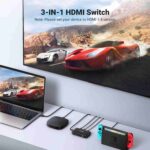
Connect Three HDMI Devices to One Display with Ease
Tired of unplugging HDMI cables every time you want to switch between your laptop, gaming console, and media player? The UGREEN CM332 HDMI Switcher offers a convenient way to connect up to three HDMI source devices to a single television, monitor, or projector. Supporting resolutions up to 4K@30Hz, this practical 3-in-1-out HDMI switch helps you manage multiple devices without constantly changing cable connections. You can find this useful connectivity accessory at AIYOZON, your convenient destination for technology products in Bangladesh.
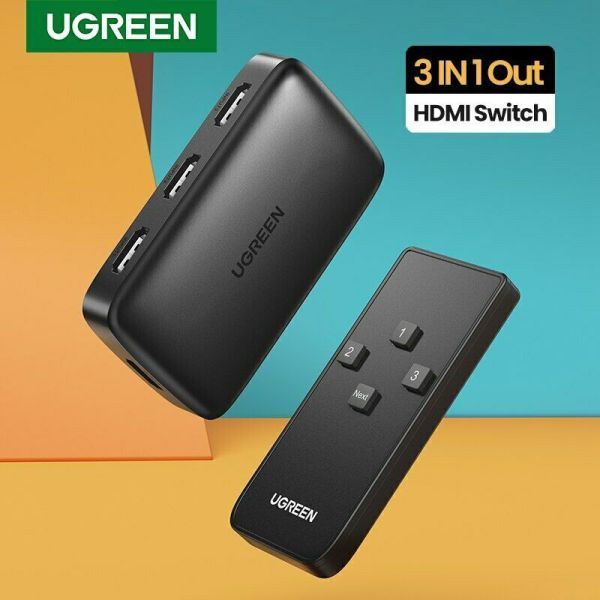
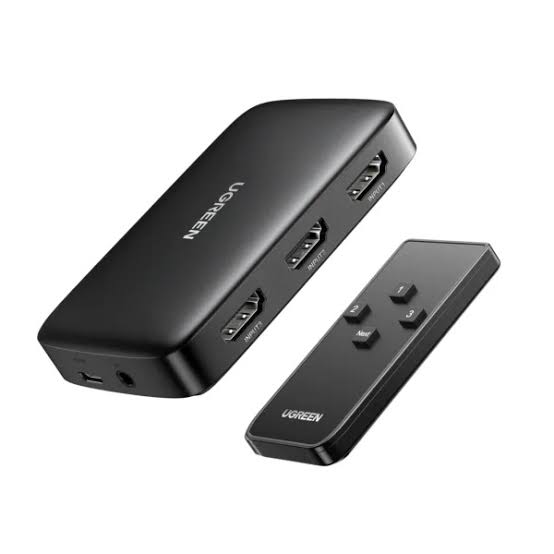
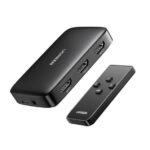
Whether you’re enjoying entertainment at home, gaming on a compatible console, or working with different devices at your desk, the UGREEN CM332 HDMI Switcher makes switching between sources simpler. It features three HDMI input ports and one HDMI output port, allowing you to keep multiple devices connected to the same display. The included remote control and physical switching button provide convenient ways to select your desired source, while HDCP 1.4 support helps maintain compatibility with supported protected content.
Common Problems with HDMI Switchers
Modern homes and offices often have several HDMI devices but only one or two available HDMI inputs on a television or monitor. A gaming console, laptop, set-top box, and media player can quickly use up all the available ports, forcing you to disconnect one device before connecting another.
Repeatedly changing cables can be inconvenient, especially when devices are installed behind a TV or arranged in a compact workspace. A dedicated HDMI switch helps organize these connections and makes it easier to move between different sources.
Common problems include:
-
🔌 Limited HDMI ports: Your TV may not have enough inputs for all your devices.
-
⏱️ Frequent cable swapping: Disconnecting and reconnecting cables wastes time.
-
🎮 Gaming interruptions: Switching between a console and another device can be inconvenient.
-
📺 Cluttered entertainment setups: Multiple loose connections can make your setup harder to manage.
-
💼 Workspace inconvenience: Switching between a laptop, desktop, and other HDMI sources can disrupt your workflow.
-
🎛️ Difficult source selection: Reaching behind a TV to change cables can be awkward.
Smart Solution: UGREEN CM332 HDMI Switcher
The UGREEN CM332 HDMI Switcher is designed to solve the problem of limited HDMI inputs. It lets you connect three HDMI source devices to one display and select which source you want to use. Instead of repeatedly unplugging cables, you can leave your devices connected and switch between them when needed.
Think of it as a traffic controller for your HDMI connections. Your TV or monitor receives the signal from the selected source, whether that is a computer, compatible gaming console, media player, or set-top box. The switcher supports resolutions up to 4K@30Hz, along with HDCP 1.4 and compatible 3D video formats. Actual performance depends on the connected equipment and content.
Its physical switching button offers a straightforward way to change inputs, while the included infrared remote control lets you switch sources from a more convenient position. The CM332 is a practical choice for home entertainment systems, gaming setups, offices, and meeting rooms where several HDMI devices share one display.
Unlike an HDMI splitter, which sends one source to multiple displays, this HDMI switcher selects one of several sources for a single display. That makes it particularly useful when you want to keep multiple devices connected to one TV without purchasing a new display with additional HDMI ports.
Key Features
🔌 1. Three HDMI Inputs, One HDMI Output
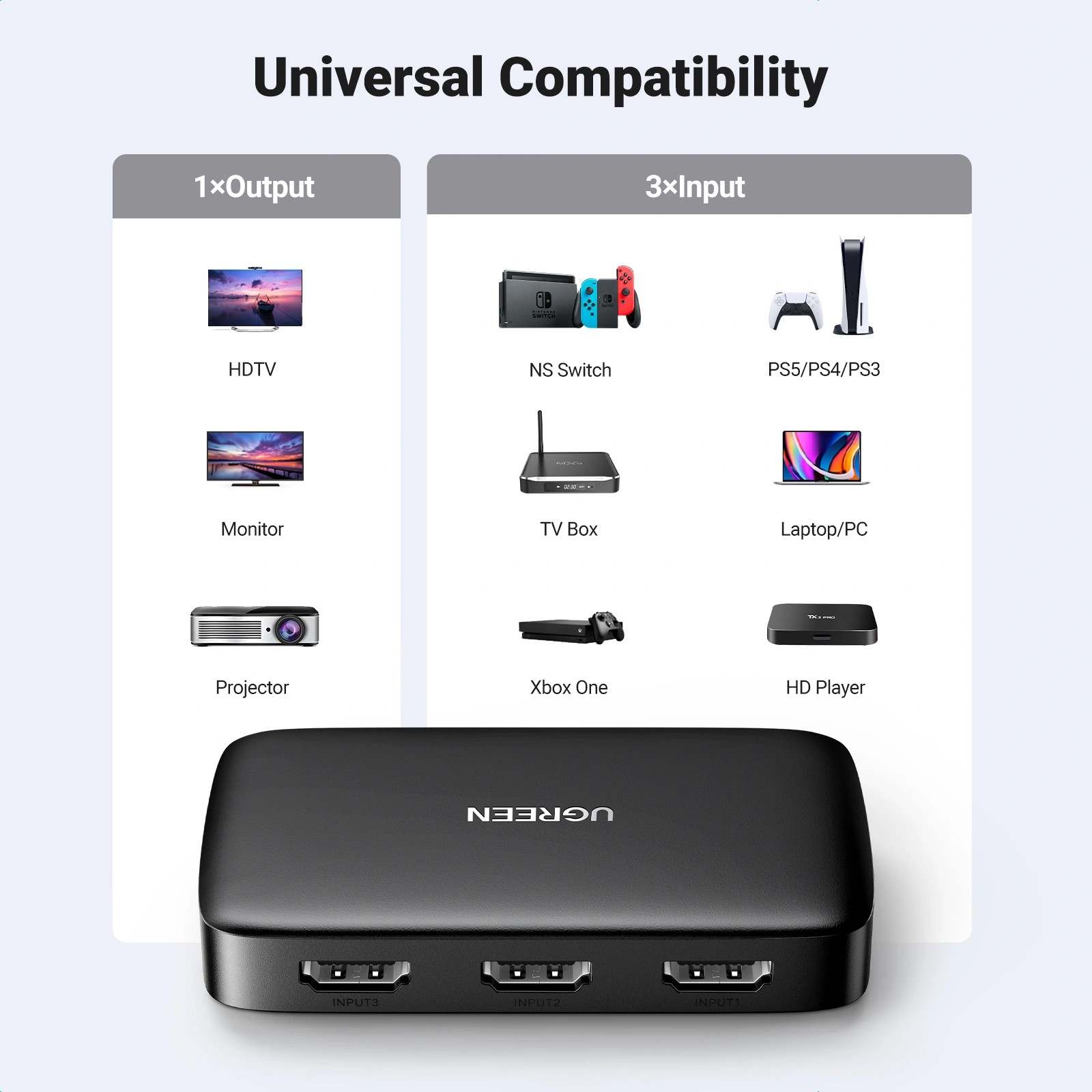
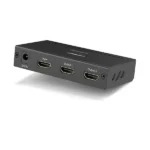
The UGREEN CM332 includes three HDMI female input ports and one HDMI female output port. Connect up to three compatible source devices and send the selected signal to one television, monitor, or projector.
This configuration reduces cable swapping and helps keep your entertainment or workstation setup organized.
🖥️ 2. Supports 4K@30Hz Resolution
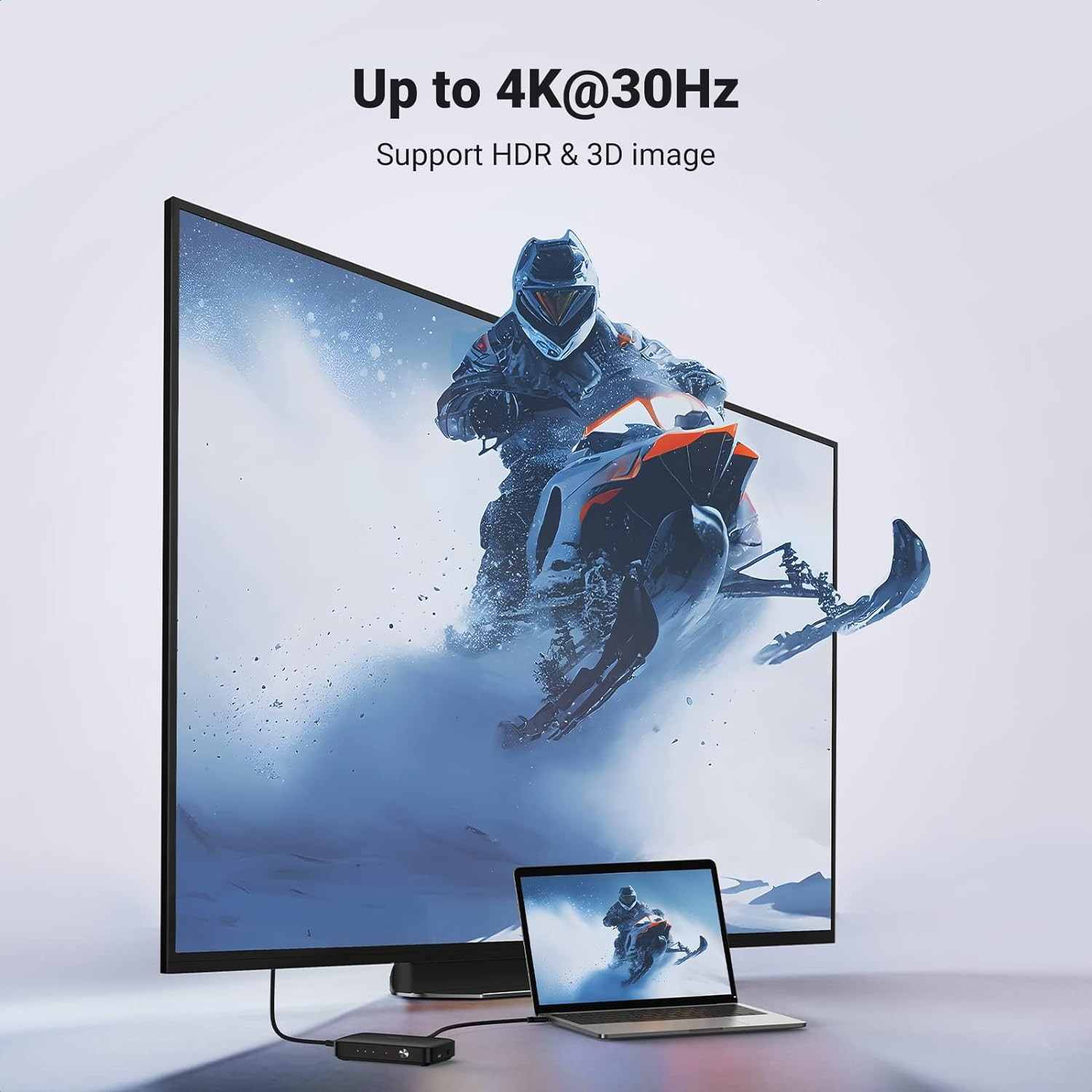
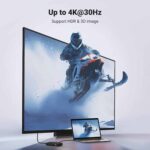
Enjoy supported Ultra HD content at resolutions up to 4K@30Hz. This is suitable for compatible displays and source devices that support 4K video at 30Hz.
For higher refresh rates at 4K, such as 60Hz, check the requirements carefully because this model is specified for up to 4K@30Hz.
🎮 3. Convenient HDMI Source Switching
Switch between connected devices using the physical button on the unit. This makes it easy to select the desired input without disconnecting cables.
You can move between compatible gaming consoles, computers, and media players while keeping your display connection in place.
🎛️ 4. Included Infrared Remote Control
The CM332 supports remote source selection through its infrared receiver and remote control. This is especially convenient when the switcher is positioned near a television or in an entertainment cabinet.
Connect the IR receiver to the designated port and follow the product instructions to use the remote.
🛡️ 5. HDCP 1.4 Support
HDCP 1.4 support helps the switcher work with compatible protected digital content. This is useful for supported media players and other HDMI devices that require content protection.
Playback still depends on the compatibility of the source, display, cable, switcher, and content requirements.
🔊 6. Digital Audio and Video Transmission
HDMI carries compatible digital audio and video through one connection. This reduces the need for separate audio and video cables when connecting supported devices to a display.
The audio formats available depend on the source device, the selected content, and the connected display or audio equipment.
🔄 7. Plug-and-Play Operation
The switcher is designed for straightforward installation without requiring special software or drivers. Connect your source devices to the HDMI inputs and connect the output to your display.
The model includes a Micro USB power port. Follow the instructions for your specific unit regarding power and setup.
🖤 8. Compact Design for Everyday Setups
The CM332 has a compact black housing that fits naturally into many home entertainment systems and workspaces. Its dedicated input and output ports help keep multiple HDMI connections together in one place.
The published dimensions are approximately 91.62 × 54 × 17.64 mm, making it suitable for setups where space is limited.
Benefits You’ll Enjoy
-
✔️ Simpler device management: Keep three HDMI sources connected to one display.
-
✔️ Less cable swapping: Change sources without repeatedly unplugging HDMI cables.
-
✔️ Convenient remote operation: Select compatible sources from your viewing position.
-
✔️ A cleaner entertainment setup: Keep connections organized around a single switcher.
-
✔️ Premium viewing flexibility: Use supported 4K content on a compatible display at up to 30Hz.
-
✔️ Better use of existing equipment: Connect several devices without needing extra HDMI inputs on your TV.
-
✔️ More convenient gaming: Switch between compatible gaming devices and other HDMI sources.
-
✔️ Easy installation: Set up the switcher without installing dedicated drivers.
-
✔️ Flexible everyday use: Move between work, entertainment, and gaming sources with less effort.
-
✔️ Practical value: Make a single HDMI display more useful when several devices share it.
Perfect For
-
🏠 Home entertainment systems: Connect multiple media devices to one TV.
-
🎮 Gaming enthusiasts: Switch between compatible gaming consoles.
-
💻 Computer users: Share one monitor between compatible computers and other HDMI sources.
-
📺 Smart TV owners: Make better use of a TV with limited HDMI inputs.
-
🎬 Media player users: Keep compatible streaming devices and media players connected.
-
🏢 Office workstations: Switch between different HDMI-equipped computers.
-
🏫 Classrooms: Select between compatible presentation sources.
-
💼 Meeting rooms: Connect multiple presentation devices to one display.
-
📽️ Projector setups: Choose between different HDMI sources for a shared projector.
-
🧑🏫 Training environments: Switch between a computer and other presentation equipment.
Why Choose the UGREEN CM332 HDMI Switcher?
The UGREEN CM332 HDMI Switcher is a useful choice when you regularly use several HDMI devices with one display. Rather than replacing your TV or monitor because it lacks enough inputs, you can connect up to three sources to the switcher and select the one you need. This offers a straightforward solution for a common connectivity problem.
Its support for resolutions up to 4K@30Hz makes it suitable for compatible Ultra HD displays and sources. It can also handle lower supported resolutions, including Full HD, depending on your connected equipment. If your main requirement is switching between everyday media devices, computers, and gaming consoles, the CM332 provides a practical arrangement.
Another advantage is the choice of switching methods. You can use the physical button when the unit is nearby or use the included infrared remote control when you prefer not to reach behind your entertainment setup. This small convenience can make a noticeable difference in a frequently used system.
The compact design also helps keep connections together rather than spreading several cables around your TV or monitor. HDCP 1.4 and compatible 3D video support add useful compatibility for suitable equipment, although newer content-protection requirements or higher video specifications may require a different switcher.
Overall, the UGREEN CM332 HDMI Switcher is best suited to customers who need three HDMI inputs and one display output, with convenient source selection and support for up to 4K@30Hz. It is not designed to send three different sources to three screens simultaneously, nor does it extend a computer desktop across multiple displays.
UGREEN CM332 HDMI Switcher vs Ordinary HDMI Connectivity
| Feature | UGREEN CM332 HDMI Switcher | Direct HDMI Connection |
|---|---|---|
| HDMI inputs | ✅ 3 | ⚠️ Usually 1 source per connection |
| HDMI output | 1 display | 1 display |
| Switching between sources | ✅ Yes | ⚠️ Requires changing inputs or cables |
| Maximum specified resolution | Up to 4K@30Hz | Depends on connected equipment |
| Remote control | ✅ Included with the standard package | ❌ Not provided by a basic cable |
| Physical switching button | ✅ Yes | ❌ Not applicable |
| HDCP support | ✅ HDCP 1.4 | Depends on connected equipment |
| Compatible source types | Multiple HDMI devices | Depends on the available connection |
| Driver installation | Not normally required | Not normally required |
| Independent multiple displays | ❌ No | Depends on source and graphics hardware |
Remote Control and HDMI Source Selection
One of the most useful aspects of the UGREEN CM332 is its remote source-selection capability. When your devices are connected, you can choose which HDMI source appears on your display without physically changing cables.
This is particularly helpful if your TV is mounted on a wall or the switcher is located inside an entertainment cabinet. Connect the included infrared receiver to the designated IR port, position it where the remote can reach it, and use the remote according to the supplied instructions.
The physical button remains useful if you prefer manual control or the remote is unavailable. The switcher selects one active source at a time, so make sure the device you want to use is powered on and connected to the correct input.
How to Use the UGREEN CM332 HDMI Switcher
Step 1: Position the Switcher
Place the CM332 on a stable, dry surface near your TV, monitor, or projector. Leave enough space around the device and its cables for convenient access.
Step 2: Connect Your HDMI Source Devices
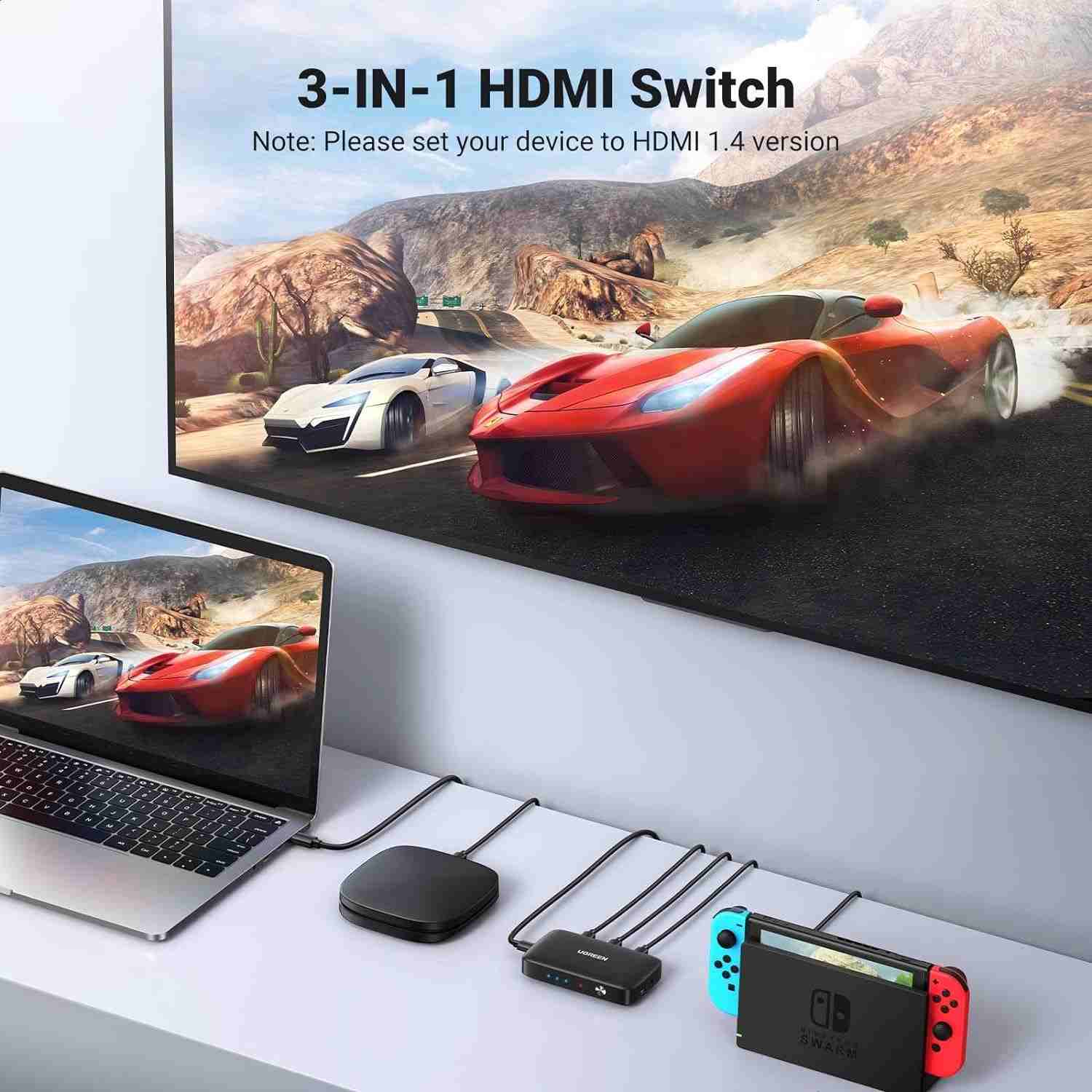
Connect up to three source devices, such as a laptop, gaming console, and media player, to the three HDMI input ports.
Step 3: Connect the Display
Use an HDMI cable to connect the switcher’s HDMI output to your TV, monitor, or projector.
Step 4: Connect the Power if Required
Connect the Micro USB power supply as instructed in the product manual. Check the exact power requirements for your unit and use a compatible power source.
Step 5: Set Up the Remote
If using the remote, connect the infrared receiver to the designated IR port. Position the receiver where it can receive commands from the remote control.
Step 6: Select Your Preferred Source
Turn on the display and the source device you want to use. Select the corresponding input using the switcher’s button or remote control. If no picture appears, check the cable connections, display input, source settings, and supported resolution.
Important Usage Tips
Use suitable, certified HDMI cables to help maintain reliable signal transmission. For 4K@30Hz operation, the product documentation recommends HDMI input and output cable lengths of up to approximately 8 metres under the specified cable conditions. Longer or lower-quality cables may affect signal stability.
Keep the switcher away from excessive heat, moisture, dust, and physical impacts. Avoid dismantling the device, and handle the HDMI and Micro USB ports carefully. Connect the infrared receiver properly if you want to use remote switching.
Remember that the CM332 selects one source at a time. It does not combine several HDMI signals into one picture, duplicate one source across multiple displays, or guarantee 4K@60Hz output. Check the requirements of your source device, display, cables, and protected content before purchasing.
Product Specifications
| Feature | Details |
|---|---|
| Brand | UGREEN |
| Product Name | UGREEN HDMI Switcher 3 In 1 Out |
| Model | CM332 |
| Part Number | 80125 |
| Product Type | HDMI switcher |
| HDMI Input Ports | 3 × HDMI female |
| HDMI Output Ports | 1 × HDMI female |
| Maximum Specified Resolution | 4K × 2K @ 30Hz |
| HDMI Standard | HDMI 1.4 |
| HDCP | HDCP 1.4 |
| 3D Video | Supported with compatible equipment |
| Control Method | Physical button and infrared remote control |
| Power Port | Micro USB |
| Compatible Systems | Windows, macOS, and Linux when used with compatible HDMI output devices |
| Dimensions | Approximately 91.62 × 54 × 17.64 mm |
| Color | Black |
| Housing Material | Please check the product packaging/product listing for the exact specification. |
| Power Adapter Details | Please check the product packaging/product listing for the exact specification. |
| Warranty | Please check the AIYOZON product listing for the applicable warranty. |
Why Buy from AIYOZON?
At AIYOZON, you can explore practical technology accessories designed to make everyday device connections easier. The UGREEN CM332 HDMI Switcher is a convenient option for customers in Bangladesh who want to connect several HDMI devices to one TV, monitor, or projector.
Before ordering, check that the switcher’s 4K@30Hz limit, HDMI 1.4 standard, and HDCP 1.4 support suit your devices. If you need help choosing an HDMI switch for your particular setup, AIYOZON can be your convenient starting point for finding the right connectivity accessory.
When shopping at AIYOZON, you can benefit from a convenient online ordering experience and customer support for product-related questions.
-
✅ Quality Products
-
🚚 Fast Delivery Across Bangladesh
-
📦 Secure Packaging
-
💬 Responsive Customer Support
-
⭐ Convenient Online Shopping
-
💯 Great Value for Money
Frequently Asked Questions
Q1. What does the UGREEN CM332 HDMI Switcher do?
The UGREEN CM332 lets you connect up to three HDMI source devices to one display. You can switch between the connected sources using the physical button or the included infrared remote control.
Q2. Does the UGREEN CM332 support 4K resolution?
Yes. It supports resolutions up to 4K@30Hz. If you need 4K@60Hz, you should choose a switcher specifically rated for that resolution and refresh rate.
Q3. Can I connect a gaming console, laptop, and TV box at the same time?
Yes. You can connect three compatible HDMI source devices to the switcher’s inputs and connect its output to one display. You select which source to view rather than displaying all three sources simultaneously.
Q4. Does the UGREEN CM332 come with a remote control?
The standard documented package includes an infrared remote control and receiver. Check the AIYOZON listing to confirm the accessories included with the exact product you purchase.
Q5. Is the UGREEN CM332 compatible with HDCP-protected content?
The CM332 supports HDCP 1.4. Playback of protected content depends on compatibility across the source device, switcher, display, cables, and content-protection requirements.
Q6. Does this HDMI switcher need external power?
The device includes a Micro USB power port, and its manual describes connecting a power supply cable. Follow the instructions supplied with your unit and verify the exact power requirements before use.
Q7. How do I maintain the UGREEN CM332 HDMI Switcher?
Keep it in a dry, clean, well-ventilated location and avoid dropping or dismantling it. Use suitable HDMI cables, ensure connections are secure, and connect the infrared receiver properly when using the remote control.
Q8. How long does delivery take from AIYOZON?
The standard delivery estimates are:
-
Inside Dhaka: 24–48 Hours
-
Outside Dhaka: 2–3 Business Days
Delivery timing may vary depending on the destination and order circumstances. Check the AIYOZON checkout or delivery policy for current details.
Make Every HDMI Connection More Convenient
The UGREEN CM332 HDMI Switcher is a practical solution for anyone who uses multiple HDMI devices with one television, monitor, or projector. With three HDMI inputs, one output, support for up to 4K@30Hz, and convenient source selection, it helps simplify everyday device management.
Whether you want to switch between gaming consoles, a laptop, a set-top box, or a media player, this compact switcher can help reduce cable swapping and keep your entertainment or workspace organized. Its physical button and infrared remote offer flexible control, while HDCP 1.4 support provides compatibility with suitable protected content.
Before ordering, make sure its resolution limit and connection type match your needs, especially if you require 4K@60Hz or newer content-protection standards.












Reviews
There are no reviews yet.