






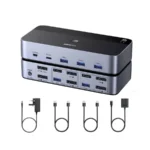

UGREEN AK502 2 In-1 Out 4K HDMI KVM Switch – Smart 4K 60Hz Computer Sharing Solution
Original price was: 3,390.00৳ .3,090.00৳ Current price is: 3,090.00৳ .
UGREEN AK502 2 In-1 Out 4K HDMI KVM Switch – Smart 4K 60Hz Computer Sharing Solution
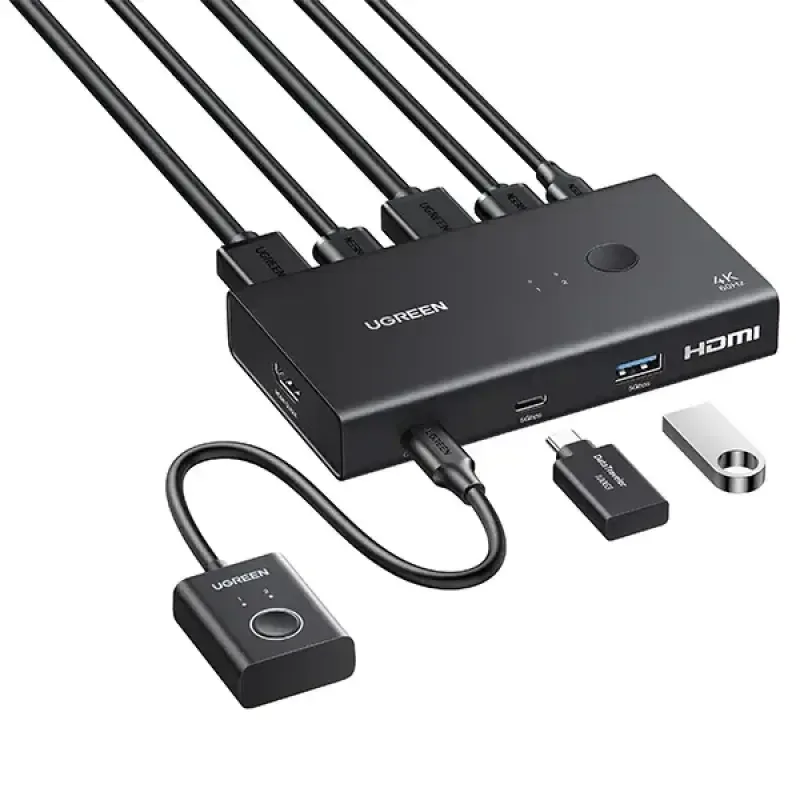
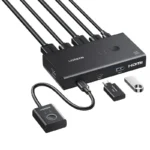
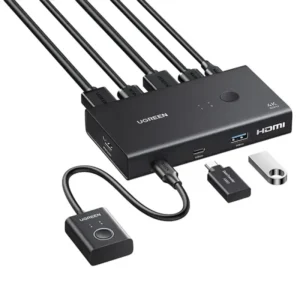
The UGREEN AK502 allows you to connect two computers to one HDMI monitor and select which computer is active. This is useful when you use separate systems for office work, studying, personal browsing, or gaming.
Instead of repeatedly disconnecting and reconnecting your monitor cable, you can switch between the connected sources using the supported controls.
Key Features and Benefits
1. Two Computers, One HDMI Monitor
The UGREEN AK502 allows you to connect two computers to one HDMI monitor and select which computer is active. This is useful when you use separate systems for office work, studying, personal browsing, or gaming.
Instead of repeatedly disconnecting and reconnecting your monitor cable, you can switch between the connected sources using the supported controls.
2. Clear 4K Resolution at 60Hz
Enjoy detailed visuals with support for up to 3840 × 2160 resolution at 60Hz when the complete setup supports this mode. The high-resolution output is suitable for compatible 4K monitors, everyday productivity, media viewing, and supported gaming configurations.
Actual resolution and refresh rate depend on the computer’s HDMI output, the monitor, cables, and the content being displayed.
3. Four USB 3.0 Peripheral Ports
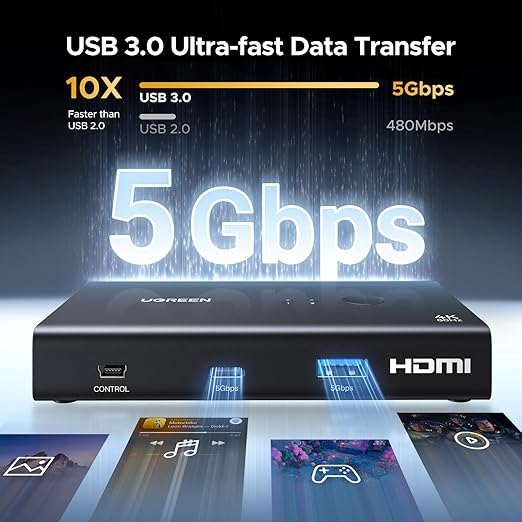
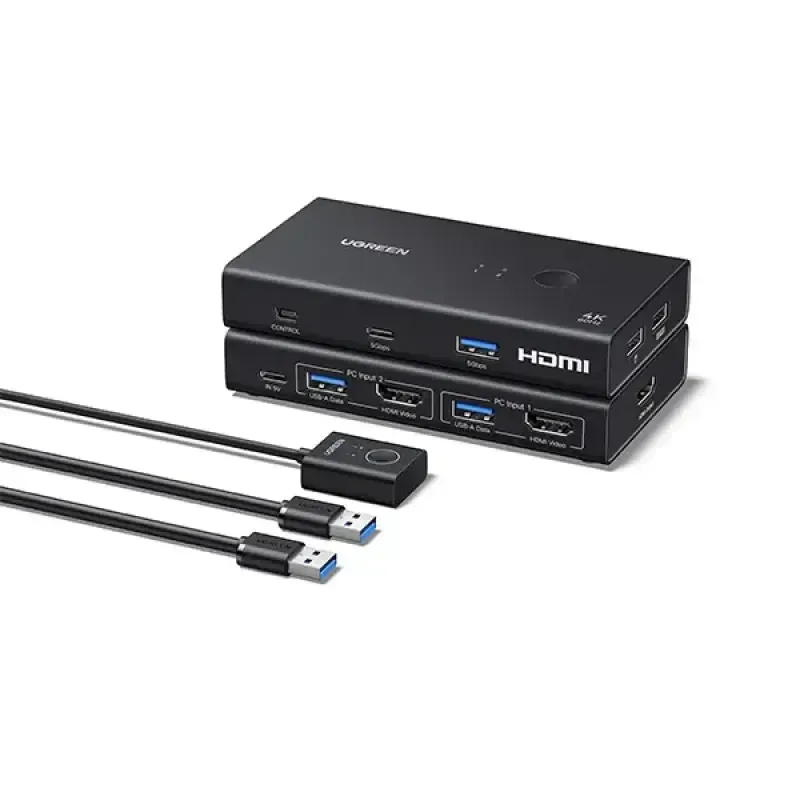
The switch includes three USB-A 3.0 ports and one USB-C 3.0 port for sharing supported USB peripherals.
Compatible accessories may include:
-
Keyboard and mouse
-
USB flash drives
-
External storage devices
-
Printers
-
Other supported USB accessories
USB 3.0 supports data transfer speeds of up to 5Gbps under suitable conditions. Actual performance depends on the connected computer, peripheral, cable, and workload.
4. Convenient Switching Controls
Switch between your two computers using the button on the KVM switch or the included wired desktop controller. The controller can be positioned where it is easy to reach, helping you change systems without repeatedly reaching behind your desk.
5. HDMI 2.0 and HDCP Support
The UGREEN AK502 supports HDMI 2.0 and HDCP 2.2/1.4. It also lists HDR-related and 3D display features for compatible devices.
These capabilities help support compatible HDMI display setups, although every device in the signal chain must support the required format.
6. Compatible with Multiple Operating Systems
The KVM switch supports Windows, macOS, and Linux. It is suitable for many everyday computer environments where users want to share a monitor and USB accessories.
Basic operation is driver-free, but peripheral compatibility can vary by operating system and device.
7. A Cleaner, More Organised Desk
Using one shared monitor and a set of shared peripherals can reduce cable swapping and desktop clutter. This is particularly useful for compact workstations, home offices, and study desks.
Why Choose the UGREEN AK502 4K HDMI KVM Switch?
Choosing a suitable KVM switch can make it easier to work across multiple computers without maintaining separate sets of peripherals. The UGREEN AK502 combines HDMI switching and USB peripheral sharing in one compact device.
Its main advantage is convenience: you can keep your keyboard, mouse, and other compatible USB accessories connected while changing the active computer. The 4K 60Hz video capability also makes it appropriate for compatible modern displays.
Consider this model if you want to:
-
Use one monitor with two computers.
-
Share a keyboard and mouse between systems.
-
Connect additional USB accessories.
-
Switch sources using a physical button or wired controller.
-
Keep your workspace more organised.
-
Use a KVM switch with Windows, macOS, or Linux.
Important: This is a 2-input, 1-output KVM switch. It shares one monitor between two computers; it is not designed to operate two monitors independently.
Product Specifications
| Specification | Details |
|---|---|
| Brand | UGREEN |
| Model | AK502 |
| Product type | 2 In-1 Out HDMI KVM Switch |
| Computer inputs | 2 computers |
| Monitor output | 1 HDMI monitor |
| Maximum listed resolution | 4K at 60Hz |
| HDMI standard | HDMI 2.0 |
| HDCP | HDCP 2.2/1.4 |
| USB ports | 3 × USB-A 3.0, 1 × USB-C 3.0 |
| USB data speed | Up to 5Gbps |
| Switching methods | Physical button and wired desktop controller |
| HDR / 3D | Supported for compatible setups |
| Operating systems | Windows, macOS, Linux |
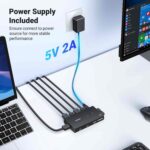
| Power input | 5V DC, up to 2A |
| Dimensions | Approximately 114 × 63 × 19mm |
| Colour | Black |
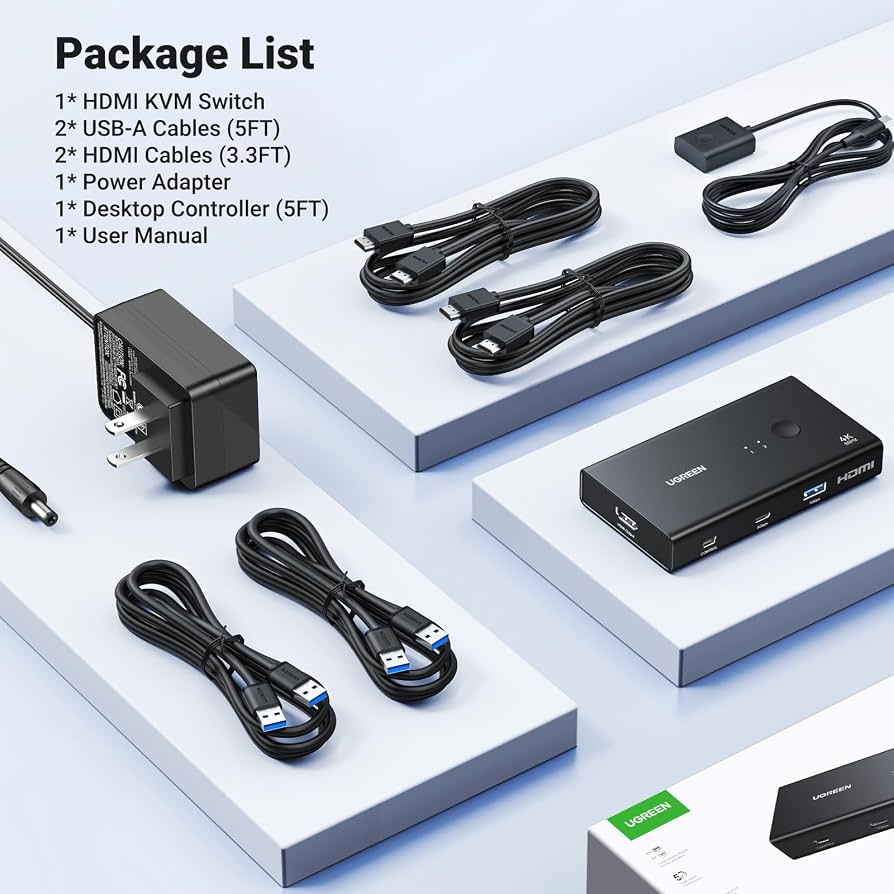
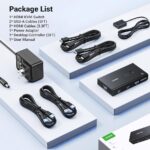
Specifications are based on the available AK502 product documentation. Confirm the included accessories and exact package contents with the seller before ordering.
Practical Uses
Home Office
Connect your work computer and personal computer to the same monitor. Switch between them when you need to move from professional tasks to personal activities.
Business and Office Work
Use one monitor and a shared keyboard and mouse for two compatible office computers. This can help keep a compact workstation organised.
Study and Online Learning
Students can switch between a study laptop and another computer without repeatedly reconnecting their monitor and USB accessories.
Gaming and Entertainment
Use a compatible gaming console or computer with a supported HDMI display setup. Confirm that the source device’s video output and required features are compatible before purchase.
IT and Technical Work
Technicians who use two computers for diagnostics, administration, or testing may find a shared monitor and peripheral setup useful.
How to Set Up the UGREEN AK502
-
Position the switch: Place the KVM switch on a stable surface near your computers and monitor.
-
Connect the first computer: Connect its HDMI output and the required USB host connection to the corresponding KVM inputs.
-
Connect the second computer: Repeat the process using the second set of inputs.
-
Connect the monitor: Connect your HDMI monitor to the KVM’s HDMI output.
-
Connect USB peripherals: Plug compatible USB devices into the switch’s USB-A or USB-C peripheral ports.
-
Connect power if required: Use the correct power supply specified for the device.
-
Select a computer: Use the physical button or wired desktop controller to select the computer you want to operate.
-
Check display settings: If needed, adjust the resolution and refresh rate in your operating system’s display settings.
For reliable 4K 60Hz output, use suitable HDMI cables and ensure that the source computer and monitor both support the intended resolution and refresh rate.
Compatibility and Important Notes
Before buying the UGREEN AK502, consider the following:
-
One monitor only: It switches two computer sources to one HDMI display.
-
USB connections matter: To share USB peripherals, connect the required host USB cables as described in the manual.
-
4K 60Hz requires compatible equipment: A lower-capability computer, cable, or monitor may limit the output.
-
USB-C is for peripherals: The downstream USB-C port should not be assumed to support laptop video input or laptop charging.
-
No keyboard hotkey switching: The documented control methods are the unit’s button and wired desktop controller.
-
Docking stations: Compatibility with docking stations is not guaranteed; check your connection requirements before purchasing.
-
Power requirements: Use an appropriate 5V power source according to the product manual.
These points help ensure the KVM switch matches your actual workstation requirements.
UGREEN AK502 vs. a Standard HDMI Switch
| Feature | UGREEN AK502 KVM Switch | Standard HDMI Switch |
|---|---|---|
| Main purpose | Switches computers and shares USB peripherals | Switches video sources |
| Computer inputs | 2 | Depends on the model |
| Monitor output | 1 HDMI display | Usually 1 display |
| USB peripheral sharing | Yes, with compatible USB connections | Usually not |
| Switching method | Button or wired controller | Usually a button or remote |
| Maximum listed resolution | 4K at 60Hz | Depends on the model |
| Best for | Users sharing a monitor and USB accessories between computers | Users who only need to select a video source |
Which should you choose? If you only need to switch the picture between HDMI sources, a standard HDMI switch may be enough. If you also want to share a keyboard, mouse, and other USB accessories between two computers, the UGREEN AK502 KVM switch is the more suitable type of device.
Care and Safety Tips
-
Keep the switch in a dry, well-ventilated location.
-
Use compatible HDMI and USB cables.
-
Avoid pulling cables by their connectors.
-
Use the recommended power supply.
-
Disconnect devices carefully before changing the physical wiring.
-
Keep liquids away from the switch and its connected equipment.
-
If you experience a blank screen, check the selected input, cables, power connection, and display settings.
Why Buy from AIYOZON?
AIYOZON helps customers find practical accessories for computers, laptops, and everyday technology setups. The UGREEN AK502 is a useful option for people who want a simpler way to share a monitor and USB peripherals between two computers.
When shopping with AIYOZON, review the product details, confirm compatibility with your devices, and check the current price, warranty, and delivery terms before placing an order.
Step 12 — Frequently Asked Questions
1. What is the UGREEN AK502 4K HDMI KVM Switch?
The UGREEN AK502 is a KVM switch that connects two computers to one HDMI monitor and allows compatible USB peripherals to be shared between the computers.
2. Does the UGREEN AK502 support 4K at 60Hz?
Yes. It supports up to 4K at 60Hz when the connected computers, HDMI cables, and monitor all support the same mode.
3. How many computers can I connect?
You can connect two computers and switch between them, using one computer at a time on the shared monitor.
4. How many USB ports does it have?
It has four USB 3.0 peripheral ports: three USB-A ports and one USB-C port. These support compatible USB accessories and data transfer up to 5Gbps under suitable conditions.
5. Which operating systems are supported?
The product documentation lists Windows, macOS, and Linux. Compatibility with individual peripherals may vary.
6. How do I switch between computers?
Use the button on the switch or the included wired desktop controller.
7. Does the UGREEN AK502 support two monitors?
No. The AK502 is a 2 In-1 Out model designed to share one monitor between two computers. For two monitor outputs, look for a dual-monitor KVM model.
8. How long does delivery take from AIYOZON?
Typical estimated delivery times are:
-
Inside Dhaka: 24–48 Hours
-
Outside Dhaka: 2–3 Business Days
Delivery times may vary by location, stock availability, courier operations, and the seller’s current shipping policy.
Final Recommendation
The UGREEN AK502 2 In-1 Out 4K HDMI KVM Switch is a practical choice for anyone who wants to operate two computers using one HDMI monitor and share compatible USB accessories. Its 4K 60Hz support, four USB 3.0 peripheral ports, and convenient switching controls make it suitable for home offices, study desks, and other compact workstations.
Before ordering, confirm that your computers provide the required HDMI and USB connections and that your monitor supports your preferred resolution.










Reviews
There are no reviews yet.