






UGREEN CM568 Premium 5-in-1 HDMI Switch 4K 60Hz
4,100.00৳
UGREEN CM568 Premium 5-in-1 HDMI Switch 4K 60Hz
Connect Five HDMI Devices to One Display with UGREEN CM568
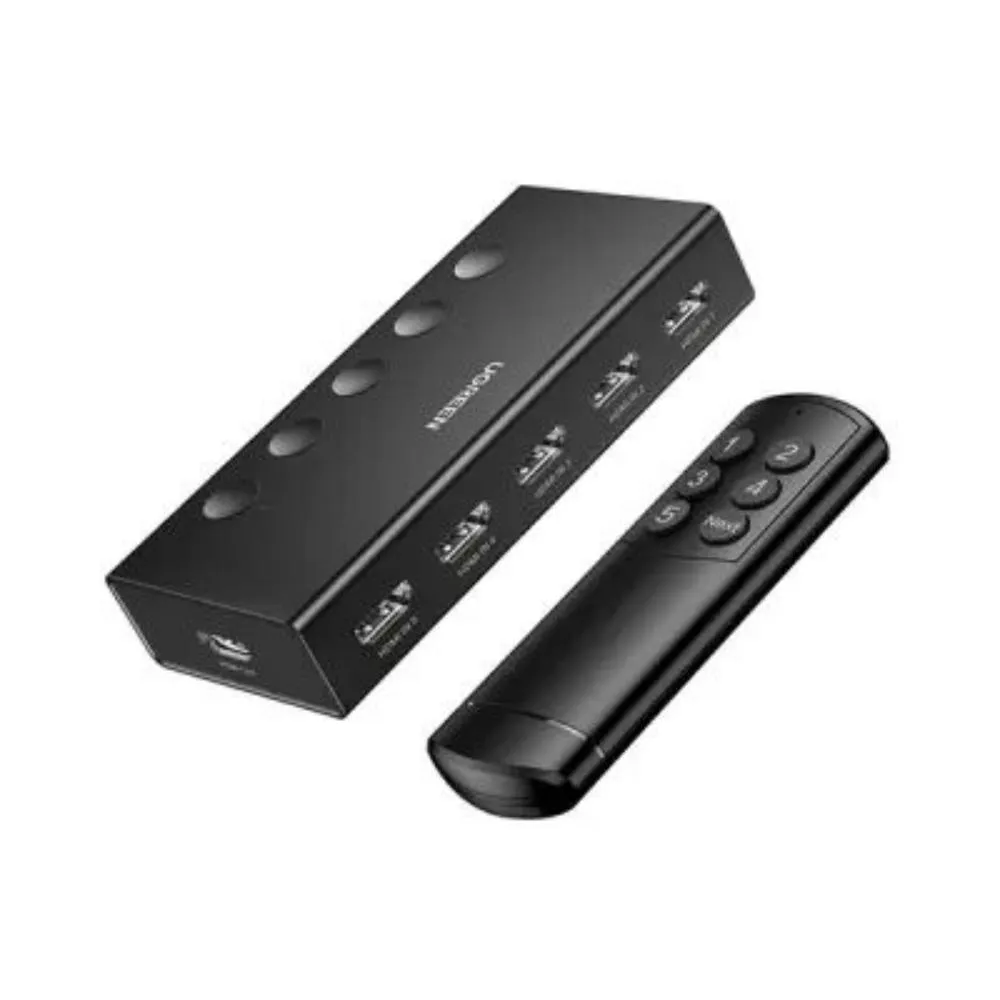
Simplify your entertainment or workspace with the UGREEN CM568 5-in-1 HDMI Switch. This practical HDMI selector allows you to connect up to five HDMI source devices to a single TV, monitor, or projector, then choose which source appears on the display. Instead of repeatedly unplugging and reconnecting cables whenever you want to switch between a gaming console, laptop, media player, or streaming device, you can leave your devices connected and select the required input using the switch’s physical controls or included remote control. It supports resolutions up to 4K at 60Hz when connected devices and HDMI cables support the required specifications.
Designed for home entertainment, gaming setups, offices, and presentation spaces, the UGREEN CM568 supports up to 18Gbps bandwidth and a range of compatible video and audio formats. Features such as HDR support, HDCP compatibility, LED input indicators, and USB-powered operation help make it a useful addition to a multi-device setup. The switch has five HDMI inputs and one HDMI output, so it selects one source for one display rather than distributing one source to multiple screens. For the best 4K 60Hz performance, use compatible HDMI cables and a stable USB power supply.
Common Problems with HDMI Connections
-
Limited HDMI Ports: Many TVs and monitors have fewer HDMI inputs than the number of devices users want to connect.
-
Repeated Cable Unplugging: Switching between gaming consoles, laptops, streaming boxes, and media players can require repeatedly changing HDMI connections.
-
Messy Entertainment Setups: Multiple devices and cables can make a TV cabinet or workstation cluttered.
-
Inconvenient Device Switching: Reaching behind a television or monitor to change cables can be difficult, especially when the display is wall-mounted.
-
Unclear Active Input: Without a clear indicator, it can be difficult to know which HDMI source is currently selected.
-
Reduced Video Quality with Incompatible Accessories: Some HDMI switches or cables may not support the resolution, refresh rate, or HDR features required by connected equipment.
-
Limited Gaming and Work Flexibility: Users may want to keep several devices connected to one display without sacrificing convenient access to each source.
Smart Solution: UGREEN CM568 5-in-1 HDMI Switch
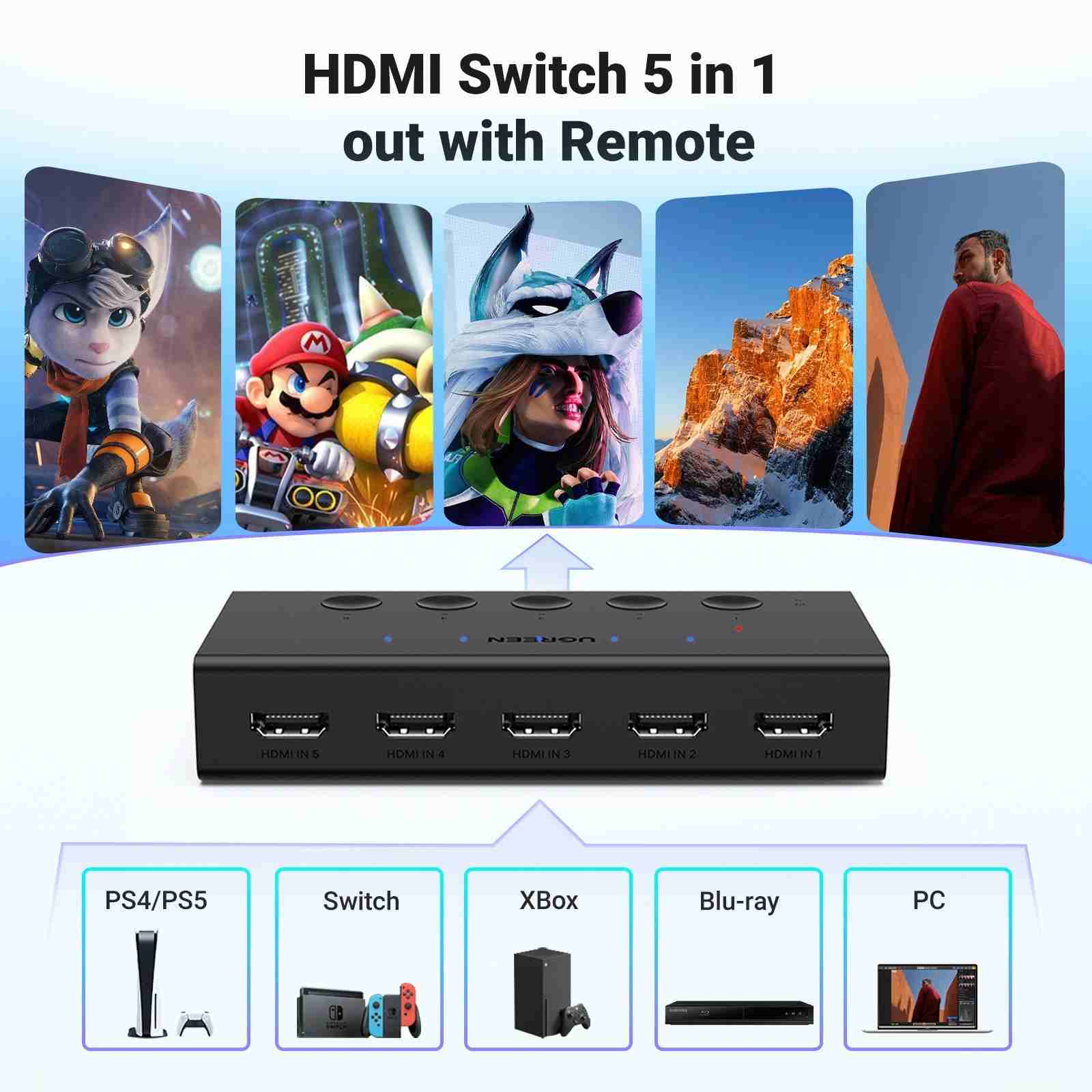
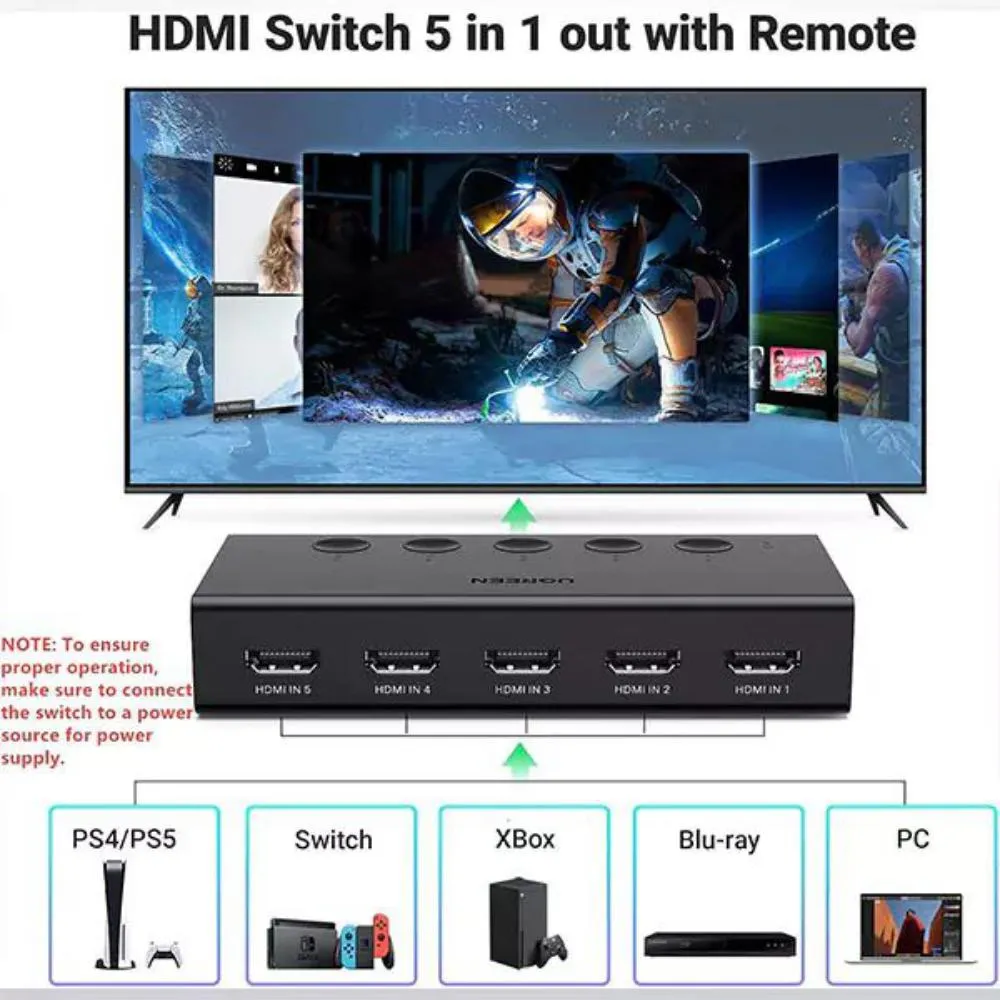
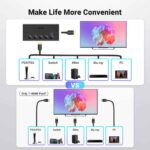
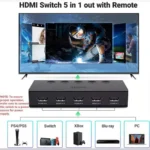
The UGREEN CM568 HDMI Switch provides a simple way to manage multiple HDMI source devices through one display. Its five HDMI input ports allow you to connect compatible equipment such as gaming consoles, laptops, streaming devices, and media players, while the single HDMI output connects to your TV, monitor, or projector.
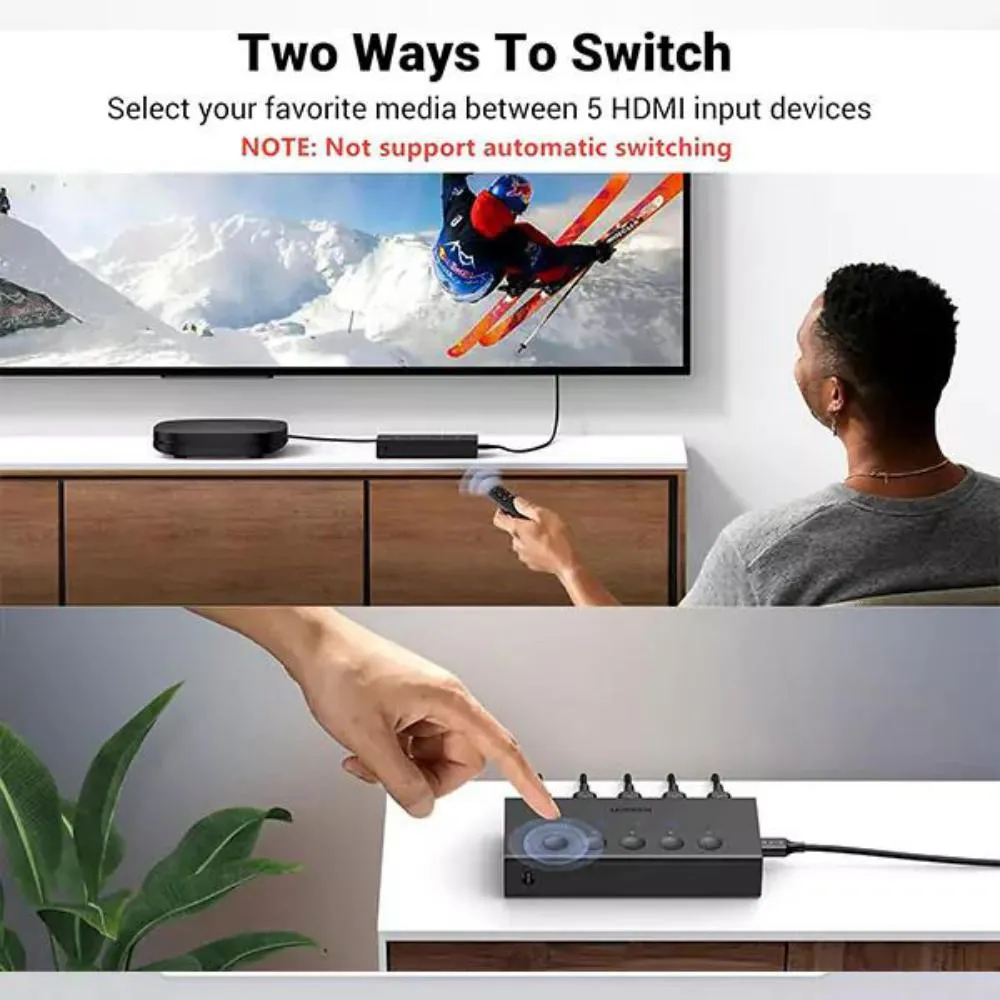
When you want to change devices, select the required input using the physical button or the included infrared remote control. The five LED indicators help you identify the active input, and the switch’s memory function can remember the last selected channel after power is interrupted, according to the product specifications.
With support for 4K at 60Hz and 18Gbps bandwidth, the CM568 is suitable for compatible 4K entertainment and gaming setups. It also supports relevant HDMI 2.0 features, including HDR and HDCP 2.2. Remember that the switch does not create 4K capability on its own; the source device, display, and cables must all support the selected video mode.
Key Features
🛡️ Five HDMI Inputs and One HDMI Output
Connect up to five HDMI source devices to one display. Keep your consoles, computer, streaming player, and other HDMI equipment connected at the same time, then select the source you want to use.
🛡️ 4K Ultra HD at 60Hz
The CM568 supports resolutions up to 3840 × 2160 at 60Hz when all connected equipment supports this mode. It is also compatible with supported lower-resolution configurations, making it suitable for a range of home and office displays.
🛡️ 18Gbps High-Bandwidth Transmission
With bandwidth up to 18Gbps, the switch supports compatible HDMI 2.0 video modes. This helps accommodate supported 4K 60Hz signals, HDR content, and compatible high-quality video formats.
🛡️ Remote Control and Manual Switching
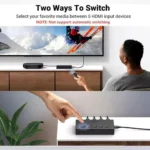
Choose between connected devices using the included infrared remote or the physical control button on the switch. Remote operation offers extra convenience when the switch is placed beside a television or inside an entertainment setup.
🛡️ LED Input Indicators
Five LED indicators make it easier to identify the currently selected HDMI input. This is especially helpful when multiple devices remain connected and you need to switch between them regularly.
🛡️ HDR, 3D, and HDCP Compatibility
The CM568 supports compatible HDR and 3D video formats and HDCP 2.2/1.4. These features help it work with supported modern HDMI sources and displays, although the exact experience depends on the connected devices and content.
🛡️ Broad Audio Format Support
The switch supports compatible HDMI audio formats, including supported Dolby and DTS formats. Audio playback depends on the source device, display or audio equipment, and the format being transmitted.
🛡️ USB-C Powered Operation
The CM568 uses a USB-C power input, with a compatible 5V/1A power supply recommended. The power cable is generally included, but the power adapter may need to be purchased separately depending on the package.
Benefits You’ll Enjoy
-
✔️ Connect Five Devices: Keep up to five HDMI sources connected to one display.
-
✔️ Switch More Conveniently: Change sources using the remote control or physical button.
-
✔️ Enjoy 4K 60Hz Video: Experience supported high-resolution content with compatible equipment.
-
✔️ Reduce Cable Handling: Avoid repeatedly unplugging HDMI cables when changing devices.
-
✔️ Keep Your Setup Organised: Manage multiple sources through a single display connection.
-
✔️ Identify the Active Source: Use the LED indicators to see which input is selected.
-
✔️ Support HDR Content: Enjoy compatible HDR formats when supported by your devices and content.
-
✔️ Connect Gaming Equipment: Use compatible consoles and gaming devices with a shared display.
-
✔️ Improve Entertainment Convenience: Keep streaming players, consoles, and other sources ready to use.
-
✔️ Simplify Office Presentations: Connect multiple computers or media sources to one compatible screen.
Perfect For
-
🎮 Gaming Setups: Connect compatible PlayStation, Xbox, and Nintendo gaming devices to one TV or monitor.
-
📺 Home Entertainment: Switch between streaming devices, media players, and other HDMI sources.
-
💻 Computer Workstations: Connect compatible computers and laptops to a shared monitor.
-
🏢 Office Meeting Rooms: Keep presentation equipment connected to one display.
-
🎓 Classrooms: Connect supported computers and media players to an HDMI-equipped display.
-
📽️ Projector Installations: Select between multiple HDMI sources connected to one projector.
-
🛋️ Living Rooms: Reduce the need to reach behind the TV to change source cables.
-
🖥️ Multi-Device Desks: Manage several HDMI devices with a single monitor.
-
🎬 Media Centres: Switch between compatible playback devices and streaming boxes.
-
🏬 Commercial Display Areas: Select between multiple HDMI sources for a shared display.
Why Choose the UGREEN CM568 HDMI Switch?
The UGREEN CM568 is a useful choice for anyone who regularly connects several HDMI devices to one screen. Five input ports provide room for multiple sources, making it easier to organise a home entertainment system, gaming corner, or office display without constantly changing cables.
Its support for 4K at 60Hz and 18Gbps bandwidth makes it suitable for compatible HDMI 2.0 setups. Features such as HDR support and HDCP compatibility add flexibility for supported video content. For the best results, use suitable HDMI cables and confirm that your source and display support the required resolution and refresh rate.
The included remote control makes switching easier when the unit is not within arm’s reach. If you prefer direct operation, the physical button and LED indicators offer a simple alternative. The device is designed for manual source selection and does not support automatic input switching, so you choose the active source yourself.
Unlike an HDMI splitter that distributes one source to multiple displays, the CM568 is an HDMI switch: it selects one of several sources and sends the chosen signal to one display. This makes it particularly useful when your TV or monitor has limited HDMI inputs.
UGREEN CM568 vs Ordinary HDMI Splitter
| Feature | UGREEN CM568 HDMI Switch | Ordinary HDMI Splitter |
|---|---|---|
| Main Function | Selects one source from multiple HDMI inputs | Typically distributes one source to multiple outputs |
| Input Ports | 5 HDMI inputs | Depends on model |
| Output Ports | 1 HDMI output | Depends on model |
| Maximum Resolution | Up to 4K at 60Hz | Depends on model |
| Source Selection | Remote control or physical button | Depends on model |
| Active Input Indicators | Five LED indicators | Depends on model |
| Bandwidth | Up to 18Gbps | Depends on model |
| HDR Support | Supported formats, with compatible equipment | Depends on model |
| Typical Use | Connect several devices to one TV or monitor | Send one device’s signal to multiple displays |
| Best For | Gaming, entertainment, and multi-source workstations | Multi-screen distribution when supported |
Special Product Function
The key function of the UGREEN CM568 is 5-in-1 HDMI source switching. It lets you keep up to five HDMI devices connected to a single display, then choose which device sends its signal to the screen.
The infrared remote control provides convenient source selection from a distance, while the manual control button offers direct operation. LED indicators help show the active input, and the memory function can retain the last selected channel after power is interrupted.
The switch also supports compatible 4K 60Hz video, HDR, 3D, and HDMI audio formats. However, it does not display five sources at once, does not provide five separate display outputs, and does not automatically switch inputs. It is designed to select one input at a time for one display.
How to Use the UGREEN CM568 HDMI Switch
-
Connect Your Source Devices: Plug your HDMI devices into the five available HDMI input ports as needed.
-
Connect the Display: Connect the HDMI output port to your television, monitor, or projector.
-
Connect USB Power: Use the included USB power cable and a compatible 5V/1A USB power source.
-
Turn On Your Devices: Power on the HDMI switch, source device, and display.
-
Select the Correct Input: Use the remote control or the physical button to choose the source you want to display.
-
Check Video Settings: If you want 4K at 60Hz or HDR, confirm that your source, display, and HDMI cables support the selected mode.
Important Usage Tips
-
Connect source devices to the HDMI input ports and the TV or monitor to the HDMI output port.
-
Keep the switch connected to a stable, compatible USB power source during use.
-
For 4K at 60Hz, use suitable HDMI cables; short, good-quality cables are recommended for the best signal performance.
-
The device selects one source at a time; it does not show multiple sources simultaneously.
-
Use the remote control or physical button to change inputs because automatic switching is not supported.
-
Make sure your display is set to the HDMI input connected to the switch.
-
Check that your source and display support the desired resolution, refresh rate, HDR, and audio format.
-
The USB-C port is for power input, not video or data transmission.
-
Remote control batteries may not be included, so check the package contents before use.
-
HDMI cables are generally not included, so prepare the cables needed for your source devices and display.
-
This model does not support ARC/eARC functionality through the switch; connect audio equipment directly as needed if ARC/eARC is required.
-
If you experience signal interruptions, check power, cable quality, and cable length.
Product Specifications
| Specification | Details |
|---|---|
| Brand | UGREEN |
| Model | CM568 |
| Part Number | 25857 or 90512, depending on product version/listing |
| Product Type | 5-in-1 HDMI Switch |
| HDMI Inputs | 5 × HDMI female |
| HDMI Output | 1 × HDMI female |
| Maximum Resolution | Up to 4K at 60Hz |
| Supported Lower-Resolution Modes | 4K at 30Hz, 1440p at 120Hz, 1080p at 240Hz, subject to compatibility |
| HDMI Compatibility | HDMI 2.0 / 1.4 |
| HDCP Compatibility | HDCP 2.2 / 1.4 |
| Bandwidth | Up to 18Gbps |
| Video Features | Compatible HDR, 3D, CEC, and supported VRR formats |
| Audio Support | Compatible HDMI audio formats, including supported Dolby and DTS formats |
| Switching Methods | Infrared remote control and physical button |
| Input Indicators | 5 LED indicators |
| Automatic Switching | Not supported |
| Power Input | USB-C, 5V/1A |
| Power Cable | Generally included |
| Power Adapter | May not be included |
| HDMI Cables | Not generally included |
| Typical Applications | TVs, monitors, projectors, computers, gaming consoles, and media players |
| Warranty | Depends on the seller and product listing |
Why Buy from AIYOZON?
At AIYOZON, we aim to make it easier to find practical technology accessories for your home, office, and entertainment setup. The UGREEN CM568 is designed for users who want to connect multiple HDMI devices to one display and switch between them without repeatedly unplugging cables.
We provide product information to help you understand the key features, connection requirements, and compatibility considerations before ordering. If you plan to use 4K at 60Hz, HDR, or a particular audio format, check the specifications of your source devices, display, and HDMI cables to ensure they work together.
Shop from AIYOZON for a convenient online shopping experience and explore accessories that help keep your setup more organised.
-
✅ Quality Products
-
🚚 Fast Delivery Across Bangladesh
-
📦 Secure Packaging
-
💬 Responsive Customer Support
-
⭐ Convenient Online Shopping
-
💯 Great Value for Money
Frequently Asked Questions
1. What is the UGREEN CM568 5-in-1 HDMI Switch used for?
It connects up to five HDMI source devices to one TV, monitor, or projector. You can choose which source appears on the display using the remote control or physical button.
2. Does the UGREEN CM568 support 4K at 60Hz?
Yes. It supports up to 4K at 60Hz, provided the source device, display, and HDMI cables all support the required mode.
3. Can I connect five devices and use them all at the same time?
You can keep up to five devices connected, but the switch sends one selected source to one display at a time. It does not combine or show all five sources simultaneously.
4. Does the UGREEN CM568 come with a remote control?
The standard package generally includes an infrared remote control and USB power cable. Check the specific seller’s package details to confirm what is included. Remote batteries and HDMI cables may need to be purchased separately.
5. Does the UGREEN CM568 automatically switch between HDMI devices?
No. You need to select the desired input using the remote control or the physical button on the switch.
6. Does the UGREEN CM568 support HDR and gaming consoles?
It supports compatible HDR formats and can be used with HDMI gaming consoles. Actual resolution, refresh rate, HDR, and other features depend on the console, display, HDMI cables, and game settings.
7. Does the UGREEN CM568 need external power?
Yes. It uses USB-C power input, with a compatible 5V/1A supply recommended. A USB power cable is generally included, while the power adapter may not be.
8. How long does delivery take from AIYOZON?
Delivery estimates are:
-
Inside Dhaka: 24–48 Hours
-
Outside Dhaka: 2–3 Business Days
Delivery time may vary depending on product availability, destination, and courier conditions.
Simplify Your Multi-Device Display Setup with UGREEN CM568
The UGREEN CM568 5-in-1 HDMI Switch 4K 60Hz is a convenient option for users who want to connect several HDMI sources to one television, monitor, or projector. With five HDMI inputs, one HDMI output, remote and manual switching, LED indicators, and support for compatible 4K 60Hz video, it helps make multi-device setups easier to manage.
Whether you’re switching between gaming consoles, a laptop, a streaming device, or a media player, the CM568 helps reduce the hassle of repeatedly changing cables. Make sure your HDMI cables and connected devices support your desired video and audio settings before ordering.
Order the UGREEN CM568 5-in-1 HDMI Switch from AIYOZON Today!
Make switching between your HDMI devices easier with the UGREEN CM568 5-in-1 HDMI Switch 4K 60Hz. Shop from AIYOZON to organise your display connections and enjoy convenient source selection for compatible gaming, entertainment, and work setups.








Reviews
There are no reviews yet.