




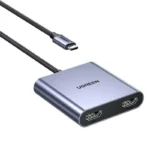

UGREEN CM737 Wireless HDMI Transmitter Receiver 1080P 60Hz – Convenient Wireless Screen Casting
Original price was: 10,500.00৳ .9,250.00৳ Current price is: 9,250.00৳ .
UGREEN CM737 Wireless HDMI Transmitter Receiver 1080P 60Hz – Convenient Wireless Screen Casting
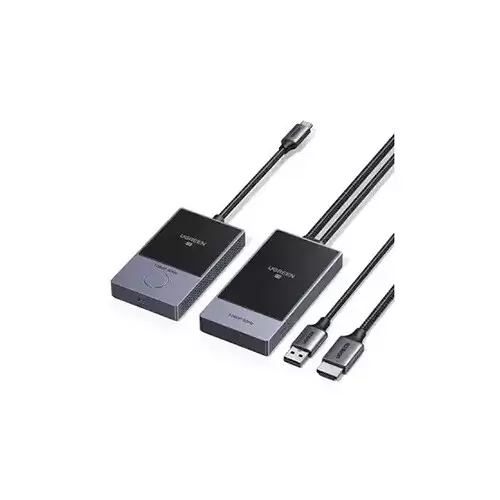
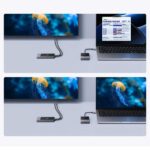
The UGREEN CM737 Wireless HDMI Transmitter Receiver 1080P 60Hz is designed to make screen sharing easier by transmitting video and audio from a compatible USB-C device to an HDMI-equipped TV, monitor, or projector without a long video cable between them.
Using 5GHz wireless transmission, the CM737 supports resolutions up to 1920 × 1080 at 60Hz. Its plug-and-play design helps simplify setup for presentations, classroom teaching, office meetings, and home entertainment. The transmitter connects to a compatible USB-C source, while the receiver connects to the HDMI input of your display.
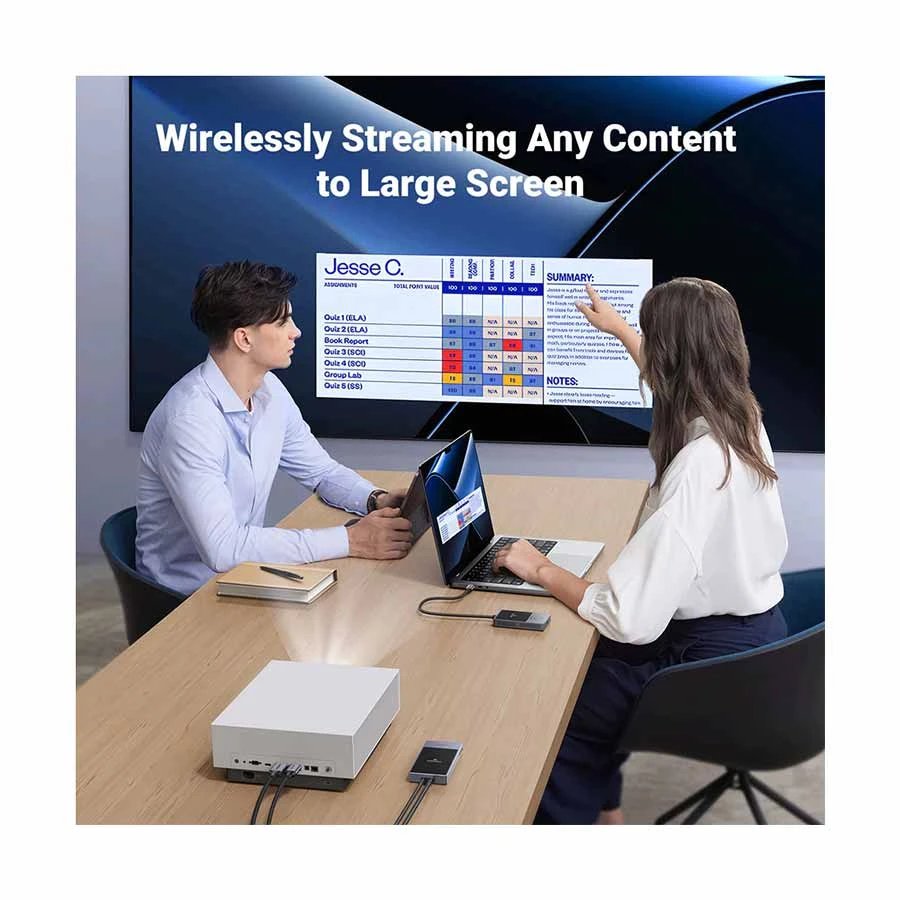
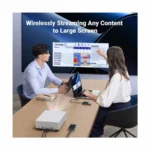
Whether you want to show a laptop presentation on a projector or share a compatible phone or tablet screen on a larger display, the CM737 provides a convenient wireless alternative to a direct HDMI connection.
Important compatibility note: Your source device must support video output through USB-C DisplayPort Alternate Mode (DP Alt Mode). A USB-C port used only for charging or ordinary data transfer will not necessarily work with this adapter.
Common Problems with Traditional Display Connections
Connecting a laptop, phone, or tablet to a larger display can sometimes be inconvenient.
Common problems include:
- HDMI cables stretching across meeting rooms
- Limited flexibility when positioning a laptop
- Difficulty connecting compatible USB-C devices to HDMI displays
- Extra cable clutter around desks and televisions
- Time spent arranging cables before presentations
- Complicated setup when sharing content in classrooms or conference rooms
The UGREEN CM737 provides a wireless connection between a compatible USB-C source and an HDMI display, helping reduce the need for a long video cable between the two devices.
Smart Solution: Wireless USB-C to HDMI Display
The UGREEN CM737 uses a transmitter-and-receiver system to send content wirelessly from your source device to a larger screen.
USB-C Source Device → Wireless Transmitter → 5GHz Wireless Link → HDMI Receiver → TV / Monitor / Projector
The transmitter connects to the source device, and the receiver connects to the display’s HDMI input. Once the units are paired, compatible content can appear on the connected screen without installing dedicated drivers or screen-casting software.
Key Features
1. Full HD 1080p at 60Hz
The CM737 supports video output up to 1080p at 60Hz, providing Full HD resolution for presentations, videos, online classes, and everyday multimedia viewing. It is not a 4K wireless HDMI adapter.
2. 5GHz Wireless Transmission
The adapter operates on supported 5GHz frequency bands, allowing video and audio to travel wirelessly between the transmitter and receiver.
Wireless performance depends on distance, walls, interference, and the surrounding environment.
3. USB-C Transmitter
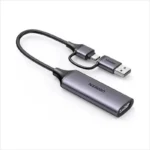
The transmitter connects to a compatible USB-C device, such as a laptop, tablet, or smartphone with video-output support.
Before purchasing, confirm that your device supports USB-C DisplayPort Alt Mode. Connector shape alone does not guarantee compatibility.
4. HDMI Receiver
The receiver connects to an HDMI input on a compatible TV, monitor, or projector.
This allows you to display supported source-device content on a larger screen without running a long HDMI cable between the source and display.
5. Plug-and-Play Setup
The CM737 is designed for straightforward setup without requiring dedicated drivers or additional screen-casting software. The transmitter and receiver can pair automatically when connected correctly.
6. Wireless Transmission Distance
UGREEN’s CM737 documentation lists a maximum transmission distance of approximately 30 metres in an unobstructed environment. Some other CM737 listings advertise up to 50 metres, so the exact claim may depend on the product revision or documentation.
For dependable everyday use, treat the distance as environment-dependent rather than guaranteed. Walls and wireless interference can reduce the usable range.
7. Convenient Receiver Power
The receiver requires USB power. The CM737 manual recommends a suitable 5V/1A power supply. The standard Chinese manual describes the transmitter as drawing power from the source device, although power arrangements can differ across documented variants. Check the supplied manual before connecting additional power.
8. Audio and Video Transmission
The CM737 is designed to transmit audio and video to the connected display, making it useful for presentations, supported video playback, and general multimedia sharing.
9. Compact Transmitter-and-Receiver Design
The separate transmitter and receiver units help simplify wireless display connections without needing a traditional long HDMI cable between the source device and screen.
10. Pairing and Reset Controls
The devices include status indicators, while the transmitter has a multifunction button and the receiver has a reset opening. These controls help with pairing and troubleshooting if the wireless link does not establish correctly.
Benefits of the UGREEN CM737
- Wireless connection between a compatible USB-C source and HDMI display
- Full HD resolution up to 1080p at 60Hz
- 5GHz wireless transmission
- Supports compatible laptops, phones, and tablets
- Works with HDMI-equipped TVs, monitors, and projectors
- Plug-and-play setup without dedicated drivers
- Audio and video transmission
- Reduced long-cable clutter
- Suitable for presentations and classroom use
- Convenient for compatible home entertainment setups
Perfect For
The UGREEN CM737 is suitable for:
- Office presentations
- Meeting rooms
- Classroom teaching
- Training sessions
- Projector-based presentations
- Compatible laptop-to-TV connections
- Compatible smartphone or tablet screen sharing
- Home multimedia viewing
- Portable presentation setups
Why Choose UGREEN CM737?
The UGREEN CM737 is designed for users who want to connect a compatible USB-C device to an HDMI display without running a long video cable between them.
Its combination of 1080p@60Hz output, 5GHz wireless transmission, automatic pairing, and straightforward setup makes it a practical option for everyday presentations and screen sharing.
It is particularly useful when the source device supports USB-C video output but the target display accepts HDMI.
UGREEN CM737 vs Traditional HDMI Cable
| Feature | UGREEN CM737 | Traditional HDMI Cable |
|---|---|---|
| Connection Between Source and Display | Wireless | Wired |
| Maximum Listed Resolution | 1080p@60Hz | Depends on cable and devices |
| Long Video Cable Between Devices | Not required | Usually required |
| Source Connection | USB-C with DP Alt Mode | HDMI or suitable adapter |
| Display Connection | HDMI receiver | HDMI cable |
| Power Requirement | Receiver requires USB power | Depends on devices and cable |
| Installation | Plug-and-play wireless pairing | Direct cable connection |
| Potential Wireless Interference | Yes | No wireless interference |
| Best Use | Presentations and convenient screen sharing | Direct, stable display connection |
How to Use the UGREEN CM737
Step 1: Check Your Source Device
Confirm that your laptop, phone, or tablet supports video output through USB-C DisplayPort Alt Mode.
Step 2: Connect the Receiver to Your Display
Plug the receiver into an available HDMI input on your TV, monitor, or projector.
Step 3: Connect USB Power to the Receiver
Connect the receiver’s USB power connection to a suitable power source. The manual recommends a 5V/1A supply.
Step 4: Connect the Transmitter
Insert the transmitter into the compatible USB-C port on your source device.
Step 5: Wait for Pairing
Allow the transmitter and receiver to establish their wireless connection. Check the indicator lights to confirm successful pairing.
Step 6: Select the Correct Display Input
Choose the HDMI input connected to the receiver on your TV, monitor, or projector.
Step 7: Start Sharing Content
Display your presentation, supported video, or other content on the source device and check that it appears on the connected screen.
Recommended Use Cases
Office Presentations
Connect a compatible USB-C laptop to an HDMI projector or monitor for presentations without a long video cable between the devices.
Classroom Teaching
Display lesson materials from a compatible laptop or tablet on a larger screen.
Meeting Rooms
Reduce cable clutter when sharing documents, slides, and supported multimedia content.
Home Entertainment
Share supported content from a compatible USB-C device to an HDMI-equipped television.
Training and Demonstrations
Display software demonstrations, presentations, and other supported content on a larger screen.
Cleaning & Maintenance
To maintain the adapter:
- Disconnect the devices before cleaning.
- Wipe the exterior with a dry, soft cloth.
- Keep the USB-C and HDMI connectors free from dust.
- Avoid pulling or bending the connectors excessively.
- Store the transmitter and receiver safely when not in use.
- Keep the units away from moisture and excessive heat.
- Do not dismantle the internal electronics.
Important Usage Tips
- Verify USB-C DP Alt Mode support before purchasing.
- Confirm that your display has a working HDMI input.
- Connect receiver USB power as instructed.
- Keep the transmitter and receiver within a suitable wireless range.
- Minimize obstacles and interference where possible.
- Remember that the maximum resolution is 1080p@60Hz, not 4K.
- Wireless transmission may introduce latency; a direct HDMI cable is preferable for latency-sensitive competitive gaming.
- Do not use the device in damp environments.
Product Specifications
| Specification | Details |
|---|---|
| Brand | UGREEN |
| Product Name | Wireless HDMI Transmitter and Receiver |
| Model | CM737 |
| Product Number | Commonly listed as 35031 / 35031A; verify the supplied SKU |
| Product Type | Wireless USB-C to HDMI Display Adapter |
| Maximum Resolution | 1920 × 1080 at 60Hz |
| Wireless Technology | 5GHz |
| Documented Frequency Bands | 5150–5250MHz and 5725–5850MHz |
| Maximum Listed Distance | Approximately 30m unobstructed in the Chinese manual; some listings claim 50m |
| Transmitter Input | USB-C with video-output support required |
| Receiver Output | HDMI |
| Receiver Power | USB, recommended 5V/1A |
| Driver Installation | Not required for standard setup |
| Main Use | Wireless display transmission |
| Compatible Displays | HDMI-equipped TVs, monitors, projectors |
| Compatible Sources | USB-C devices supporting DP Alt Mode |
| Audio | Audio/video transmission supported |
Specifications are based on CM737 documentation and available product listings. Transmission distance and power arrangements vary between documents and versions; verify the exact unit supplied by the seller.
What’s in the Box?
The documented CM737 package commonly includes:
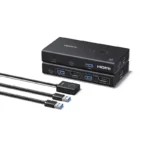
- 1 × Wireless transmitter
- 1 × Wireless receiver
- 1 × Velcro accessory
- 1 × Cable tie
- 1 × Reset pin
- 1 × User manual
- 1 × Quick-start guide
Package contents may vary by SKU or regional version, so check the actual package listing before ordering.
Who Should Buy the UGREEN CM737?
Choose the UGREEN CM737 if you want:
- A wireless way to connect compatible USB-C devices to HDMI displays
- Full HD 1080p@60Hz output
- A convenient presentation solution
- A wireless connection for classrooms or meeting rooms
- A plug-and-play display adapter
- Less long-cable clutter between your source device and screen
If your source device does not support USB-C video output, or if you require 4K resolution or the lowest possible latency, check alternative connection options before purchasing.
Why Buy from AIYOZON?
When purchasing the UGREEN CM737 Wireless HDMI Transmitter Receiver from AIYOZON, you can enjoy:
- Convenient online ordering
- Clear product specifications
- Product compatibility guidance
- Customer support
- Delivery options across Bangladesh
- Access to useful technology accessories
Frequently Asked Questions
What is the maximum resolution of the UGREEN CM737?
It supports up to 1080p at 60Hz. It should not be advertised as a 4K wireless HDMI adapter.
Does the UGREEN CM737 use Wi-Fi?
It uses a 5GHz wireless link for transmission between the transmitter and receiver. The documented setup does not require you to install dedicated screen-casting software.
Can I connect it to a TV?
Yes. Connect the receiver to an available HDMI input on the TV, then connect the transmitter to a compatible USB-C source device.
Will it work with every USB-C phone or laptop?
No. The USB-C port must support video output through DisplayPort Alt Mode. Some USB-C ports support charging and data only.
Does the receiver need power?
Yes. The receiver requires USB power; the manual recommends a suitable 5V/1A power supply. The transmitter’s power arrangement should be checked against the manual for your particular version.
What is the wireless range?
The Chinese CM737 manual lists approximately 30 metres in an unobstructed environment, while other product documentation and listings advertise up to 50 metres. Actual usable range can be lower indoors.
Does it support 4K?
No. The documented maximum output is 1080p@60Hz.
Can I use it for gaming?
It may work for casual gaming on compatible devices, but wireless latency can vary. For competitive gaming or latency-sensitive use, a direct HDMI connection is generally the safer choice.
Do I need to install an app or driver?
No dedicated driver or screen-casting app is required for the documented plug-and-play setup. The source device must still support the required USB-C video output.
Can I connect a phone to a projector?
Yes, provided the phone supports USB-C DisplayPort Alt Mode and the projector has a compatible HDMI input.
Final Verdict
The UGREEN CM737 Wireless HDMI Transmitter Receiver 1080P 60Hz is a convenient choice for wireless screen sharing between a compatible USB-C source device and an HDMI display.
Its Full HD 1080p@60Hz output, 5GHz wireless transmission, plug-and-play setup, and separate transmitter and receiver make it suitable for presentations, classrooms, meetings, and everyday multimedia use.
Before ordering, make sure your source device supports USB-C video output and remember that the CM737 is a 1080p wireless adapter, not a 4K solution.
Make Screen Sharing Easier with UGREEN CM737
- ✔ Wireless USB-C to HDMI connection
- ✔ Up to 1080p@60Hz
- ✔ 5GHz wireless transmission
- ✔ Plug-and-play setup
- ✔ Compatible with supported laptops, phones, and tablets
- ✔ HDMI output for TVs, monitors, and projectors
- ✔ Useful for presentations, teaching, and multimedia sharing





Reviews
There are no reviews yet.