




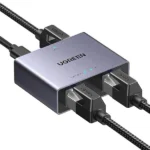

UGREEN CM812 45167 4-in-1 Multi Function Card Reader – USB-C/USB-A, SD/TF & USB 3.0 Hub
1,200.00৳
UGREEN CM812 45167 4-in-1 Multi Function Card Reader – USB-C/USB-A, SD/TF & USB 3.0 Hub
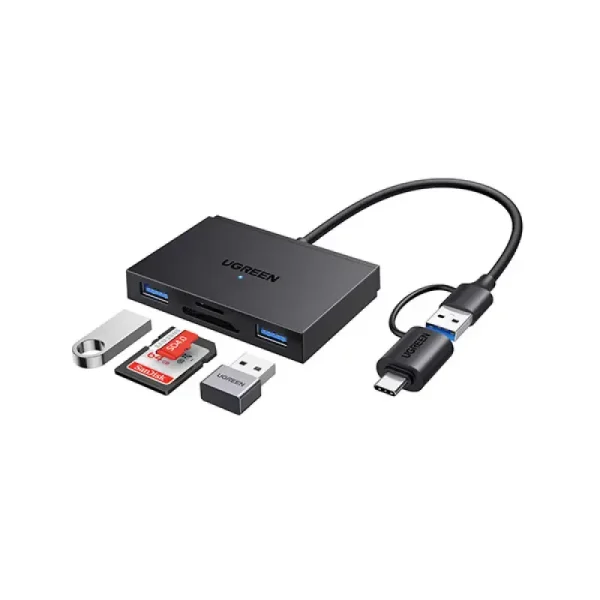
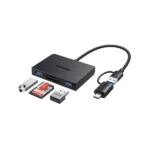
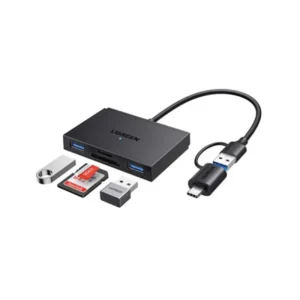
The UGREEN CM812 45167 4-in-1 Multi Function Card Reader is a compact data-transfer accessory designed to make accessing memory cards and connecting USB peripherals easier. It combines an SD card slot, a microSD/TF card slot and two USB-A 3.0 data ports in one portable device.
With its dual USB-C and USB-A host connection options, the UGREEN CM812 can connect to compatible modern devices and computers with traditional USB-A ports. Its USB 3.0 interface supports a theoretical transfer rate of up to 5Gbps, while compatible high-speed memory cards can reach advertised transfer speeds of up to 170MB/s, depending on the card and host device.
Whether you need to transfer photos from a camera, access files on a microSD card, connect a USB flash drive or use a keyboard and mouse with a compatible tablet, this versatile 4-in-1 card reader and USB hub offers a convenient solution for everyday digital workflows.
Common Problems with Traditional Card Readers
Using a basic memory card reader or a laptop with limited ports can create several inconveniences:
- Only one memory card format is supported.
- Modern laptops may have no built-in SD or microSD slot.
- Connecting USB accessories may require another adapter.
- Older card readers can limit transfer performance.
- Switching between USB-C and USB-A devices may require separate accessories.
- Transferring camera files can become inconvenient when working on the go.
The UGREEN CM812 combines two memory card slots and two USB-A data ports to help reduce the need for multiple separate adapters.
Smart Solution: One Compact 4-in-1 Reader and Hub
The UGREEN CM812 45167 brings together four useful connections:
- 1 × SD card slot for compatible full-size memory cards.
- 1 × microSD/TF card slot for compatible smaller memory cards.
- 2 × USB-A 3.0 ports for supported USB accessories and storage devices.
- USB-C and USB-A host connectors for connecting to compatible devices, using one host connector at a time.
This combination makes it useful for photographers, students, office workers, content creators and anyone who regularly moves files between memory cards and computers.
Key Features
1. Four-in-One Multifunctional Design
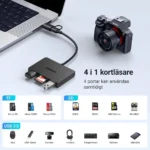
The CM812 combines an SD card reader, a microSD/TF card reader and two USB-A data ports in one compact accessory.
It provides convenient access to memory cards while adding USB connectivity to compatible computers, laptops and tablets.
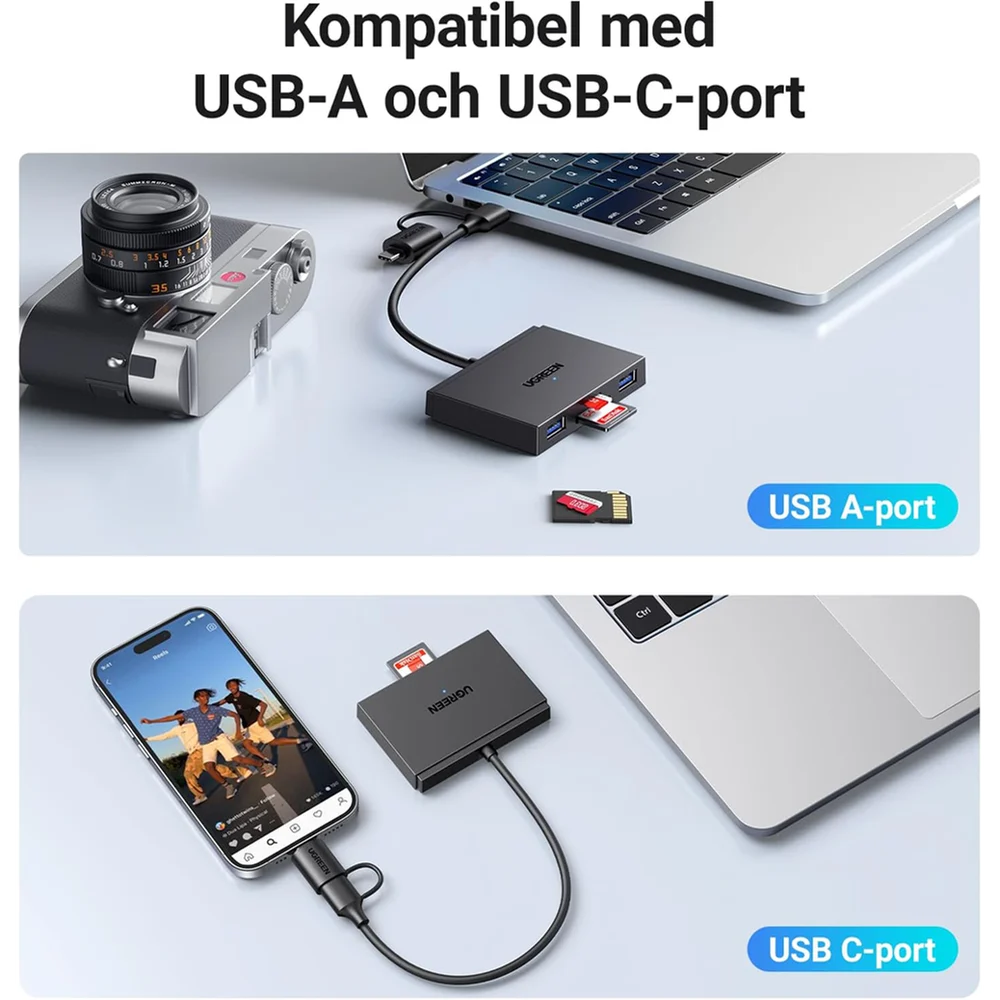
2. Dual USB-C and USB-A Connectivity
The integrated connection arrangement supports both USB-C and USB-A host devices.
Use the USB-C connector with compatible modern devices or the USB-A connector with computers that have a traditional USB port. Only one host connector should be connected at a time.
3. SD and microSD/TF Card Slots
The card reader supports common memory card families, including:
- SD
- SDHC
- SDXC
- microSD/TF
- microSDHC
- microSDXC
- MMC/RS-MMC, where supported
The SD and microSD/TF slots can be used together, subject to the host device, card format and available bandwidth.
4. Up to 170MB/s Advertised Card Speed
The reader is advertised with memory-card transfer speeds of up to 170MB/s when paired with a suitable high-speed card and compatible host.
Actual performance depends on the memory card, host connection, file type and workload. The advertised maximum should not be treated as a guaranteed sustained speed for every card.
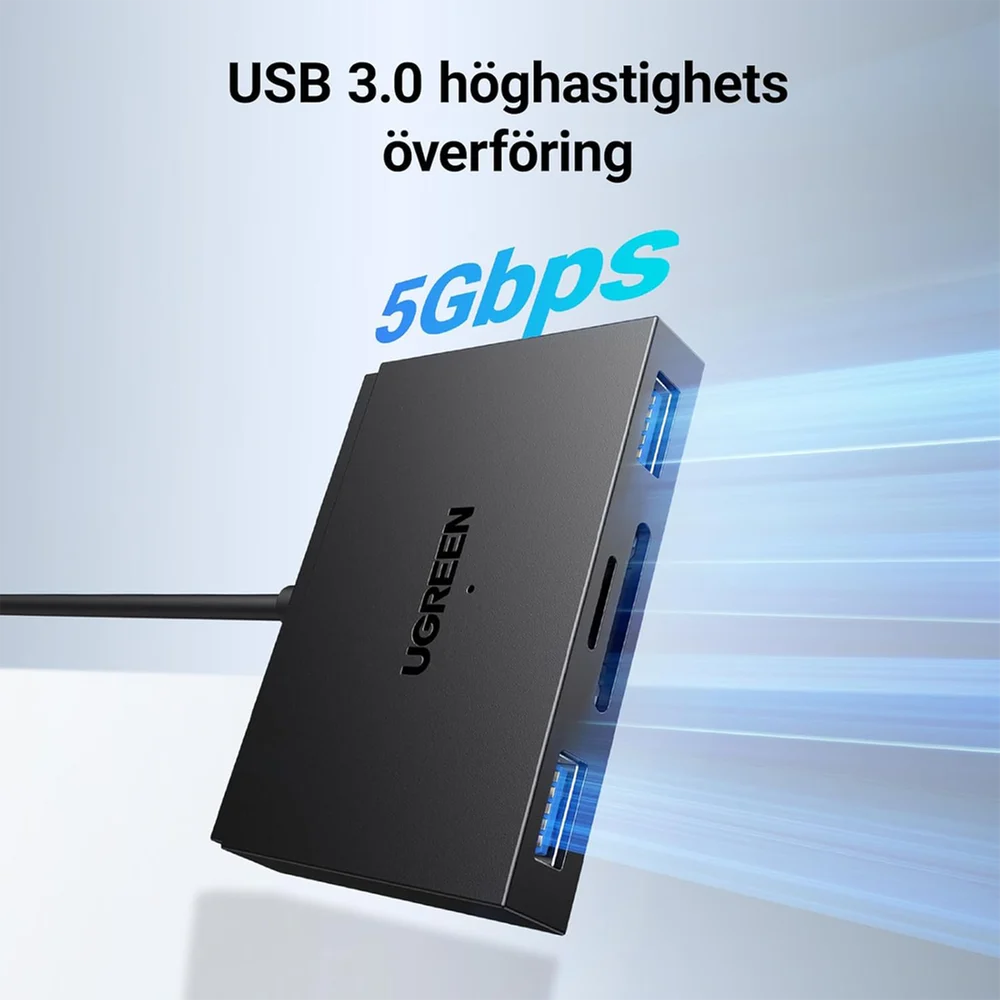
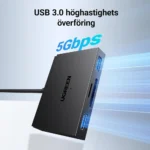
5. USB 3.0 Data Transfer up to 5Gbps
The USB 3.0 interface supports a theoretical connection speed of up to 5Gbps.
This is the interface’s signalling rate, not the same as actual file-transfer speed. The memory card, reader controller and connected host all affect the final result. Bandwidth is shared across the reader and USB data ports.
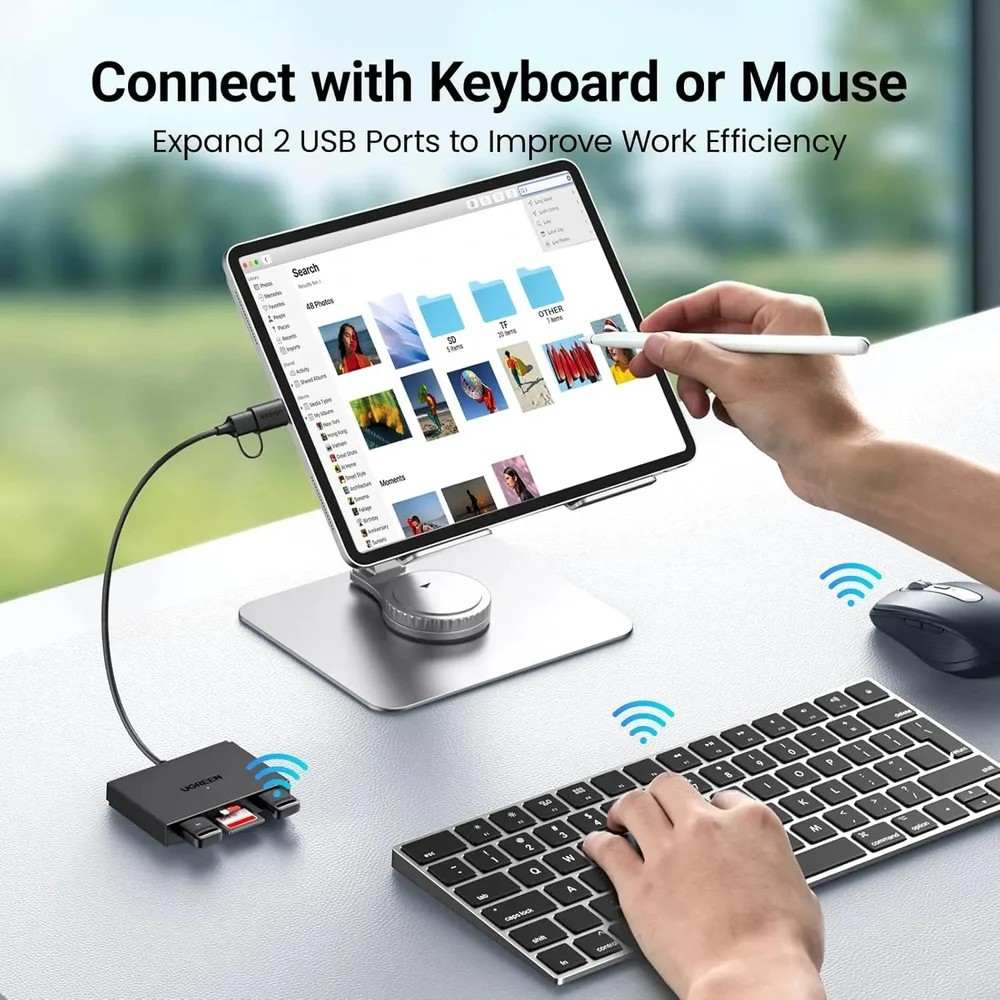
6. Two USB-A 3.0 Data Ports
The two USB-A ports let you connect compatible peripherals, such as:
- USB flash drives
- Keyboards
- Mice
- Other supported USB data accessories
These are data ports, not dedicated charging ports. The CM812 does not advertise HDMI output, Ethernet or USB Power Delivery input. citeturn120097search0
7. Supports Memory Cards up to 2TB
The exact-model product listing advertises support for memory cards up to 2TB. Actual compatibility also depends on the host device, card format and operating-system support.
8. Plug-and-Play Convenience
The CM812 is designed for straightforward connection without a separate reader driver on supported systems.
Connect it to a compatible host, insert your memory card and access the files using your operating system’s file manager or supported application. citeturn120097search4
9. Compact and Portable Design
Its compact body and integrated host connection make it convenient to carry in a laptop bag, camera bag or backpack.
It is useful for working between home, office, school and travel locations.
10. Broad Device and Operating-System Compatibility
The product is listed for use with Windows, macOS and Linux computers, along with compatible ChromeOS, iPadOS and Android devices. Mobile devices must support the necessary USB data or OTG functionality.
Key Benefits
- Four-in-one card reader and USB hub
- SD and microSD/TF card support
- Two additional USB-A 3.0 data ports
- USB-C and USB-A host connection options
- Up to 5Gbps USB interface speed
- Up to 170MB/s advertised card speed
- Advertised memory card capacity up to 2TB
- Supports simultaneous access to SD and microSD cards
- Convenient file transfers from compatible cameras and devices
- Plug-and-play operation on supported systems
- Compact and portable design
- Useful for home, office, study and travel
Perfect For
The UGREEN CM812 is ideal for:
- Photographers: Access files from compatible SD and microSD camera cards.
- Videographers: Transfer footage to a compatible computer for editing.
- Students: Move documents and media between supported devices.
- Office workers: Connect a keyboard, mouse or USB storage device.
- Content creators: Organize photos, videos and other digital files.
- Laptop users: Add memory card access and two USB-A data ports.
- Tablet users: Expand connectivity on compatible USB-C tablets.
- Travelers: Carry one compact accessory for several common data connections.
Why Choose UGREEN CM812 45167?
The CM812 is more than a standard SD card reader. Its combination of two memory card slots, two USB-A data ports and dual host connector options makes it a practical accessory for people who work with different devices and storage formats.
Instead of carrying separate adapters for memory cards and USB peripherals, you can use one compact hub for compatible file-transfer and connectivity tasks.
UGREEN CM812 vs. a Basic Card Reader
| Feature | UGREEN CM812 45167 | Basic Card Reader |
|---|---|---|
| SD Card Slot | Yes | Depends on model |
| microSD/TF Slot | Yes | Depends on model |
| USB-A Data Ports | 2 × USB 3.0 | Usually none |
| USB-C Host Option | Yes | Depends on model |
| USB-A Host Option | Yes | Depends on model |
| Advertised Card Speed | Up to 170MB/s | Varies |
| USB Interface | Up to 5Gbps | Varies |
| Advertised Card Capacity | Up to 2TB | Varies |
| Peripheral Connectivity | Yes | Usually limited |
| Portable Design | Yes | Usually |
Speed and compatibility depend on the card, host device and operating-system support.
How to Use UGREEN CM812 45167
Step 1: Choose the Host Connector
Select the USB-C or USB-A connector that matches your compatible computer, laptop or tablet.
Do not connect both host connectors simultaneously. citeturn120097search12
Step 2: Connect the Reader
Plug the selected connector into the host device’s compatible data port.
Step 3: Insert Your Memory Card
Insert the SD or microSD/TF card into its matching slot, following the slot markings and card orientation.
Step 4: Access Your Files
Open File Explorer, Finder or the supported file manager on your device to browse the memory card.
Step 5: Connect USB Accessories
Use either USB-A data port to connect compatible low-power peripherals or USB storage devices.
Step 6: Transfer Your Data
Copy or move files as needed. For better performance, use a suitable high-speed card and compatible USB port.
Step 7: Eject Safely
Finish all transfers and eject or unmount the memory card before removing it. This helps reduce the risk of file corruption.
Recommended Use Cases
Camera Photo Transfer
Access compatible SD cards and transfer photographs to a computer for editing, organizing or backup.
Smartphone File Management
Use the USB-C connection with compatible phones that support USB host/OTG functionality and the card’s file system.
Laptop Connectivity
Add access to SD and microSD cards while using the two USB-A ports for compatible peripherals.
Content Creation
Move images, video clips and other files between compatible cards and computers as part of a content workflow.
Office and Study
Connect supported USB accessories and access removable storage without carrying multiple adapters.
Cleaning & Maintenance
To keep the reader in good condition:
- Disconnect it before cleaning.
- Remove memory cards before storing the device.
- Keep the card slots free from dust and debris.
- Avoid touching the exposed electrical contacts.
- Keep the reader dry and away from liquids.
- Store it in a clean, dry place.
- Avoid bending or pulling the integrated cable.
- Disconnect the reader if it becomes unusually hot or repeatedly disconnects.
Important Usage Tips
- Verify that your device supports the selected USB-C or USB-A data connection.
- Use only one host connector at a time.
- Ensure your phone or tablet supports USB host/OTG when using it with mobile devices.
- Remember that the 5Gbps interface speed is not the same as sustained memory-card speed.
- Do not assume UHS-II support; the available exact-model documentation does not establish UHS-II operation.
- Avoid connecting power-hungry USB accessories that exceed the host’s available power.
- The device does not advertise HDMI output, Ethernet or USB Power Delivery charging.
- Back up important files before formatting a memory card.
Product Specifications
| Specification | Details |
|---|---|
| Brand | UGREEN |
| Model | CM812 |
| Part Number / SKU | 45167 |
| Product Type | 4-in-1 Card Reader and USB Hub |
| Host Connections | USB-C and USB-A; use one at a time |
| Memory Card Slots | 1 × SD, 1 × microSD/TF |
| USB Data Ports | 2 × USB-A 3.0 |
| USB Interface Speed | Up to 5Gbps theoretical |
| Advertised Card Speed | Up to 170MB/s with compatible equipment |
| Advertised Card Capacity | Up to 2TB |
| Card Families | SD, SDHC, SDXC, microSD/TF, microSDHC, microSDXC; MMC/RS-MMC listed |
| Simultaneous Card Access | SD and microSD/TF supported together |
| Operating Systems | Windows, macOS, Linux and other compatible USB host systems |
| Mobile Compatibility | Compatible USB-C devices with data/OTG support |
| Charging / PD Input | Not advertised |
| HDMI Output | No |
| Ethernet | No |
| Color | Black |
| Approx. Dimensions | 73.7 × 21.5 × 11.6mm, as listed by the retailer |
| Package Contents | 1 × UGREEN CM812 45167 card reader/hub |
Specifications are based on the exact-model UGREEN 45167 listings and product documentation. Actual speed and compatibility depend on the host, card and operating system. citeturn120097search0turn120097search4turn120097search12
What’s in the Box?
The standard listed package contains:
- 1 × UGREEN CM812 45167 4-in-1 Card Reader and USB Hub
Memory cards, computers, phones, tablets, USB accessories and other items shown in product images are not included unless specifically stated by the seller. citeturn120097search2
Who Should Buy This Product?
Choose the UGREEN CM812 45167 4-in-1 Card Reader if you want:
- A card reader with both SD and microSD/TF slots
- Two additional USB-A data ports
- USB-C and USB-A connection options
- A compact accessory for transferring photos and videos
- A convenient hub for compatible laptops and tablets
- Support for memory cards up to the advertised 2TB capacity
If you need HDMI output, Ethernet, laptop charging or confirmed UHS-II performance, choose a reader or hub that explicitly supports those functions.
Why Buy from AIYOZON?
When purchasing the UGREEN CM812 45167 4-in-1 Card Reader from AIYOZON, you can enjoy:
- Convenient online ordering
- Clear product specifications
- Product-focused customer support
- Delivery options across Bangladesh
- Assistance with checking device compatibility
- Access to useful computer and mobile accessories
Frequently Asked Questions
What is the UGREEN CM812 45167?
It is a 4-in-1 card reader and USB hub featuring SD and microSD/TF slots, two USB-A 3.0 data ports and USB-C/USB-A host connection options.
What is the maximum card speed?
The product is advertised for memory-card transfer speeds of up to 170MB/s with suitable cards and compatible host equipment.
Does it support USB 3.0?
Yes. Its USB interface supports a theoretical rate of up to 5Gbps. Actual file-transfer speeds will vary.
Can I use SD and microSD cards at the same time?
Yes. The exact-model product documentation indicates that both card slots can be used together, subject to the host and shared bandwidth. citeturn120097search12
Can I connect a keyboard and mouse?
Yes. The two USB-A ports can connect compatible USB peripherals, subject to the host device’s power and compatibility limits.
Does it support USB-C and USB-A?
Yes. It provides both host connector options, but only one should be connected to the host at a time.
Can I use it with an Android phone or iPad?
It can work with compatible USB-C phones and tablets that support USB data/OTG and the memory card’s file system. Compatibility is not guaranteed for every device.
What is the maximum supported memory card capacity?
The exact-model listing advertises support for cards up to 2TB, subject to host and file-system compatibility.
Does it support UHS-II memory cards?
UHS-II operation is not confirmed by the available exact-model documentation. Do not purchase it expecting UHS-II speeds.
Can it charge my laptop or output video to a monitor?
No such functions are advertised for this model. The two USB-A ports are data ports, and the device does not advertise USB Power Delivery input, HDMI or Ethernet.
Are memory cards included?
No. The standard listed package contains the UGREEN CM812 45167 reader/hub. Confirm the selected seller’s package details before ordering.
Final Verdict
The UGREEN CM812 45167 4-in-1 Multi Function Card Reader is a useful accessory for anyone who needs flexible memory-card access and extra USB connectivity. Its combination of SD and microSD/TF slots, two USB-A 3.0 data ports, USB-C/USB-A host options and advertised card speeds of up to 170MB/s makes it suitable for everyday file transfers, camera workflows and compatible mobile-device use.
For the best experience, pair it with a compatible high-speed memory card and host device, and remember that actual transfer performance depends on the complete connection.
Expand Your Connectivity with UGREEN
- 4-in-1 card reader and USB hub
- SD + microSD/TF card slots
- 2 × USB-A 3.0 data ports
- USB-C and USB-A host options
- Up to 5Gbps USB interface
- Up to 170MB/s advertised card speed
- Advertised support for cards up to 2TB
- Compact and portable design





Reviews
There are no reviews yet.