





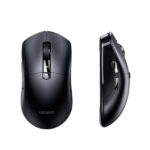


UGREEN M751 45792 Multi-Mode Wireless Mouse – 5000 DPI, Silent Clicks & Side Thumb Wheel
Original price was: 2,990.00৳ .2,330.00৳ Current price is: 2,330.00৳ .
UGREEN M751 45792 Multi-Mode Wireless Mouse – 5000 DPI, Silent Clicks & Side Thumb Wheel
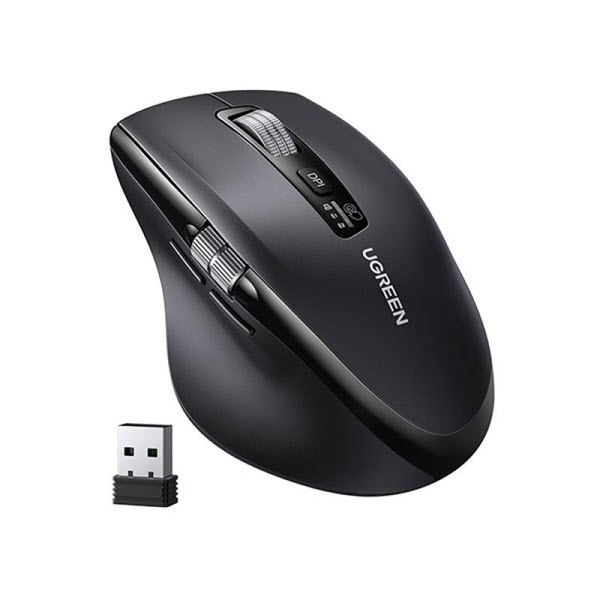
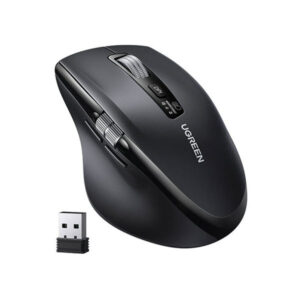
The UGREEN M751 45792 Multi-Mode Wireless Mouse is a productivity-focused wireless mouse designed for office work, study, multitasking and everyday computer use. It combines 2.4GHz wireless connectivity and Bluetooth 5.4, allowing users to connect the mouse to multiple compatible devices and switch between them conveniently.
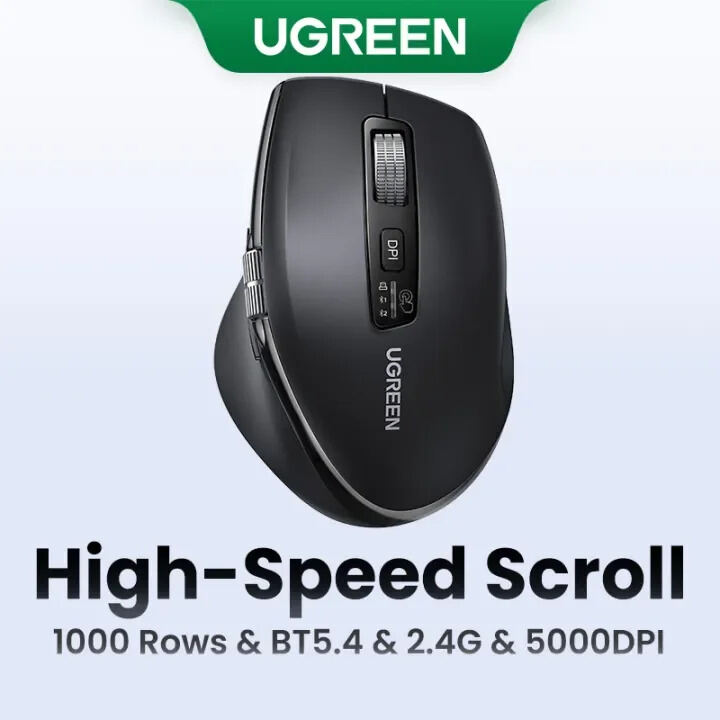
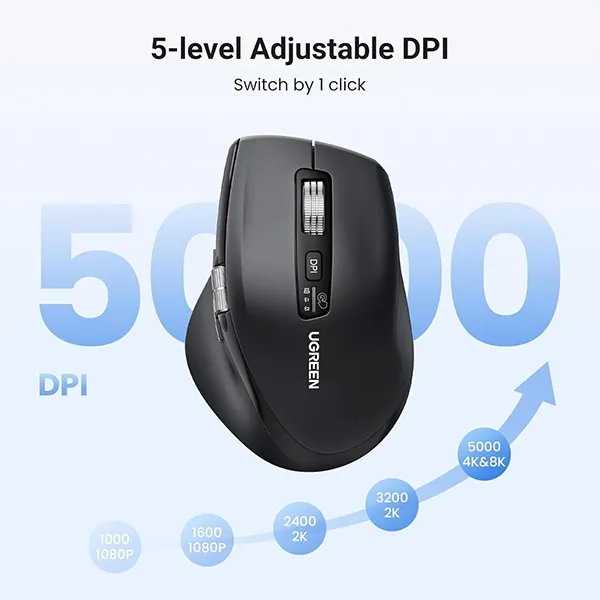
The M751 features a 5000 DPI optical sensor, five adjustable sensitivity levels, silent click buttons and a dedicated side thumb wheel for horizontal scrolling. This makes it particularly useful for spreadsheets, large documents, timelines and other workflows where both vertical and horizontal navigation are important.
Its ergonomic right-handed shape and quiet operation make the M751 suitable for long work sessions in offices, libraries, study spaces and shared environments.
Common Problems with Ordinary Wireless Mice
A basic wireless mouse may become inconvenient when you need:
- Multiple-device connectivity
- Faster navigation through long documents
- Horizontal scrolling
- Adjustable cursor sensitivity
- Quiet clicking
- Comfortable long-session use
- Reliable wireless connectivity
- Easy switching between work devices
The UGREEN M751 addresses these requirements with multi-mode wireless connectivity, adjustable DPI and dual-wheel navigation.
Smart Solution for Modern Productivity
The UGREEN M751 Multi-Mode Wireless Mouse is designed around productivity rather than unnecessary gaming features.
Its 2.4GHz wireless receiver and Bluetooth 5.4 connectivity provide flexible connection options, while its ability to connect with up to three devices makes it convenient for users who regularly move between a desktop, laptop and another compatible device.
The combination of a hyper-fast vertical scroll wheel and side thumb wheel is particularly useful for navigating large spreadsheets, long web pages, documents and horizontal timelines.
Key Features
1. Multi-Mode Wireless Connectivity
The M751 supports 2.4GHz wireless and Bluetooth 5.4 connectivity.
Its multi-device design can support connections with up to three compatible devices, allowing users to move between different computers or devices without repeatedly changing the mouse.
2. 5000 DPI Optical Sensor
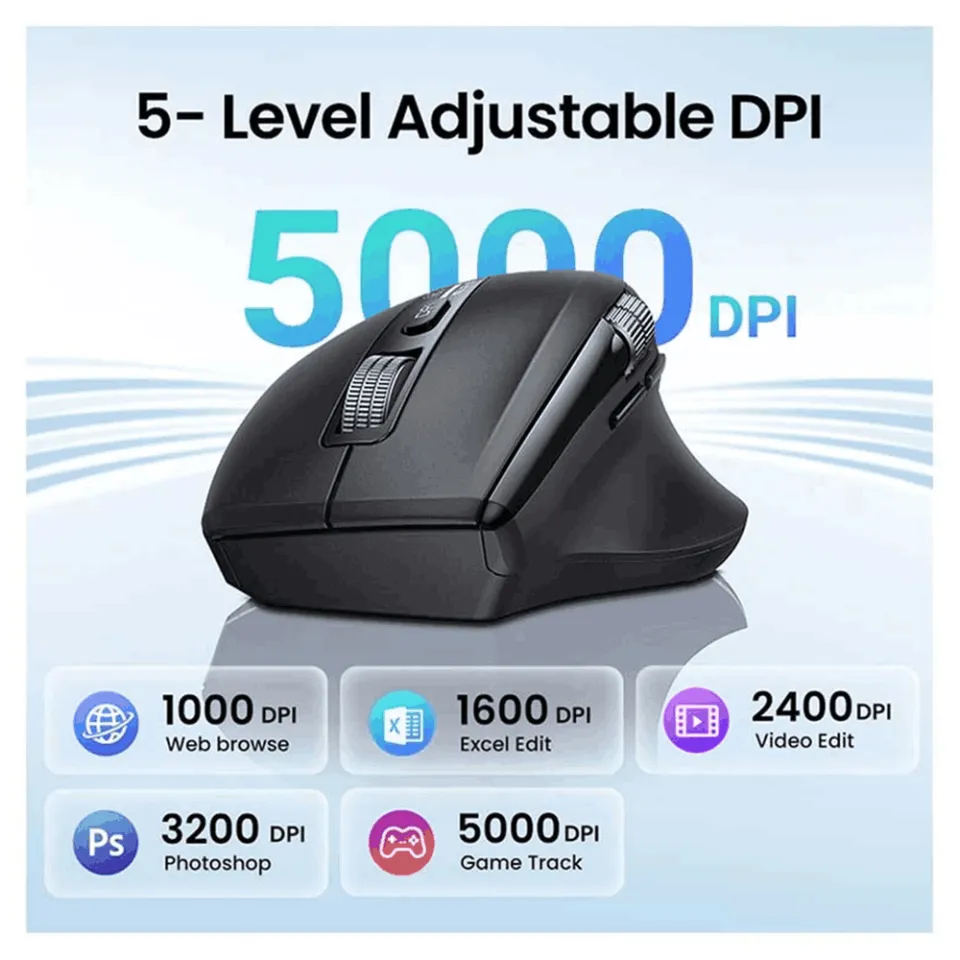
The mouse provides five selectable DPI levels:
- 1000 DPI
- 1600 DPI
- 2400 DPI
- 3200 DPI
- 5000 DPI
This allows users to adjust cursor sensitivity according to the task, from controlled document editing to faster pointer movement across larger displays.
3. SG8920 Optical Sensor
The M751 uses an SG8920 optical sensor for cursor tracking.
The optical tracking system is designed for accurate everyday navigation across compatible desktop surfaces.
4. Hyper-Fast Vertical Scroll Wheel
The main scroll wheel is designed for fast vertical navigation through long documents, websites and large datasets.
This can save time when working with lengthy spreadsheets or documents that require frequent scrolling.
5. Side Thumb Wheel for Horizontal Scrolling
One of the M751’s standout productivity features is its side thumb scroll wheel.
Instead of using keyboard shortcuts or a bottom scrollbar, users can move the thumb wheel to navigate horizontally across:
- Large spreadsheets
- Wide tables
- Video timelines
- Design canvases
- Large documents
6. Silent Click Buttons
The M751 uses mute/silent click buttons designed to reduce operating noise.
The main switches are rated for up to approximately 5 million clicks, providing durability for regular office and productivity use.
7. Silent Scroll Encoder
The scroll system uses a rubber scroll wheel with a silent encoder.
Available specifications rate the scroll mechanism at up to approximately 300,000 cycles.
8. Ergonomic Right-Handed Design
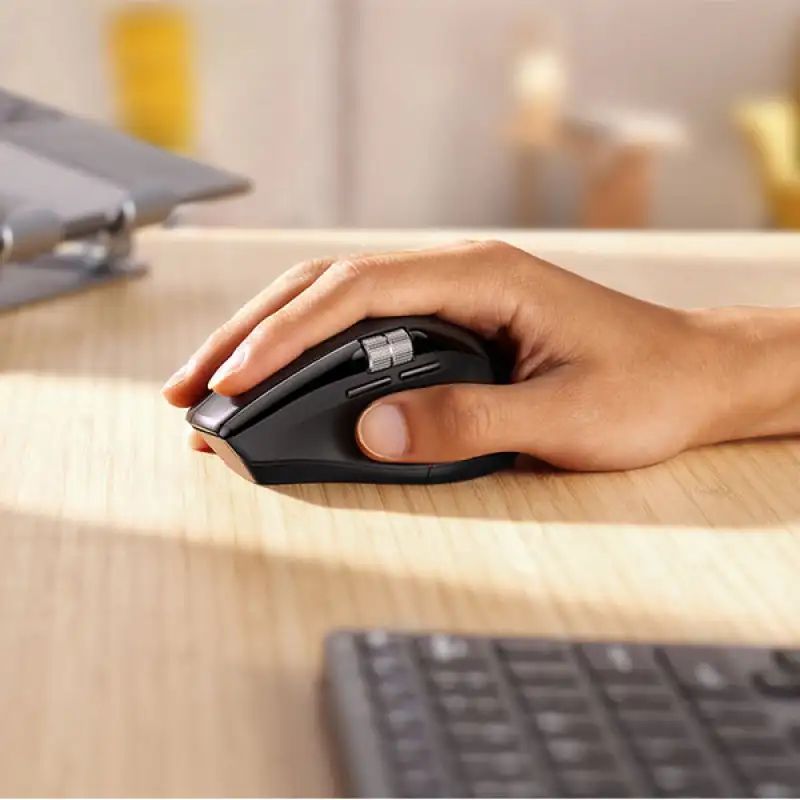
The M751 uses a contoured ergonomic shape with a thumb-rest area designed for comfortable right-handed use.
The shape is particularly suitable for users who spend several hours working with a mouse each day.
9. Up to 10-Meter Wireless Range
The M751 is specified with an operating distance of approximately 10 meters / 33 feet under unobstructed conditions.
This provides flexibility for desktop setups, meeting rooms and other work environments.
10. Battery Powered
The mouse uses 2 × AA batteries rather than a built-in rechargeable battery.
This means there is no charging cable or charging downtime; users can simply replace the batteries when required.
Some documentation specifies an average battery life of approximately 240 days, while product material describes the battery configuration as suitable for long-term use. Actual battery life depends on usage and battery quality.
11. Plug-and-Play Setup
When using the 2.4GHz receiver, the mouse is designed for straightforward wireless operation without requiring complicated software installation.
Bluetooth can be used with compatible devices that support the required Bluetooth connection.
12. Wide Operating System Compatibility
The M751 is listed as compatible with:
- Windows
- macOS
- Linux
- Chrome OS
- Android
Specific functionality can vary depending on the operating system and connected device.
Benefits
- 5000 DPI maximum sensitivity
- Five adjustable DPI levels
- 2.4GHz wireless connectivity
- Bluetooth 5.4
- Supports up to three compatible devices
- Hyper-fast vertical scrolling
- Side thumb wheel for horizontal scrolling
- Silent click buttons
- Silent scroll encoder
- SG8920 optical sensor
- Up to 10m wireless range
- Ergonomic right-handed design
- 5-million-click button durability
- 2 × AA battery operation
- Wide OS compatibility
- Excellent for office productivity
Perfect For
The UGREEN M751 45792 is ideal for:
Office Professionals
Useful for spreadsheets, documents, email, browsing and everyday office applications.
Data Analysts
The side thumb wheel makes horizontal navigation across wide spreadsheets more convenient.
Designers
The adjustable DPI and horizontal scrolling can be useful when working with wide design canvases and timelines.
Students
The quiet buttons make the M751 suitable for libraries, study rooms and shared spaces.
Remote Workers
Multi-device connectivity makes it convenient to move between a work laptop, personal computer and other compatible devices.
Researchers & Writers
Fast scrolling and quiet clicking can make long reading and writing sessions more comfortable.
Why Choose UGREEN M751 45792?
Many wireless mice focus primarily on basic pointer movement. The UGREEN M751 adds several productivity-oriented features that make it more useful for demanding office workflows.
Its combination of 5000 DPI tracking, multi-device wireless connectivity, hyper-fast scrolling, side thumb scrolling and silent buttons makes it particularly attractive for people who work with large amounts of digital information.
UGREEN M751 vs Basic Wireless Mouse
| Feature | UGREEN M751 45792 | Basic Wireless Mouse |
|---|---|---|
| Connectivity | 2.4GHz + Bluetooth 5.4 | Usually one option |
| Device Support | Up to 3 | Usually 1 |
| Maximum DPI | 5000 DPI | Varies |
| DPI Levels | 5 | Varies |
| Optical Sensor | SG8920 | Varies |
| Vertical Scroll | Hyper-fast | Standard |
| Horizontal Scroll | Side thumb wheel | Usually No |
| Silent Clicks | Yes | Varies |
| Click Durability | Up to 5 million | Varies |
| Wireless Range | Up to 10m | Varies |
| Battery | 2 × AA | Varies |
| Ergonomic Design | Yes | Varies |
How to Use UGREEN M751 Wireless Mouse
Step 1: Install the Batteries
Open the battery compartment and insert two AA batteries according to the polarity markings.
Step 2: Connect Using the 2.4GHz Receiver
Insert the supplied USB wireless receiver into a compatible computer.
Turn on the mouse and select the appropriate wireless connection mode.
Step 3: Connect Through Bluetooth
For a compatible Bluetooth device, select the mouse through the device’s Bluetooth settings and complete the pairing process.
Step 4: Select Your DPI
Choose the DPI level that best matches your work:
- 1000 DPI: More controlled cursor movement
- 1600 DPI: Everyday productivity
- 2400 DPI: Faster navigation
- 3200 DPI: High-speed desktop navigation
- 5000 DPI: Maximum listed sensitivity
Step 5: Use the Scroll Wheels
Use the main wheel for vertical navigation and the thumb wheel for horizontal scrolling.
Step 6: Switch Between Connected Devices
When multiple devices are connected, use the mouse’s device-switching control according to the operating instructions.
Use Cases
Large Spreadsheets
The horizontal thumb wheel makes navigating wide Excel sheets and data tables more convenient.
Video Editing
The side wheel can be useful for moving horizontally through wide timelines, while adjustable DPI helps with pointer control.
Graphic Design
Different DPI levels allow users to adjust cursor sensitivity for different design tasks.
Office Work
Silent buttons, ergonomic design and fast scrolling make the M751 well suited to daily office productivity.
Multi-Computer Workstations
The multi-device design allows users to work across multiple compatible computers without needing a separate mouse for each one.
Cleaning & Maintenance
To maintain the mouse:
- Keep the optical sensor area free from dust.
- Wipe the exterior with a soft, dry cloth.
- Avoid spraying liquid directly onto the mouse.
- Keep the scroll wheels free from dust and debris.
- Remove the batteries if the mouse will not be used for a long period.
- Store the USB receiver safely when not in use.
- Avoid dropping or exposing the mouse to excessive moisture.
Important Usage Tips
- Insert AA batteries with the correct polarity.
- Do not attempt to recharge standard AA batteries inside the mouse.
- Keep the optical sensor clean.
- Avoid using the mouse on extremely reflective or transparent surfaces if tracking becomes inconsistent.
- Keep the wireless receiver away from unnecessary interference where possible.
- Bluetooth features depend on the connected device’s Bluetooth capability.
- Some operating-system-specific functions may differ across Windows, macOS, Linux, Chrome OS and Android.
Product Specifications
| Specification | Details |
|---|---|
| Brand | UGREEN |
| Model | M751 |
| SKU / Part Number | 45792 |
| Product Type | Multi-Mode Wireless Mouse |
| Connectivity | 2.4GHz Wireless + Bluetooth 5.4 |
| Device Support | Up to 3 compatible devices |
| Sensor | SG8920 Optical Sensor |
| DPI | 1000 / 1600 / 2400 / 3200 / 5000 DPI |
| Buttons | 5 buttons + side thumb scroll wheel |
| Main Scroll | Hyper-fast vertical scrolling |
| Side Scroll | Horizontal thumb wheel |
| Click Type | Silent / Mute |
| Click Lifespan | Up to 5 million clicks |
| Scroll Lifespan | Up to 300,000 cycles |
| Wireless Range | Up to 10m / 33ft |
| RF Output | Up to 4dBm EIRP |
| Power | 2 × AA 1.5V batteries |
| Rechargeable | No |
| Tracking | Optical |
| Color | Black |
| Compatibility | Windows, macOS, Linux, Chrome OS, Android |
| Approx. Dimensions | 112 × 76 × 48mm |
| Approx. Weight | Around 98–130g depending whether batteries are included in measurement |
The detailed distributor/manual sources consistently identify the M751 as a 2.4GHz + Bluetooth mouse with five DPI levels, two AA batteries and 10m range. Published weight varies because some sources report the mouse without batteries while the manual lists a higher figure.
What’s in the Box?
Typical package contents include:
- 1 × UGREEN M751 Wireless Mouse
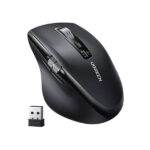
- 1 × 2.4GHz USB Nano Receiver
- 1 × User Manual
Battery inclusion can vary by seller. The product documentation specifies 2 × AA batteries as the power source, while some retailer listings state batteries are included. Confirm the exact package with the seller before ordering.
Who Should Buy This Product?
Choose the UGREEN M751 45792 if you want:
- A 5000 DPI wireless mouse
- Bluetooth 5.4 connectivity
- 2.4GHz wireless connection
- Multi-device productivity
- Silent clicking
- Fast vertical scrolling
- Horizontal scrolling with a thumb wheel
- Comfortable ergonomic handling
- Long-lasting AA battery operation
- A mouse designed for office and productivity work
If you mainly need a competitive gaming mouse with gaming-specific features such as RGB lighting, very high polling rates or dedicated gaming software, a specialized gaming mouse may be a better choice.
Why Buy from AIYOZON?
When purchasing the UGREEN M751 45792 Multi-Mode Wireless Mouse from AIYOZON, you can enjoy:
- Authentic product-focused shopping
- Clear product specifications
- Convenient online ordering
- Reliable delivery support
- Product assistance
- Access to quality UGREEN computer accessories
Frequently Asked Questions
What is the UGREEN M751 45792?
The UGREEN M751 45792 is a multi-mode wireless productivity mouse with 2.4GHz wireless and Bluetooth 5.4 connectivity.
What is the maximum DPI?
The maximum DPI is 5000 DPI, with five selectable levels: 1000, 1600, 2400, 3200 and 5000 DPI.
Does the UGREEN M751 support Bluetooth?
Yes. The M751 supports Bluetooth 5.4 in addition to 2.4GHz wireless connectivity.
Can I connect the M751 to multiple devices?
Yes. Product specifications indicate support for up to three compatible devices.
Does it have a side scroll wheel?
Yes. The M751 has a dedicated thumb-operated side wheel for horizontal scrolling.
Are the clicks silent?
Yes. The mouse uses silent/mute click buttons designed for quieter operation.
Is the UGREEN M751 rechargeable?
No. The M751 uses two AA batteries rather than a built-in rechargeable battery.
What is the wireless range?
The listed wireless operating distance is up to 10 meters / 33 feet under unobstructed conditions.
What devices can use the M751?
It is listed as compatible with Windows, macOS, Linux, Chrome OS and Android. Actual functionality can depend on the connected device and operating system.
Is the UGREEN M751 suitable for gaming?
It can handle general gaming and cursor-based applications, but its feature set is primarily designed around office productivity, multitasking and navigation rather than competitive gaming.
Is the UGREEN M751 good for Excel?
Yes. Its hyper-fast vertical scroll wheel and side thumb wheel are particularly useful for navigating large spreadsheets and wide data tables.
Final Verdict
The UGREEN M751 45792 Multi-Mode Wireless Mouse is a productivity-focused wireless mouse built for users who want flexible connectivity, comfortable navigation and quiet operation.
With 5000 DPI optical tracking, Bluetooth 5.4, 2.4GHz wireless connectivity, support for up to three devices, silent buttons, hyper-fast vertical scrolling and a dedicated horizontal thumb wheel, it is particularly well suited to office professionals, students, designers, data analysts and multitasking users.
Upgrade Your Everyday Computer Experience
- 🖱️ 5000 DPI Optical Tracking
- 🔗 2.4GHz + Bluetooth 5.4
- 💻 Connect Up to 3 Devices
- 🤫 Silent Click Buttons
- ⚡ Hyper-Fast Vertical Scrolling
- ↔️ Side Thumb Wheel for Horizontal Scrolling
- ✋ Ergonomic Right-Handed Design
- 🔋 2 × AA Battery Powered
- 📏 Up to 10m Wireless Range
- 💼 Ideal for Office & Productivity











Reviews
There are no reviews yet.