

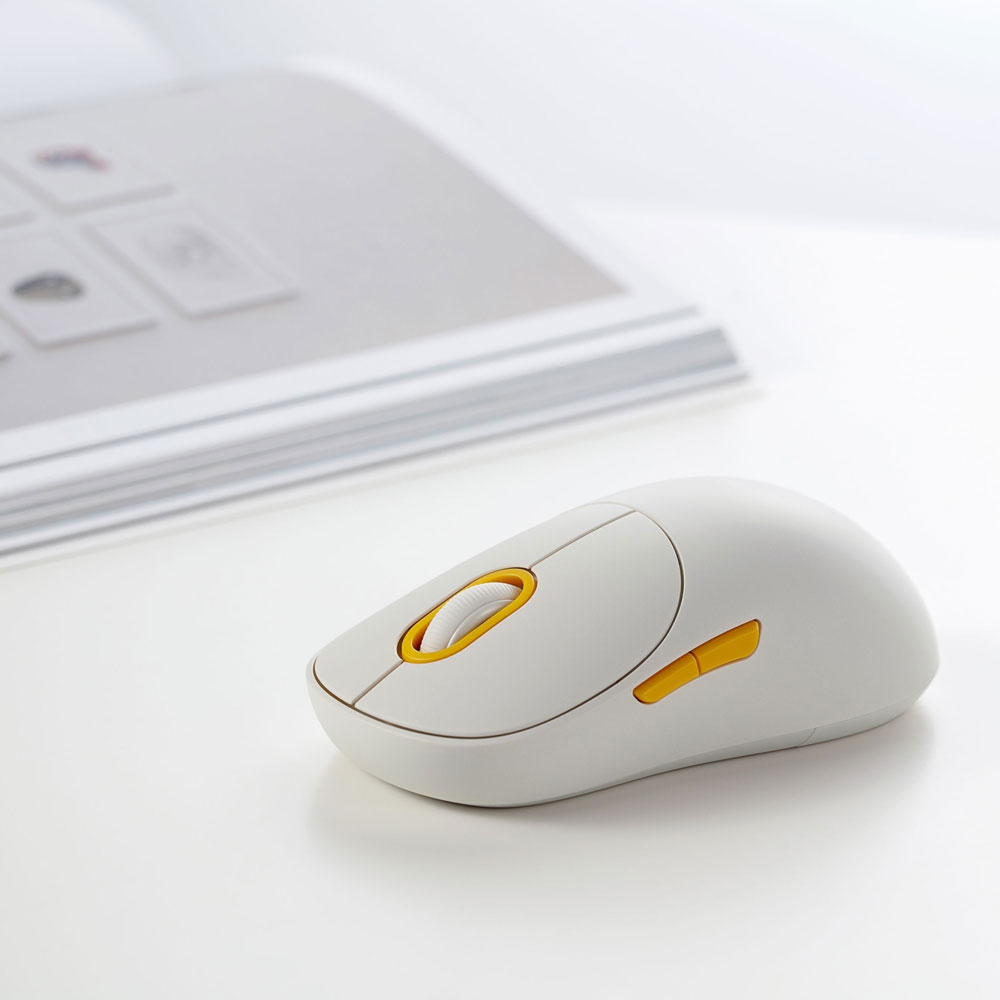

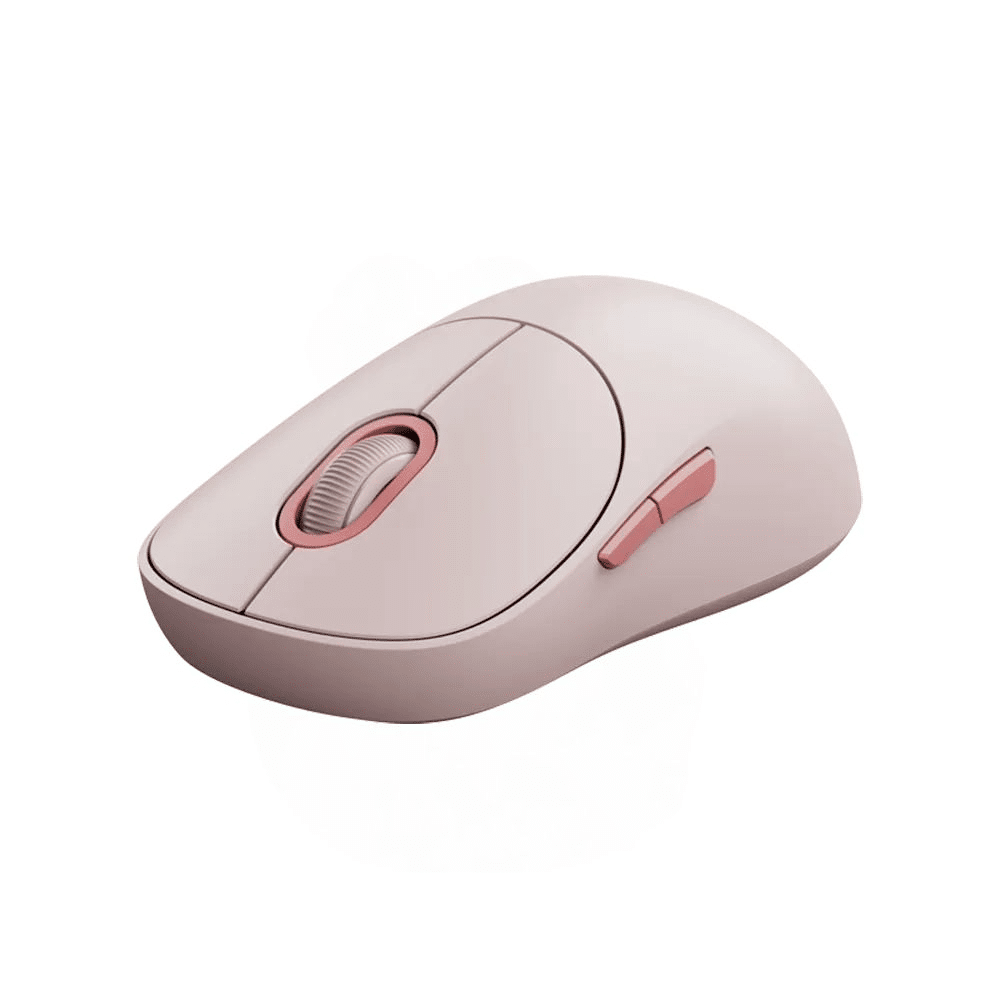





Xiaomi Wireless Mouse 3 Dual Mode Bluetooth & 2.4GHz Silent Mouse – 1200 DPI, Multi-Device Connectivity
Original price was: 2,600.00৳ .2,090.00৳ Current price is: 2,090.00৳ .
Xiaomi Wireless Mouse 3 Dual Mode Bluetooth & 2.4GHz Silent Mouse – 1200 DPI, Multi-Device Connectivity
The Xiaomi Wireless Mouse 3 is a stylish, dual-mode wireless mouse designed for everyday computing, office work, studying and home use. Combining 2.4GHz wireless connectivity, Bluetooth, silent clicking and a 1200 DPI precision sensor, it offers convenient navigation without the clutter of a permanently connected cable.
One of its standout features is its three-device connection capability. The mouse supports one 2.4GHz wireless receiver connection and two Bluetooth channels, allowing you to pair it with up to three devices and switch between them using the function button. Only one device is controlled at a time. citeturn266802search1turn266802search2
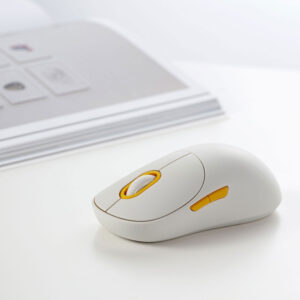
Its ergonomic contours, smooth surface and compact design make the Xiaomi Wireless Mouse 3 a practical companion for laptops, desktop computers and compatible Bluetooth-enabled devices.
Common Problems with Ordinary Computer Mice
Traditional computer mice may create inconveniences during everyday work, including:
- Clicking sounds that disturb people nearby
- Cable clutter on the desk
- Having to reconnect when changing computers
- Uncomfortable shapes during extended use
- Limited connection options
- Unresponsive or inconsistent cursor movement
- Receivers that are easy to lose during travel
The Xiaomi Wireless Mouse 3 addresses these everyday concerns with silent buttons, dual wireless connectivity, multi-device switching and a precision tracking sensor.
Smart Solution: One Mouse for Multiple Devices
The Xiaomi Wireless Mouse 3 combines wireless convenience with flexible device connectivity.
Use the 2.4GHz USB receiver for a compatible computer with a USB-A port, or connect through Bluetooth to compatible devices. With two Bluetooth channels and one receiver channel, you can pair the mouse with up to three devices and switch between them when needed. citeturn266802search1turn266802search4
This setup is useful for people who regularly work across a laptop, desktop computer or another compatible device.
Key Features
1. Dual-Mode Wireless Connectivity
Choose between two wireless connection methods:
- 2.4GHz wireless: Connect through the included USB-A receiver.
- Bluetooth: Pair with a compatible Bluetooth-enabled computer or device.
The two options let you choose the connection that best suits your workspace and available ports. citeturn266802search1turn266802search2
2. Connect Up to Three Devices
The mouse supports three connection channels:
- One 2.4GHz receiver channel
- Two Bluetooth channels
You can pair up to three devices and switch channels using the function button. The mouse operates with one selected device at a time rather than controlling all three simultaneously. citeturn266802search1
3. Silent Clicking Buttons
The Xiaomi Wireless Mouse 3 uses silent switches on its primary buttons to reduce clicking noise while retaining tactile feedback.
This makes it suitable for shared offices, libraries, study areas and quiet home workspaces. citeturn266802search1turn266802search2
4. 1200 DPI Precision Sensor
The mouse features a 1200 DPI PixArt sensor designed for smooth and responsive cursor tracking during everyday computer tasks.
It is suitable for browsing, document editing, online classes, office applications and general productivity. citeturn266802search1turn266802search2
5. Ergonomic Contoured Design
Its carefully shaped contours provide comfortable palm support for different grip styles. The smooth outer surface is designed to provide a comfortable feel during regular use. citeturn266802search2
6. Forward and Backward Side Buttons
The mouse includes thumb-accessible side buttons for forward and backward navigation.
These controls can make browsing websites, reviewing documents and navigating supported applications more convenient. citeturn266802search2
7. Convenient USB Receiver Storage
The 2.4GHz receiver is stored inside the mouse’s receiver compartment when not in use.
This helps keep the receiver with the mouse during storage and transportation. citeturn266802search2
8. Smooth Mouse Feet
The mouse uses PTFE feet designed to reduce friction against compatible desk surfaces, helping the mouse glide smoothly during movement. citeturn266802search2
9. Multiple Colour Options
The Xiaomi Wireless Mouse 3 is available in four listed colours:
- Off-white
- Dark grey
- Pink
- Blue
Actual colour availability depends on the seller’s stock. citeturn266802search1turn266802search2
10. Compact and Lightweight Body
With dimensions of approximately 119 × 64 × 41mm and a net weight of 57g without the battery, the mouse is easy to carry in a laptop bag or backpack. citeturn266802search0
Key Benefits
- Dual-mode Bluetooth and 2.4GHz connectivity
- Pair with up to three devices
- Silent primary-button clicks
- 1200 DPI PixArt tracking sensor
- Ergonomic contoured design
- Forward and backward navigation buttons
- Convenient receiver storage
- Smooth-gliding PTFE mouse feet
- Lightweight, portable construction
- Multiple colour choices
- Suitable for home, office and study use
Perfect For
The Xiaomi Wireless Mouse 3 is ideal for:
- Laptop users
- Desktop computer users
- Office professionals
- Students and online learners
- Remote workers
- Home offices
- Shared workspaces
- Users switching between multiple computers
- People who prefer quiet mouse clicks
- Travellers who need a portable wireless mouse
Why Choose Xiaomi Wireless Mouse 3?
The Xiaomi Wireless Mouse 3 combines practical everyday features in one compact accessory. Its dual-mode connectivity gives you a choice between Bluetooth and a USB receiver, while its three-channel setup makes switching between paired devices convenient.
The silent buttons help reduce distractions, and the 1200 DPI sensor provides responsive tracking for common productivity tasks. Its ergonomic design and lightweight body make it a useful option for a modern laptop or desktop setup.
Xiaomi Wireless Mouse 3 vs. Basic Wireless Mouse
| Feature | Xiaomi Wireless Mouse 3 | Basic Wireless Mouse |
|---|---|---|
| 2.4GHz Connectivity | Yes | Model-dependent |
| Bluetooth Connectivity | Yes | Model-dependent |
| Device Pairing | Up to 3 devices | Varies |
| Silent Primary Buttons | Yes | Varies |
| Sensor Resolution | 1200 DPI | Varies |
| Side Navigation Buttons | Yes | Varies |
| Receiver Storage | Built-in compartment | Varies |
| Ergonomic Contours | Yes | Depends on design |
| Colour Options | Four listed colours | Varies |
| Portability | Lightweight design | Varies |
How to Use Xiaomi Wireless Mouse 3
Step 1: Install the Battery
Open the battery compartment and insert a compatible AA battery, observing the correct polarity. Check the package contents because battery inclusion can vary by market or seller.
Step 2: Choose Your Connection Method
Decide whether to use the 2.4GHz receiver or Bluetooth.
Step 3: Connect Through 2.4GHz
Remove the receiver from its storage compartment and plug it into a compatible USB-A port. Turn on the mouse and allow the computer to detect the connection.
Step 4: Connect Through Bluetooth
Select a Bluetooth channel using the function button. Press and hold the function button for more than three seconds to enter pairing mode, then select Xiaomi Wireless Mouse 3 from your computer’s Bluetooth settings. citeturn266802search1turn266802search4
Step 5: Switch Between Devices
After pairing multiple devices, press the function button to cycle between the 2.4GHz channel and the two Bluetooth channels.
Step 6: Start Working
Move the mouse on a suitable surface and use the buttons and scroll wheel for everyday navigation.
Recommended Use Cases
Office Productivity
Use the mouse for spreadsheets, presentations, email, document editing and other daily work tasks.
Online Classes and Study
Its wireless operation and quiet clicking are convenient for students attending online classes or studying in shared spaces.
Multi-Device Workstations
Pair it with compatible computers or other supported devices and switch channels instead of keeping a separate mouse for each setup.
Home Computing
The compact design suits everyday browsing, streaming controls and general computer use.
Travel and Remote Work
Store the receiver inside the mouse and carry it with your laptop for a tidy portable setup.
Cleaning and Maintenance
To keep the mouse in good working condition:
- Switch off the mouse before cleaning.
- Wipe the outer surface with a soft, dry or slightly damp cloth.
- Keep the sensor opening free from dust.
- Clean the mouse feet when dust accumulates.
- Keep liquids away from the mouse and battery compartment.
- Remove the battery if the mouse will remain unused for an extended period, following the manufacturer’s instructions.
- Store the receiver in its designated compartment when travelling.
Important Usage Tips
- Confirm that your computer supports Bluetooth before choosing Bluetooth mode.
- Use the included receiver for the 2.4GHz connection.
- Keep the receiver within a reasonable distance of the mouse.
- If Bluetooth becomes unstable, try switching to the 2.4GHz receiver connection.
- Use a suitable mouse pad or non-transparent surface for consistent tracking.
- Avoid using the mouse on transparent glass or highly reflective mirror surfaces.
- Keep the mouse away from water and excessive moisture.
- Replace the AA battery when the low-battery indicator appears. citeturn266802search1turn266802search4
Product Specifications
| Specification | Details |
|---|---|
| Brand | Xiaomi |
| Product Name | Xiaomi Wireless Mouse 3 |
| Model Number | XMWXSB03YM |
| Product Type | Dual-Mode Wireless Mouse |
| Connectivity | 2.4GHz wireless and Bluetooth |
| Connection Channels | 1 × 2.4GHz + 2 × Bluetooth |
| Maximum Paired Devices | Up to 3 |
| Sensor | PixArt |
| Resolution | 1200 DPI |
| Buttons | Left, right, middle/scroll, forward, backward and function controls |
| Primary Button Type | Silent switches |
| Receiver | USB-A 2.4GHz receiver |
| Receiver Storage | Inside mouse |
| Power Supply | 1 × AA battery |
| Rated Input | 1.5V ⎓ 50mA |
| Materials | Plastic and metal |
| Dimensions | Approx. 119 × 64 × 41mm |
| Net Weight | Approx. 57g without battery |
| Operating Temperature | 0°C to 40°C |
| Listed Compatibility | Windows 10 and macOS 10.13 or newer |
| Colours | Off-white, dark grey, pink and blue |
Specifications are based on Xiaomi’s global product specification and support documentation. Compatibility with other operating systems and devices depends on their Bluetooth or USB receiver support. citeturn266802search0turn266802search1turn266802search13
What’s in the Box?
The standard listed package includes:
- 1 × Xiaomi Wireless Mouse 3
- 1 × 2.4GHz USB receiver, stored inside the mouse
- 1 × User manual
- 1 × Warranty card
An AA battery is listed in some regional package descriptions, so confirm whether it is included with the version supplied by your seller. citeturn266802search0turn266802search4
Who Should Buy This Product?
Choose the Xiaomi Wireless Mouse 3 if you want:
- A wireless mouse with Bluetooth and 2.4GHz options
- Quiet primary-button clicks
- Responsive 1200 DPI tracking
- A mouse that can pair with up to three devices
- Side navigation buttons
- A lightweight mouse for travel
- A practical accessory for work, study and everyday computing
If you need advanced gaming features such as high polling rates, adjustable gaming-grade DPI or programmable macro buttons, consider a dedicated gaming mouse instead.
Why Buy from AIYOZON?
When purchasing the Xiaomi Wireless Mouse 3 from AIYOZON, you can enjoy a convenient shopping experience for everyday computer accessories.
- Convenient online ordering
- Clear product specifications
- Product assistance before purchase
- Delivery support
- Access to useful technology accessories
Before ordering, confirm the colour, package contents and warranty terms for the specific version available.
Frequently Asked Questions
Does the Xiaomi Wireless Mouse 3 support Bluetooth?
Yes. It supports Bluetooth as well as 2.4GHz wireless connectivity through the included USB receiver. citeturn266802search1
Can I connect it to multiple devices?
Yes. You can pair it with up to three devices using one 2.4GHz channel and two Bluetooth channels. You switch between devices; the mouse does not control all three simultaneously. citeturn266802search1
Is the Xiaomi Wireless Mouse 3 silent?
Its primary buttons use silent switches designed to reduce clicking noise while retaining tactile feedback. citeturn266802search1
What is the DPI of this mouse?
The mouse uses a 1200 DPI PixArt sensor, suitable for everyday navigation and productivity. citeturn266802search1
Does it need a USB receiver?
Only when using 2.4GHz mode. Bluetooth mode does not require the receiver, but the connected device must support Bluetooth. citeturn266802search1
What battery does it use?
The mouse uses one AA battery. Check the product package to confirm whether the battery is included. citeturn266802search4
Does it have side buttons?
Yes. It includes forward and backward buttons for convenient navigation. citeturn266802search2
What are its dimensions?
The mouse measures approximately 119 × 64 × 41mm and weighs about 57g without the battery. citeturn266802search0
Which operating systems does it support?
Xiaomi lists compatibility with Windows 10 and macOS 10.13 or newer. Other devices may work when they support the required Bluetooth or USB receiver connection. citeturn266802search0
Is the Xiaomi Wireless Mouse 3 suitable for gaming?
It can handle casual gaming and everyday computer use, but it is primarily designed for productivity, browsing and office work rather than specialist competitive gaming.
Final Verdict
The Xiaomi Wireless Mouse 3 Dual Mode Bluetooth & 2.4GHz Silent Mouse is a practical choice for users who want a clean, comfortable and flexible wireless setup. Its 1200 DPI PixArt sensor, silent primary buttons, ergonomic contours, side navigation buttons and three-device pairing capability make it well suited to office work, study and everyday computing.
Upgrade Your Workspace with Xiaomi Wireless Mouse 3
- Dual-mode connectivity: Bluetooth and 2.4GHz
- 1200 DPI precision tracking
- Silent primary-button clicks
- Pair with up to three devices
- Forward and backward navigation buttons
- Lightweight, ergonomic design
- Compact receiver storage
- Multiple colour options














Reviews
There are no reviews yet.